Skip to content
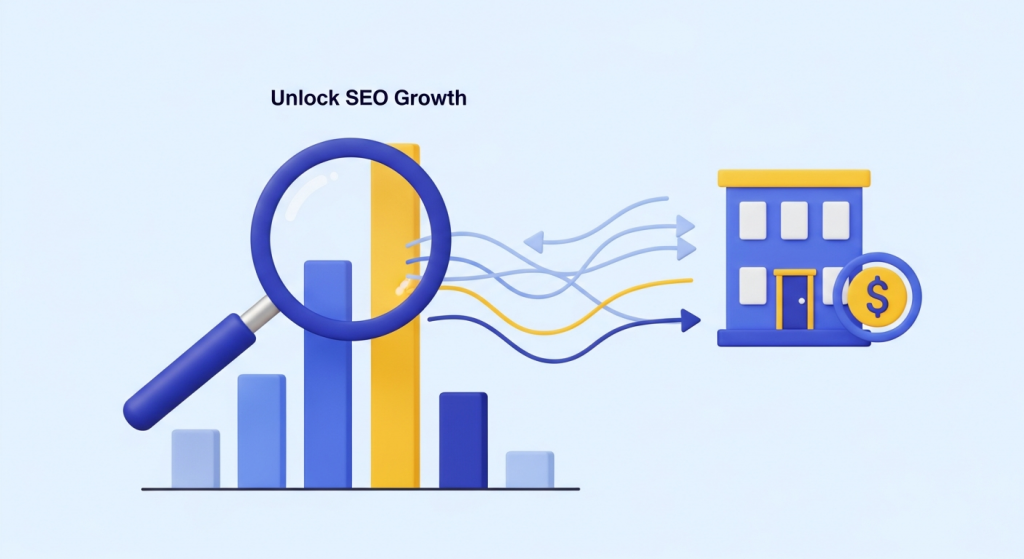 Unlock SEO Growth: A Small Business Guide to Competitor Analysis In the competitive digital landscape, it can feel like you’re playing a game without knowing the rules. You create great content, you build what you think is a fantastic website, but your competitors consistently outrank you on Google. What’s their secret? The good news is that it’s not a secret at all. The answer lies in a powerful and actionable process: SEO competitor analysis. For small and medium-sized businesses, understanding what your rivals are doing to win at search engine optimization (SEO) is not just insightful—it’s a roadmap to your own success. By systematically analyzing their strategies, you can identify gaps in your own approach, discover untapped opportunities, and make data-driven decisions that lead to sustainable growth. This guide will walk you through exactly how to do it, step by step. What is SEO Competitor Analysis (And Why It Matters for Your Business) SEO competitor analysis is the process of researching the content, keywords, and backlink profiles of your main competitors to understand their SEO strengths and weaknesses. Think of it as ethical reconnaissance. You’re not looking to steal their work, but to understand the formula behind their success so you can create a superior strategy. Why is this so crucial for a small business? Because resources are finite. You can’t afford to waste time and money on strategies that don’t work. Competitor analysis removes the guesswork, allowing you to focus your efforts where they will have the most impact. It helps you: Discover Profitable Keywords: Find out which search terms are already driving valuable traffic to your competitors. Benchmark Your Performance: Understand where you stand in the market and set realistic, achievable SEO goals. Identify Content Gaps: Uncover topics and formats that resonate with your shared audience but that you haven’t yet addressed. Find Link-Building Opportunities: See which high-quality websites are linking to your competitors, opening the door for you to earn similar links. Avoid Their Mistakes: Learn from their missteps, whether it’s targeting the wrong keywords or having a poor user experience on their site. Step 1: Identify Your True SEO Competitors The first step is often the most misunderstood. Your direct business competitors—the companies you compete with for customers down the street—are not always your primary SEO competitors. Your SEO competitors are the websites and businesses that consistently show up on the first page of Google for the keywords you want to rank for. Direct vs. Search Competitors Imagine you own a boutique local bakery. Your direct competitor is the other bakery across town. But when you search for “best custom birthday cakes,” you might find that a major grocery store chain, a popular food blogger, and a national recipe website all rank on the first page. These are your search competitors. You are all vying for the same digital real estate and audience attention, even if your business models are different. How to Find Them Start by brainstorming a list of your most important products or services. Then, search for those terms on Google. Who consistently appears in the top 5-10 results? These are the players you need to analyze. Pay attention to the businesses that show up repeatedly across several of your target searches. Advanced SEO tools like Ahrefs and Semrush can automate this process by showing you which domains compete with you most frequently for organic keywords, but a simple Google search is a powerful and free place to start. Step 2: Uncover Their Keyword Strategy Keywords are the foundation of SEO. Understanding which keywords your competitors are targeting and ranking for is like being handed their marketing playbook. This analysis goes beyond just finding a list of terms; it’s about understanding the intent and value behind them. Find Their High-Value Keywords Your goal is to identify the keywords that drive the most relevant traffic to your competitors. These are often “transactional” or “commercial” keywords—phrases that users type when they are close to making a purchase or inquiry (e.g., “emergency plumbing services near me” versus “how to fix a leaky faucet”). SEO tools are invaluable here, as they can show you a competitor’s top organic keywords, the search volume for those keywords, and how much traffic they generate. Analyze Keyword Intent Look at the types of pages that rank for their target keywords. Are they blog posts (informational intent), service pages (transactional intent), or product comparison pages (commercial investigation intent)? Understanding the user’s goal behind a search query is critical. As explained by SEO authority Moz, matching your content to search intent is essential for ranking. If your competitor ranks with a comprehensive “how-to” guide for a specific term, a simple service page from you is unlikely to compete effectively. Discover Content and Keyword Gaps A “keyword gap” analysis reveals the keywords your competitors rank for, but you do not. This is a goldmine of opportunity. It shows you precisely where the demand is and where you have no presence. By targeting these proven keywords with high-quality content, you can start capturing a share of that established traffic. Step 3: Analyze Their Backlink Profile Backlinks—links from other websites to yours—are one of the most powerful ranking factors in SEO. Google views them as votes of confidence or credibility. A site with many high-quality backlinks is seen as more authoritative and trustworthy, and is therefore more likely to rank well. Analyzing your competitors’ backlink profiles helps you understand how they built their authority and shows you a path to do the same. According to Google’s own documentation, links are a primary way their crawlers discover new pages. A strong backlink profile not only boosts authority but also improves how quickly search engines find your content. Identify Their Best Backlinks Using SEO tools, you can generate a list of every website that links to your competitor. Don’t be overwhelmed by the quantity; focus on quality. Look for links from: Reputable industry publications and blogs Local news sites or community organizations Guest posts on authoritative websites
 Navigating the Shake-Up: What Google’s March 2024 Update Means for Your Small Business If the world of SEO felt like it was hit by an earthquake recently, you’re not imagining it. In March 2024, Google unleashed one of its most significant updates in years, a combination of a “Core Update” and several new “Spam Policies.” For small business owners, the message from Google is louder and clearer than ever: the quality of your website and content is no longer just a suggestion; it’s a requirement for online visibility. You might be wondering what this all means for you. Are your marketing efforts at risk? Is your website suddenly invisible? Don’t panic. This update is actually a massive opportunity for businesses that are committed to doing things the right way. Let’s break down what’s happening, why it matters, and what simple, effective steps you can take to not only survive but thrive in this new search landscape. What Exactly Is the March 2024 Google Update? Think of this update as a major spring cleaning for Google’s search results. For a long time, users have complained about sifting through low-quality, unoriginal, and downright unhelpful content to find what they need. Google listened. Their stated goal with this update is to reduce low-quality, unoriginal content in search results by 40%. That’s a huge number, and it shows how serious they are. The update has two main components working together: The Core Update: This is an evolution of Google’s main ranking algorithm. It’s designed to be better at identifying which web pages are the most helpful, reliable, and provide the best user experience. It’s less about penalizing “bad” sites and more about better promoting “good” ones that truly serve the user’s needs. New Spam Policies: These are more direct and punitive. They specifically target manipulative tactics designed to trick search engines into ranking content that offers little to no value to a human reader. The Real Target: Unhelpful Content and Spammy Tactics To understand how to succeed, you need to know what Google is actively fighting against. The new spam policies are aimed squarely at a few key abuses that have cluttered up search results: 1. Scaled Content Abuse: This is the big one. Many people immediately think “AI-generated content,” but it’s more nuanced. The issue isn’t the tool (AI), but the intent. This policy targets the practice of producing massive amounts of unoriginal content at a large scale, whether with AI, human-powered content farms, or other automation, with the primary goal of manipulating search rankings. If the content is created for search engines first and people second, it’s now at high risk. 2. Expired Domain Abuse: This is an old-school black-hat SEO trick. It involves buying expired domain names that used to have a good reputation (e.g., an old, respected blog) and repurposing them to host low-quality content to benefit from the domain’s past authority. Google now considers this spam. 3. Site Reputation Abuse: You might have heard this called “parasite SEO.” It’s when a third party publishes low-quality pages on a trusted, high-authority website to take advantage of that site’s good reputation. Think of a coupon section on a major news site that’s run by a separate company and has nothing to do with news. Google is cracking down on this to ensure a site’s reputation is earned by its own content. Why This Matters for Your Business (Even If You’re Not Spamming) Reading about these spam policies, you might think, “I don’t do any of that, so I’m safe.” While you may not be intentionally spamming, this update fundamentally raises the bar for everyone. It signals a massive shift in how Google evaluates your entire online presence. What was “good enough” yesterday might be considered unhelpful today. Here’s what you need to focus on now: Helpful, People-First Content is Non-Negotiable The core of this update is a renewed focus on what Google calls “helpful, reliable, people-first content.” This means your content must be created for your audience, not for a search engine. It should answer their questions, solve their problems, and demonstrate genuine expertise. Ask yourself these questions about every page on your site: Does this content clearly demonstrate first-hand experience and deep knowledge? Is this written in a way that my ideal customer would find engaging and easy to understand? Does it provide unique insight or a comprehensive solution that they can’t find elsewhere? After a visitor reads this, will they feel satisfied and that they’ve learned something valuable? If the answer to any of these is no, it’s time to revise. This is where a thoughtful SEO & Content Strategy becomes your most powerful asset, guiding you to create content that both users and Google will love. Your Website’s User Experience is Now a Key Ranking Factor Google’s algorithm doesn’t just read your text; it analyzes how users interact with your website. A slow-loading, confusing, or broken website sends strong signals that you’re not providing a quality experience. If users land on your site and immediately click the “back” button because it’s hard to navigate or looks untrustworthy, Google notices. A professional, intuitive, and fast website is no longer a luxury—it’s essential for SEO. The user’s journey on your site is part of your content’s value proposition. A seamless experience tells Google your site is a high-quality result, which can protect and even boost your rankings. This deep connection between user experience and visibility is why our Website Design Services focus on building conversion-focused platforms that are as effective as they are beautiful. Actionable Steps to Thrive in the New Google Landscape Feeling a little overwhelmed? Don’t be. Here are five practical steps you can take right now to align your digital marketing with Google’s new standards and build a more resilient online presence. Conduct an Honest Content Audit: Go through your blog posts, service pages, and articles. Remove or significantly improve anything that is thin, outdated, or doesn’t truly serve a purpose for your audience. Be ruthless.
 The Secret to Better Traffic: Why Long-Tail Keywords Are Your Small Business Superpower As a small business owner, you live and breathe growth. You’ve built a beautiful website, perfected your product, and you’re ready for a flood of new customers. But when you check your analytics, the traffic is a trickle, not a flood. You’re competing for broad, popular keywords like “coffee shop” or “marketing consultant,” and it feels like you’re shouting into a void dominated by massive corporations with bottomless budgets. What if there was a smarter way to attract customers? A way to sidestep the Goliaths in your industry and connect directly with people who are actively looking for exactly what you offer? There is, and it lies in a powerful, often-overlooked strategy: targeting long-tail keywords. Forget the obsession with one-word search terms. Embracing the specificity of long-tail keywords is one of the most effective ways for a small business to drive not just more traffic, but the right traffic—the kind that converts into loyal customers. What Exactly Are Long-Tail Keywords? To understand long-tail keywords, it helps to first look at their counterpart: head terms. Head terms (or short-tail keywords) are broad, popular search queries, usually one or two words long. Think “shoes,” “insurance,” or “plumber.” They have enormous search volume, which seems appealing, but they are also incredibly competitive and vague. Long-tail keywords are the opposite. They are longer, more specific search phrases, typically three or more words. They have much lower individual search volume, but they are far more descriptive. Consider the difference: Head Term: “boots” (High volume, high competition, vague intent) Long-Tail Keyword: “women’s waterproof leather hiking boots size 8” (Low volume, low competition, highly specific intent) A person searching for “boots” might be doing preliminary research, looking for pictures, or just browsing. But a person searching for “women’s waterproof leather hiking boots size 8” knows exactly what they want. They are likely much closer to making a purchase. While each long-tail keyword gets few searches, together they make up the vast majority of all searches conducted on Google. According to research from SEO experts at Ahrefs, nearly 92% of all keywords get ten searches per month or fewer. That massive, collective search volume is the “long tail” that small businesses can effectively tap into. The Three Major Benefits of Targeting Long-Tail Keywords Focusing your digital marketing efforts on these specific phrases isn’t just a clever workaround; it’s a strategic move that delivers tangible business results. Here’s why a long-tail approach is so powerful. 1. Less Competition, Easier Rankings Trying to rank on the first page of Google for a head term like “digital marketing” is an uphill battle against established, high-authority websites. They have massive marketing teams and budgets dedicated to holding those top spots. For a small business, competing on that level is often unrealistic and a poor use of resources. Long-tail keywords, however, are a different story. Because they are so specific, far fewer websites are competing to rank for them. It’s much more achievable to rank for “digital marketing for independent coffee shops” than for “digital marketing.” By targeting these niche phrases, you position your business as the perfect answer to a very specific need, allowing you to climb the search rankings and become visible to the right people without having to outspend a multinational corporation. 2. Higher Conversion Rates Through Clearer Search Intent Search intent is the “why” behind a search query. It’s what a user is truly trying to accomplish. Understanding this is the key to effective SEO, and long-tail keywords provide a crystal-clear window into a user’s intent. As experts at Moz explain, search intent generally falls into a few categories: informational (I want to know something), navigational (I want to go to a specific site), or transactional (I want to buy something). A search for “CRM” is ambiguous. Is the user looking for a definition, a list of top providers, or a job at a CRM company? But a search for “best CRM for a small real estate team” signals a user with a specific problem who is actively evaluating solutions. They are a commercial or transactional searcher. When you create content or a service page that directly addresses that long-tail query, you meet the user at the exact moment of their need. This perfect alignment between their problem and your solution dramatically increases the likelihood that they will take action—whether that’s making a purchase, filling out a contact form, or picking up the phone. You’re not just getting traffic; you’re getting highly qualified leads. 3. Attracting a More Qualified, Targeted Audience Would you rather have 10,000 random visitors to your website or 100 visitors who are actively looking to buy your product? The answer is obvious. The goal of SEO isn’t just to increase visitor numbers; it’s to increase business. Long-tail keywords act as a natural filter. They weed out the casual browsers and attract serious prospects who have already moved past the initial awareness stage of the buyer’s journey. Someone searching for “emergency roof repair in Denver after hailstorm” isn’t just kicking tires. They have an urgent, specific problem they need to solve immediately. If you’re a Denver-based roofer, that is precisely the person you want visiting your site. This focus on quality over quantity ensures that your marketing efforts are spent engaging prospects who are far more likely to become paying customers. How to Find High-Value Long-Tail Keywords for Your Business The good news is that you don’t need a suite of expensive, complex tools to start your long-tail keyword research. Some of the best sources of information are free and readily available. Start with Google Itself Google is constantly trying to predict what users are looking for, and you can use this to your advantage. Google Autocomplete: Start typing a broad keyword related to your business into the Google search bar and see what suggestions appear. These are real, popular searches that people are conducting. “People Also Ask” Boxes: These boxes appear
 Google’s AI Overviews Are Here: What Small Businesses Need to Do Right Now If you’ve used Google in the last few days, you might have noticed something new. Something big. Right at the very top of the search results, where you used to see a list of blue links, there’s now often a detailed, conversational summary answering your question directly. This, my friends, is the official rollout of Google’s AI Overviews, and it represents one of the most significant shifts in search engine behavior we’ve seen in a decade. For small business owners, this isn’t just a minor tweak to the algorithm; it’s a fundamental change in how potential customers will find you online. For years, the game was simple: get your website to the top of the results page and earn the click. Now, Google’s AI is summarizing the answer for the user, potentially before they ever see your website link. It’s a change that can feel intimidating, but it’s also a massive opportunity for businesses that are ready to adapt. The core principles of good marketing haven’t changed, but the tactics we use to execute them must evolve. Let’s break down what this means for you and what you need to do, starting today. What Are Google’s AI Overviews and Why Should You Care? Before we dive into strategy, it’s crucial to understand what we’re dealing with. Think of AI Overviews as a super-smart research assistant built directly into Google. Instead of just giving you a list of links (potential sources), it reads and synthesizes information from multiple top-ranking websites to provide a single, comprehensive answer to a user’s query. It’s designed to make finding information faster and more conversational. The Big Impact on Small Business Websites The immediate concern for many business owners is the rise of “zero-click searches.” If a user gets a perfectly good answer from the AI Overview, they may have no reason to click through to any of the source websites. This could lead to a significant drop in organic website traffic, which for many businesses, is a primary source of leads and sales. Does this mean SEO is dead? Absolutely not. In fact, it means that high-quality, strategic SEO is more important than ever. The new goal isn’t just to rank on page one; it’s to have content so valuable and authoritative that Google’s AI chooses to feature and cite *you* within its generated answer. Being a cited source in an AI Overview is the new “position zero,” placing your brand directly in front of an engaged user at their moment of need. The game has changed, but you can still win. 4 Proven Strategies to Adapt Your SEO for an AI-Powered World Panicking won’t help, but taking strategic action will. The good news is that preparing for an AI-driven search world doesn’t require you to throw out your entire marketing playbook. It’s about refining your focus and doubling down on the things that have always been hallmarks of great digital marketing: quality, authority, and user experience. 1. Double Down on E-E-A-T and Authoritative Content Google’s AI is built on a foundation of trust. It needs to pull its information from sources it deems credible and reliable. This is where the concept of E-E-A-T comes in: Experience, Expertise, Authoritativeness, and Trustworthiness. These are the core signals Google uses to evaluate the quality of your content. To win in the age of AI, you must prove that you are a genuine expert in your field. How can you do this? Showcase Your Expertise: Create detailed, comprehensive content that goes beyond surface-level explanations. Write in-depth guides, original research, and case studies that demonstrate your unique knowledge. Author Bios and About Pages: Make it clear who is writing your content. Include author bios with credentials, photos, and links to their social profiles. Your “About Us” page should tell your story and highlight your company’s experience and qualifications. Build Trust with Social Proof: Prominently display customer testimonials, reviews, industry certifications, and press mentions. These are all powerful trust signals for both users and Google. By focusing on E-E-A-T, you’re not just optimizing for an algorithm; you’re building a brand that customers can rely on. As Search Engine Land explains in their detailed guide, these factors are critical for demonstrating your content’s value and are heavily weighted in how Google evaluates and ranks websites, especially for AI-generated results. Our expert team specializes in creating high-authority content frameworks. Explore our approach to SEO & Content Strategy to see how we help businesses become the go-to experts in their niche. 2. Answer Questions Your Customers Are *Actually* Asking AI Overviews are fundamentally designed to answer questions. This means your content strategy needs to shift from targeting fragmented keywords to answering the complete, conversational questions your ideal customers are typing and speaking into their devices. Think about the entire customer journey and the questions that arise at each stage. Here’s how to put this into practice: Dive into “People Also Ask”: A Google search for any of your core services will reveal a “People Also Ask” box. This is a goldmine of related questions your audience is asking. Use these to create dedicated sections in your articles or entire blog posts. Use Your Own Data: What are the most common questions your sales team gets? What do customers ask your support staff? This internal data is invaluable for creating content that directly addresses real-world pain points. Create Comprehensive FAQ Pages: A well-structured FAQ page that answers dozens of specific questions about your products, services, and industry is an incredibly powerful asset for getting featured in AI Overviews. By creating the best, most thorough answer to a specific question, you dramatically increase the likelihood that Google’s AI will use your content as a primary source. 3. Optimize for More Than Just a Blue Link The standard list of ten blue links is becoming less and less dominant on the search results page. The page is now a dynamic collection of
 Panic Button? How to Diagnose and Recover From a Drop in Search Rankings You check your website’s traffic, and your heart sinks. Your search rankings, once a reliable source of leads and sales, have plummeted. It’s a moment of panic for any small business owner who depends on a steady stream of online visibility. Before you assume the worst, take a deep breath. A drop in search rankings is a common challenge, and in most cases, it’s entirely recoverable with a calm, methodical approach. Sudden changes in your search engine optimization (SEO) performance can feel alarming, but they are often a symptom of a specific issue. By treating it like a puzzle to be solved rather than a catastrophe, you can identify the root cause, implement the right fixes, and build a more resilient online presence for the future. This guide will walk you through a step-by-step process to diagnose the problem, create an effective recovery plan, and prevent it from happening again. Step 1: Don’t Panic—Diagnose the Problem First Your first instinct might be to make drastic changes to your website, but that can do more harm than good. The most critical first step is to investigate. A successful SEO recovery starts with accurate diagnosis. You need to gather data to understand whether the drop was caused by an external factor, a technical glitch on your site, or a change in the competitive landscape. Two free tools from Google are indispensable here: Google Analytics and Google Search Console. If you don’t have these set up, make it your top priority. They provide the essential data you need to understand how users and search engines interact with your site. Check for a Google Algorithm Update Google is constantly refining its search algorithm to provide users with the best possible results. While small tweaks happen daily, Google occasionally rolls out major “core updates” that can significantly shake up search rankings. If your drop in traffic was sudden and steep, it might coincide with one of these updates. The goal of these updates isn’t to penalize websites but to better reward sites that offer a great user experience and high-quality content. You can check for recent updates by visiting reputable industry resources that track these changes, such as Moz’s Google Algorithm Change History. If the date of your traffic drop aligns with a confirmed update, you have a strong clue. Recovery in this case involves better aligning your website with what Google is trying to reward, which we’ll cover in the next section. Review Your Google Search Console Data Google Search Console (GSC) is your direct line of communication with Google. It’s the first place you should look for technical issues or direct penalties. Manual Actions: Navigate to the “Security & Manual Actions” section. A manual action is a direct penalty applied by a human reviewer at Google when your site is found to be in violation of their spam policies. These are rare, but if you have one, GSC will explain the issue and provide steps for you to fix it and submit a reconsideration request. Performance Report: This report is your gold mine of data. Look at your clicks and impressions over the last few months. Did the drop affect your entire site, or just specific pages, keywords, or devices (e.g., mobile traffic)? Pinpointing the scope of the problem helps narrow down the cause. For example, if only a few pages dropped, the issue might be related to the content on those pages. Indexing and Crawl Errors: Check the “Pages” report under the “Indexing” section. A sudden spike in “Crawled – currently not indexed” or “Not found (404)” errors could indicate that Google is having trouble accessing or understanding your content. Analyze Your Website’s Technical Health Sometimes, a ranking drop has nothing to do with a Google update and everything to do with a simple technical error on your own site. This can happen during a website redesign, when installing a new plugin, or through an accidental edit. Common technical SEO issues to investigate include: Accidental ‘noindex’ Tags: A ‘noindex’ tag tells Google not to include a page in its search results. If this tag is accidentally added to important pages or your entire site, your rankings will vanish. Changes to robots.txt: The robots.txt file gives instructions to search engine crawlers. An incorrect “Disallow” rule could be blocking Google from accessing crucial parts of your site. Server Issues: If your website was down or experiencing significant server errors (like 5xx errors), Google may temporarily drop your rankings. Check your server logs or contact your hosting provider. Slow Page Speed: User experience is a major ranking factor. A recent update that slowed down your site could be the culprit. Use Google’s PageSpeed Insights tool to check your Core Web Vitals, which are key metrics Google uses to measure site performance. For a deeper dive, check out this complete guide to Core Web Vitals. Step 2: Create Your SEO Recovery Action Plan Once your investigation has pointed to a likely cause, it’s time to build a strategic plan of action. Your recovery plan will depend entirely on what you discovered in the diagnosis phase. There is no one-size-fits-all solution. If It Was an Algorithm Update… You can’t fight an algorithm update. Instead, you must lean into it by understanding what the update was designed to reward. Recent updates have overwhelmingly focused on content quality and user experience. Google wants to rank content that demonstrates strong Experience, Expertise, Authoritativeness, and Trustworthiness (E-E-A-T). Your action plan should focus on improving these areas: Audit and Improve Your Content: Review your most affected pages. Is the content truly helpful and people-first, or is it written for search engines? Read Google’s official guidance on creating helpful content and be honest in your assessment. Update outdated information, consolidate thin or weak articles, and ensure your content comprehensively answers the user’s query. Enhance User Experience (UX): How does it feel to use your website? Is the navigation intuitive?
 Beyond the AI Hype: Why Google’s Latest Update Demands a Human Touch If you’ve felt a tremor in your website traffic recently, you’re not alone. The digital landscape just experienced a significant shift, and it has everything to do with the content you publish. In early 2024, Google rolled out one of its most impactful core updates yet, aimed squarely at a problem that has been growing exponentially: the flood of low-quality, unhelpful, and often AI-generated content clogging up search results. For small business owners, this news might sound alarming. You might be wondering if your site is at risk, if using AI for your marketing is now off-limits, or how you can possibly keep up. But here’s the good news: this change is actually a massive opportunity for authentic businesses to shine. Google isn’t punishing technology; it’s rewarding humanity. This update is a clear signal that the future of SEO belongs to those who prioritize creating genuinely helpful, people-first content. Let’s break down what that means for you and how you can adapt your strategy to thrive in this new environment. What is Google’s “Helpful Content” Update (And Why It Just Got More Serious)? For years, Google has been on a mission to better understand and rank content based on its quality and relevance to the user. The “Helpful Content System” was introduced as a specific signal to identify content that seemed created primarily to rank in search engines rather than to help or inform people. Think of thin, generic articles that repeat the same information you’ve seen on ten other sites without adding any real value. However, the recent March 2024 Core Update took this to a whole new level. Instead of being a separate signal, the helpful content system is now a core part of the main ranking algorithm. This is a crucial distinction. It’s no longer just one factor among many; it’s fundamental to how Google evaluates your entire website. In their own announcement, Google stated the goal was to reduce low-quality, unoriginal content in search results by 40%. That’s a seismic shift. So, what does Google consider “unhelpful”? It’s content that leaves a reader feeling unsatisfied. Maybe it promised an answer but didn’t deliver, lacked any real expertise, or was so generic it felt like it was written by a robot—because, in many cases, it was. The AI Content Trap: Where Many Businesses Went Wrong The rise of powerful AI tools created a gold rush. Suddenly, it was possible to generate hundreds of articles, blog posts, and product descriptions in a fraction of the time it would take a human writer. Many businesses and so-called SEO gurus jumped on this, believing that more content, produced faster, was the key to ranking success. They started creating content “at scale,” flooding the internet with articles that were technically readable but practically useless. This is the exact type of behavior Google is now targeting. The algorithm has become much more sophisticated at identifying content that lacks a human touch—content that shows no real experience, unique insight, or genuine expertise. The mistake wasn’t in using AI, but in using it as a replacement for human knowledge and effort. Think of AI as a brilliant but inexperienced intern. It can research, outline, and even draft ideas with incredible speed. But it can’t draw on your years of experience running your business, share a personal story about helping a customer solve a specific problem, or offer a unique perspective that no one else has. Relying on AI to be the author, not the assistant, is the trap. Our approach to AI Automations for Small Business focuses on using these powerful tools to enhance human capability, not replace it, ensuring your content remains authentic and valuable. E-E-A-T: Your Secret Weapon for Winning in 2024 If you want to understand what Google values, you need to know about E-E-A-T. This acronym stands for Experience, Expertise, Authoritativeness, and Trustworthiness. It’s not a direct ranking factor but a framework Google’s quality raters use to evaluate search results, and its principles are baked into the core algorithm. In the wake of the helpful content update, focusing on E-E-A-T is no longer optional; it’s your primary strategy. Experience This is the newest addition to the framework, and it’s a direct response to generic AI content. Google wants to see that the author has real, first-hand life experience with the topic. If you’re a plumber writing about fixing leaky pipes, share a story from a tricky job. If you’re a financial advisor discussing retirement planning, include insights from your years of helping clients. Don’t just tell the reader what to do; show them you’ve done it. Expertise This is about demonstrating your deep knowledge of your field. Are you a recognized expert? Do you have qualifications, credentials, or a proven track record? Your content should reflect this. Go beyond surface-level tips and create comprehensive guides, in-depth analyses, and tutorials that truly solve a problem for your reader. This is a core tenet of any effective SEO & Content Strategy. Authoritativeness Authoritativeness is about your reputation. Are you and your website seen as a go-to source of information in your industry? This is built over time through mentions from other respected sites, positive reviews, and creating a library of high-quality content that others want to reference. A great way to learn more about building this authority is through Moz’s excellent guide on the topic, which provides a deep dive into becoming a recognized leader in your niche. Trustworthiness Trust is the foundation of any business relationship, both online and off. On your website, this translates to security (having an HTTPS site), transparency (clear contact information and author bios), and social proof (testimonials, reviews, and case studies). A reader needs to feel confident that the information you’re providing is accurate and that your business is legitimate and reliable. Actionable Steps to Create “People-First” Content That Google Loves Understanding the theory is great, but how do you put it into
 Why User Experience is Your Most Powerful SEO Secret Weapon As a small business owner, you know how crucial it is to appear on the first page of Google. You’ve likely heard about Search Engine Optimization (SEO) and the importance of keywords, backlinks, and technical setups. But there’s a powerful, often overlooked, factor that has a massive impact on your search rankings: User Experience (UX). In the past, SEO was often seen as a technical game of trying to please Google’s algorithm. Today, the game has changed. Google’s primary goal is to provide its users with the best possible answers and experiences. This means that to please Google, you must first please your users. A seamless, intuitive, and valuable user experience is no longer a “nice-to-have” feature; it’s a fundamental pillar of any successful SEO strategy. What is User Experience (UX), Really? User experience isn’t just about your website looking good. A beautiful website that’s confusing to navigate is an example of bad UX. In essence, UX is the overall feeling a person gets when interacting with your website. It encompasses everything from how fast your pages load to how easy it is for a visitor to find information or complete a purchase. Think of your website as your digital storefront. If a customer walks into your physical shop, you want them to have a good experience. You’d make sure the aisles are clean, the products are easy to find, the lighting is good, and the checkout process is quick. A bad experience—like a cluttered layout or a long wait time—would likely cause them to leave and never return. Your website is no different. A positive UX means a visitor can navigate your site effortlessly, find what they need without frustration, and leave feeling satisfied. This satisfaction is precisely what Google is trying to measure. How Google Sees Your Website Through Your Users’ Eyes Google has become incredibly sophisticated at understanding how users interact with websites. It uses a variety of signals to determine if a page provides a high-quality experience. When users have a good experience, they behave in ways that tell Google your site is a valuable resource worth ranking higher. Dwell Time and Bounce Rate: The Digital Body Language Two of the most important metrics that reflect user satisfaction are dwell time and bounce rate. Bounce Rate: This is the percentage of visitors who land on your website and leave without clicking on anything or visiting another page. A high bounce rate can signal to Google that your page didn’t meet the user’s expectations or was difficult to use. Dwell Time: This refers to the amount of time a user spends on your page after clicking through from a search result before returning to the search page. A longer dwell time suggests the user found your content engaging and relevant to their query. As noted by search experts, while not a direct ranking factor, prolonging dwell time is a key goal because it correlates with user satisfaction. A great user experience directly improves these metrics. When your site is engaging and easy to navigate, visitors are more likely to stay longer (increasing dwell time) and explore other pages (decreasing bounce rate). These positive behaviors send strong signals to Google that your site is a winner. Key UX Factors That Supercharge Your SEO Improving your website’s user experience doesn’t have to be a complex mystery. By focusing on a few critical areas, you can make significant strides in both customer satisfaction and search engine rankings. Our Website Design Services focus on integrating these principles from the ground up. 1. Blazing-Fast Website Speed (Core Web Vitals) Patience is not a virtue on the internet. A slow-loading website is one of the quickest ways to lose a potential customer. Studies consistently show that users abandon pages that take more than a few seconds to load. Recognizing this, Google made page speed a critical ranking factor, formalizing it with a set of metrics called Core Web Vitals. In simple terms, these vitals measure: Largest Contentful Paint (LCP): How quickly does the main content of your page load? First Input Delay (FID): How quickly does your page respond when a user tries to interact with it (e.g., click a button)? Cumulative Layout Shift (CLS): How stable is your page as it loads? (Does it jump around, causing users to click on the wrong thing?) Optimizing for these factors creates a smoother, less frustrating experience that both users and Google will reward. 2. A Flawless Mobile-First Experience The majority of web traffic now comes from mobile devices. This is why Google primarily uses the mobile version of a website for indexing and ranking—a policy known as “mobile-first indexing.” This means your website’s performance and design on a smartphone are more important for SEO than its desktop version. A mobile-friendly site is no longer enough. Your site must be designed with the mobile user in mind from the start. This includes easy-to-tap buttons, readable text without zooming, and a simple navigation structure that works on a small screen. A clunky mobile experience will send users fleeing and your rankings plummeting. 3. Intuitive Navigation and Site Structure Can users find what they are looking for on your site quickly and easily? A logical, well-organized site structure is essential for a good user experience. If your navigation is confusing, your visitors will get frustrated and leave. A clear menu, logical page hierarchy, and helpful internal links guide users through your site, helping them achieve their goals. This organized structure also has a direct SEO benefit: it helps Google’s crawlers understand the relationship between your pages and which content is most important. A site that is easy for users to navigate is also easy for search engines to index. 4. High-Quality, Readable, and Accessible Content User experience extends beyond design and into the very content on your pages. Your content must be valuable, well-written, and directly address the needs of your audience. But how it’s presented
 Google’s AI Overviews Are Here: Is Your Small Business Ready for the New Search Landscape? You may have noticed something different about your Google search results lately. Right at the very top, where you used to see a list of blue links, there’s often a new, shaded box. Inside, a conversational, AI-generated summary directly answers your question. This is Google’s new “AI Overview,” and it represents one of the most significant shifts in search engine behavior we’ve seen in over a decade. For small business owners, this change can feel both exciting and a little unnerving. On one hand, it’s a powerful new way for customers to find information. On the other, it threatens to disrupt the steady flow of website traffic that so many businesses rely on. The big question is: will this new feature help you or hide you? The answer depends entirely on how you adapt. This guide will demystify AI Overviews, explore what they mean for your business, and provide a clear, actionable plan to ensure you not only survive but thrive in this new AI-powered landscape. What Exactly Are AI Overviews and Why Should You Care? Think of AI Overviews as Google’s attempt to be more than just a directory of websites. Instead of simply pointing you to a list of potential answers, it wants to synthesize information from the best sources and give you a single, comprehensive answer right away. It pulls text, images, and links from multiple web pages to construct a detailed summary that addresses the user’s query directly on the results page. So, why is this a big deal for your business? Because it fundamentally changes the user’s journey. For years, the goal of SEO has been to get your website to the top of the search results page to earn a click. Now, the goal is shifting. The new prize is to be a primary source *for the AI summary itself*. If a user gets their answer from the AI Overview, they may never need to click through to any website, a phenomenon experts call a “zero-click search.” This directly impacts your online visibility and website traffic. Fewer clicks can mean fewer leads, fewer product views, and ultimately, fewer sales. Ignoring this change isn’t an option. Understanding how these AI-generated results work is the first step toward building a resilient digital marketing strategy. The Double-Edged Sword: Opportunities and Threats Like any major technological shift, AI Overviews present both challenges and exciting new opportunities for savvy small businesses. It’s not a doomsday scenario, but it does require a strategic pivot. The Potential Threats to Your Traffic Let’s address the concerns first. The most obvious threat is the potential for a significant drop in organic traffic. If your content is used to build the AI summary but users don’t click your link within it, you’ve provided value to Google without getting a visitor in return. This is especially true for informational queries, where a user is just looking for a quick fact or definition. Furthermore, it pushes the traditional organic search results further down the page, making it even harder to capture attention if you aren’t featured in the overview. The Hidden Opportunities for Growth It’s not all bad news. In fact, for businesses that adapt, AI Overviews can be a powerful tool for building authority and trust. Being cited as a source in an AI Overview is like getting a direct endorsement from Google. It positions your brand as a credible expert in your field. This can lead to higher quality traffic from users who are seeking deeper knowledge after reading the summary. Moreover, this shift creates a massive opportunity for businesses that excel at answering specific, complex customer questions. AI Overviews thrive on nuanced, long-tail queries—the kind of detailed questions your ideal customers are asking. If you can provide the best, most comprehensive answer to those questions, you have a strong chance of being featured. This is where your niche expertise as a small business becomes a major competitive advantage. How to Adapt Your SEO Strategy for an AI-Powered Future So, how do you position your business to be a trusted source for Google’s AI? It’s not about tricks or shortcuts. It’s about doubling down on the fundamentals of great content and technical SEO. Here are the key areas to focus on for a modern, effective SEO and content strategy. Answer Questions, Don’t Just Target Keywords: Shift your content mindset from “What keywords do people search for?” to “What questions do my customers need answered?” Structure your articles, blog posts, and service pages around answering these questions clearly and comprehensively. Use headings and subheadings to break down topics into logical, easy-to-digest sections. Embrace Conversational Language: Write like a human, for a human. AI models are trained on natural language. Content that is conversational, helpful, and straightforward is more likely to be understood and used by the AI. Think about how you would explain a concept to a customer in person and try to capture that tone in your writing. Double Down on E-E-A-T: This acronym stands for Experience, Expertise, Authoritativeness, and Trustworthiness. It’s the framework Google uses to assess content quality, and it’s more important than ever. You need to prove you are a legitimate expert. According to Google’s own guidelines, this means showcasing first-hand experience, demonstrating your credentials, and building a trustworthy online reputation through customer reviews and high-quality backlinks. Leverage Structured Data (Schema Markup): In simple terms, structured data is a type of code you add to your website to help search engines better understand your content. It explicitly labels information like your business address, phone number, product prices, customer ratings, and event dates. This makes it incredibly easy for Google’s AI to pull accurate, specific data for its overviews, especially for local and product-related searches. Optimize Your Google Business Profile: For any business with a physical location or service area, your Google Business Profile (GBP) is your most powerful tool for local SEO. AI Overviews frequently
 How to Dominate “Near Me” Searches in 2025 In the world of local business, the three most powerful words a customer can type into Google are “near me.” A search for “coffee shop near me” or “plumber near me” isn’t just a casual inquiry; it’s a declaration of immediate intent. The user has a need, and they’re ready to visit a store, make a call, or book a service right now. For small businesses, capturing this high-intent traffic isn’t just an advantage—it’s essential for survival and growth in an increasingly digital marketplace. As we look toward 2025, the mechanics of local search are becoming more sophisticated. Google’s algorithms are smarter, user expectations are higher, and the digital landscape is more competitive than ever. Simply having a physical address is no longer enough. To win the “near me” battle, you need a deliberate, multi-faceted strategy. This guide will walk you through the essential steps to ensure that when a potential customer searches for services in your area, your business is the one they find. Why “Near Me” Searches Are Your Business’s Goldmine Understanding the psychology behind a “near me” search is key to unlocking its value. These searches are overwhelmingly performed on mobile devices by people who are on the go and ready to make a decision. They are not in the research phase; they are in the action phase. This immediacy is what makes local search traffic so incredibly valuable. When someone is looking for a solution “near me,” they are a highly qualified lead knocking on your digital door. The rise of mobile technology has fundamentally rewired consumer behavior. We expect instant answers and immediate solutions. This shift has placed local businesses at a unique advantage, provided they are visible. Appearing in the top results for a relevant local search—often in Google’s “Map Pack”—can lead to a direct increase in foot traffic, phone calls, and revenue. Failing to appear means you are essentially invisible to a massive segment of your potential customer base. The Foundation: Mastering Your Google Business Profile If your website is your digital storefront, your Google Business Profile (GBP) is your giant, flashing billboard on the busiest digital highway. It is, without a doubt, the single most important tool for local search ranking. A well-optimized GBP provides Google with the structured, reliable information it needs to confidently recommend your business to searchers. Neglecting it is like building a beautiful store but keeping the doors locked. Complete Every Single Section This may sound basic, but it’s the most common area where businesses fall short. A complete profile is a trusted profile. Go through your GBP dashboard meticulously and fill out every field available. This includes: Your precise business name, address, and phone number (NAP). Your primary and secondary business categories. Your hours of operation, including special hours for holidays. A detailed, keyword-rich business description. Your products and services, with photos and descriptions. Business attributes (e.g., “woman-owned,” “free Wi-Fi,” “wheelchair accessible”). The more information you give Google, the better it can match your business to relevant customer searches. According to Google’s own documentation, comprehensive and accurate information is critical to improving your local ranking. Leverage High-Quality Photos and Videos Customers want to see who they’re doing business with. Profiles with numerous, high-quality photos and videos consistently receive more clicks and engagement. Showcase your storefront, your team, your products in action, and happy customers. A steady stream of new visuals signals to Google that your business is active and keeps your profile looking fresh and appealing to potential customers. Encourage and Respond to Reviews Reviews are the lifeblood of local SEO. They are a powerful form of social proof that builds trust with both customers and search engines. A high volume of positive, recent reviews is one of the strongest ranking factors for the local Map Pack. Actively encourage your happy customers to leave a review. More importantly, respond to every single review—both positive and negative. Engaging with feedback shows that you value your customers and are committed to quality service, which can turn a negative experience into a positive resolution. Use Google Posts and Q&A The Google Posts feature allows you to share updates, offers, events, and news directly on your GBP. Think of it as a free mini-blog or social media feed. Consistent posting keeps your profile dynamic and provides another opportunity to feature relevant keywords. The Q&A section is equally important. Proactively add and answer common questions yourself to control the narrative and provide helpful information upfront. On-Page SEO: Optimizing Your Website for Local Intent A stellar Google Business Profile will get you noticed, but it often works in tandem with your website. Google cross-references the information on your GBP with your website to verify its accuracy and gain a deeper understanding of your business. Your website needs to reinforce the local signals you’re sending. Create Location-Specific Pages If your business serves multiple towns or has several physical locations, creating dedicated pages for each is a powerful strategy. Each page should feature the unique address and phone number for that location, along with localized content that mentions nearby landmarks, neighborhood-specific promotions, or customer testimonials from that area. This makes it crystal clear to Google which geographic areas you serve. Integrate Local Keywords Naturally Your website’s copy should naturally include keywords that potential customers are using. This goes beyond just your service name. Think about how people search: “[service] in [city],” “[product] near [neighborhood],” or “best [business type] in [zip code].” Weave these phrases into your page titles, headlines, body paragraphs, and image descriptions. A comprehensive SEO strategy ensures this is done effectively without sounding robotic or forced. Ensure Your Website is Mobile-First The vast majority of “near me” searches happen on a smartphone. If a user clicks from your GBP to a website that is slow, difficult to navigate, or broken on their mobile device, they will leave immediately. This “bounce” sends a negative signal to Google. In 2025, a mobile-responsive website is non-negotiable. Your
 Don’t Panic: A Small Business Guide to Thriving in Google’s New AI Search You’ve probably noticed it already. You type a question into Google, and before you even get to the familiar blue links, a full-fledged, AI-generated summary appears at the top, answering your query directly. This is Google’s new “AI Overview,” and it represents one of the most significant shifts in search engine behavior we’ve seen in a decade. For small business owners, this change can feel intimidating. Will my website traffic disappear? Will my rankings become irrelevant? These are valid concerns, but the sky isn’t falling. In fact, for businesses willing to adapt, this new AI-powered search landscape presents a powerful opportunity. This guide will break down what’s happening in simple terms and give you a clear, actionable plan to ensure your business not only survives but thrives. What Are AI Overviews and Why Are They Here? For years, Google’s job was to be a librarian, pointing you to the right book (or webpage) where you could find your answer. Now, Google wants to be the expert who reads all the books and gives you the direct answer itself. AI Overviews are generated by Google’s Gemini AI model, which synthesizes information from multiple top-ranking web pages, forums, and other sources to create a concise, conversational summary. The goal, according to Google, is to help users find answers to more complex questions faster. You might ask, “what are the best durable, pet-friendly flooring options for a small apartment?” and the AI Overview will pull together information about vinyl, laminate, and tile, complete with pros and cons, all without you needing to click on a single link initially. This is a fundamental change to the user experience. While these features have been in testing for about a year under the name “Search Generative Experience (SGE),” Google officially rolled them out to all users in the U.S. in May 2024, with more countries to follow. The key takeaway is that the top of the search results page—the most valuable digital real estate in the world—is no longer just a list of links. It’s a dynamic, AI-curated answer engine. How This New Reality Impacts Your Small Business Let’s be direct about the potential challenges. For queries with simple, factual answers (e.g., “what is the capital of Vermont?”), AI Overviews may reduce the number of clicks to websites, as users get their answer and leave. This is often referred to as “zero-click searches.” However, it’s not all doom and gloom. The impact on your business will largely depend on the nature of your products, services, and content. The Potential Challenges Reduced Organic Traffic: For informational “top-of-funnel” content, you may see a decline in clicks as the AI summarizes the information for the user. Increased Competition for Visibility: The goal is no longer just to rank on page one; it’s to be a source good enough for the AI to cite in its overview. This is a new, more competitive battleground. Unpredictable Performance: AI is complex and always learning. What works to get you featured in an overview today might change tomorrow, requiring a more agile digital marketing strategy. The Hidden Opportunities Higher-Quality Traffic: If a user reads an AI Overview and *still* clicks through to your website, they are likely much more qualified and further along in their buying journey. They are seeking deeper expertise, specific product details, or are ready to take action. New Avenues for Authority: Being cited as a source in an AI Overview is a powerful new form of brand validation. It positions your business as an authority trusted by Google’s own technology. Emphasis on Genuine Expertise: The era of thin, keyword-stuffed content is officially over. AI models are trained to recognize and reward genuine, human-centric expertise, which levels the playing field for small businesses that truly know their stuff. 5 Steps to Adapt Your SEO Strategy for AI Search Panic is not a strategy. Action is. The good news is that the foundational principles of good SEO are more important than ever. The key is to refine your focus and double down on what truly provides value to your customers. Here’s how to start. 1. Go All-In on E-E-A-T E-E-A-T stands for Experience, Expertise, Authoritativeness, and Trustworthiness. This is Google’s framework for assessing content quality, and it’s the bedrock of a modern SEO strategy. AI models are explicitly trained to prioritize information from sources that demonstrate strong E-E-A-T signals. You can’t fake this. Experience: Write from a first-person perspective. Share case studies, real-world examples, and unique insights from your years in the business. Expertise: Create comprehensive, in-depth content that covers a topic thoroughly. Think ultimate guides, detailed tutorials, and data-backed articles. Authoritativeness: Build your brand’s reputation. Get quoted in other publications, earn high-quality backlinks, and encourage customer reviews. Trustworthiness: Be transparent. Have a clear “About Us” page, easy-to-find contact information, and secure your website with HTTPS. As experts at Moz explain, these signals are crucial for both users and search engines. 2. Target Long-Tail, Conversational Keywords People don’t talk to AI like they talk to a search bar. Instead of typing “plumber Dallas,” a user might now ask, “what’s the best way to fix a leaky faucet under a bathroom sink without calling a professional?” This is a long-tail, conversational query. Your content needs to answer these specific, complex questions. Focus your SEO & Content Strategy on creating pages and blog posts that directly address the detailed problems your customers face. Think of your website’s content as a deep, helpful FAQ section for your entire industry. 3. Structure Your Content for Clarity AI models love well-structured data. They are more likely to pull information from content that is easy to parse and understand. This is the same principle that helps you win “Featured Snippets,” and it’s just as important for AI Overviews. Use clear, descriptive headings (H2s, H3s), bullet points, numbered lists, and short, concise paragraphs. Front-load your articles by answering the primary question directly in the