
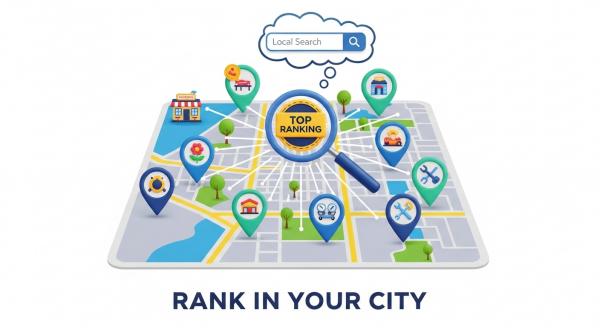
The Power of Local SEO: How to Rank in Your City
Imagine a potential customer standing just a few blocks from your business, searching on their phone for the exact product or service you offer. In that critical moment, will they find you, or will they find your competitor? The answer depends almost entirely on your local search engine optimization (SEO) strategy. For small businesses, winning the local search game isn’t just an advantage; it’s essential for survival and growth in a competitive digital landscape.
Local SEO is the process of optimizing your online presence to attract more customers from relevant local searches. These are the “near me” searches that have become second nature to consumers. This guide will break down the power of local SEO and provide actionable steps you can take to climb the rankings and become the go-to choice in your community.
What is Local SEO and Why Does It Matter for Your Business?
Unlike traditional SEO that focuses on ranking nationally or globally, local SEO focuses on visibility within a specific geographic area. When someone searches for “best pizza in Brooklyn” or “electrician near me,” search engines like Google use a unique set of ranking factors to provide the most geographically relevant results. This often includes displaying a “map pack” with the top three local business listings.
The importance of this cannot be overstated. According to research, nearly half of all Google searches are for local information, and 78% of local mobile searches result in an offline purchase. These searchers have high commercial intent; they are actively looking for a solution and are often ready to make a purchase or visit a store immediately. By optimizing for local search, you connect with motivated customers precisely when they need you most, leveling the playing field and allowing you to compete effectively against larger, national chains in your own backyard.
The Core Pillars of a Winning Local SEO Strategy
A successful local SEO campaign is built on several key pillars working together. By focusing on these core areas, you can build a powerful foundation that drives consistent visibility and growth.
1. Master Your Google Business Profile (GBP)
Your Google Business Profile is the single most important tool in your local SEO arsenal. It’s the free profile that powers the information box appearing in Google Search and on Google Maps, showcasing your business name, address, phone number, hours, and reviews. Think of it as your modern-day storefront on Google. Simply claiming your profile isn’t enough; it must be completely and accurately optimized to rank well.
Follow these steps to optimize your profile:
- Complete Every Section: Fill out every single field Google provides. The more information you give Google, the more it will trust your business and understand what you do.
- Choose Precise Categories: Select the primary and secondary categories that best describe your core business. This is a critical factor in determining which searches you appear for.
- Upload High-Quality Photos and Videos: Showcase your products, services, team, and location. Profiles with more photos receive more clicks and direction requests.
- Use Google Posts and Q&A: Regularly share updates, offers, and events using Google Posts. Proactively answer common questions in the Q&A section to provide value and control the narrative.
- Enable Messaging: Allow customers to message you directly from your profile, offering another convenient way to connect. Be sure to respond quickly to build trust.
To get started, you can claim or create your free profile directly on Google’s official Business Profile page.
2. On-Page SEO: Optimize Your Website for Local Search
Your website is the central hub of your digital presence, and it must clearly signal your location and services to search engines. A professional, mobile-friendly website is the first step, as a poor user experience will negate all your SEO efforts. Our Website Design Services focus on creating beautiful, high-performing sites built to convert local traffic.
To optimize your site for local search, focus on:
- Location Keywords: Include your city, neighborhood, and service area in key places like your page titles, meta descriptions, headings, and body content. For example, “Expert Plumbing Services in San Diego” is much more effective than “Expert Plumbing Services.”
- Location-Specific Pages: If you serve multiple towns or neighborhoods, create dedicated pages for each one. This allows you to tailor content to each specific market and rank for more localized search terms.
- Embedded Google Map: Add an interactive Google Map to your contact page to visually confirm your location for both users and search engines.
- Consistent NAP: Ensure your Name, Address, and Phone number (NAP) are displayed consistently on your website’s header or footer, matching the information on your Google Business Profile exactly.
3. Build Local Citations and Manage NAP Consistency
A citation is any online mention of your business’s NAP information. These can appear in online directories like Yelp, Angie’s List, and Foursquare, as well as on industry-specific websites and local chamber of commerce pages. Search engines use these citations to verify the legitimacy and location of your business.
The key here is consistency. A “NAP consistency” problem arises when you have conflicting information across different directories—a wrong phone number, an old address, or a slight variation in your business name. This erodes trust with search engines and can significantly harm your rankings. According to industry studies from Moz, citation signals are a foundational element of local search rankings.
4. The Power of Online Reviews
Online reviews on platforms like Google, Yelp, and Facebook are a massive trust signal for both customers and search engines. A steady stream of positive reviews tells Google that your business is active, credible, and valued by the community. They directly influence your ranking in the local map pack and can be the deciding factor for a customer choosing between you and a competitor.
Actively manage your online reputation by asking satisfied customers for feedback, making it easy for them to leave a review with a direct link, and responding to every review—positive or negative. A thoughtful response to a negative review can often win over more customers than a dozen positive ones by demonstrating your commitment to customer service.
5. Create Localized Content and Build Local Links
Content is still king, even at the local level. Creating content that is relevant to your local audience is a powerful way to establish your authority and attract local traffic. You can write blog posts about local events, create guides to your neighborhood, or publish case studies featuring local clients. This strategy is a core component of any effective SEO Strategy.
In addition to creating content, focus on earning local backlinks. A backlink is a link from another website to yours. Links from other reputable local businesses, news outlets, or community organizations are like a vote of confidence that boosts your local authority. Consider sponsoring a local charity event, joining the chamber of commerce, or partnering with a neighboring non-competing business to earn these valuable local links.
Managing all these moving parts can be a challenge. Leveraging smart tools and workflows, like our AI Automations for Small Business, can help you streamline processes like review requests and social media updates, freeing you up to focus on running your business.
Bringing It All Together for Local Dominance
Mastering local SEO is no longer optional for small businesses seeking sustainable growth. It is the most direct and cost-effective way to connect with high-intent customers in your community, driving more foot traffic, phone calls, and revenue. By optimizing your Google Business Profile, refining your website, building consistent citations, and engaging with your customers through reviews and local content, you build a powerful digital moat around your service area.
If you’re ready to turn these local SEO insights into measurable growth for your business, our team is here to help. Schedule your free consultation today and let’s put your brand on the local map.