
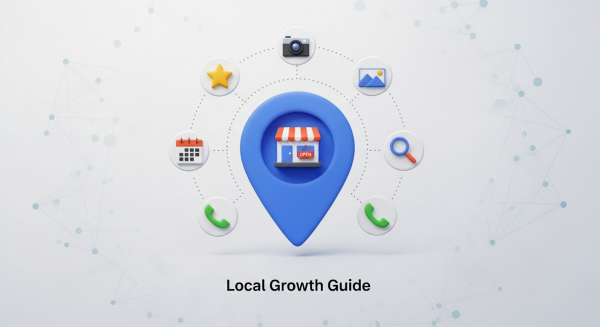
Unlock Local Growth: Your Complete Guide to Optimizing a Google Business Profile
For a small business, standing out in a crowded local market can feel like a monumental task. You have a fantastic product or service, but how do you ensure local customers find you when they need you most? The answer is simpler and more powerful than you might think: your Google Business Profile (GBP).
Formerly known as Google My Business, this free tool is your digital storefront on Google Search and Maps. When optimized correctly, it’s arguably the single most effective tool for driving local traffic, phone calls, and foot traffic to your business. This guide will walk you through everything you need to know to transform your profile from a simple listing into a customer-generating machine.
Why Your Google Business Profile is a Local Marketing Powerhouse
Think about the last time you searched for “coffee shop near me” or “plumber in [your city].” The first thing you likely saw was the “Local Pack”—a map with three prominent business listings. Securing a spot in this coveted space can dramatically increase your visibility and leads. Your Google Business Profile is your ticket to that prime real estate.
A well-managed profile builds immediate trust and credibility. It provides potential customers with all the information they need at a glance: your address, hours, phone number, website, customer reviews, and photos. According to Google’s own guidance, relevance, distance, and prominence are key factors in local search rankings. A complete and active GBP directly influences your relevance and prominence, making you a more attractive choice for both Google’s algorithm and potential customers.
The Ultimate Checklist: How to Fully Optimize Your Profile
Getting started is easy, but achieving optimal results requires attention to detail. Follow this checklist to ensure your profile is working as hard as you do.
1. Claim and Verify Your Profile
First things first, you need to have ownership of your listing. Go to Google Maps, search for your business name, and see if a profile already exists. You can then claim it or create a new one. Google will verify your ownership, usually by mailing a postcard with a PIN to your business address. This verification step is crucial for unlocking all of GBP’s features and proves to Google that your business is legitimate.
2. Complete Every Single Section (Seriously!)
An incomplete profile is a missed opportunity. Google prioritizes complete and accurate listings because they provide a better user experience. Aim for 100% completion. Go through every field and fill it out thoughtfully.
- Business Name, Address, Phone (NAP): Ensure this information is 100% consistent with your website and other online directories. Inconsistency can confuse search engines and harm your ranking.
- Website: Link directly to your homepage. This is a critical step in driving traffic to your own digital property, which is why having a professional site is so important.
- Hours: Keep your business and holiday hours meticulously updated.
- Business Description: You have 750 characters to tell your story. Use keywords naturally to describe what you do, who you serve, and what makes you unique.
- Services/Products: Detail every service or product you offer. Add descriptions and prices where applicable. This helps you show up for very specific long-tail searches (e.g., “emergency HVAC repair after hours”).
3. Choose Your Categories Wisely
Categories tell Google what your business is all about. You’ll select a primary category, which is the most important one. Be as specific as possible. For example, choose “Italian Restaurant” instead of just “Restaurant.” After that, add several secondary categories that cover all the services you provide. This broadens the range of search queries your business can rank for.
4. Upload High-Quality Photos and Videos
A picture is worth a thousand words, and on GBP, it might be worth a thousand dollars. Profiles with photos receive more requests for directions and more clicks to their websites. Showcase your business in the best possible light.
- Exterior and Interior Shots: Help customers recognize your location.
- Team Photos: Put a face to your brand and build a personal connection.
- Products/Services in Action: Show customers what they can expect.
- Videos: A short 30-second video tour or a customer testimonial can be incredibly engaging.
Aim to add new photos regularly to keep your profile looking fresh and active.
5. Cultivate and Respond to Customer Reviews
Reviews are the lifeblood of local SEO. According to research from sources like Moz, reviews are one of the most significant ranking factors. More importantly, they are a powerful form of social proof that heavily influences a customer’s decision. Actively encourage happy customers to leave a review.
Equally important is responding to every single review—positive or negative. A thoughtful response to a positive review shows appreciation. A professional and helpful response to a negative review demonstrates excellent customer service and can even win over skeptical prospects.
Advanced Strategies to Outrank Competitors
Once you’ve mastered the fundamentals, you can use more advanced features to gain a competitive edge.
Use Google Posts for Timely Updates
Google Posts are like mini-blog posts or social media updates that appear directly on your GBP listing. They are perfect for promoting special offers, announcing new products, sharing event details, or highlighting a recent blog post. While they expire after seven days, consistent posting signals to Google that you are an active business, which can positively impact your ranking. For an in-depth look at this feature, Neil Patel offers a comprehensive guide on leveraging them effectively.
Leverage the Questions & Answers Feature
The Q&A section on your profile allows anyone to ask a question about your business. Be proactive here. Brainstorm common questions your customers have and post both the questions and the answers yourself. This allows you to control the narrative, address potential concerns upfront, and strategically include relevant keywords.
Connect GBP to a Broader Digital Strategy
Your Google Business Profile doesn’t exist in a vacuum. It’s a powerful component of a comprehensive SEO strategy. The authority of your website, your local citation profile, and your on-page SEO all influence how prominently your GBP listing appears. The “Website” button on your profile is a major source of leads, so it’s essential that it links to a professional, mobile-friendly site that converts visitors into customers. If your site is outdated or slow, you’re losing business, making a modern Website Design a crucial investment.
Managing all these moving parts—reviews, posts, Q&A, and website updates—can be time-consuming. This is where modern tools can help. Exploring AI automations for small business can help you streamline tasks like generating review response templates or drafting content ideas for Google Posts, freeing you up to focus on running your business.
Optimizing your Google Business Profile is not a one-time task; it’s an ongoing process. By consistently updating your information, engaging with customers, and utilizing all of its features, you can turn this free listing into your most valuable local marketing asset and a consistent source of new leads.
If you’re ready to turn these insights into dominant local search rankings, our team can help you build a comprehensive digital strategy. Book a free consultation today and let’s put your business on the map.