
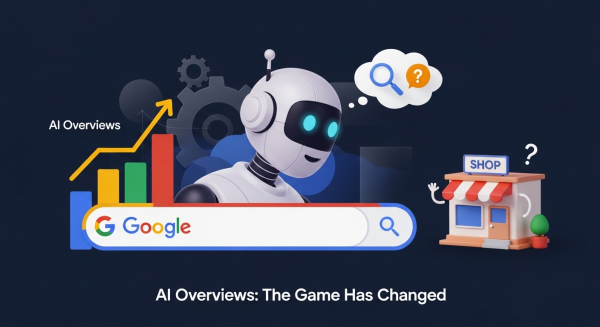
The Game Has Changed: Your Small Business Guide to Google’s New AI Overviews
If you’ve used Google in the last few days, you might have noticed something dramatically different. Right at the very top of the search results, where you used to see a list of blue links, there’s now often a complete, conversational answer to your question. This is Google’s new “AI Overview,” and it’s not just a test anymore—it’s the new reality of search for millions of users.
For small business owners, this is a seismic shift. The playbook we’ve used for years to get seen on Google is being rewritten in real-time. The big question on everyone’s mind is: will this new AI-powered search help my business, or will it make my website invisible? The answer, as it turns out, is up to you. This change presents both a significant challenge and a massive opportunity. In this article, we’ll break down exactly what AI Overviews are, what they mean for your traffic, and most importantly, provide a clear, actionable plan to ensure your business thrives in this new era of search.
What Exactly Are AI Overviews?
Think of AI Overviews as Google’s super-smart research assistant. When you type in a question, especially a complex one, Google’s Artificial Intelligence now reads, analyzes, and synthesizes information from multiple top-ranking websites. It then crafts a unique, easy-to-read summary to answer your query directly on the results page. You’ll see these summaries appear in a shaded box at the very top, often with links to the sources it used to generate the answer.
For example, if you search for “what are the most durable flooring options for a pet-friendly home,” you might get an AI Overview that lists options like luxury vinyl, tile, and laminate, complete with a brief rundown of the pros and cons for each. This is incredibly convenient for the user. But for the businesses whose blog posts were used to create that summary, it raises a critical concern: if the user gets their answer without leaving Google, will they ever click through to your website?
The Impact: Fewer Clicks, Higher Stakes
Let’s be direct: for simple, factual queries, AI Overviews will likely lead to a decrease in website clicks across the board. This phenomenon is often called the rise of “zero-click searches.” However, it’s not all bad news. The game isn’t about getting clicks for just any random query anymore. The new goal is twofold:
- To provide such unique and valuable information that your website is cited as a source within the AI Overview, giving you a powerful stamp of authority.
- To capture the traffic from users whose questions are too complex, personal, or purchase-oriented for a simple AI summary to satisfy.
The stakes are higher, but the potential rewards—positioning your brand as a definitive authority in your field—are greater than ever. It’s a flight to quality, and businesses that adapt will win.
How to Adapt Your Digital Strategy: 5 Actionable Steps
Panic is not a strategy. Instead of worrying about lost traffic, let’s focus on proactive steps you can take right now to align your digital marketing with this AI-powered future. The core principle is simple: become the irreplaceable source of information that both AI and human users trust.
1. Go All-In on E-E-A-T
E-E-A-T stands for Experience, Expertise, Authoritativeness, and Trustworthiness. This is Google’s internal framework for measuring content quality. In an AI world, it’s no longer just a guideline; it’s the price of entry. Google is programming its AI to prioritize information from sources that demonstrate deep, first-hand knowledge. Generic, surface-level content will be ignored.
How to apply it:
- Experience: Don’t just write about your services; show them. A landscaping company should have detailed case studies with before-and-after photos of actual projects. A financial advisor should write about real-world client scenarios (anonymized, of course).
- Expertise: Create an “About Us” page that details the qualifications, certifications, and years of experience of your team members. Add author bios to your blog posts.
- Authoritativeness: Earn backlinks from respected industry sites, gather positive reviews on multiple platforms, and secure mentions in local press.
- Trustworthiness: Make your contact information easy to find. Have clear privacy policies and secure your site with HTTPS. Showcase customer testimonials and reviews prominently. As noted in comprehensive guides on the topic, these trust signals are critically important.
2. Target Conversational, Long-Tail Keywords
People interact with AI like they’re talking to a person. They don’t just search for “plumber Dallas.” They ask, “how much does it cost to fix a leaky faucet in Dallas?” or “what are the signs my water heater is about to fail?” These longer, more specific questions are called long-tail keywords.
Your content needs to directly answer these questions. Brainstorm every possible question a potential customer might have about your products, services, or industry. A great way to structure this is by creating in-depth FAQ pages or writing individual blog posts dedicated to answering a single, specific question thoroughly. This is a core tenet of a modern SEO & Content Strategy that focuses on user intent rather than just keywords.
3. Create Genuinely Helpful, In-Depth Content
An AI Overview is great at summarizing basic facts. What it can’t replicate is true depth, unique perspective, and comprehensive guidance. Your content needs to be so valuable that a summary simply won’t do it justice. The goal is to make the user think, “This summary is a good start, but I need to click that link to get the *real* story.”
According to Google’s own documentation on creating helpful content, your focus should be on creating satisfying, people-first experiences. This means going beyond what everyone else is saying.
Content that wins in the AI era:
- Ultimate Guides: A comprehensive, multi-thousand-word resource on a core topic in your industry.
- Original Research & Data: Survey your customers and publish the results. Analyze industry trends and provide a unique takeaway.
- Expert Roundups: Interview other experts in your field and compile their insights into a single, high-value article.
- Step-by-Step Tutorials: Create detailed how-to guides with original images or videos that leave no room for confusion.
4. Leverage Structured Data (Schema Markup)
Structured data, or schema markup, is a type of code you add to your website to help search engines better understand your content. Think of it as creating a “cheat sheet” for Google. You’re explicitly labeling your content—this is a product, this is its price, this is a review, this is a step in a how-to guide.
For AI, this is incredibly powerful. It makes it much easier for the AI to pull your accurate information, like your business hours, product ratings, or event dates, directly into search results, including AI Overviews. Implementing schema correctly is a technical task, but it’s a crucial part of a modern Website Design Services package. Prioritizing FAQ, HowTo, and LocalBusiness schema can give you a significant advantage.
5. Build Your Brand and Own Your Audience
If organic search becomes less predictable, what can you rely on? Your brand. The ultimate goal is to build a brand so strong that customers search for you by name. You want to be a destination, not just a pit stop from Google.
This means investing in channels you control. Start building your email list today. An email list is a direct line of communication with your most engaged customers and prospects that no algorithm change can take away. Engage with your audience on the social media platforms where they spend their time. Become an active part of your local community. By building a loyal following, you create a source of traffic and revenue that is insulated from the whims of search engine updates. This is a key component of our AI Automations for Small Business offering, where we help clients use technology to nurture their audience directly.
The Future is About Value
Google’s AI Overviews are not the end of SEO; they are its evolution. This shift forces all of us to move away from trying to “trick” algorithms and toward the one thing that truly matters: providing real, undeniable value to our customers. The businesses that will win are those that embrace their role as expert teachers and trusted guides. By focusing on creating authoritative, in-depth, and genuinely helpful content, you’re not just optimizing for AI; you’re building a stronger, more resilient business for the long term.
Navigating this new digital landscape can be complex, but it’s filled with opportunity for businesses that are ready to adapt. If you want to future-proof your website and turn this major shift into a competitive advantage, book a free, no-obligation consultation with our strategy experts today.