
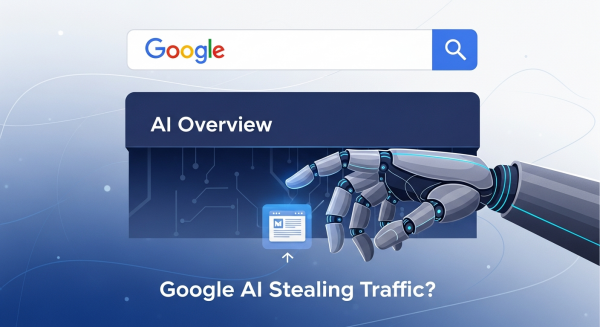
Is Google’s AI Stealing Your Traffic? How to Win in the Age of AI Overviews
If you’ve searched on Google recently, you’ve probably noticed a big change right at the top of the page. Before the familiar list of websites, there’s often a new, bold, AI-generated summary that tries to answer your question directly. This is Google’s “AI Overview,” and it represents one of the most significant shifts in search engine technology in over a decade. For small business owners, this change brings up a crucial and slightly scary question: Is this new feature going to stop people from clicking through to my website?
It’s a valid concern. When Google answers a user’s question instantly, the need to visit another webpage can diminish. But it’s not time to panic. This evolution in search also presents a unique opportunity for businesses that are willing to adapt. Understanding how AI Overviews work and adjusting your digital marketing strategy accordingly is the key to not just surviving, but thriving in this new landscape. Let’s break down what this change means for you and outline the actionable steps you can take to maintain and even grow your online visibility.
What Exactly Are Google’s AI Overviews?
Think of AI Overviews as a super-smart concierge for the internet. Instead of just giving you a list of potential places to find an answer (the traditional search results), Google’s AI now reads, synthesizes, and summarizes information from multiple top-ranking pages to create a single, comprehensive answer at the top. This feature, powered by Google’s Gemini model, is designed to make searching faster and more conversational, especially for complex, multi-step questions.
For example, instead of searching for “gluten-free restaurants” and then a separate search for “restaurants near me open now,” a user can ask, “find me a gluten-free restaurant with good reviews that’s open now near downtown.” The AI Overview will attempt to provide a direct answer, often including a map, business names, and key details, all without the user needing to click away immediately. While incredibly helpful for the user, it changes the game for businesses who have relied on ranking for those individual search terms.
Will AI Overviews Kill Your Website Traffic?
This is the million-dollar question, and the answer isn’t a simple yes or no. The impact on your website traffic will largely depend on the type of content you create and the intent of the people searching for it. Let’s look at both sides of the coin.
The Potential Downsides for Small Businesses
There’s no sugarcoating it; for certain types of queries, traffic will likely decrease. Here are the primary risks:
- Fewer Clicks for Simple Questions: If your website content primarily answers simple, factual questions (e.g., “what is the capital of Vermont?”), the AI Overview will probably satisfy the user, leading to what’s known as a “zero-click search.”
- Increased Competition for “Position Zero”: The AI Overview is the new top spot. If your business isn’t cited as a source within that summary, your visibility for that search term plummets, even if you’re ranked number one in the traditional blue links below it.
- Diluted Brand Recognition: Being one of several sources woven into an AI-generated paragraph is different from having your brand name and website prominently displayed in a top search result. It can make it harder to build brand authority through search alone.
The Hidden Opportunities in AI-Powered Search
It’s not all doom and gloom. In fact, savvy businesses can find powerful new advantages in this system:
- Get Featured as an Authority: When Google includes your website as a source in an AI Overview, it’s a powerful endorsement. The links within these summaries can drive highly qualified, high-intent traffic from users who want to dig deeper into the topic.
- Focus on High-Value Traffic: AI is great at summarizing facts, but it’s not a substitute for genuine experience or nuanced advice. Users looking for in-depth tutorials, product comparisons, expert opinions, or personalized solutions will still click through to trusted websites.
- Win on Complex Queries: The shift towards conversational AI means your strategy can pivot to answering the complex, long-tail questions your ideal customers are asking. These are often the queries that come from people who are closer to making a purchasing decision.
How to Adapt Your SEO Strategy for the AI Search Era
Your old SEO playbook isn’t obsolete, but it definitely needs a few new chapters. The core principle of creating high-quality content is more important than ever, but the focus needs to be sharpened. Here’s how to adjust your approach.
1. Double Down on E-E-A-T
E-E-A-T stands for Experience, Expertise, Authoritativeness, and Trustworthiness. This is Google’s framework for evaluating content quality. To appear in AI Overviews, Google’s systems must trust your content implicitly. You need to prove that your information is reliable and comes from a place of genuine knowledge. According to Google’s own guidelines, creating helpful, reliable, people-first content is the most critical factor for success. Showcasing your first-hand experience and deep expertise in your niche will set you apart.
Action Steps: Add detailed author bios to your blog posts, include customer testimonials and case studies, cite original data, and clearly display your credentials or industry awards.
2. Create Genuinely Helpful, In-Depth Content
The age of writing a 500-word blog post that just scratches the surface of a topic is over. AI can easily summarize basic information. Your goal now is to become the definitive resource that the AI itself wants to cite. Go beyond the “what” and dive deep into the “how” and “why.” Think about the follow-up questions your customers have and answer them proactively within your content.
Action Steps: Develop comprehensive guides, create step-by-step tutorials with original images or videos, and share unique insights that can’t be found elsewhere. A robust SEO & Content Strategy is no longer just about keywords; it’s about becoming a true thought leader.
3. Target Conversational and Long-Tail Keywords
People are starting to “talk” to Google more naturally. Your keyword strategy should reflect this. Instead of targeting a broad keyword like “landscaping services,” focus on more specific, conversational phrases that signal stronger intent, such as “what is the best low-maintenance landscaping for a shady front yard?” or “how much does it cost to install a paver patio in Ohio?” Answering these detailed questions not only aligns with how AI search works but also attracts customers who are further along in their buying journey.
4. Use Structured Data to Give Google Context
Structured data, or Schema markup, is a type of code you add to your website to help search engines better understand your content. It’s like adding labels that say “this is a product,” “this is its price,” “this is a customer review,” or “this is an FAQ section.” This context is invaluable for Google’s AI. As explained in this excellent guide from Moz, structured data can help your site qualify for rich results and makes your information easier for the AI to parse and feature in an Overview.
Action Steps: Use Schema markup for your products, services, reviews, FAQs, and business information. Many website platforms have plugins or built-in tools that make this process easier.
Your Website Experience Matters More Than Ever
If your SEO and content strategy succeeds in earning you a click from an AI Overview, the user landing on your site will have very high expectations. They are looking for the expertise and depth that the AI summary couldn’t provide. This is where your website design becomes critical. Your site must be fast, easy to navigate, and clearly demonstrate your authority and value proposition within seconds.
A seamless user experience confirms the trust that Google’s AI placed in your content. Investing in professional Website Design Services ensures that the high-quality traffic you earn is converted into leads and customers, not frustrated bounces. Your site is no longer just a digital brochure; it’s the final, crucial step in the new customer journey.
The rise of Google’s AI Overviews is a clear signal that the digital marketing landscape is in constant motion. While it introduces new challenges, it also pushes us all toward a better standard of content and user experience. By focusing on genuine expertise, creating truly helpful resources, and building a trustworthy brand, your small business can successfully navigate this change and capture the attention of your most valuable customers.
Navigating these constant SEO changes can feel overwhelming, but you don’t have to tackle it alone. Book a free, no-obligation consultation with our strategy team and let’s ensure your business thrives in the age of AI search.