
The Ultimate Guide to Keyword Mapping for Small Businesses
What is Keyword Mapping and Why Does it Matter?
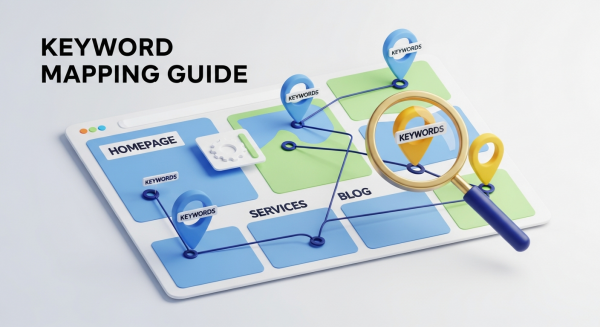
As a small business owner, you know how important it is to be visible online. You’ve probably heard about Search Engine Optimization (SEO) and the need to target the right keywords. But there’s a crucial step that many businesses miss: keyword mapping. So, what exactly is it? In simple terms, keyword mapping is the process of assigning or “mapping” specific keywords to specific pages on your website. It’s like creating a blueprint that tells search engines exactly what each page is about.
Think of your website as a library. Each book (or page) has a specific topic. You wouldn’t want two different books trying to cover the exact same subject in the exact same way—it would be confusing for your visitors. Keyword mapping ensures every page has a unique purpose and a clear focus. This strategic approach prevents your own pages from competing against each other in search results, a problem known as “keyword cannibalization.”
Beyond preventing internal competition, a well-executed keyword map is the foundation of a successful SEO Strategy. It helps you organize your content, improve user experience by guiding visitors to the most relevant pages, and build topical authority with search engines like Google. By intentionally aligning your pages with what your customers are searching for, you create a more efficient and powerful website that attracts qualified traffic and drives real business growth.
Before You Begin: The Foundation of Keyword Mapping
Jumping straight into mapping without the right groundwork is like trying to build a house without a foundation. To create a map that delivers results, you need to start with two essential components: comprehensive keyword research and a deep understanding of search intent.
Step 1: Comprehensive Keyword Research
Keyword research is the process of discovering the words and phrases your potential customers use when searching for your products or services. It’s not about guessing; it’s about using data to understand your audience. Start by brainstorming a list of “seed” keywords—the core topics related to your business. If you’re a local bakery, these might be “custom cakes,” “sourdough bread,” or “wedding cupcakes.”
From there, you can expand your list using keyword research tools. These tools will reveal related terms, search volume (how many people search for a term each month), and keyword difficulty (how hard it is to rank for that term). Focus on a mix of keywords:
- Head Terms: Short, broad keywords with high search volume (e.g., “bakery”). These are often difficult to rank for.
- Body Keywords: More specific 2-3 word phrases (e.g., “gluten-free bakery”). They have decent volume and are less competitive.
- Long-Tail Keywords: Longer, highly specific phrases (e.g., “where to buy custom birthday cakes in Brooklyn”). These have lower volume but much higher conversion intent.
For a small business, long-tail keywords are often the secret to success. They attract customers who are further along in the buying journey and ready to make a decision.
Step 2: Understanding Search Intent
Once you have your keyword list, the next step is to understand the “why” behind each search. This is called search intent. A user typing “how to bake bread” has a very different goal than someone searching “buy sourdough starter online.” Matching your content to the user’s intent is one of the most critical ranking factors today. As explained by the SEO experts at Moz, there are four primary types of search intent:
- Informational: The user is looking for information. They have a question and want an answer (e.g., “what is the difference between whole wheat and white bread?”). Blog posts, guides, and how-to articles are perfect for this intent.
- Navigational: The user wants to find a specific website or page (e.g., “Facebook login,” “Your Bakery Name”). Your homepage and About Us page typically serve this intent.
- Commercial Investigation: The user is researching products or services before making a purchase. They are comparing options (e.g., “best stand mixers for baking bread”). Comparison guides, reviews, and detailed service pages work well here.
- Transactional: The user is ready to buy (e.g., “order custom cake online”). Your product pages, service pages, and contact forms should be optimized for these high-value keywords.
Ignoring search intent is a common mistake. If you try to rank your sales-focused service page for an informational keyword, you’ll likely fail because you aren’t giving the searcher what they want. Your keyword map must align each keyword’s intent with the right type of page.
The Step-by-Step Keyword Mapping Process
With your keyword research and intent analysis complete, it’s time to build your map. This process turns your raw data into an actionable strategic document.
Create a Keyword Map Spreadsheet
The most common way to create a keyword map is with a simple spreadsheet. This will become your central hub for your entire on-page SEO strategy. Create a spreadsheet with the following columns:
- URL: The specific URL of the page.
- Primary Keyword: The single most important keyword you want this page to rank for.
- Secondary Keywords: A few closely related keywords that support the primary topic.
- Search Intent: Informational, Transactional, etc.
- Monthly Search Volume: Data from your research tools.
- Notes: Any additional context, like content ideas or optimization tasks.
Audit Your Existing Pages
You don’t need to start from scratch. Begin by listing all the important pages currently on your website. This includes your homepage, core service or product pages, about page, contact page, and any existing blog posts. Your goal is to map keywords to these pages first. A well-structured website is crucial for this step, as your information architecture directly impacts how easily you can assign keywords. This is a core component of effective Website Design Services, ensuring your site is built for both users and search engines from day one.
Map Keywords to Your Core Pages
Now, start filling in your spreadsheet. Assign one unique primary keyword to each of your core pages. Here’s a general framework:
- Homepage: Map your broadest, brand-focused keywords here (e.g., “Brooklyn bakery,” “Your Bakery Name”).
- Service/Product Pages: These get your high-intent, transactional keywords. Each service should have its own dedicated page mapped to a keyword like “wedding cake bakery NYC” or “buy artisan bread online.”
- Category Pages: If you have an e-commerce site, these pages should target broader product-related terms like “gluten-free desserts.”
- Blog Posts: This is where you target your informational, long-tail keywords. Each post should answer a specific question, like “how to keep bread fresh longer.”
Identify Content Gaps and Opportunities
After you’ve mapped keywords to all of your existing pages, look at your keyword research list. What’s left over? These remaining keywords represent content gaps on your website. Each of these unmapped, relevant keywords is an opportunity to create a new piece of content—a new blog post, a new service page, or a detailed FAQ section. This process of identifying and filling gaps is what turns a static website into a dynamic resource that continually attracts new visitors.
Keyword Mapping Best Practices
To get the most out of your keyword map, follow these proven best practices. They will help you avoid common pitfalls and maximize your SEO efforts.
- One Primary Keyword Per Page: To avoid keyword cannibalization, each page should have one, and only one, primary keyword target. This sends a clear signal to Google about the page’s main topic.
- Group Semantically Related Keywords: Support your primary keyword with a handful of secondary, closely related terms. This helps Google understand the page’s context and allows you to rank for a wider range of queries.
- Align with the Buyer’s Journey: Map keywords to pages that match where the customer is in their journey. Top-of-funnel informational keywords belong on blog posts, while bottom-of-funnel transactional keywords belong on service pages.
- Be Realistic About Difficulty: Don’t try to target a highly competitive keyword with a brand-new blog post. Start by targeting lower-difficulty long-tail keywords to build momentum and authority before tackling more competitive terms.
- Keep URL Structure in Mind: Your page URLs should be clean, simple, and ideally include your primary keyword. According to Google’s own documentation, a simple URL structure helps both users and search engines understand your content more easily.
Putting Your Keyword Map into Action
Your keyword map is a blueprint, not the final product. The next step is implementation. This means performing on-page SEO to optimize each page for its assigned keywords. For every page listed in your map, ensure the primary keyword is included in these key places:
- The page’s main title (H1 tag).
- The SEO title tag (what appears in the browser tab and search results).
- The meta description.
- The page URL slug.
- Within the first 100 words of your body content.
- In the alt text of at least one relevant image.
- Naturally throughout the page content and in subheadings (H2, H3).
This process can be time-consuming, but it’s essential for signaling relevance to search engines. As you scale your content creation, exploring tools can help streamline the workflow. In fact, many modern AI Automations for Small Business can assist in generating optimized content outlines and meta descriptions based on your keyword map, saving you valuable time.
Your Keyword Map is a Living Document
Finally, remember that SEO is not a one-and-done task. Your keyword map should be a living document that evolves with your business and the market. Search trends change, new competitors emerge, and your own business goals will shift. Plan to review and update your keyword map at least twice a year. Track your keyword rankings and analyze your website’s performance in Google Analytics. See which pages are performing well and which ones need improvement. This ongoing analysis allows you to refine your strategy, double down on what works, and continue driving sustainable organic growth.
Creating a keyword map is a foundational investment in your business’s online future. It provides the clarity and structure needed to build a website that not only looks great but also performs, attracting the right customers and helping you achieve your goals.
If you’re ready to transform these insights into a powerful SEO strategy that drives measurable results, we’re here to help. Book a free, no-obligation consultation with our expert team today to discover your website’s true potential.