
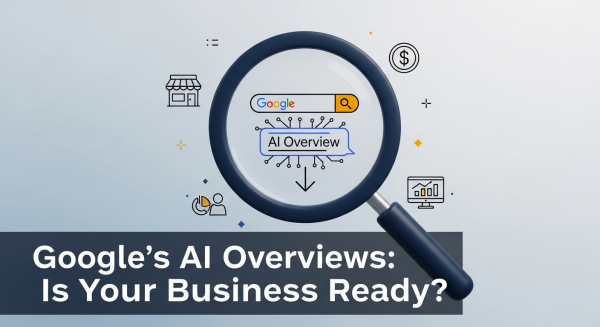
Google’s AI Overviews Are Here. Is Your Business Ready?
If you’ve used Google in the past few weeks, you may have noticed something new at the top of the search results: a detailed, AI-generated summary answering your question directly. This is Google’s new “AI Overview,” and it represents one of the most significant shifts in search engine technology in over a decade. For small business owners, this isn’t just a minor tweak; it’s a fundamental change in how customers will find you online.
The initial shock and awe are understandable. Will people still click on websites? Is SEO dead? The short answer is no, but your approach to online visibility must evolve, starting today. This isn’t a future trend to watch—it’s the new reality of digital marketing. Let’s break down what AI Overviews are, how they will impact your business, and the practical steps you can take to ensure you don’t get left behind.
What Exactly Are Google AI Overviews?
Think of AI Overviews as a supercharged featured snippet. When you type a query into Google, its generative AI model, Gemini, analyzes the top-ranking web pages to create a concise, conversational summary that directly answers your question. This summary appears right at the top of the page, above the traditional list of blue links. It often includes images, links to sources, and follow-up questions.
According to Google’s own announcement, the goal is to help users get answers to more complex questions faster, without having to piece together information from multiple websites. For example, instead of searching for “best dog-friendly parks in Austin” and then separately searching “what to bring to a dog park,” a user can ask, “plan a day trip to a dog-friendly park in Austin.” The AI Overview will synthesize information to create a mini-itinerary.
This is a game-changer because it changes the fundamental user behavior of “search, click, read.” The new model is becoming “ask, get answer.” For your business, this means the fight is no longer just to be on the first page; it’s to be a trusted source that Google’s AI uses to build its answers.
The Real Impact on Your Small Business Website
The primary concern for most business owners is a potential drop in website traffic. If Google answers the user’s question directly on the results page, why would they need to click through to your site? This is a valid fear, often referred to as an increase in “zero-click searches.” While some informational queries might see a traffic decrease, the situation is more nuanced.
Shifting from Clicks to Credibility
Your new goal is twofold. First, you still want to attract clicks for complex, high-intent searches that an AI summary can’t fully satisfy. Second, and just as importantly, you want your content to be cited as a source within the AI Overview. Being featured in these summaries builds immense brand credibility and authority. It positions your business as a leader in your field, even if it doesn’t immediately result in a click. Think of it as digital word-of-mouth, powered by Google’s AI.
The Rise of Commercial and Local Intent
AI Overviews will likely have less impact on searches with strong commercial or local intent. When someone is searching for “emergency plumber near me” or “buy women’s running shoes size 8,” they aren’t looking for a summary—they’re looking to take action. For these crucial, bottom-of-the-funnel keywords, the traditional search results and local map packs will remain incredibly important. However, the informational content that leads them to that decision point is where the battleground is shifting.
Your New SEO Playbook: 5 Strategies to Thrive in the Age of AI Search
Adapting your digital marketing strategy doesn’t require you to throw everything out and start over. It means sharpening your focus on quality, authority, and a deeper understanding of your customer’s journey. Here are five actionable strategies to get you started.
1. Double Down on True Expertise and Authority (E-E-A-T)
Google’s algorithm has been prioritizing Experience, Expertise, Authoritativeness, and Trustworthiness (E-E-A-T) for years, and AI Overviews make it non-negotiable. The AI will pull information from sources it deems the most credible. Vague, generic content won’t make the cut.
- Create content that showcases your unique, first-hand experience. Share case studies, customer success stories, and in-depth tutorials that only an expert in your field could produce.
- Include clear author bios and link to professional profiles to signal who is behind the content.
- Ensure your website has clear contact information, an “About Us” page, and positive customer reviews to build trust signals.
This is the core of a modern SEO & Content Strategy; it’s about proving you are a legitimate and helpful resource.
2. Target Long-Tail, Conversational Keywords
Simple, one-or-two-word searches are the most likely to be answered completely by an AI Overview. The opportunity now lies in more complex, conversational, and long-tail keywords. Think about the specific, nuanced questions your customers ask you every day.
- Instead of “landscaping ideas,” target “what are the best low-maintenance, drought-resistant plants for a sunny front yard in California?”
- Use tools like AnswerThePublic or Google’s “People Also Ask” section to find real questions people are typing into the search bar.
- Structure your content in a question-and-answer format. Use headings for each question to make it easy for Google’s crawlers to find and extract the answer.
3. Optimize for Rich Results with Structured Data
Structured data (or schema markup) is code you add to your website’s backend to help search engines understand your content more deeply. It’s what powers rich results like star ratings, product prices, and event dates directly in the search results. An analysis from Search Engine Journal suggests that sites with strong structured data are well-positioned to be featured in AI-powered results. Make sure you’re using schema for:
- Products and services
- Reviews and ratings
- FAQs
- Local business information (address, phone number, hours)
- Articles and blog posts
Properly implementing this is a technical task, but it’s a crucial part of our Website Design Services because it provides a direct line of communication with Google about what your page is about.
4. Create Comprehensive, Multi-Faceted Content
Since AI Overviews synthesize information from multiple sources, your goal is to be the most comprehensive resource on a given topic. Don’t just write a short blog post answering one small question. Create pillar pages or ultimate guides that cover a topic from every angle. Include text, images, videos, charts, and links to other helpful resources. This signals to Google that your page is a one-stop-shop for a user’s needs, making it a prime candidate for the AI to reference.
5. Focus on Building Your Brand and Direct Traffic
Finally, the rise of AI in search underscores the importance of building a brand that people seek out directly. You can’t be completely reliant on Google. Use your SEO efforts to get discovered, then use that opportunity to capture the user for your own audience.
- Promote your email newsletter to build a direct line of communication with your customers.
- Be active on the social media channels where your audience spends their time.
- Create such a great user experience on your website that people remember your name and come back directly next time.
The Future is Here, and It’s an Opportunity
The introduction of AI Overviews is not an SEO apocalypse; it’s an evolution. It’s Google’s way of pushing the web toward more helpful, human-centric, and genuinely expert content. Businesses that have been cutting corners with thin, low-quality, or AI-spun articles will face challenges. But businesses that are committed to truly serving their customers with valuable information and a great user experience have a massive opportunity to stand out.
By focusing on your unique expertise, understanding the deeper questions your customers are asking, and ensuring your website is technically sound, you can not only survive this shift but thrive within it. The game has changed, but the rules for winning are rooted in the same principle as always: be the best, most helpful answer.
Navigating these changes can be complex, but you don’t have to do it alone. If you’re ready to adapt your digital strategy for the age of AI, book a free consultation with our team and let’s build a future-proof plan for your business together.