
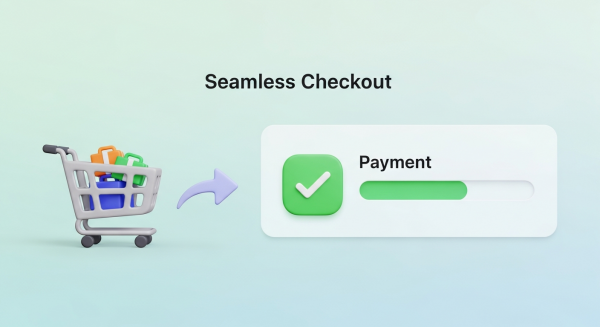
How to Create a Seamless Checkout Experience (and Stop Losing Sales)
You’ve done everything right. You’ve built a beautiful online store, sourced incredible products, and crafted a marketing strategy that brings a steady stream of visitors to your site. A customer finds exactly what they want, adds it to their cart, and clicks “Checkout.” But then, nothing. They vanish, leaving another abandoned cart and a lost sale. It’s one of the most frustrating moments for any e-commerce business owner.
If this sounds familiar, you’re not alone. The reality is that the final step of the purchase journey is where most businesses lose their customers. A clunky, confusing, or untrustworthy checkout process is the number one culprit. Creating a seamless checkout experience isn’t just a nice-to-have feature; it’s a fundamental requirement for converting browsers into buyers and building a sustainable online business. This guide will walk you through the essential steps to optimize your checkout process, reduce friction, and dramatically increase your conversion rates.
Why a Seamless Checkout is Non-Negotiable
Before we dive into the “how,” it’s crucial to understand the “why.” Your checkout page is the most critical part of your sales funnel. It’s the final handshake, the moment a potential customer commits to giving you their money. Any hesitation or frustration at this stage can instantly derail the entire sale.
The High Cost of Cart Abandonment
Shopping cart abandonment is the silent killer of e-commerce revenue. It represents a direct loss of potential income from customers who were ready to buy. According to extensive research by the Baymard Institute, the average cart abandonment rate across all industries is nearly 70%. That means for every ten customers who add an item to their cart, seven leave without completing the purchase.
While some abandonment is natural, a significant portion is caused by a poor checkout experience. The top reasons cited by customers include unexpected extra costs (like shipping and taxes), being forced to create an account, and a long or complicated checkout process. Each of these issues is entirely within your control to fix.
Building Trust and Customer Loyalty
A smooth checkout process does more than just secure a single sale; it builds trust. When a customer can move through your checkout quickly and easily, it signals that your business is professional, secure, and values their time. This positive user experience (UX) is a key ingredient in building customer loyalty. A customer who has a great first experience is far more likely to return for future purchases and recommend your store to others. Conversely, a single frustrating checkout can permanently damage their perception of your brand.
Key Elements of a High-Converting Checkout Process
Optimizing your checkout flow involves a series of strategic improvements designed to make the process as simple and intuitive as possible. Here are the core elements you need to focus on.
1. Simplify, Simplify, Simplify
The golden rule of checkout design is simplicity. Your goal is to remove every unnecessary field, click, and distraction. Get rid of cluttered sidebars, pop-ups, and navigation menus on the checkout page. The only goal should be guiding the user toward completing their purchase.
A common debate is whether to use a single-page or multi-page checkout. A single-page checkout puts all fields (shipping, billing, payment) on one screen, while a multi-page checkout breaks it into steps. Both can be effective. A well-designed multi-page checkout with a clear progress bar can feel less overwhelming to users, guiding them through manageable chunks of information. The key is to minimize the total number of form fields and required actions, regardless of the layout you choose.
2. Offer Guest Checkout
Forcing customers to create an account before they can buy is one of the biggest conversion killers. Many first-time buyers are hesitant to commit to creating a new account and password they have to remember. Give them the option to check out as a guest.
You can always offer them the chance to create an account *after* the purchase is complete by simply adding a password on the confirmation page. This “post-purchase account creation” captures the sale first and then offers the convenience of an account for future orders, which is a much more customer-friendly approach.
3. Optimize for Mobile-First Commerce
Today, a majority of online shopping traffic comes from mobile devices. If your checkout process isn’t designed for a small screen, you are losing sales. A mobile-friendly checkout means more than just a responsive layout. It requires a specific design philosophy:
- Large Form Fields and Buttons: Ensure all input fields and call-to-action buttons are large enough to be easily tapped with a thumb.
- Minimize Typing: Use features like address autocomplete and numerical keyboards for phone number and credit card fields.
- Digital Wallet Integration: Support for Apple Pay and Google Pay can reduce the entire process to a single tap or look, completely bypassing manual form entry.
A truly mobile-first design is a core component of a modern online store. Our Website Design Services focus on creating intuitive, conversion-focused experiences for customers on any device.
4. Provide Multiple Payment Options
Customers expect choice and flexibility when it comes to payment. Limiting their options can create unnecessary friction. At a minimum, you should accept all major credit cards. However, to build a truly seamless experience, you should integrate popular digital wallets and alternative payment methods.
Digital wallets like PayPal, Apple Pay, and Shop Pay store a user’s payment and shipping information, allowing for incredibly fast checkouts. Furthermore, “Buy Now, Pay Later” (BNPL) services like Afterpay or Klarna are becoming increasingly popular, especially with younger demographics, as they allow customers to split their purchase into interest-free installments.
5. Be Transparent About All Costs
According to usability experts at the Nielsen Norman Group, unexpected costs are a primary reason for checkout abandonment. A customer can feel misled if they reach the final payment step only to find a surprisingly high shipping fee or tax added to their total. Be upfront about all costs. Display shipping options and estimated taxes early in the process, or provide a shipping calculator on the cart page itself. Transparency builds trust and prevents last-minute sticker shock.
Advanced Strategies to Reduce Friction
Once you have the fundamentals in place, you can implement more advanced features to further streamline the experience.
Leverage Autofill and Address Validation
Manually typing a shipping address is tedious and prone to errors, which can lead to costly delivery failures. Integrate tools like Google’s Places API to automatically suggest and complete addresses as the user types. This not only speeds up the process but also ensures the address is valid and formatted correctly, reducing the chance of failed deliveries.
Use Clear Visual Cues and Error Messaging
Guide your users through the process with clear visual feedback. Use a progress bar to show them which step they are on and how many are left. Implement inline validation for form fields, showing a green checkmark for correctly entered information and a clear, specific error message in red for incorrect entries. Instead of a generic “Invalid input,” tell the user exactly what’s wrong, such as “Please enter a valid 5-digit ZIP code.”
Harness the Power of Automation
Even with a perfectly optimized checkout, some customers will still get distracted and abandon their carts. This is where automation can save the sale. Set up an automated abandoned cart email sequence to gently remind customers about the items they left behind. These emails can include a direct link back to their cart, product images, and sometimes a small discount to entice them to complete the purchase. These timely reminders are a powerful way to recover otherwise lost revenue. Exploring AI Automations for Small Business can reveal even more ways to streamline this and other marketing efforts.
Creating a seamless checkout experience is an ongoing process of refinement and testing. By focusing on simplicity, transparency, and customer convenience, you can transform your checkout page from a leaky bucket into a powerful conversion engine. Small, incremental improvements at this final stage can have an outsized impact on your bottom line, turning more browsers into loyal customers.
If you’re ready to stop losing customers at the finish line and build a higher-converting website, our team is here to help. Book a free consultation today and let’s create a seamless checkout experience that drives real growth for your business.