
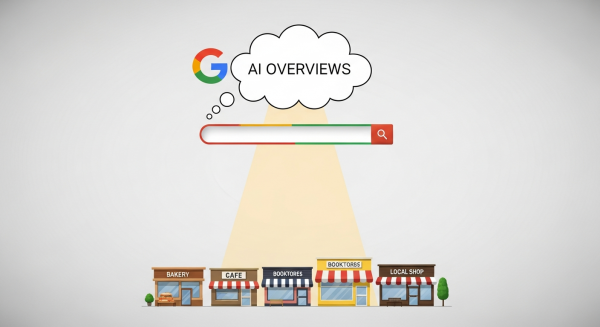
Google’s AI Overviews Are Here: Is Your Small Business Ready for the New SEO?
If you’ve used Google in the past day, you might have noticed something dramatically different. The search results page, a digital landscape we’ve known for over two decades, has just undergone its most significant transformation yet. Google has officially rolled out its AI Overviews across the United States, placing AI-generated summaries right at the top of the results page. This isn’t a test or a beta feature anymore; it’s the new reality of search.
For small business owners, this news might land with a mix of excitement and anxiety. What does this mean for your website? Will your rankings still matter? Will anyone ever click on a link again? Take a deep breath. While this is a monumental shift, it’s not an apocalypse for your online presence. It’s an evolution. And with the right strategy, it’s an opportunity to connect with your customers in a more meaningful way than ever before. Let’s break down what’s happening and how your business can thrive in this new era of search.
What Exactly Are Google’s AI Overviews?
Think of AI Overviews as a super-smart research assistant built directly into Google. When you type in a question, especially a complex one, Google’s AI (powered by its Gemini model) doesn’t just give you a list of links. It reads and synthesizes information from multiple top-ranking websites to provide a direct, conversational summary that answers your query right there on the page. You’ll see these summaries appear in a designated box at the very top, above the traditional “ten blue links.”
For example, instead of searching “best drought-resistant plants for a sunny yard” and clicking through five different gardening blogs, a user might now see a neat, bulleted summary listing specific plants, their water needs, and sun requirements, complete with images and links to the sources Google used. It’s designed to make finding information faster and more intuitive. According to Google’s official announcement, this feature aims to help users with more complex questions, the kind that would typically require multiple searches.
The key takeaway is that Google is no longer just a directory of websites; it’s becoming an answer engine. This fundamentally changes the goal of your digital marketing efforts.
The Big Question: How Will This Impact Your Website Traffic?
Let’s address the elephant in the room: the fear of “zero-click searches.” If Google answers the user’s question directly, why would they need to visit your website? It’s a valid concern, and for certain types of simple, factual queries, traffic may indeed decrease. If someone just wants to know the boiling point of water, the AI Overview will provide it, and the user will move on.
However, it’s not that simple. For more complex topics, purchase decisions, or local service inquiries, the AI Overview is just the starting point. It acts as an appetizer, not the full meal. Users looking for nuanced advice, in-depth tutorials, product comparisons, or a trusted local provider will still want to click through to the original sources to get the full story. In fact, Google has stated that the links included in AI Overviews get more clicks than if the page had appeared as a traditional web listing for that query.
The new landscape creates a two-tiered opportunity:
- Get Featured: The first goal is to have your website’s content be so valuable and well-structured that Google’s AI uses it as a source for an overview. This positions your brand as an authority right at the top of the search results.
- Earn the Click: The second goal is to make your featured snippet and your page title so compelling that users are enticed to click through for more detail, to see your products, or to contact you for your services.
The game hasn’t ended; the rules have just been updated. Success now depends on being the best, most comprehensive, and most trustworthy answer in your industry.
Turning a Challenge into an Opportunity: How to Optimize for AI Overviews
So, how do you adapt your strategy? It’s not about trying to trick an algorithm. It’s about doubling down on the fundamentals of great digital marketing and creating a truly valuable online presence. Here’s how you can start optimizing your business for this new AI-driven search world.
Double Down on High-Quality, People-First Content
If AI needs high-quality information to create its summaries, your job is to provide it. This is the single most important factor. Google’s AI is trained to recognize and prioritize content that demonstrates deep expertise and provides real value to the reader. Now is the time to audit your website’s content. Is it generic and shallow, or is it detailed, helpful, and written by an expert? Focus on what Google calls E-E-A-T: Experience, Expertise, Authoritativeness, and Trustworthiness. Share your unique perspective, provide detailed case studies, offer actionable tips, and answer your customers’ questions more thoroughly than anyone else. Our approach to SEO & Content Strategy is built on this very principle: creating content that serves your audience first, which in turn serves your search ranking.
Embrace Conversational and Question-Based Keywords
People often talk to Google like they’re talking to a person. AI Overviews are specifically designed to answer these natural language questions. Your keyword strategy needs to reflect this. Instead of just targeting broad terms like “plumber Dallas,” think about the specific questions your potential customers are asking:
- “How much does it cost to fix a leaky faucet in Dallas?”
- “What are the signs I need to call an emergency plumber?”
- “Is it better to repair or replace a hot water heater?”
By creating dedicated blog posts or FAQ sections that directly answer these questions, you dramatically increase your chances of being featured in an AI Overview. Use tools to find out what real questions people are asking in your industry and build your content around those queries.
Structure Your Content for Clarity
AI, much like a human reader in a hurry, loves well-structured content. It makes the information easier to parse, understand, and pull out for a summary. Use clear, descriptive headings (H2s, H3s) to break up your text. Use bullet points and numbered lists to make key information scannable. As Search Engine Journal highlights, clear formatting can be a significant factor in getting your content noticed by AI systems. Implementing structured data, like Schema markup for FAQs and articles, can also give Google more context about your content, further improving your visibility.
Build Your Brand’s Authority and Trust
In a world of AI-generated content, trust is the ultimate currency. Google’s systems are designed to favor sources that are known and trusted. How do you build that trust? It comes from a holistic approach. Encourage happy customers to leave reviews on Google and other platforms. Earn backlinks from other reputable websites in your industry. Write a detailed “About Us” page that showcases your team’s real-world experience and credentials. The stronger your brand’s overall authority, the more likely Google’s AI will be to cite you as a credible source.
Why Your Website Still Matters More Than Ever
With all this focus on getting answers directly in Google, it might be tempting to think your own website is becoming less important. The exact opposite is true. Your website is your digital home base—the one piece of online real estate you completely own and control.
An AI Overview can’t build a relationship with a customer. It can’t capture a lead for your email list. It can’t tell your brand’s story or showcase your company’s personality. And it certainly can’t close a sale. The AI Overview is the introduction; your website is where the real business happens. This is why having professional Website Design Services is so critical. Your site needs to be fast, mobile-friendly, easy to navigate, and designed to convert visitors into customers. It’s the final, crucial step in the customer journey that starts with a search.
The rollout of Google’s AI Overviews is a defining moment for digital marketing. It’s a shift that rewards businesses that are genuinely committed to helping their customers and providing exceptional value. Instead of fearing the change, see it as a call to elevate your content, deepen your expertise, and build a stronger, more trustworthy brand. The businesses that adapt and focus on quality will not only survive but will find new ways to connect with their audience and grow.
If you’re ready to navigate this new SEO landscape and turn these changes into a competitive advantage, our team is here to help. Book a free, no-obligation consultation with us today, and let’s build a strategy that puts your business at the forefront of search.