
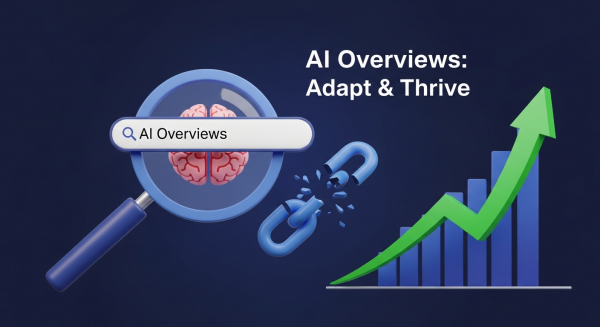
The Google Search You Knew is Gone: How Your Business Can Thrive in the Age of AI Overviews
Take a moment and think about how you use Google. For over two decades, the process has been the same: you type a question, you get a list of ten blue links, and you click the one that looks most promising. That era is officially over. In a move that will redefine online visibility, Google has begun rolling out AI-powered summaries, called AI Overviews, directly at the top of its search results for everyone.
This isn’t a test. It isn’t a feature you can opt out of. It is the new reality of search. For small business owners, this change can feel intimidating. Will people still click through to my website if Google gives them the answer directly? How can my business possibly show up in these new AI-generated results? These are valid concerns, but this shift is also a massive opportunity for businesses that are ready to adapt. This guide will break down exactly what this change means for you and provide a clear, actionable plan to ensure your business doesn’t just survive, but thrives in this new landscape.
What Exactly Are AI Overviews and Why Should You Care?
You’ve likely seen them already. You search for something like “how to fix a leaky faucet,” and before you even see a single website link, there’s a shaded box at the top with a complete, paragraph-style answer. That’s an AI Overview. As Google officially announced at its recent I/O conference, this feature is now the default for billions of users.
From a List of Links to a Single Conversation
Google’s AI is now actively reading, understanding, and synthesizing information from multiple web pages to construct a single, comprehensive answer to a user’s query. It pulls in facts, images, and even product links, presenting them in a conversational format. While it does include links to its sources, they are often presented in small carousels or cards within the AI answer, a stark departure from the familiar ranked list we’ve used for years.
The core implication for your business is a potential disruption to your website traffic. For years, the goal of SEO has been to rank in the top few positions to earn a click. Now, the new top position is an AI-generated summary, a reality that marketing experts predict could accelerate the trend of “zero-click searches”, where users get their answer on the results page itself without ever visiting another website.
Is This the End of Website Traffic?
Not at all, but it is a fundamental change in the *type* of traffic you’ll need to attract. Simple, informational queries (e.g., “what is the capital of Vermont?”) are more likely to be fully answered by AI. However, more complex, nuanced, and purchase-intent queries will still drive users to seek out the expertise and trust of a real business website. The key is to shift your focus from simply being an answer to being the definitive, most trustworthy source that Google’s AI wants to cite and that users *need* to click to learn more.
The New Playbook: How to Optimize for Google’s AI
Panic is not a strategy. Action is. Getting your business featured in AI Overviews, or at least being a primary source for them, requires a deliberate evolution of your digital marketing strategy. It’s about doubling down on what has always worked in SEO: quality, authority, and user experience.
1. Become the Undisputed Authority (E-E-A-T is Everything)
If Google is going to put its own brand on an AI-generated answer, it needs to be absolutely certain the information is accurate and trustworthy. To do this, its algorithms rely heavily on the principles outlined in its quality guidelines, known as E-E-A-T: Experience, Expertise, Authoritativeness, and Trustworthiness. Now more than ever, you must prove to Google that you are a true expert in your field.
- Show, Don’t Just Tell: Showcase your real-world experience. If you’re a plumber, create detailed case studies of complex jobs. If you’re a financial advisor, write in-depth articles about navigating specific market conditions.
- Authoritative Content: Publish comprehensive, well-researched content that covers a topic more thoroughly than anyone else. Think ultimate guides, original research, and detailed tutorials.
- Build Trust Signals: Ensure your website has a detailed “About Us” page, clear author bios for blog posts, easily accessible contact information, and glowing testimonials from real customers.
2. Master Conversational and Long-Tail Keywords
People interact with AI conversationally. They don’t just type “plumber chicago”; they ask, “who is the best plumber in Chicago for an emergency water heater repair on a weekend?” Your SEO and content strategy needs to reflect this shift.
Focus on answering the highly specific, long-tail questions your potential customers are asking. Use free tools like Google’s “People Also Ask” section or AnswerThePublic to discover these questions. Then, create dedicated blog posts or FAQ sections on your website that answer them directly and comprehensively. When you become the best source for answering these specific, high-intent questions, you become a prime candidate for being featured in an AI Overview.
3. Structure Your Content for AI Readability
An AI model is not a human reader. It scans and parses content looking for clear signals and structured data. To make it easy for Google’s AI to understand and cite your content, you need to format it cleanly.
- Use a Logical Heading Structure: Use H1s for titles, H2s for main sections, and H3s for sub-points. This creates a clear hierarchy.
- Answer Questions Directly: Start pages that target a specific question with a direct, concise answer before elaborating further.
- Leverage Lists and Bullet Points: Break down complex information into numbered lists or bullet points (like this one!) to make it easily digestible for both humans and AI.
- Use Schema Markup: This is a type of code you add to your website to help search engines understand the context of your content. Implementing FAQ schema, review schema, or product schema can give Google the structured data it loves.
Your Website Experience is Now Your Ultimate Conversion Tool
In a world where clicks are more precious, the experience a user has once they *do* land on your site is more critical than ever. A click from an AI Overview is a high-intent visitor. They are looking for deeper expertise, to validate the information, or to make a purchase. You cannot afford to let them down.
This is where your investment in professional website design services pays dividends. Your site must be lightning-fast, easy to navigate on a mobile device, and have crystal-clear calls to action that guide the user to the next step. If your site is slow, confusing, or looks untrustworthy, that valuable click you worked so hard to earn will bounce in seconds, and Google will take note.
Think beyond just SEO. Your website is the core of your digital presence. It’s where you build your brand, prove your authority, and turn a curious searcher into a loyal customer. In the age of AI, a powerful, conversion-focused website isn’t just a good idea; it’s your primary defense and your greatest competitive advantage.
The Path Forward in an AI-Driven World
The rollout of Google’s AI Overviews is undeniably one of the biggest shifts in search engine history. It will create winners and losers. The businesses that will win are not the ones that try to trick the algorithm, but the ones that embrace this change as a mandate to become even better—more authoritative, more helpful, and more focused on providing genuine value to their customers. By focusing on building unassailable expertise, answering your customers’ real questions, and providing a stellar website experience, you can position your business to be the source of truth that both AI and humans rely on.
Navigating this new era of search can feel overwhelming, but you don’t have to do it alone. If you’re ready to adapt your digital strategy to thrive in the age of AI, book a free, no-obligation consultation with our expert team today.