
Is Google’s AI Stealing Your Traffic? How Small Businesses Can Adapt to AI Overviews
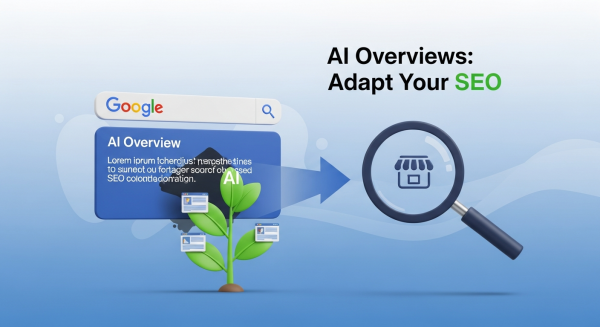
You’ve probably noticed it already. You type a question into Google, and before you even see the familiar list of blue links, a shaded box appears at the top, offering a neatly summarized answer. That, in a nutshell, is Google’s new AI Overview. For users, it’s a potential time-saver. For small business owners who rely on website traffic for leads and sales, it can feel like a threat to their very existence.
The core fear is simple and valid: if Google answers the question directly, why would anyone need to click through to your website? This isn’t a far-off, futuristic concern; it’s happening right now, fundamentally changing the landscape of online visibility. But while it’s easy to see this as a roadblock, it’s more productive to view it as a detour. The principles of getting found online are evolving, and businesses that adapt quickly won’t just survive—they’ll thrive.
This guide will demystify Google’s AI Overviews, explore the real impact on your business, and provide a clear, actionable roadmap to adjust your digital marketing strategy for this new AI-powered era.
What Exactly Are Google’s AI Overviews?
First, let’s get on the same page. AI Overviews are AI-generated summaries that appear at the very top of Google’s search results for certain queries. Powered by Google’s Gemini model, they are designed to synthesize information from multiple high-ranking web pages to provide a single, comprehensive answer to a user’s question. You’ll often see them triggered by complex, conversational queries like, “what are the best ways to waterproof a basement from the inside?” or “plan a three-day family trip to San Diego.”
Instead of just presenting a list of links for you to research, Google does the initial research for you. The AI Overview will present a summary, and within that text, it includes citations that link back to the original source websites. The official rollout of this feature, announced at Google I/O 2024, marked a major shift in how the search engine presents information. According to reports from Search Engine Journal, this feature is now live for all users in the US and will be expanding globally.
The goal, from Google’s perspective, is to make search more intuitive and efficient. But for businesses, it changes the game entirely. The top spot is no longer “position one”; it’s a dynamic AI-generated block that you can’t directly buy or bid for.
The Big Question: Friend or Foe for Your Business?
The initial reaction from many marketers and business owners has been one of panic. The term “zero-click searches,” where a user’s query is answered on the results page itself, is a major concern. Let’s break down the potential risks and the hidden opportunities.
The Risks: Why You Should Pay Attention
- Reduced Organic Traffic: This is the most obvious challenge. If your website’s main value is providing simple, factual answers, AI Overviews could directly satisfy that user need, eliminating the click to your site. This is especially true for “top-of-funnel” informational content.
- Loss of Brand Control: When your content is summarized and blended with others, you lose control over the narrative. The AI might misinterpret a nuance or present your information without the branding and context that your website provides.
- Increased Competition for Clicks: With an AI Overview occupying the most valuable real estate on the page, the organic listings below are pushed further down. The competition for the clicks that *do* happen will be more intense than ever.
The Opportunities: Finding the Silver Lining
- A New “Position Zero”: While you can’t rank “in” the AI Overview, your content can be chosen as a source. Being cited in an AI Overview, with a link back to your site, is a powerful new form of validation and can drive highly qualified traffic.
- Focus on High-Intent Traffic: Users who get their basic questions answered by the AI but still click through to a website are likely looking for something more. They may want deeper expertise, a specific product, or to hire a service. This means the traffic you do get could be more valuable and closer to converting.
- Building Unmatched Authority: The AI is designed to pull from the most trustworthy and authoritative sources. Becoming one of those sources solidifies your position as a leader in your field in a way that traditional rankings can’t.
How to Adapt Your SEO Strategy for an AI-Powered World
Panic is not a strategy. The right response is to evolve your approach, focusing on creating the kind of content and website experience that AI respects and that users still need to click for. Here’s how to adjust your SEO & Content Strategy for this new reality.
1. Double Down on E-E-A-T
E-E-A-T stands for Experience, Expertise, Authoritativeness, and Trustworthiness. This is Google’s framework for measuring content quality. In an AI world, it’s non-negotiable. The AI is being trained to prioritize information from sources that demonstrate these qualities. Think of it this way: you can’t fool an algorithm that’s looking for genuine proof of credibility.
Actionable Steps:
- Showcase Firsthand Experience: Don’t just write about how to fix something; include photos or videos of you actually doing it. Share case studies with real data and client testimonials.
- Establish Author Bios: Create detailed author pages that highlight the credentials, experience, and background of the person writing your content.
- Earn Quality Backlinks: Secure links from reputable websites in your industry to build your site’s authority.
2. Target Long-Tail and Complex Questions
AI Overviews are great at answering “what is” questions. They are less effective at providing deep, nuanced answers to complex problems. This is your opportunity. Shift your focus from broad, high-volume keywords to more specific, long-tail phrases that signal a user is further along in their journey.
Instead of just targeting “landscaping services,” create a detailed guide on “how to design a drought-tolerant garden in a clay-soil backyard.” The person asking the second question is a much more qualified lead, and their query is too specific for a generic AI summary to fully satisfy.
3. Create “AI-Sourceable” Content
If you want to be cited by the AI, you have to make your content easy for the AI to read, understand, and trust. This means focusing on clarity and structure in your writing and your website’s code.
Actionable Steps:
- Use Clear Structure: Organize your content with logical headings (H2s, H3s), use bullet points and numbered lists for skimmability, and write short, concise paragraphs.
- Answer Questions Directly: Use an FAQ section on your service and product pages. Start a heading with the exact question a user might type into Google, and then provide a direct, comprehensive answer below it.
- Implement Schema Markup: Schema is a type of code that “labels” the information on your page for search engines. As explained in this excellent guide from Moz, it helps Google understand context, such as identifying a recipe, an event, or a product review. This structured data makes your content much more appealing for use in rich results and AI summaries.
4. Build a Brand Experience AI Can’t Replicate
An AI can summarize facts, but it cannot replicate your brand’s story, your unique perspective, or the feeling a customer gets when they interact with your business. Your website needs to be more than just a collection of articles; it must be a destination. This is where investing in professional Website Design Services pays huge dividends. A strong brand experience encourages users to click past the AI summary because they’re seeking a connection, not just an answer.
Focus on what makes you human: your company’s story, your unique process, customer success stories, and a compelling visual identity. A well-designed website that is intuitive, engaging, and builds trust is your ultimate defense against becoming just another source in an AI summary.
The Future is Now: Don’t Just Survive, Thrive
The rise of AI in search is not the end of SEO; it’s the beginning of its next chapter. According to industry analysis in Forbes, this shift will force a “flight to quality,” rewarding businesses that have been investing in genuinely helpful, expert-driven content all along. The lazy, low-effort content designed just to rank for a keyword is what’s truly at risk.
By focusing on demonstrating real-world experience, answering complex questions, structuring your content intelligently, and building an unforgettable brand, you aren’t just protecting yourself from traffic loss. You are positioning your business as a trusted authority that both humans and AI will look to for years to come.
If you’re ready to turn these seismic shifts in search into a competitive advantage, book a free consultation with our experts. Let’s build an SEO and content strategy that thrives in the new age of AI.