
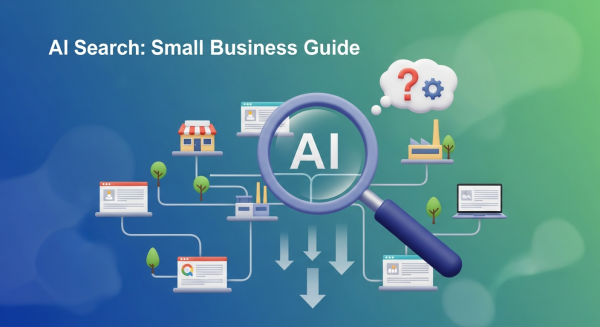
Is Your Website Ready for Google’s New AI Search? A Guide for Small Businesses
If you’ve used Google in the past couple of weeks, you might have noticed something dramatically different. Right at the top of the page, where you used to see a list of links, there’s often a new, detailed summary answering your question directly. This is Google’s “AI Overview,” and it represents the single biggest shift in how search works in over a decade. For small business owners, this isn’t just a minor tweak—it’s a fundamental change to the digital landscape that requires immediate attention.
The panic is understandable. If Google answers the question for the user, why would they ever click through to your website? It’s a valid concern, and for some, traffic will undoubtedly take a hit. But this change also presents a massive opportunity for businesses that are ready to adapt. The game has changed, but you can still win. This guide will walk you through what AI Overviews are, what they mean for your business, and the concrete steps you need to take to not just survive, but thrive in this new era of AI search.
What Exactly Are Google’s AI Overviews?
Think of AI Overviews as a super-smart research assistant built directly into Google. When you type in a query, especially a complex one, Google’s generative AI analyzes information from multiple web pages across the internet. It then synthesizes that information into a single, cohesive, easy-to-read summary that appears at the very top of the search results page. These summaries often include images, links to sources, and follow-up questions.
This is a departure from the classic “ten blue links” we’ve all become accustomed to. Instead of presenting you with a list of potential resources to investigate, Google is trying to deliver the definitive answer right away. According to Google’s own announcement, the goal is to help users with more complex questions, allowing them to get up to speed on a topic quickly and discover new perspectives.
For a small business, this means the coveted “number one” spot is no longer just a link; it could be a mention within the AI-generated answer itself. Your content, your expertise, and your brand could be featured directly in Google’s summary, giving you unparalleled visibility.
The Big Question: Threat or Opportunity?
Let’s address the elephant in the room: Will AI Overviews kill website traffic? The honest answer is: it’s complicated. For simple, factual queries (like “what is the capital of Vermont”), the AI can provide a quick answer, and users will likely not need to click any further. Websites that rely on traffic from these kinds of basic informational searches may see a decline.
However, for small businesses, the story is much more nuanced and, frankly, more optimistic.
Where the Opportunity Lies
- Complex Buying Decisions: When a customer is researching a product or service, they have complex needs. An AI Overview might summarize “best accounting software for freelancers,” and if your detailed comparison guide is a source, it can link directly to your page for users who want to dig deeper.
- Local Searches: For queries like “best plumber with emergency service near me,” the AI Overview will pull from top-rated local businesses. A strong local SEO presence makes it more likely you’ll be featured.
- Niche Expertise: If you are a true expert in a specific field, the AI will recognize the authority and depth of your content. Google’s systems are designed to favor content that demonstrates high levels of Expertise, Authoritativeness, and Trustworthiness (E-E-A-T). Your unique insights can’t be easily replicated and are prime material for being featured as a source.
The new goal isn’t just to rank, but to become a trusted source that Google’s AI relies on. When you achieve that, you’re not just getting a click; you’re getting a powerful endorsement directly from Google.
How to Adapt Your Digital Marketing Strategy for an AI-Powered World
You can’t afford to sit back and see what happens. Proactive adaptation is key to securing your online visibility. Here’s how to adjust your digital marketing strategy, starting today.
1. Double Down on True Expertise (E-E-A-T)
Now more than ever, Google wants to see that you are a legitimate expert in your field. Generic, surface-level content will be ignored by the AI. You need to prove your credibility.
- Showcase Your Authors: Include author biographies on your blog posts that detail their experience, credentials, and qualifications.
- Publish Case Studies and Testimonials: Provide real-world proof that your products or services deliver results. Social proof builds immense trust.
- Be Transparent: Make your contact information, physical address (for local businesses), and “About Us” page easy to find. A business that is easy to contact is seen as more trustworthy.
2. Answer Questions Your Customers Are Actually Asking
The new search is highly conversational. People aren’t just typing keywords; they’re asking full questions. Your content needs to reflect this shift. Your SEO & Content Strategy must evolve from simply targeting keywords to answering your audience’s most pressing questions comprehensively.
- Create Detailed FAQ Pages: Build out robust FAQ sections that address common questions, concerns, and objections about your industry and services.
- Use a Question-and-Answer Format: Structure your articles and blog posts with clear headings that pose a question, followed by a direct and thorough answer.
- Mine “People Also Ask”: Use Google’s “People Also Ask” section for content ideas. These are literally the questions your potential customers are asking.
3. Optimize Your Website’s Technical Foundation
For Google’s AI to understand and trust your content, your website needs to be technically sound, well-structured, and easy for search crawlers to read. This is where the technical side of your website design becomes critical for marketing success.
- Implement Schema Markup: This is a type of code that explicitly tells search engines what your content is about (e.g., this is a product, this is a review, this is a local business). It’s like giving Google a cheat sheet to your site.
- Prioritize Site Speed and Mobile-Friendliness: A slow or clunky site offers a poor user experience, which is a major negative signal to Google.
- Use a Logical Heading Structure: Use H1s, H2s, and H3s correctly to organize your content. This helps both users and search engines follow the flow of your information. Our Website Design Services are built with this modern SEO foundation in mind.
4. Create In-Depth, High-Value Content
If you want to be the source for an AI Overview, your content has to be better than everyone else’s. The era of writing thin, 500-word blog posts just for the sake of “freshness” is over. As the experts at Moz consistently advise, creating content that is genuinely valuable and comprehensive is the most sustainable path to SEO success.
Go deep on topics that are central to your business. Create pillar pages, ultimate guides, and original research that can serve as a definitive resource for your industry. When you create content so good that it becomes the go-to answer, Google’s AI will take notice.
The arrival of AI Overviews is not an endpoint; it’s a new beginning for search. It’s a call for businesses to elevate their content, prove their expertise, and focus relentlessly on providing real value to their audience. The businesses that embrace this change and commit to quality will find themselves not just surviving, but leading the pack in this new, intelligent search landscape.
Navigating Google’s new AI-powered landscape presents a major challenge, but also a huge opportunity for growth. If you’re ready to adapt your strategy and secure your spot at the top, book a free consultation with our team and let’s build a future-proof plan together.