
Unlocking Google’s E-E-A-T: A Small Business Guide to Building Trust and Ranking Higher
In the ever-evolving world of digital marketing, it can feel like Google is constantly moving the goalposts. Just when you think you’ve mastered search engine optimization (SEO), a new algorithm update or a new acronym appears. But some principles are here to stay, and one of the most important for long-term success is E-E-A-T.
If that sounds like technical jargon, don’t worry. E-E-A-T is less about complex code and more about something every business owner understands: building a trustworthy reputation. It’s Google’s way of rewarding websites that provide high-quality, reliable information created by real people with real experience. For small businesses, understanding and implementing these guidelines is your key to not only ranking higher but also building a loyal customer base.
What Exactly Is E-E-A-T?
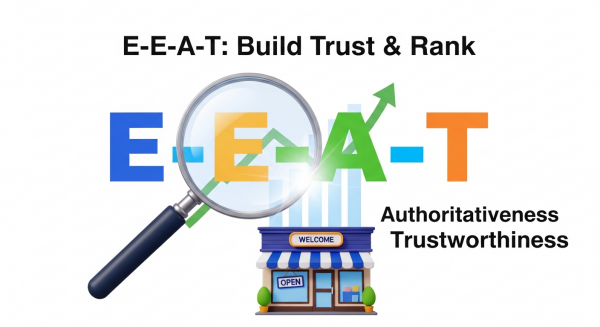
E-E-A-T is a set of principles Google uses to evaluate the quality of a webpage. It’s a core part of their Search Quality Rater Guidelines, a document used by human reviewers to assess the effectiveness of Google’s search algorithms. While not a direct ranking factor itself, E-E-A-T signals strongly influence which sites Google chooses to show its users.
Let’s break down the acronym:
- Experience: This is the newest addition to the framework. It asks: Does the content creator have first-hand, life experience on the topic? For example, a review of a hiking trail is more valuable if it’s written by someone who has actually hiked it, complete with personal photos and tips.
- Expertise: This refers to the creator’s level of knowledge or skill in a particular field. A tax accountant has expertise in financial matters, while a certified mechanic has expertise in car repair. This is about demonstrating formal knowledge and qualifications.
- Authoritativeness: This is about your overall reputation, especially among other experts and influencers in your industry. When other reputable sites link to yours or when industry leaders mention your brand, you are building authority.
- Trustworthiness: This is the most crucial component. It encompasses the accuracy, honesty, and safety of your website and its content. Is your information correct? Is your website secure? Can customers easily find your contact information?
E-E-A-T is especially critical for what Google calls “Your Money or Your Life” (YMYL) topics. These are subjects that could significantly impact a person’s health, financial stability, or safety—think medical advice, financial planning, or legal information. For these pages, Google holds content to the highest possible E-E-A-T standard to protect its users.
How to Optimize Your Website for E-E-A-T
Improving your site’s E-E-A-T isn’t a one-time fix; it’s an ongoing strategy that weaves into your content, your website design, and your overall brand presence. Here’s how you can tackle each element.
Showcasing Experience: Go Beyond Theory
The addition of “Experience” signals that Google values authentic, real-world perspectives. Generic, AI-written content that just rehashes information from other sites won’t cut it. You need to prove you’ve been there and done that.
- Create Original Case Studies: Share detailed stories of how you’ve helped clients. Outline the problem, your solution, and the results, using real (but anonymized, if necessary) data.
- Use First-Hand Reviews: If you sell products, write in-depth reviews that go beyond the spec sheet. Talk about how the product feels, how it performed in real-world scenarios, and who it’s best for. Use your own photos and videos instead of stock images.
- Share Personal Stories: Connect with your audience by sharing the journey of your business. Your “About Us” page is a perfect place for this. Explain why you started your company and what first-hand experiences led you to become an expert.
Demonstrating Expertise: Prove You Know Your Stuff
Expertise is about making it undeniably clear that you are a qualified source of information. This is where you can showcase your credentials and the depth of your knowledge.
- Write Comprehensive Content: Create pillar pages or ultimate guides that cover a topic in its entirety. Answer every possible question a user might have. This demonstrates a deep understanding and becomes a go-to resource. A cornerstone of any good SEO strategy is developing content that establishes you as the subject matter expert.
- Feature Author Bios: Every blog post or article should have a clear author bio. This bio should include the author’s name, a brief summary of their credentials, their years of experience, and links to their social media profiles or other publications.
- Display Credentials and Certifications: If you have degrees, industry certifications, or awards, display them prominently on your site. This could be in the footer, on your about page, or on relevant service pages.
Building Authoritativeness: Become the Go-To Source
Authority is built when others recognize your expertise. It’s the digital equivalent of word-of-mouth marketing and is heavily influenced by how other websites perceive you.
- Earn Quality Backlinks: When a reputable website links to your content, it’s a vote of confidence. You can earn these links by creating exceptional content that people want to share, guest posting on industry blogs, and engaging in digital PR.
- Encourage and Display Reviews: Positive reviews on platforms like Google Business Profile, Yelp, and industry-specific review sites are powerful authority signals. Make it easy for happy customers to leave feedback and showcase your best testimonials on your website.
- Get Mentioned: Seek out opportunities to be featured in local news, industry podcasts, or trade publications. Even a mention of your brand name without a link can help build your reputation.
Establishing Trustworthiness: The Foundation of It All
Trust is the bedrock of E-E-A-T. A user needs to feel safe on your website and confident in the information you provide. Without trust, the other elements fall apart.
- Secure Your Website: Having an SSL certificate (HTTPS) is non-negotiable. It encrypts data between your site and your users, protecting their information. Browsers flag non-HTTPS sites as “not secure,” which immediately erodes trust.
- Make Contact Information Obvious: A trustworthy business is easy to contact. Your website should clearly display a physical address (if applicable), a phone number, and an email address.
- Create Clear Policies: Have easily accessible pages for your Privacy Policy, Terms and Conditions, and any return or shipping policies. This shows transparency and professionalism.
- Invest in Professional Design: An outdated, slow, or poorly designed website can feel untrustworthy. A modern, fast, and user-friendly site signals that you are a serious and professional business. Investing in high-quality Website Design Services is one of the most direct ways to build immediate trust with visitors.
E-E-A-T and the Rise of AI
With the recent explosion of AI content generation tools, many business owners wonder how they fit into an E-E-A-T world. Can you use AI and still rank well? The answer is yes, but with a crucial caveat: AI should be a tool, not a replacement for human expertise and experience.
Google’s guidance is clear: it rewards helpful content created for people. You can use AI to brainstorm ideas, create outlines, or polish your grammar. However, the final content must be reviewed, edited, and infused with your unique, first-hand experience and expertise. Simply publishing unedited AI output is the fastest way to fail E-E-A-T standards. Smartly integrated AI automations for small business can enhance your workflow, but the heart of your content—your experience and expertise—must remain human.
For more detailed reading on this, Search Engine Journal offers a comprehensive breakdown of the E-E-A-T concept and its evolution.
Ultimately, optimizing for E-E-A-T is not about chasing an algorithm. It’s about building a better, more helpful, and more trustworthy business online. It’s a commitment to providing real value to your audience. When you focus on genuinely helping your customers, you’re not just building a website that Google likes—you’re building a brand that people love.
Translating these E-E-A-T principles into a cohesive strategy is the key to sustainable online growth. If you’re ready to build a website that truly connects with your audience and climbs the search rankings, schedule your free, no-obligation consultation with us today.