
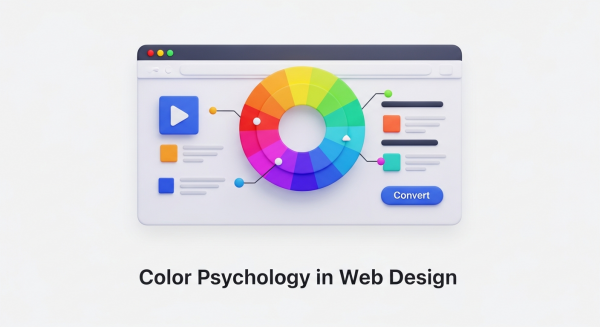
How to Use Color Psychology in Web Design to Increase Conversions
As a business owner, you know that your website is more than just a digital brochure; it’s your most powerful sales tool. Every element, from the headlines you write to the images you choose, plays a role in turning a visitor into a customer. But did you know that one of the most influential factors is something most people perceive subconsciously? We’re talking about color.
The colors you use on your website have a direct impact on how users feel, think, and act. Choosing a color palette isn’t just an aesthetic decision—it’s a strategic one. By understanding the basics of color psychology in web design, you can create a more persuasive user experience, build brand trust, and ultimately, increase your conversion rates. Let’s explore how you can use color to transform your website’s performance.
What is Color Psychology and Why Does it Matter for Your Website?
Color psychology is the study of how colors affect human emotions and behavior. In marketing and web design, it’s the practice of using specific colors to evoke a desired response from your audience. When a visitor lands on your site, they form an impression within seconds, and color is responsible for up to 90% of that initial judgment.
A strategic website color scheme does three crucial things:
- Communicates Your Brand Identity: Are you a trustworthy financial firm or a playful children’s brand? Your colors should instantly communicate your brand’s personality.
- Guides the User’s Eye: Smart use of color and contrast can draw attention to the most important parts of your page, like a “Request a Quote” button or a key benefit.
- Influences Purchase Decisions: The right colors can create a sense of urgency, build trust in your payment process, or make a product feel more luxurious, directly influencing a user’s decision to buy.
Ultimately, color is a silent communicator that shapes user experience. A positive experience keeps users on your site longer, reduces bounce rates, and sends positive signals to search engines—an often-overlooked component of a comprehensive SEO strategy.
Understanding the Emotional Impact of Common Colors
While color perception can be subjective and influenced by personal experience, broad patterns have been observed in how people respond to different hues. Understanding these general associations is the first step in building an effective website color scheme. Here’s a breakdown of common colors and the emotions they typically evoke.
Warm Colors: Red, Orange, and Yellow
Warm colors are associated with energy, passion, and happiness. They are excellent for grabbing attention and creating a sense of action.
- Red: The color of passion, excitement, and urgency. Red is a powerful accent color used to stimulate action. It’s why you see it so often on clearance sale signs and call-to-action (CTA) buttons like “Order Now.” Brands like YouTube and Netflix use red to create excitement.
- Orange: A blend of red’s energy and yellow’s cheerfulness. Orange is friendly, enthusiastic, and confident. It’s a great choice for CTAs that encourage immediate action, such as “Sign Up Free” or “Get Started.” HubSpot and Amazon use orange to appear accessible and action-oriented.
- Yellow: Associated with optimism, sunshine, and youthfulness. Yellow is highly visible and great for drawing attention to specific design elements. However, use it sparingly, as too much can cause eye strain. Brands like IKEA and Snapchat use it to project a fun, positive vibe.
Cool Colors: Blue, Green, and Purple
Cool colors are often perceived as calm, professional, and trustworthy. They are ideal for brands that want to build a sense of security and reliability.
- Blue: The king of corporate colors. Blue inspires feelings of trust, security, and dependability. This is why it’s overwhelmingly popular among financial institutions, tech companies, and healthcare providers. Think of PayPal, Facebook, and Dell—they all use blue to build user confidence.
- Green: The most versatile color, with strong ties to nature, health, growth, and wealth. A darker green can signify affluence, while a lighter green relates to tranquility and the environment. It’s an excellent choice for a “Go” or “Submit” button as it signals a positive, forward action. Brands like Whole Foods and Starbucks use it effectively.
- Purple: Historically associated with royalty, purple communicates luxury, wisdom, and creativity. Lighter shades can feel romantic and nostalgic, while darker shades feel rich and sophisticated. It’s a great choice for high-end beauty products or creative service brands like Hallmark.
Neutral Colors: Black, White, Gray, and Brown
Neutrals are the backbone of most web designs. They provide balance and can be paired with warm or cool colors to create a sophisticated and clean look.
- Black: Represents power, elegance, and sophistication. When used correctly, black can create a dramatic, modern feel, making it popular with luxury and fashion brands like Chanel and Nike.
- White and Gray: These colors communicate simplicity, cleanliness, and modernity. White space is essential for good design, as it gives content room to breathe and improves readability. Gray is a versatile background color that provides a softer alternative to stark white. Apple is a master of using white and gray to create a minimalist, high-tech aesthetic.
- Brown: An earthy, dependable color that evokes a sense of ruggedness and reliability. It’s a natural choice for organic products, outdoor brands, and companies that want to appear grounded.
How to Build a High-Converting Website Color Scheme
Simply picking a color you like isn’t enough. A high-converting website uses a balanced and intentional color palette to guide the user journey. The most effective approach is to follow the 60-30-10 rule, a classic design principle that ensures visual harmony.
- 60% Primary Color: This is your dominant brand color. It will occupy the most visual space on your site, often used for backgrounds and major design elements. It sets the overall tone and mood of your website.
- 30% Secondary Color: This color should contrast with your primary color to create visual interest. It’s used for less-dominant elements like subheadings, highlighted content areas, or secondary buttons.
- 10% Accent Color: This is your most important color for conversions. The accent color should be a bright, contrasting hue used exclusively for key elements you want users to notice, such as CTA buttons, form submission buttons, and important links.
The power of the accent color is rooted in a psychological principle known as the Von Restorff effect, which states that people are more likely to remember things that stand out. When your “Buy Now” button is the only element on the page with that specific, vibrant color, it becomes impossible to ignore.
Beyond Emotion: Practical Considerations for Choosing Your Colors
While understanding emotional associations is key, several other factors must influence your color decisions to ensure your website truly connects with your target audience.
Know Your Audience
Different demographics respond to colors differently. What appeals to a young, trendy audience might not resonate with an older, more conservative one. Furthermore, colors carry different meanings across cultures. For example, white is associated with purity and weddings in Western cultures, but it represents mourning in many Eastern cultures. Researching cultural color meanings is crucial if you operate in a global market.
Align with Your Brand Identity
Your website’s colors should be a direct extension of your overall brand. If your logo is a deep, trustworthy blue, your website shouldn’t be a chaotic mix of neon yellow and hot pink. Consistency across all your marketing materials builds brand recognition and reinforces the values you want to project.
Test, Test, and Test Again
Color psychology provides a fantastic starting point, but it’s not an exact science. The only way to know for sure what works for your specific audience is to test it. This is where A/B testing comes in. By creating two versions of a page with different button colors, for example, you can gather real data on which one generates more clicks. This data-driven approach removes guesswork and ensures your design decisions are based on actual user behavior. For small businesses looking to optimize performance, using analytics and even simple AI automations for small business can make analyzing test results faster and more insightful.
Remember, a professional website isn’t just about looking good—it’s about getting results. Integrating these color psychology principles is a core component of our Website Design Services, where we combine aesthetic appeal with data-backed strategies to build sites that perform.
Color is a powerful and persuasive tool in your digital marketing arsenal. It’s a language that speaks directly to your customers’ emotions, guiding them from casual visitor to loyal customer. By moving beyond simple preference and adopting a strategic approach to your website color scheme, you can create a more engaging user experience, strengthen your brand identity, and achieve your most important business goals.
Ready to harness the power of strategic design and build a website that not only looks great but also drives measurable results? Book a free consultation with our expert team to explore how we can elevate your online presence.