
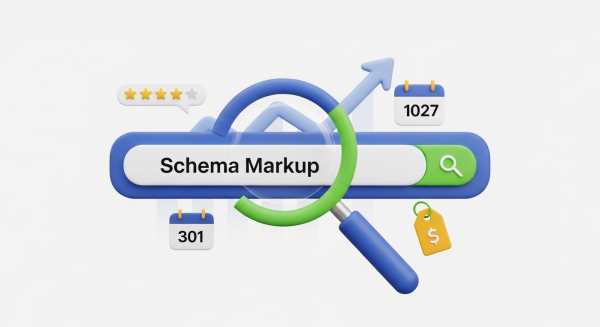
How to Use Schema Markup to Improve Your Search Visibility
In the vast, competitive digital marketplace, standing out is everything. You’ve invested in a great website and work hard to create quality content, but you still feel invisible on Google. Your competitors seem to have a special edge, appearing with star ratings, event dates, and even product prices right there in the search results. What’s their secret? More often than not, it’s a powerful tool called schema markup.
If that term sounds overly technical, don’t worry. Think of schema markup as a secret language you can use to speak directly to search engines. It’s a way to translate your website’s content into a format that Google, Bing, and other search engines can understand instantly and accurately. By implementing it, you’re not just telling them what your content says, but what it means. This guide will demystify schema markup and show you how to leverage it to gain a significant competitive advantage.
What is Schema Markup, Anyway?
At its core, schema markup is a vocabulary of code that you add to your website’s HTML. This code doesn’t change how your site looks to human visitors, but it provides a wealth of context for search engine crawlers. It’s like adding descriptive labels to the information on your pages.
Imagine you have a page about your bakery’s famous chocolate cake. Without schema, a search engine sees text: “Amazing Chocolate Cake,” “5 stars,” “$40,” and “2 hours to bake.” It has to guess how these pieces of information relate to each other.
With schema markup, you can explicitly label each piece of data:
- “Amazing Chocolate Cake” is the name of the product.
- “5 stars” is the aggregate rating based on customer reviews.
- “$40” is the price.
- “2 hours” is the cook time.
This clarity allows search engines to display your content in more engaging and informative ways, known as “rich snippets.” These enhanced listings grab users’ attention and can dramatically increase the likelihood that they’ll click on your link over a competitor’s. This structured data vocabulary is the result of a collaboration between the world’s biggest search engines, and you can explore all the possibilities on the official Schema.org website.
Why Schema Is a Game-Changer for Your Small Business
For small and medium-sized businesses, every advantage counts. Schema markup isn’t just a fancy trick for large corporations; it’s a practical and powerful tool that levels the playing field. Implementing it is a core component of a comprehensive SEO Strategy that delivers tangible results.
Stand Out in Crowded Search Results
The most immediate benefit of schema is the potential to earn rich snippets. A standard search result is just a title, a URL, and a short description. A rich snippet, however, can include star ratings, pricing, event dates, FAQ dropdowns, and more. These visual enhancements make your listing more prominent and trustworthy, which directly boosts your click-through rate (CTR). A higher CTR signals to Google that your page is a relevant and valuable result, which can positively impact your overall rankings.
Improve Your Local SEO
For any business with a physical location, local schema is essential. By marking up your business name, address, phone number (NAP), and operating hours, you make it incredibly easy for Google to display this information in the Local Pack and on Google Maps. You can even specify your service area, accepted payment types, and price range. This ensures potential customers in your area get the accurate, timely information they need to choose your business.
Communicate Clearly and Accurately
Schema markup removes ambiguity. It ensures search engines understand the precise nature of your content. Is your page about Apple the company or apple the fruit? Is your “service” page about customer service or the professional services you offer? Structured data provides definitive answers, leading to more accurate indexing and ensuring your website shows up for the most relevant search queries. This clarity is a fundamental part of a well-executed Website Design Services project, where structure and meaning are built in from the ground up.
Future-Proof Your SEO for Voice and AI Search
The way people search is evolving. Millions of users now rely on voice assistants like Siri, Alexa, and Google Assistant. When a user asks, “Hey Google, where’s the best Italian restaurant near me that’s open now?” the assistant needs structured data to provide a direct answer. By implementing schema, you are formatting your key business information to be easily read and recited by these AI-powered devices, making you more visible in the fast-growing world of voice search. Properly structured data is also key for emerging AI-powered search engines that aim to answer user questions directly. You might even find opportunities for AI Automations for Small Business to help manage and update this data.
Common Schema Types Your Business Should Use
You don’t need to learn every type of schema to get started. Focusing on a few key types that are most relevant to your business can provide the biggest impact. Here are some of the most valuable schema types for small businesses:
- LocalBusiness: This is arguably the most critical for any business with a physical location or service area. It allows you to specify your address, phone number, opening hours, geo-coordinates, and more.
- Product: Essential for e-commerce businesses. Use it to mark up product names, images, descriptions, brand, price, currency, and availability.
- Service: Perfect for service-based businesses like plumbers, consultants, or designers. You can detail the type of service, the area you serve, and provide information about the provider.
- AggregateRating: This is how you get those eye-catching gold stars next to your search result. It displays the average review score and the total number of ratings.
- FAQPage: If you have a frequently asked questions page, this schema can make your answers appear directly in a dropdown format on the search results page, establishing your authority and saving users a click.
- Event: Promote your upcoming workshops, webinars, concerts, or community gatherings. This schema allows Google to show the event name, date, time, and location directly in search results.
- Article: For businesses that run a blog, this schema helps search engines understand your content, identifying the headline, author, publication date, and featured image.
How to Add Schema Markup to Your Website
Seeing the benefits is one thing, but implementing schema can feel daunting. The good news is that you don’t need to be a coding expert to get started. There are several ways to add structured data to your site, ranging from simple to more advanced.
Use a Website Plugin or App
If your website is built on a platform like WordPress, Shopify, or Wix, you’re in luck. There are numerous plugins and apps designed to handle schema markup for you. For WordPress, popular SEO plugins like Yoast SEO and Rank Math have robust, built-in schema features that can automatically add the right markup for your pages, posts, and products with minimal effort.
Leverage Google’s Tools
Google provides free tools to help you create and test your structured data. The Structured Data Markup Helper is a point-and-click tool that allows you to visually tag elements on your webpage and then generates the necessary HTML code for you to add to your site. It’s a fantastic way to learn without having to write code from scratch.
Test Your Implementation
Once you’ve added schema markup, it’s crucial to make sure it’s working correctly. A single misplaced comma can render the code invalid. Use the Google Rich Results Test to paste in your URL or code snippet. The tool will tell you if your page is eligible for rich results and will highlight any errors or warnings that need to be fixed.
While plugins and tools have made schema more accessible than ever, a professional implementation ensures your markup is comprehensive, error-free, and perfectly aligned with your business goals. A web development team can integrate a customized schema strategy directly into your site’s code, ensuring maximum impact and future scalability.
In today’s digital landscape, you cannot afford to be passive about your search presence. Schema markup is a proactive step you can take to enhance your visibility, communicate more effectively with search engines, and provide a better experience for your potential customers. By transforming your website’s content into structured data, you move beyond simply being listed on Google to being truly understood by it, paving the way for higher traffic, more qualified leads, and sustained business growth.
If you’re ready to unlock the full potential of your website’s search visibility, our team of experts is here to help. Book a free, no-obligation consultation today to discuss a custom schema strategy that will make your business stand out.