
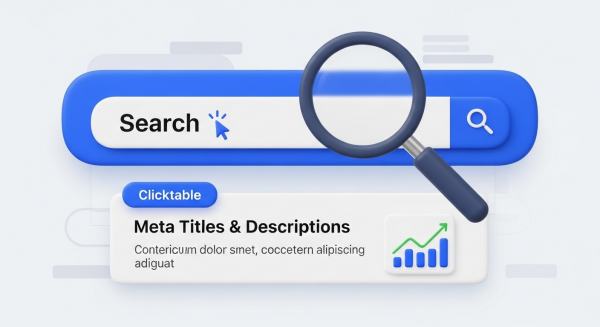
How to Write Meta Titles and Descriptions That Convert

How to Write Meta Titles and Descriptions That Convert

How to Write Meta Titles and Descriptions That Convert

In the vast, crowded marketplace of the internet, first impressions are everything. When a potential customer searches on Google for a product or service you offer, what do they see? They see a list of blue links and short descriptions. That small, often overlooked snippet of text is your digital handshake, your storefront window on the world’s largest high street: the Search Engine Results Page (SERP).

This is where your meta title and meta description come into play. They are arguably two of the most critical elements of your on-page SEO. Getting them right can dramatically increase traffic and conversions, while getting them wrong can leave you invisible. For small business owners, mastering this skill is not just a technical task; it’s a powerful marketing move that can deliver a significant return on investment.

First Things First: What Are Meta Titles and Descriptions?

Before we dive into the “how,” let’s clarify the “what.” While they sound technical, the concepts are quite simple.

Meta Title (or Title Tag)

The meta title is the clickable headline of a search result, displayed in blue on Google. It’s also what appears in the browser tab when you’re on a webpage. Its primary job is to tell both users and search engines what a specific page is about in a clear and concise way. It’s a direct and powerful ranking factor, making it a crucial piece of your SEO puzzle.

Meta Description

The meta description is the short paragraph of text (usually up to 160 characters) that appears below the meta title in the search results. Think of it as the “ad copy” for your webpage. While Google has stated it’s not a direct ranking factor, it has an enormous impact on your click-through rate (CTR). A compelling description entices users to choose your link over a competitor’s, and a higher CTR signals to Google that your page is a relevant and valuable result, which can indirectly improve your rankings over time.

Why They Matter for Your Small Business

For a small business, every website visitor is a potential lead. Optimizing your meta tags is a low-effort, high-impact way to attract more of the right kind of visitors. A well-crafted title and description work together to:

  • Increase Visibility and Clicks: A compelling, keyword-rich title helps you rank higher, while a persuasive description encourages users to click on your result instead of the one above or below it.
  • Set Clear Expectations: They provide a preview of your content, ensuring that the visitors who click through are genuinely interested in what you have to offer. This reduces your bounce rate and tells Google that users found what they were looking for.
  • Build Brand Recognition: Consistently including your brand name in your meta titles helps build familiarity and trust with users directly on the SERP.

In essence, these elements are the foundation of a successful SEO strategy that turns searchers into customers.

How to Write Meta Titles That Win the Click

Your meta title is your headline. It needs to be precise, informative, and compelling. Follow these best practices to create titles that work hard for your business.

1. Master the Length

Google doesn’t measure title length in characters, but in pixels. However, a general rule of thumb is to keep your titles between 50 and 60 characters. This usually prevents them from being cut off in search results. You can use a free tool to check how your title will appear. According to extensive research by Moz, keeping titles within this range ensures maximum visibility.

2. Front-Load Your Primary Keyword

Place your most important keyword or phrase as close to the beginning of the title as possible. Users scan search results quickly, and seeing their search term immediately confirms that your page is relevant to their needs. For example, “Plumbing Services in Springfield” is more effective than “Springfield Company Offering Plumbing Services.”

3. Be Unique and Specific

Every page on your website should have a unique meta title. Duplicate titles confuse search engines and provide a poor user experience. Be specific about the content of the page. Instead of “Services,” use “Custom Cabinet Design for Kitchens.” This targets users with a clearer intent and has a better chance of ranking for long-tail keywords.

4. Include Your Brand Name

It’s a great practice to add your brand name at the end of the title, usually separated by a pipe (|) or a hyphen (-). This builds brand awareness and can encourage clicks from users who already recognize and trust your business. For example: “Custom Cabinet Design for Kitchens | Smith & Co. Woodworking”.

Crafting Meta Descriptions That Convert

If the title is the headline, the meta description is the compelling summary that closes the deal and earns the click. It’s your 160-character elevator pitch.

1. Focus on Value

Don’t just summarize the page; sell the benefit. What problem does your page solve for the user? What will they gain by clicking? Use active, persuasive language. Instead of “This page contains information about our accounting services,” try “Get expert accounting services designed for small businesses. Save time, reduce stress, and maximize your profits.”

2. Include a Call-to-Action (CTA)

Tell the user what you want them to do next. Simple, action-oriented phrases can significantly boost your CTR. Try including phrases like:

  • Learn more.
  • Get a free quote.
  • Shop now.
  • Explore our work.
  • Download the guide.

3. Weave in Your Keywords Naturally

While not a direct ranking factor, including your target keyword is still crucial. When a user’s search query matches a term in your description, Google will often bold it, making your result stand out visually on the page. Just be sure to integrate it naturally, avoiding spammy keyword stuffing.

A Note on Google’s Autonomy

It’s important to know that Google doesn’t always use the meta description you’ve written. Sometimes, it will pull a different snippet of text from your page if it believes that text better answers a user’s specific query. As Google Search Central explains, their system is designed to find the most relevant content. However, writing a strong, optimized meta description is still the best practice, as it will be used in the majority of cases and gives you the most control over your messaging.

Creating a great user experience on the SERP and on your site is key. This is a core principle of our user-first website design services, ensuring every element is optimized for engagement.

Your Blueprint for Success

Meta titles and descriptions are not just an SEO chore; they are a fundamental part of your digital marketing. They are your first, and sometimes only, chance to convince a potential customer that you have the solution they are looking for. By making them clear, compelling, and user-focused, you can significantly increase your website traffic, generate more qualified leads, and grow your business.

If you’re ready to turn these insights into higher rankings and more customers, our team is here to help. Book a free, no-obligation consultation today and let’s optimize your website for success.

© 2025 Sales Technologies LLC. All rights reserved.

Portal SOPs

Standard Operating Procedures for fulfillment success.

SOP 01 The 'Perfect Order' Submission Guide
+
Status: Mandatory Reading Purpose: Ensure 24hr Start Time

1. The "Pre-Flight" Checklist

Before you click "Submit Order" in the portal, you must have the following items ready. Submitting incomplete forms will pause your project immediately.

  • Confirmed Domain Name: Ensure the client owns the domain or you have purchased it.
  • Hosting Access: If we are not hosting it, we need valid cPanel/FTP credentials.
  • Niche/Industry: Know exactly what vertical this business is in (e.g., "Residential HVAC," not just "Contractor").

2. The "Asset Bucket" Rule (Crucial)

We do not accept images attached to emails. You must provide a single Google Drive or Dropbox link in the order form containing:

  • High-Res Logo (PNG or Vector).
  • Team Photos / Office Photos.
  • Specific Project Images.

Policy: If this field is left blank or the folder is empty, our team will utilize high-quality, royalty-free stock photography relevant to the industry. Replacing stock photos with real photos after the build is complete constitutes a Billable Revision.

3. The "Scope Lock"

The "Special Functionality" text box on the order form is your contract with the fulfillment team.

  • If the client needs a Booking Calendar, Chat Widget, or Payment Gateway, it MUST be listed here.
  • Any functionality requested after the order is submitted that was not in this box will be rejected or invoiced as a separate "Add-On" Service.
SOP 02 The 'No-Contact' Firewall Protocol
+
Status: Strictly Enforced Purpose: To protect your brand authority and limit liability.

1. The Golden Rule

We are Your Technical Team, not the client's agency. We exist in the background.

  • We will NEVER speak to, email, or text your end-clients.
  • If an end-client finds our contact info and reaches out, we will delete the communication and notify you immediately.

2. The Relay Method

You are the translator.

  • We speak to you: We provide technical updates, jargon, and raw data via the Portal.
  • You speak to them: You take our updates and communicate them to the client in "Plain English."

Do not forward our internal tickets to your client. They are written for you, not them.

3. White Label Reports

All PDF reports (SEO, Audits, Performance) generated by us are unbranded or branded with your agency logo (if provided). They are safe to forward.

SOP 03 The Revision & Feedback Loop
+
Status: Operational Standard Purpose: To streamline the design process and launch sites faster.

1. The "Batching" Rule

We value speed. To maintain a fast timeline, we do not accept "drip-fed" feedback.

  • Incorrect: Sending 10 separate emails, each with one small text change.
  • Correct: Reviewing the draft, compiling ONE consolidated list of edits (bullet points or a Loom video), and submitting it via the Project Tracker.

Policy: If we receive fragmented feedback, the project timer will be paused until a consolidated list is provided.

2. Round Limits

Your wholesale rate includes Two (2) Rounds of Revisions per project.

  • Round 1: Structural changes, layout adjustments, image swaps.
  • Round 2: Text tweaks, color corrections, final polish.
  • Round 3+: Any further design changes after Round 2 are billed at our standard hourly rate ($75/hr) or require a "Maintenance Add-On."

3. Approval

Once you reply with "Approved" or "Looks Good," the project moves to the Go-Live phase. Design changes requested after approval are treated as new billable tasks.

SOP 04 Billing & Auto-Suspension Triggers
+
Status: Financial Policy Purpose: To ensure continuous service for your clients.

1. The "Pre-Pay" Standard

We are a wholesale software and fulfillment provider. We do not offer credit terms.

  • Setup Fees: Work does not begin on any project until the setup fee transaction has cleared.
  • Subscriptions: Monthly recurring billing starts 30 days after the initial order.

2. The "Kill Switch" (Automated Suspension)

Our systems are automated. If a monthly payment fails (e.g., expired card, insufficient funds):

  • Day 1: System retries and sends you a warning email.
  • Day 3: System retries.
  • Day 5: Automatic Suspension. The sub-account is locked, and the hosted website is taken offline.

Reactivation: To restore a suspended account, you must pay the balance in full plus a $50 Reactivation Fee.

3. Dispute Policy

We have a zero-tolerance policy for chargebacks. If a formal dispute is filed against a charge, your Partner Account will be immediately banned, and ALL active client assets under your management will be terminated. Please communicate with Support if there is a billing error.

SOP 05 The Support Ticket SLA
+
Status: Operational Standard Purpose: To prioritize critical issues efficiently.

1. Where to get help

All requests must go through the Portal Support Tab. Texts to sales reps or DMs to founders are not tracked and will not receive a response.

2. Priority Matrix & Response Times

Please categorize your ticket correctly to ensure the right team sees it.

  • 🔴 Critical (Response: < 1 Hour): Website is down (500 Error), Server outage, Data breach.
  • 🟠 High (Response: < 4 Hours): Billing failure, Broken contact form, SEO campaign stopped.
  • 🟡 Normal (Response: < 24 Hours): Text changes, Image swaps, General questions, Strategy advice.
  • 🟢 Low (Response: 24-48 Hours): Feature requests, cosmetic tweaks for next month.

3. Business Hours

Our technical team operates Mon-Fri, 9:00 AM - 6:00 PM EST. Critical/Emergency tickets are monitored 24/7.

SOP 06 The 'Go-Live' Handover
+
Status: Project Lifecycle Purpose: Defining project completion.

1. DNS Propagation

When we launch a site, we update the DNS records. Please inform your client that propagation can take 24 to 48 hours. Note: Some devices may see the new site immediately, while others see the old one. This is normal internet behavior.

2. The "Keys" Handoff

Upon successful launch and final payment confirmation, we will provide: WordPress Admin Login / Editor Access, Google Business Profile Ownership (Transfer), and Reporting Dashboard Links.

3. Post-Launch Scope

Once the keys are handed over, the "Build Phase" is closed. Included: Hosting maintenance, security updates, server uptime.

Not Included: Content updates, new pages, design changes. To request changes after launch, please submit a new order under the "Add-Ons" tab.

Product Data Sheets
Sales Playbooks
Application & Legal Resources
Application - Get Started

Begin Your Application

Tell us about your business to begin the pre-qualification process. This first step is quick and has no impact on your credit score.

Thank You!

Your application has been received. Our team will review your information and get back to you within one business day with the next steps.

Message Sender
Please enter a valid phone number starting with +1
0

Add Contact

Undo Send
Showcase Update
Apologies, we're currently refreshing our showcase.
Please check back soon for the latest updates!

Get In Touch