
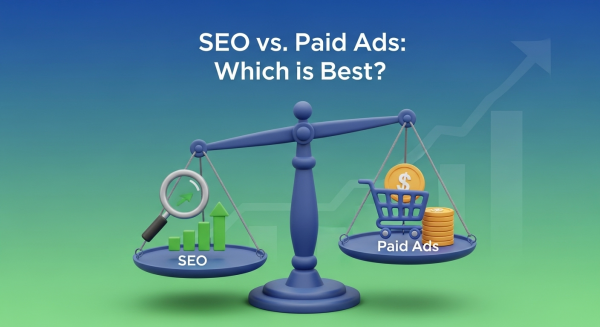
SEO vs. Paid Ads: Which Is the Right Choice for Your Small Business?
As a small business owner, you know that being visible to potential customers online is non-negotiable. But with a limited budget and countless marketing channels, where do you focus your efforts? Two of the most powerful methods for driving traffic are Search Engine Optimization (SEO) and paid advertising (like Google Ads), often called Pay-Per-Click (PPC).
The debate of SEO vs. Paid Ads is a common one, but the answer isn’t always a simple “one is better.” The right choice depends entirely on your business goals, your budget, and your timeline. In this guide, we’ll break down both strategies to help you make an informed decision that fuels your growth.
Understanding the Basics: What Are SEO and Paid Ads?
Before we can compare them, let’s define what we’re talking about. When a user searches for something on Google, the results page is split into two main categories: organic results and paid ads.
What is Search Engine Optimization (SEO)?
SEO is the process of optimizing your website to rank higher in the organic (non-paid) search engine results. Think of it as earning your spot. Through strategic efforts like keyword research, creating high-quality content, improving your site’s technical health, and building authoritative backlinks, you signal to search engines like Google that your website is a relevant and trustworthy answer to a user’s query. The goal is to build a sustainable source of free, high-quality traffic over time.
What are Paid Ads (PPC)?
Paid ads, also known as Pay-Per-Click (PPC) or Search Engine Marketing (SEM), involve paying to have your website appear at the very top or bottom of the search results page. Platforms like Google Ads operate on an auction system where you bid on specific keywords. You only pay when someone clicks on your ad. This method allows you to essentially buy your way to the top, providing immediate visibility to a highly targeted audience.
The Case for SEO: Building a Long-Term Asset
Investing in SEO is like building a house. It takes time, a solid blueprint, and quality materials, but the end result is a valuable asset that stands the test of time and provides lasting value.
The Pros of SEO for Small Businesses
- Credibility and Trust: Modern consumers are savvy. Many tend to trust organic results more than paid advertisements. Achieving a top organic ranking acts as a powerful third-party endorsement from Google, signaling that you are an authority in your field. In fact, studies consistently show that organic results receive the majority of clicks.
- Sustainable, Long-Term Results: While it takes time to gain momentum, a strong SEO ranking is durable. Unlike an ad that disappears the moment you stop paying, a well-ranked page can continue to generate traffic and leads for months or even years, creating a compounding effect on your investment.
- High ROI Over Time: The initial investment in SEO can feel significant, but the long-term return on investment is often unmatched. Once you rank, every click you receive is essentially free. This cumulative value makes SEO one of the most cost-effective digital marketing strategies available.
- Improved User Experience: Google’s main goal is to provide the best possible experience for its users. Therefore, many SEO best practices—like fast load times, mobile-friendliness, and intuitive navigation—are directly tied to creating a better website for your visitors. A positive user experience not only helps your rankings but also increases conversions, a core principle of our Website Design Services.
The Cons of SEO
- Results Are Not Immediate: The biggest drawback of SEO is the time it takes to see results. It can often take anywhere from 4 to 12 months to see a significant impact, which can be a challenge for businesses that need leads right now.
- Requires Expertise and Resources: SEO is a complex, ever-evolving discipline. Google updates its algorithm hundreds of times a year. Staying on top of these changes and implementing a successful campaign requires deep technical knowledge and a significant time commitment, which is why many businesses partner with an agency for a professional SEO Strategy.
- No Guarantees: You are competing against every other business in your niche for a limited number of spots on the first page. While a sound strategy greatly increases your chances of success, there are no absolute guarantees of a number-one ranking.
The Power of Paid Ads: Immediate Visibility and Control
If SEO is like building a house, paid advertising is like renting a billboard on the busiest highway in town. You get immediate exposure to a massive audience, and you can turn it on or off whenever you want.
The Pros of Paid Ads for Small Businesses
- Speed and Immediacy: The single greatest advantage of PPC is speed. You can launch a campaign and start seeing traffic and leads within hours, not months. This is invaluable for new businesses, product launches, or time-sensitive promotions.
- Precise Targeting: Paid ad platforms offer incredibly granular targeting options. You can target potential customers based on their location, age, gender, interests, past online behavior, and the specific keywords they are searching for, ensuring your message reaches only the most relevant audience.
- Control and Scalability: With PPC, you are in the driver’s seat. You have complete control over your budget, the ad copy, and the landing pages you send traffic to. You can easily scale your campaigns up or down based on performance, making it a flexible and adaptable strategy.
- Measurable Results: PPC platforms provide a wealth of data. You can track nearly every aspect of your campaign, from impressions and clicks to conversion rates and cost-per-acquisition. This makes it easy to measure your ROI and make data-driven decisions to optimize your campaigns for better results.
The Cons of Paid Ads
- Ongoing Cost: The most obvious downside is the cost. You have to pay for every single click, and in competitive industries, these costs can add up quickly. According to data from industry benchmarks, the average cost-per-click can range from a couple of dollars to over $50 for highly competitive keywords.
- Traffic Stops When You Stop Paying: As soon as you turn off your ad budget, your traffic disappears. Unlike SEO, PPC builds no long-term equity. It’s a rental model; you only have visibility as long as you’re paying the rent.
- Ad Blindness: Some users have developed “ad blindness” and automatically skip over the sponsored results at the top of the page, moving straight to the organic listings they trust more.
The Ultimate Strategy: Why You Shouldn’t Have to Choose
Experienced marketers know that the “SEO vs. Paid Ads” debate presents a false choice. The most powerful digital marketing strategies don’t choose one over the other; they integrate both to create a synergistic effect where the whole is greater than the sum of its parts.
Think of it this way: paid ads are your offense, driving immediate traffic and testing the market. SEO is your defense, building a stable, long-term foundation of trust and authority. Together, they cover all your bases. As Google itself points out, a combined approach allows businesses to reach customers at every stage of their journey.
Here’s how they work together:
- Keyword Data Sharing: The data from your PPC campaigns is a goldmine for your SEO strategy. You can quickly see which keywords convert into customers and then focus your long-term SEO efforts on ranking organically for those proven terms.
- Total SERP Domination: By appearing in both the paid and organic sections of the search results, you maximize your visibility and brand presence. This increases the likelihood of a user clicking on one of your listings and reinforces your brand’s authority.
- Remarketing and Audience Building: You can use paid ads to retarget visitors who originally found your site through organic search. This allows you to stay top-of-mind and nurture leads who may not have been ready to convert on their first visit.
Managing both channels can seem daunting, but it doesn’t have to be. By leveraging smart processes and tools, you can streamline your efforts. In fact, many successful businesses are now using AI Automations for Small Business to analyze data from both SEO and PPC, helping them make faster, more effective marketing decisions.
Ultimately, the question isn’t which one is better, but how you can leverage the strengths of each to build a comprehensive digital marketing machine. SEO provides the sustainable foundation, while paid ads offer the speed and agility to capitalize on immediate opportunities.
Ready to build a digital marketing strategy that drives real, measurable results for your business? Schedule your free, no-obligation consultation with our expert team today to discover the right mix for your unique goals.