
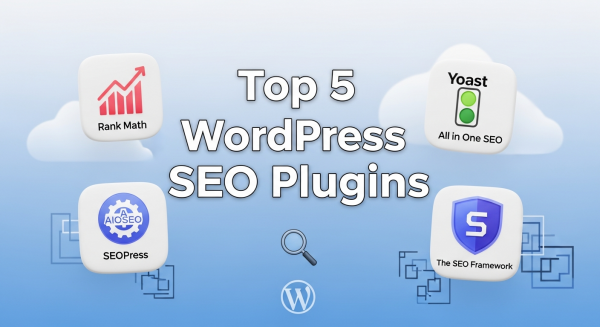
The 5 Best WordPress SEO Plugins to Dominate Search in 2025
For any small business, showing up on the first page of Google isn’t just a goal; it’s a necessity. Your website is your digital storefront, and search engine optimization (SEO) is the map that guides customers to your door. If you’re using WordPress, you’re already on the right track. It’s a powerful platform, but to truly unlock its potential, you need the right tools. That’s where SEO plugins come in.
These powerful add-ons transform your WordPress dashboard into an SEO command center, simplifying complex tasks and providing clear guidance to help you climb the search rankings. But with so many options available, which one is right for your business in 2025? We’ve analyzed the top contenders to help you make an informed decision that drives real results.
Why Your WordPress Website Needs an SEO Plugin
At its core, SEO involves telling search engines like Google what your pages are about and why they are valuable. While WordPress has some basic SEO features built-in, a dedicated plugin gives you granular control over the critical elements that search engines scrutinize. Without one, you’re essentially flying blind.
A good SEO plugin helps you:
- Optimize Content: Get real-time feedback on your posts and pages to ensure you’re effectively using target keywords, writing compelling meta descriptions, and structuring content for both users and search engine crawlers.
- Manage Technical SEO: Easily create and submit XML sitemaps to help Google index your site, control how your content appears in search results, and manage redirects to avoid broken links.
- Implement Schema Markup: This is a type of code that helps search engines understand the context of your content, leading to “rich snippets” in search results—like star ratings, event details, or prices. A plugin automates this complex process.
- Improve Site Structure: Use features like breadcrumbs and internal linking suggestions to create a better user experience and distribute “link equity” throughout your site, which can significantly boost your rankings.
Think of an SEO plugin as your co-pilot. It handles the technical details so you can focus on what you do best: running your business and creating great content for your customers.
Our Top Picks: The Best WordPress SEO Plugins for 2025
We’ve reviewed the leading plugins based on their features, ease of use, and overall value for small businesses. Here are the top five you should consider for the coming year.
1. Rank Math: The Feature-Packed Powerhouse
Rank Math has rapidly become a favorite in the WordPress community, and for good reason. It bills itself as the “Swiss Army Knife of WordPress SEO,” and it lives up to the name by packing an incredible number of features into a sleek, intuitive interface—many of which are only available in the premium versions of its competitors.
Its standout feature is the built-in Content AI, which provides sophisticated suggestions for keywords, questions, and links as you write. The setup wizard is fantastic for beginners, guiding you through the optimal settings for your specific type of business. Rank Math also offers advanced schema markup options, 404 error monitoring, and seamless integration with Google Analytics and Google Search Console right within your WordPress dashboard.
Best for: Business owners who want a comprehensive, all-in-one solution without paying for multiple premium tools. It’s powerful enough for experts but user-friendly enough for those just starting their SEO journey.
2. Yoast SEO: The Trusted Industry Standard
Yoast SEO is arguably the most well-known WordPress plugin on the planet. For years, it has been the go-to choice for millions of websites, from personal blogs to major corporations. Its strength lies in its simplicity and focus on on-page SEO fundamentals.
The famous green, orange, and red traffic light system provides instant, actionable feedback on both SEO and readability. This makes it incredibly easy for non-technical users to understand what they need to do to improve a page. Yoast excels at creating XML sitemaps, managing title and meta descriptions, and ensuring your content is easy for both humans and search engines to read. While its free version is robust, the premium version unlocks powerful features like internal linking suggestions, redirect management, and 24/7 support.
Best for: Beginners and business owners who want a reliable, straightforward tool that excels at the core principles of on-page SEO. If you value ease of use and clear guidance above all else, Yoast is an excellent choice.
3. All in One SEO (AIOSEO): The Complete Toolkit
As one of the original WordPress SEO plugins, All in One SEO has continuously evolved to remain a top competitor. AIOSEO offers a comprehensive suite of tools designed to cover every aspect of your site’s optimization. Its setup wizard is one of the best, ensuring you configure everything correctly from the start.
One of its strongest features is the TruSEO on-page analysis, which provides a detailed checklist to help you optimize every post and page. AIOSEO also has powerful modules for local SEO, making it a fantastic option for brick-and-mortar businesses that need to rank in local map packs. It integrates beautifully with WooCommerce for e-commerce SEO and offers advanced schema generation to help your products stand out. For a deep dive into how structured data impacts search, Moz offers an excellent guide on Schema.
Best for: Small businesses, especially those with a local focus or an e-commerce store, who need a complete and user-friendly SEO toolkit.
4. SEOPress: The White-Label-Ready Performer
SEOPress is a powerful and surprisingly affordable alternative to the bigger names. It offers a clean, ad-free interface and a feature set that rivals the premium versions of other plugins, even in its free version. You can manage titles and metas, create XML and HTML sitemaps, and integrate Google Analytics with ease.
Where SEOPress truly shines is its Pro version. For a single low price, you get access to an incredible array of tools, including advanced schema markup, local SEO, broken link checking, and full WooCommerce integration. It’s also “white-label” ready, meaning agencies and developers can remove all SEOPress branding and replace it with their own, which is a huge plus for professionals managing client sites.
Best for: Budget-conscious businesses, developers, and agencies who want premium features without the premium price tag or aggressive upselling.
5. The SEO Framework: The Lightweight Champion
If you’re concerned about website speed and performance, The SEO Framework is the plugin for you. It’s designed to be incredibly lightweight and fast, providing all the essential SEO features without the bloat that can sometimes slow down other plugins. It comes pre-configured to deliver excellent results right out of the box, making it perfect for users who prefer a “set it and forget it” approach.
The SEO Framework avoids intrusive ads and focuses on a clean, color-coded interface that intelligently guides you without being overwhelming. It handles on-page optimization, social meta tags, and critical SEO settings automatically. While it may not have as many flashy features as Rank Math, it does its job exceptionally well, ensuring your site is technically sound and ready to be crawled by search engines.
Best for: Users who prioritize website performance and want a no-nonsense, effective SEO solution that respects their dashboard and doesn’t get in the way.
A Plugin is a Tool, Not a Complete Strategy
Choosing and installing one of these excellent plugins is a fantastic first step, but it’s important to remember that it is just one piece of the puzzle. An SEO plugin is a tool that helps you execute a strategy; it cannot create the strategy for you. True, sustainable growth in search rankings comes from a holistic approach.
This includes conducting in-depth keyword research, creating high-quality content that answers your audience’s questions, building a strong backlink profile, and ensuring your site is technically flawless. Everything from your site speed to your mobile responsiveness is critical. A solid Website Design is the foundation upon which all your digital marketing efforts are built. Furthermore, a comprehensive SEO Strategy will define your path to success, outlining the specific actions needed to outrank your competitors.
To stay ahead, modern businesses are also leveraging AI Automations to streamline content creation, analyze performance data, and identify new opportunities more efficiently. As Google itself confirms in its SEO Starter Guide, optimization is an ongoing process that touches every part of your online presence.
In conclusion, the best WordPress SEO plugin for 2025 is the one that aligns with your business goals, technical comfort level, and budget. Rank Math offers unmatched features, Yoast provides trusted simplicity, AIOSEO excels for local and e-commerce businesses, SEOPress delivers incredible value, and The SEO Framework prioritizes performance. By pairing one of these powerful tools with a smart, consistent strategy, you’ll be well on your way to dominating the search results and driving meaningful growth for your business.
If you’re ready to transform these insights into measurable growth, our team is here to help you build a smarter, higher-ranking website. Book a free, no-obligation consultation with our SEO experts today.