
Google’s AI Overviews Are Here: What This Means for Your Small Business Website
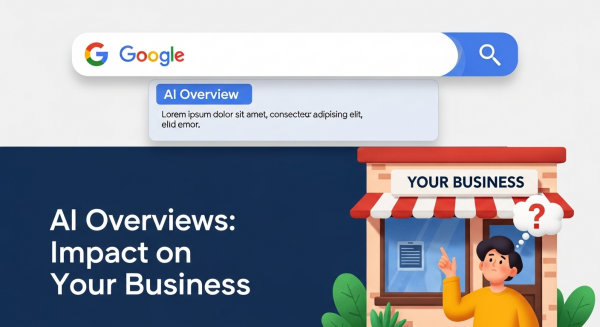
If you’ve used Google in the past week, you’ve likely seen it: a new, shaded box at the very top of the results, providing a detailed, AI-generated summary of your search. This is Google’s new “AI Overview,” and it represents one of the most significant shifts in search engine behavior in over a decade. For small business owners, this change can feel intimidating. Does this mean less traffic to your website? Is all your hard work on SEO now obsolete?
Take a deep breath. The sky isn’t falling, but the landscape is definitely changing. This shift brings both challenges and incredible new opportunities for businesses that are ready to adapt. The core principles of good digital marketing strategy are more important than ever. In this article, we’ll break down exactly what Google AI Overviews are, how they will impact your online visibility, and provide a clear, actionable plan to ensure your business not only survives but thrives in this new AI-powered era.
What Exactly Are Google AI Overviews?
Think of AI Overviews as Google’s attempt to be the ultimate research assistant. Instead of just giving you a list of links (the classic “10 blue links”) and making you click through to piece together information, Google’s AI now does the heavy lifting. It synthesizes information from multiple high-quality web pages, forums, and its own vast knowledge base to provide a single, comprehensive answer directly on the search results page.
For example, a search like “what are the best durable flooring options for a home with kids and pets?” might now generate an AI Overview that compares laminate, vinyl, and tile, listing the pros and cons of each, average costs, and key considerations. This summary is designed to give the user a complete answer without needing to visit five different websites. The sources for the information are often linked within the overview, but they appear as smaller carousels or citations rather than the primary result.
The goal, from Google’s perspective, is to satisfy user intent faster and more effectively, especially for complex or multi-step questions. But this efficiency is precisely what has many business owners worried about their website traffic.
The Big Question: Should You Be Worried About Your Website Traffic?
Let’s address the elephant in the room: Yes, AI Overviews will likely reduce clicks for certain types of search queries. Specifically, simple, informational questions that can be answered with a quick fact or definition might not generate a click to your website anymore. If a user can get their answer instantly from the AI Overview, they have less incentive to click through.
However, it’s not all doom and gloom. In fact, this is where the opportunity lies. Here’s why:
- High-Intent Queries Still Need You: A person searching for “how to fix a leaky pipe” might be satisfied with an AI Overview. But a person searching for “emergency plumber near me” or “best plumber for kitchen remodel in [Your City]” is looking to take action. These high-intent, commercially-focused searches are far more likely to lead to a click and a customer. AI can provide information, but it can’t fix their sink.
- The Opportunity for Prominent Placement: Being featured as a source within an AI Overview is the new “position zero.” It places your brand and website in a highly trusted, authoritative position at the very top of the page. Earning this spot can significantly boost your brand’s credibility and drive highly qualified traffic from users seeking more in-depth information.
- The Value of Each Visitor Increases: With potentially fewer clicks for low-intent informational queries, the visitors who *do* arrive on your site are more likely to be further along in their buying journey. This means every visit is more valuable. Your focus must shift from just attracting eyeballs to converting the highly-qualified traffic you receive, which makes conversion-focused web design more critical than ever.
The game isn’t over; the rules are just evolving. Success now depends on adapting your digital marketing strategy to align with what Google’s AI is looking for.
How to Adapt Your SEO Strategy for an AI-Powered World
So, how do you get your business featured in these coveted AI Overviews and protect your online visibility? It comes down to doubling down on the fundamentals of great SEO and content, with a few strategic adjustments.
Double Down on High-Quality, People-First Content (E-E-A-T)
Google’s AI is trained to prioritize information that is helpful, reliable, and trustworthy. The best way to signal this is by creating content that demonstrates E-E-A-T: Experience, Expertise, Authoritativeness, and Trustworthiness. This has been a cornerstone of SEO for years, but with AI in the mix, it’s non-negotiable. As Google’s own guidelines on helpful content state, you should focus on creating content for people, not just for search engines.
How to apply E-E-A-T:
- Show, Don’t Just Tell: Instead of a generic blog post, write detailed case studies. Show before-and-after pictures of your work. Create video testimonials with happy clients. This demonstrates real-world experience.
- Establish Expertise: Write from a clear point of view. Create an author bio for your blog posts showcasing the writer’s credentials and experience. Answer specific, niche questions that only a true expert in your field would know.
- Build Authority: Earn links and mentions from other reputable websites in your industry. Get featured in local news or partner with other local businesses.
- Prove Trustworthiness: Make your contact information easy to find. Display customer reviews and testimonials prominently. Have a clear and detailed “About Us” page that tells your story.
Focus on Conversational, Long-Tail Keywords
AI Overviews are triggered most often by complex, multi-part questions—the kind of things people would speak into their phone. Your keyword strategy needs to evolve accordingly. Move beyond short, two-word phrases and embrace longer, more conversational questions that your customers are actually asking.
Instead of optimizing for “HVAC repair,” optimize for content that answers questions like:
- “Why is my air conditioner making a rattling noise?”
- “How much does it cost to replace an AC unit in [Your City]?”
- “What are the signs I need a new furnace before winter?”
Creating comprehensive FAQ pages, blog posts, and service pages that directly answer these questions makes your content a prime candidate for being pulled into an AI Overview. This approach is a core part of a modern SEO and content strategy that positions you as a helpful resource.
Structure Your Content for Clarity
AI, much like a hurried human, loves well-structured, easy-to-scan content. To make your information easy for Google’s AI to digest and feature, you need to structure it clearly. The same tactics that help you win “Featured Snippets” (the answer boxes that have appeared at the top of search for years) are effective here.
- Use clear, descriptive headings and subheadings (H2s, H3s) to organize your content.
- Use bulleted and numbered lists to break down information.
- Provide a concise, direct answer to a question right at the beginning of a section before elaborating.
- Incorporate structured data (Schema markup) on the back end of your website to help Google understand the context of your content, such as reviews, events, or local business information.
According to analysis by industry experts like Neil Patel, well-structured content that directly answers questions is a common trait of sites featured in AI-powered results. This isn’t just an SEO trick; it also dramatically improves the user experience for your human visitors.
Beyond SEO: Build a Brand People Search For
In a world where some search traffic may decline, the ultimate defense is to build a brand that customers seek out directly. When people search for your business name, you bypass the AI Overviews and the competition entirely. This means your digital marketing strategy can’t live and die by Google alone.
Focus on building a holistic online presence. Engage with your community on social media. Build an email list to nurture leads and communicate directly with your audience. Deliver such an exceptional service that customers leave glowing reviews and recommend you to their friends. A strong brand and a stellar reputation create their own demand, making you less reliant on any single marketing channel.
The introduction of Google AI Overviews is not an endpoint; it’s an evolution. It’s a clear signal that the internet is moving toward more natural, helpful, and human-centric interactions. By focusing on creating genuinely valuable content, demonstrating your expertise, and building a trusted brand, you can align your business with this future and capture the attention of your ideal customers.
Navigating these changes can be complex, but you don’t have to do it alone. If you’re ready to adapt your digital strategy for the AI era and turn these insights into measurable growth, book a free, no-obligation consultation with our expert team today.