Skip to content
 Boost Your Website Conversions: The Proven Power of Video Content You’ve invested time, effort, and resources into a beautiful website. It has a clean design, compelling copy, and clear navigation. Yet, you’re not seeing the leads, sales, or sign-ups you expected. Your conversion rates are flat, and you’re left wondering what’s missing. For countless small businesses, the missing piece of the puzzle is one of the most powerful communication tools available today: video. In a digital landscape saturated with text and static images, video content cuts through the noise. It offers a dynamic, engaging, and personal way to connect with your audience, explain your value, and guide them toward taking action. If you’re looking to transform passive website visitors into active, paying customers, it’s time to embrace video. This article will explore exactly why video is so effective and how you can use it to significantly boost your website’s conversion rates. The Unstoppable Rise of Video Marketing The way consumers research products and make purchasing decisions has fundamentally changed. We live in an on-demand world where people expect information to be fast, accessible, and entertaining. Video content perfectly meets these expectations. Instead of reading a lengthy product description, a potential customer can watch a 60-second demonstration. Instead of scrolling through text testimonials, they can see and hear a real person share their positive experience. The statistics paint a clear picture. According to a recent report from Wyzowl, a staggering 91% of businesses now use video as a marketing tool. Why? Because it works. The same report found that 87% of marketers say video gives them a positive return on investment. This isn’t a fleeting trend; it’s a fundamental shift in how businesses effectively communicate their value. For small businesses, this presents a massive opportunity to level the playing field, connect with customers on a deeper level, and drive measurable growth. How Video Directly Translates to Higher Conversions So, what’s the magic behind the screen? How does pressing “play” on a video lead a customer to click “buy now”? The connection between video and conversions isn’t just a correlation; it’s rooted in psychology, user experience, and search engine optimization. Let’s break down the key mechanisms. It Captures and Holds Attention The average human attention span is shorter than ever. You have mere seconds to capture a visitor’s interest before they click away. A compelling video thumbnail and an auto-playing (muted) video header can instantly grab attention in a way a block of text cannot. The combination of motion, sound, and storytelling is inherently more engaging, encouraging visitors to stay on your page longer. This increased “dwell time” doesn’t just give you more opportunity to convey your message; it also sends a powerful positive signal to search engines like Google. When users spend more time on your site, it indicates that your content is valuable and relevant, which can improve your rankings over time. A robust SEO strategy should always consider how to increase user engagement, and video is one of the most effective tools for achieving that. It Builds Trust and Authenticity Business is about relationships, and relationships are built on trust. Video is an unparalleled tool for humanizing your brand. It allows you to put a face to your name, share your company’s story, and showcase the real people behind your products or services. A video featuring the founder, a behind-the-scenes tour of your workspace, or a heartfelt customer testimonial creates an emotional connection that static content struggles to match. When potential customers see and hear you or your satisfied clients, they can gauge authenticity and build a sense of familiarity. This transparency breaks down skepticism and fosters a level of trust that is critical for converting a prospect into a loyal customer. In a crowded marketplace, this human connection can be your most significant competitive advantage. It Simplifies Complex Information Is your product or service difficult to explain? Do you find yourself writing paragraph after paragraph trying to describe how your software works or the benefits of your unique process? Video excels at making the complex simple. The old adage “show, don’t tell” is the cornerstone of effective video marketing. An explainer video can break down a complicated concept into easy-to-digest animated visuals. A product demonstration can walk a user through features and benefits in a fraction of the time it would take to read a manual. According to research from Think with Google, online video is a critical touchpoint in the consumer journey, with people frequently turning to it to learn more before they buy. By providing a clear, concise video explanation, you remove friction and uncertainty from the buying process, making it easier for customers to make a confident decision. Types of Videos That Convert for Small Businesses Getting started with video doesn’t require a Hollywood budget. The key is to be strategic and create content that serves a specific purpose. Here are some of the most effective types of videos for driving conversions: Explainer Videos: Placed prominently on your homepage or a service page, these short (typically 60-90 seconds) animated or live-action videos quickly explain what your business does, the problem it solves, and why you’re the best solution. Product Demonstration Videos: Show your product in action. Unbox it, assemble it, and showcase its key features. This helps potential buyers visualize themselves using the product and answers many of their pre-purchase questions. Customer Testimonial Videos: Social proof is one of the most persuasive marketing tools. A video of a happy customer sharing their genuine experience with your brand is far more powerful than a written quote. Behind-the-Scenes Videos: Introduce your team, show how your product is made, or give a tour of your office. This content builds brand personality and fosters a strong sense of community and trust. Landing Page Videos: For a specific campaign, a focused video on a landing page can dramatically increase sign-ups or sales by reinforcing the page’s core message and call to action. Best Practices for Implementing Video on Your
 Google’s March 2024 Core Update Is Here: Your Guide to Staying Ahead If the world of digital marketing felt a little shaky recently, you’re not imagining things. Google has just announced one of its most significant updates in years: the March 2024 Core Update, coupled with a powerful new set of spam policies. For small business owners, this isn’t just technical noise; it’s a fundamental shift in how your customers find you online. But don’t worry. This change, while big, is a massive opportunity for businesses doing things the right way. This update is all about quality. Google is doubling down on its mission to clean up search results, pushing down low-quality, unhelpful content and elevating websites that offer genuine value. Think of it as a city-wide beautification project for the internet. The goal? To make sure that when a user searches for something, they find truly helpful, reliable, and human-centric answers. In this article, we’ll break down exactly what’s happening, why it’s a potential game-changer for your business, and provide a clear, actionable roadmap to not just survive, but thrive in this new landscape. What’s New? Unpacking the March 2024 Google Updates This month’s announcement isn’t just one single tweak; it’s a coordinated effort involving multiple systems. At its heart are two key components: a more refined core algorithm and stricter rules against manipulative tactics. Let’s look at them one by one. The March 2024 Core Update: A Focus on “Helpful Content” For the past year or so, Google has had a separate system called the “Helpful Content System” that would periodically assess whether a website’s content was written for people or for search engines. Now, that system has graduated. It’s no longer a separate process; its signals are now baked directly into the main core algorithm. What does that mean for you? It means that creating helpful, satisfying content isn’t just a “good idea” anymore—it’s the absolute foundation of a successful SEO strategy. Google is now more sophisticated than ever at understanding if your content actually solves a user’s problem or if it’s just a collection of keywords designed to rank. The algorithm now looks at a wide range of signals to determine if a user had a good experience on your page. Did they find what they were looking for? Was the information clear and trustworthy? Or did they click the back button in frustration and go to a competitor’s site? New Spam Policies: Targeting Low-Quality Content at Scale Alongside the core update, Google has rolled out tough new spam policies aimed squarely at tactics designed to manipulate search rankings. Their stated goal is to reduce low-quality, unoriginal content in search results by 40%. That’s a huge number, and it shows how serious they are. The new policies target three specific types of abuse: Scaled Content Abuse: This is the practice of mass-producing content with little to no human oversight, often using AI, for the primary purpose of ranking in search. If a website is churning out hundreds of generic, low-value articles that don’t offer any unique insight, it’s now in Google’s crosshairs. This doesn’t mean all AI content is bad, but it does mean content created *without care* is. Expired Domain Abuse: Some people buy expired domain names that once had a good reputation, and then fill them with low-quality, often unrelated content to piggyback on the old domain’s authority. Google is now classifying this as spam, closing a loophole that has been exploited for years. Site Reputation Abuse: You may have heard this called “Parasite SEO.” This is when a third party publishes low-quality pages on a well-respected website (like a coupon section or sponsored posts that don’t fit the site’s purpose) to take advantage of that site’s good reputation. Google is cracking down on this to ensure a site’s good name isn’t used to promote spammy content. Why This Matters for Your Small Business It’s easy to dismiss these updates as technical jargon, but they have real-world consequences for your bottom line. How your business shows up on Google directly impacts your traffic, your leads, and ultimately, your sales. This Google March 2024 core update creates both a risk and an incredible opportunity. The Risk: Losing Visibility and Traffic If your website has relied on old-school SEO tricks, thin content, or has been pumping out generic articles just to “feed the blog,” you could be at risk. A drop in rankings means fewer people see your website, which translates directly to a loss of potential customers. The days of gaming the system are ending. Businesses that don’t adapt will find it increasingly difficult to compete for valuable online visibility. The Opportunity: A Level Playing Field Here’s the good news. If you’ve always focused on genuinely helping your customers, this update is for you. Google is actively working to reward you. By clearing out the clutter and spam, this Google spam update creates more room for high-quality, authentic small businesses to shine. It levels the playing field, making it less about who has the biggest bag of SEO tricks and more about who provides the most value to their audience. This is your chance to leapfrog competitors who have been taking shortcuts. A solid SEO & Content Strategy built on expertise and customer focus is now more powerful than ever. Actionable Steps to Thrive After the March 2024 Update So, how do you make sure your business is on the winning side of this update? It’s not about a quick fix; it’s about committing to a long-term strategy centered on quality and authenticity. Here’s what you should focus on right now. Conduct a “Helpful Content” Audit Take an honest look at your website’s content. Go through your key pages—your homepage, service pages, and top blog posts—and ask yourself the tough questions that Google’s algorithm is now asking. Be objective. For each piece of content, consider: Does this content demonstrate first-hand experience or deep knowledge? Is this written for a specific, defined audience, or is
 Less Is More: How Minimalist Web Design Boosts Conversions In the competitive digital landscape, it’s tempting to believe that a successful website needs more of everything: more features, more graphics, more text, more options. We often see business owners trying to cram every piece of information onto their homepage, fearing a potential customer might miss something. But what if the secret to capturing more leads and sales isn’t about adding more, but strategically taking things away? Welcome to the world of minimalist web design. Far from being an empty or boring aesthetic, minimalism is a powerful, user-centric philosophy that prioritizes clarity, speed, and function. For a small business, adopting a minimalist approach isn’t just a style choice; it’s a strategic move that can dramatically improve your conversion rates. Let’s explore how simplifying your digital storefront can lead to significant business growth. What Exactly Is Minimalist Web Design? Minimalist web design is a principle rooted in the idea that a design should not have any unnecessary elements. Every button, image, and line of text serves a distinct purpose. It’s about cutting through the noise to present your message and your value proposition with absolute clarity. Think of it as a spotlight, focusing your user’s attention exactly where you want it to go. This approach is built on several key pillars: Negative Space: Often called “white space,” this is the empty area around elements on a page. It’s not wasted space; it’s an active design tool that reduces clutter, improves readability, and creates a sense of calm and sophistication. Simple Color Palettes: Minimalist designs typically use a limited and carefully chosen color scheme. This creates visual harmony and helps important elements, like call-to-action buttons, stand out. Bold, Clear Typography: With fewer visual distractions, typography becomes a central design element. Clean, legible fonts are used to create a strong visual hierarchy and guide the user’s eye through the content. Essential-Only Elements: This is the core of minimalism. Before adding any element to a page, you must ask: “Does this serve a critical function or help the user achieve their goal?” If the answer is no, it doesn’t belong. Intuitive Navigation: A simple, logical menu structure is paramount. Users should be able to find what they’re looking for instantly, without having to think or search. The Psychology of Simplicity: Why Minimalism Converts The effectiveness of minimalist design isn’t just a matter of taste; it’s grounded in human psychology. When a user lands on your website, their brain is subconsciously evaluating it for trustworthiness and ease of use. A cluttered, chaotic design sends signals of disorganization and can be overwhelming, causing visitors to leave before they even understand what you offer. Reducing Cognitive Load Cognitive load refers to the amount of mental effort required to use a website. When a page is filled with competing elements—multiple pop-ups, clashing colors, and confusing navigation—it overloads the user’s brain. This leads to a phenomenon known as “analysis paralysis.” This is best explained by the psychological principle of Hick’s Law, which states that the time it takes to make a decision increases with the number and complexity of choices available. By removing unnecessary options and distractions, a minimalist design reduces cognitive load, making it easier for a visitor to make the single most important decision: to convert. Building Trust Through Clarity A clean, professional, and straightforward design inspires confidence. It communicates that you are a credible business that values your customer’s time and attention. When your message is clear and your user journey is seamless, you remove friction and build a subconscious layer of trust that makes a visitor more comfortable sharing their contact information or making a purchase. The Tangible Business Benefits of a Minimalist Website Beyond the psychological impact, a minimalist approach delivers concrete, measurable advantages for your business. It directly addresses key performance indicators that affect your bottom line, from search engine ranking to sales. 1. Dramatically Faster Loading Speeds Every second counts online. A minimalist website, by its very nature, has fewer large image files, complex scripts, and heavy animations. This results in a lighter, faster website. Why is this critical? According to research from Google, the probability of a user bouncing from your site increases by 32% as page load time goes from 1 second to 3 seconds. Faster loading times not only keep impatient users on your site but are also a major ranking factor for search engines. A quick, responsive site is a core component of any effective SEO Strategy, helping you climb the rankings and attract more organic traffic. 2. A Superior User Experience (UX) Great UX is about making it effortless for a visitor to accomplish their goal. Minimalist design forces you to focus on the user journey. By stripping away non-essential elements, you create a clear path from the moment a user lands on your page to the moment they click “Buy Now” or “Submit.” This is especially important for mobile users. A clean, simple layout translates beautifully to smaller screens, ensuring a consistent and positive experience for the majority of today’s internet users. A frustrating mobile experience is a guaranteed way to lose a customer; a minimalist design is your best defense against it. 3. Higher Conversion Rates This is where everything comes together. A faster, more trustworthy, and easier-to-use website will inevitably lead to more conversions. Here’s how the principles of minimalism directly impact your ability to turn visitors into customers: Prominent Calls-to-Action (CTAs): With less visual clutter, your CTA buttons stand out. Using a contrasting color and surrounding it with negative space makes it impossible to miss, guiding users to take the next step. Focused Attention: Without distracting sidebars, carousels, or pop-ups, the user’s attention is directed toward your core message and value proposition. You control the narrative and lead them directly to the conversion point. Improved Readability: Clear typography and ample spacing make your content easier to scan and digest. Users can quickly understand the benefits of your product or service, making them more
 Navigating the Shake-Up: What Google’s Latest Algorithm Update Means for Your Business If you’re a small business owner, the phrase “Google algorithm update” can send a small shiver down your spine. It often means a period of uncertainty, watching your website traffic, and wondering if the rules you were playing by have suddenly changed. Well, the ground has indeed shifted again, and this time, it’s a big one. In early March 2024, Google rolled out a major core update combined with new spam policies, and its impact is being felt across the web. But don’t panic. This change isn’t a threat; it’s an opportunity for businesses that are committed to providing real value. The core message from Google is clearer than ever: they are aggressively cracking down on low-quality, unhelpful content designed purely to rank in search results. This is a direct response to the flood of generic, often AI-generated articles that offer little real substance. For you, this means the old playbook of keyword-stuffing and churning out thin content is officially obsolete. It’s time to double down on what truly matters: creating a genuinely helpful and satisfying experience for your audience. What’s Actually Happening with Google’s Update? Let’s break down the noise. The March 2024 update isn’t just one tweak; it’s a multi-faceted effort to improve the quality of search results. Google itself stated this update is designed to reduce low-quality and unoriginal content in search results by a staggering 40%. The goal is to reward websites that provide a satisfying experience and demote those that don’t. The End of Unhelpful Content For years, Google has been refining its ability to understand content quality through its “helpful content system.” Previously, this was a separate signal. Now, it has been fully integrated into the main core ranking system. This is a crucial distinction. It means that helpfulness is no longer just a “nice-to-have” factor; it is a fundamental, non-negotiable part of how Google evaluates your entire website. If your site is bogged down with pages that don’t serve a clear purpose or answer a user’s question, it can now negatively impact the rankings of your good pages, too. A Crackdown on Spammy Tactics Alongside the core update, Google released new spam policies aimed at manipulative practices that have become more common with the rise of AI. These include: Scaled Content Abuse: This targets the practice of generating massive amounts of unoriginal content, whether by AI or human farms, with the primary goal of manipulating search rankings. It’s a direct shot at websites that publish hundreds of generic articles that all say the same thing. Expired Domain Abuse: This is the practice of buying old, expired website domains with pre-existing authority and repurposing them with low-quality content to piggyback on their old reputation. Site Reputation Abuse: This refers to situations where reputable websites rent out subdomains or folders to third parties who then publish low-quality, spammy content (think coupon sections or advertorials unrelated to the main site’s purpose). The bottom line? Shortcuts and tricks are being systematically devalued. Authenticity and genuine value are the new currency for online visibility. Why This Is Great News for Authentic Small Businesses At first glance, this might seem intimidating. But for a business owner who genuinely knows their industry and cares about their customers, this is a golden opportunity. Google is actively clearing out the digital noise, making it easier for your high-quality, expert-driven content to be seen by the right people. Your deep understanding of your customers’ problems, your unique perspective, and your hands-on experience are now your most powerful SEO assets. While faceless content farms are being penalized, your authentic voice can finally cut through. This shift levels the playing field, allowing passion and expertise to outperform sheer volume. A strong SEO & Content Strategy is no longer about tricking an algorithm; it’s about genuinely connecting with and helping your audience. Your New Playbook: Creating “People-First” Content So, how do you ensure your website is seen as “helpful” in Google’s eyes? It comes down to creating content with a “people-first” mindset. This means writing for your customer, not for a search engine. Here’s what that looks like in practice. Embrace E-E-A-T E-E-A-T stands for Experience, Expertise, Authoritativeness, and Trustworthiness. It’s the framework Google’s quality raters use to assess content quality. Think of it as a checklist for building credibility: Experience: Does the content demonstrate firsthand, real-world experience with the topic? Share case studies, personal anecdotes, and unique insights. Expertise: Does the author have the necessary knowledge and skill in the field? Showcase credentials, author bios, and in-depth explanations. Authoritativeness: Are you recognized as a go-to source in your industry? This is built over time through consistent, high-quality content and being cited by others. Trustworthiness: Is your website secure (HTTPS)? Are your policies clear? Are customer reviews positive? Trust is the foundation of it all. As experts at Moz point out, demonstrating E-E-A-T is critical for building a long-term, resilient SEO foundation. Solve Problems and Answer Questions The most helpful content addresses a specific need. Before you write a single word, ask yourself: What problem does this solve for my ideal customer? What question does it answer? Use your industry knowledge to anticipate their follow-up questions and answer them proactively within your content. Go beyond surface-level advice and provide detailed, actionable solutions that leave the reader feeling informed and empowered. Prioritize an Excellent User Experience Helpfulness isn’t just about the words on the page; it’s about the entire experience of consuming that content. A fantastic article on a slow, clunky, mobile-unfriendly website is not a helpful experience. Your site’s technical health is a crucial part of the puzzle. This is where your website’s design and development play a starring role. Our approach to Website Design Services is built on the principle that a great user experience is fundamental to success. This includes: Fast Loading Speeds: Users are impatient. A page that takes too long to load will be abandoned. Mobile-First Design: Your site
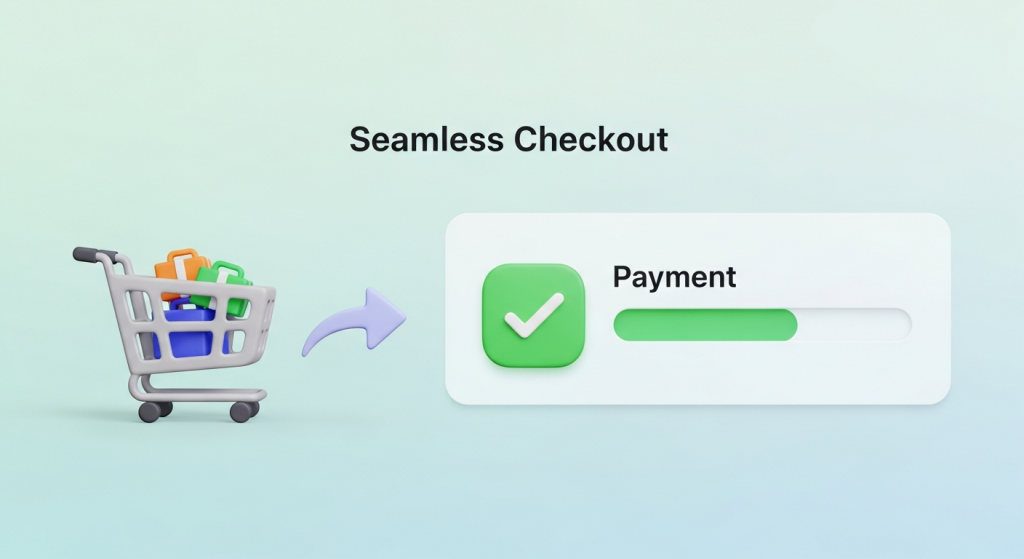 How to Create a Seamless Checkout Experience (and Stop Losing Sales) You’ve done everything right. You’ve built a beautiful online store, sourced incredible products, and crafted a marketing strategy that brings a steady stream of visitors to your site. A customer finds exactly what they want, adds it to their cart, and clicks “Checkout.” But then, nothing. They vanish, leaving another abandoned cart and a lost sale. It’s one of the most frustrating moments for any e-commerce business owner. If this sounds familiar, you’re not alone. The reality is that the final step of the purchase journey is where most businesses lose their customers. A clunky, confusing, or untrustworthy checkout process is the number one culprit. Creating a seamless checkout experience isn’t just a nice-to-have feature; it’s a fundamental requirement for converting browsers into buyers and building a sustainable online business. This guide will walk you through the essential steps to optimize your checkout process, reduce friction, and dramatically increase your conversion rates. Why a Seamless Checkout is Non-Negotiable Before we dive into the “how,” it’s crucial to understand the “why.” Your checkout page is the most critical part of your sales funnel. It’s the final handshake, the moment a potential customer commits to giving you their money. Any hesitation or frustration at this stage can instantly derail the entire sale. The High Cost of Cart Abandonment Shopping cart abandonment is the silent killer of e-commerce revenue. It represents a direct loss of potential income from customers who were ready to buy. According to extensive research by the Baymard Institute, the average cart abandonment rate across all industries is nearly 70%. That means for every ten customers who add an item to their cart, seven leave without completing the purchase. While some abandonment is natural, a significant portion is caused by a poor checkout experience. The top reasons cited by customers include unexpected extra costs (like shipping and taxes), being forced to create an account, and a long or complicated checkout process. Each of these issues is entirely within your control to fix. Building Trust and Customer Loyalty A smooth checkout process does more than just secure a single sale; it builds trust. When a customer can move through your checkout quickly and easily, it signals that your business is professional, secure, and values their time. This positive user experience (UX) is a key ingredient in building customer loyalty. A customer who has a great first experience is far more likely to return for future purchases and recommend your store to others. Conversely, a single frustrating checkout can permanently damage their perception of your brand. Key Elements of a High-Converting Checkout Process Optimizing your checkout flow involves a series of strategic improvements designed to make the process as simple and intuitive as possible. Here are the core elements you need to focus on. 1. Simplify, Simplify, Simplify The golden rule of checkout design is simplicity. Your goal is to remove every unnecessary field, click, and distraction. Get rid of cluttered sidebars, pop-ups, and navigation menus on the checkout page. The only goal should be guiding the user toward completing their purchase. A common debate is whether to use a single-page or multi-page checkout. A single-page checkout puts all fields (shipping, billing, payment) on one screen, while a multi-page checkout breaks it into steps. Both can be effective. A well-designed multi-page checkout with a clear progress bar can feel less overwhelming to users, guiding them through manageable chunks of information. The key is to minimize the total number of form fields and required actions, regardless of the layout you choose. 2. Offer Guest Checkout Forcing customers to create an account before they can buy is one of the biggest conversion killers. Many first-time buyers are hesitant to commit to creating a new account and password they have to remember. Give them the option to check out as a guest. You can always offer them the chance to create an account *after* the purchase is complete by simply adding a password on the confirmation page. This “post-purchase account creation” captures the sale first and then offers the convenience of an account for future orders, which is a much more customer-friendly approach. 3. Optimize for Mobile-First Commerce Today, a majority of online shopping traffic comes from mobile devices. If your checkout process isn’t designed for a small screen, you are losing sales. A mobile-friendly checkout means more than just a responsive layout. It requires a specific design philosophy: Large Form Fields and Buttons: Ensure all input fields and call-to-action buttons are large enough to be easily tapped with a thumb. Minimize Typing: Use features like address autocomplete and numerical keyboards for phone number and credit card fields. Digital Wallet Integration: Support for Apple Pay and Google Pay can reduce the entire process to a single tap or look, completely bypassing manual form entry. A truly mobile-first design is a core component of a modern online store. Our Website Design Services focus on creating intuitive, conversion-focused experiences for customers on any device. 4. Provide Multiple Payment Options Customers expect choice and flexibility when it comes to payment. Limiting their options can create unnecessary friction. At a minimum, you should accept all major credit cards. However, to build a truly seamless experience, you should integrate popular digital wallets and alternative payment methods. Digital wallets like PayPal, Apple Pay, and Shop Pay store a user’s payment and shipping information, allowing for incredibly fast checkouts. Furthermore, “Buy Now, Pay Later” (BNPL) services like Afterpay or Klarna are becoming increasingly popular, especially with younger demographics, as they allow customers to split their purchase into interest-free installments. 5. Be Transparent About All Costs According to usability experts at the Nielsen Norman Group, unexpected costs are a primary reason for checkout abandonment. A customer can feel misled if they reach the final payment step only to find a surprisingly high shipping fee or tax added to their total. Be upfront about all costs. Display shipping options and estimated taxes
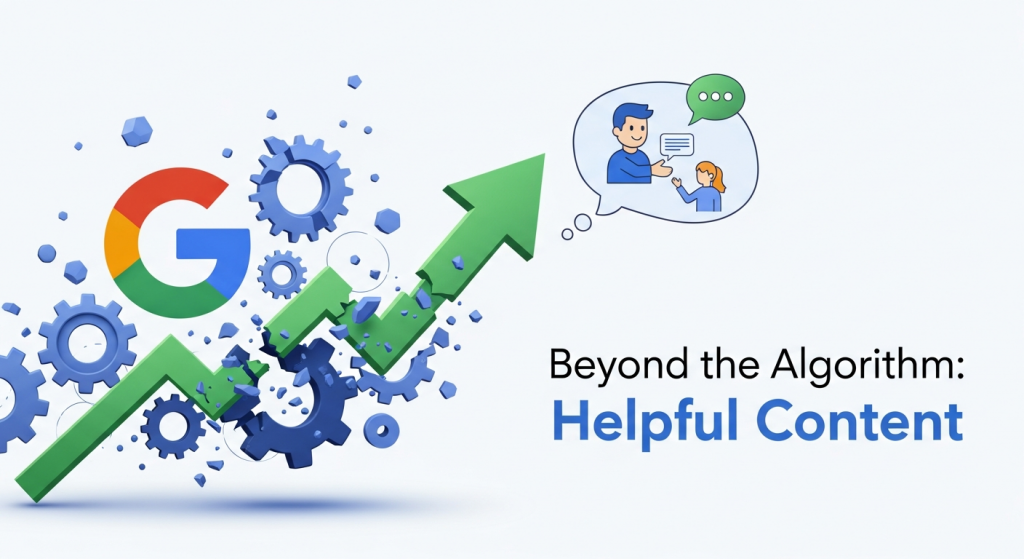 Beyond the Algorithm: How Google’s New ‘Helpful Content’ Focus Changes Everything for Your Business If you’ve been watching your website traffic or search engine rankings lately, you might feel like you’re on a roller coaster. One day you’re up, the next you’re down, and it’s hard to know why. You’re not imagining things. In March 2024, Google rolled out one of its most significant updates in years, and it’s fundamentally changing the rules of the game for online visibility. But here’s the good news: this isn’t something to fear. For small businesses that are genuinely passionate about what they do, this update is a massive opportunity. It’s a chance to cut through the noise and connect with customers by doing what you do best—being an expert. Let’s break down what this “helpful content” focus really means and how you can position your business to thrive in this new era of search. What Exactly Is Google’s Big “Helpful Content” Update? For years, Search Engine Optimization (SEO) often felt like a technical checklist. Do you have the right keywords? Is your site speed fast enough? Are your title tags optimized? While those things still matter, Google’s latest core update has woven its “Helpful Content System” directly into its main ranking algorithm. This isn’t just another item on the checklist; it’s become the entire philosophy. In simple terms, Google is getting much, much better at telling the difference between content created specifically to rank on a search engine and content created to actually help a human being. The goal, as Google explained in its official announcement, is to reduce the amount of low-quality, unoriginal content in search results by a whopping 40%. The End of SEO “Tricks” and Loopholes This update takes direct aim at several practices that have cluttered up search results for too long: Scaled Content Abuse: This is the practice of churning out hundreds or thousands of low-quality articles, often using AI, to target a massive number of keywords without providing any real value. Google now sees this as spam. Site Reputation Abuse: You may have seen this before. A well-known, trusted website “rents out” a section of its site to a third party that publishes low-quality content on topics unrelated to the main site (like payday loan reviews on an education website). Google is closing this loophole. Unhelpful, User-Frustrating Content: This is the most important category for small businesses. It refers to any content that leaves a visitor feeling like they wasted their time. It might promise an answer it never delivers, be full of fluff, or just feel like it was written by a robot that has never actually experienced the topic at hand. The key takeaway is that the focus has shifted from “Is this content technically optimized?” to “Is this content genuinely satisfying for a user?” If the answer to the second question is no, your rankings are likely to suffer. Why This Is Fantastic News for Authentic Small Businesses Reading about algorithm updates can feel intimidating, but we want you to see this as a huge positive. For years, small business owners have had to compete with massive corporations and content farms that could afford to pump out endless pages of mediocre, keyword-stuffed articles. That strategy is now being actively penalized. This update levels the playing field. Your direct experience, your unique perspective, and your genuine desire to help your customers are now your greatest SEO assets. Google is actively looking to reward websites that provide real, first-hand expertise. Think about it: who knows more about custom home building than a custom home builder? Who can give better advice on financial planning for families than a seasoned financial advisor who works with them every day? Your real-world knowledge is a currency that can no longer be faked with cheap SEO tricks. This is your chance to shine by creating a high-quality, conversion-focused website design filled with content that truly serves your audience. The ‘Helpful Content’ Checklist: How Does Your Website Measure Up? So, how do you know if your content meets Google’s new standard? It’s less about a technical score and more about asking honest questions. Let’s walk through a checklist to see how your site stacks up. 1. Are You Writing for Your Audience, Not an Algorithm? This is the most critical question. Before you write a single word, think about the person on the other side of the screen. What problem are they trying to solve? What question do they need answered? Your content should be a direct response to that need. Does your content clearly answer the question implied by its headline? After reading your content, will someone feel they’ve learned enough to take the next step? Are you using the language your customers actually use, or is it filled with industry jargon? Does it offer a complete and satisfying answer, or does the reader need to go back to Google to find a better one? 2. Are You Demonstrating Real Experience and Trust? Google has been talking about E-E-A-T (Experience, Expertise, Authoritativeness, and Trustworthiness) for a while, and it’s now more important than ever. You need to show visitors (and Google) why you are qualified to be talking about your topic. According to an in-depth analysis by Search Engine Journal, demonstrating first-hand experience is a key differentiator for helpful content. Is it clear who wrote your content? Do you have author bios that showcase their credentials and experience? Does your “About Us” page tell the story of your business and the people behind it? Do you feature testimonials, case studies, or reviews that prove you deliver on your promises? Is your contact information easy to find, showing that you are a real, accessible business? 3. Is Your Website Experience Helping or Hurting? Helpful content is about more than just the words on the page. The container it’s delivered in—your website itself—plays a massive role. If your site is slow, confusing, or hard to use, the content is automatically perceived as
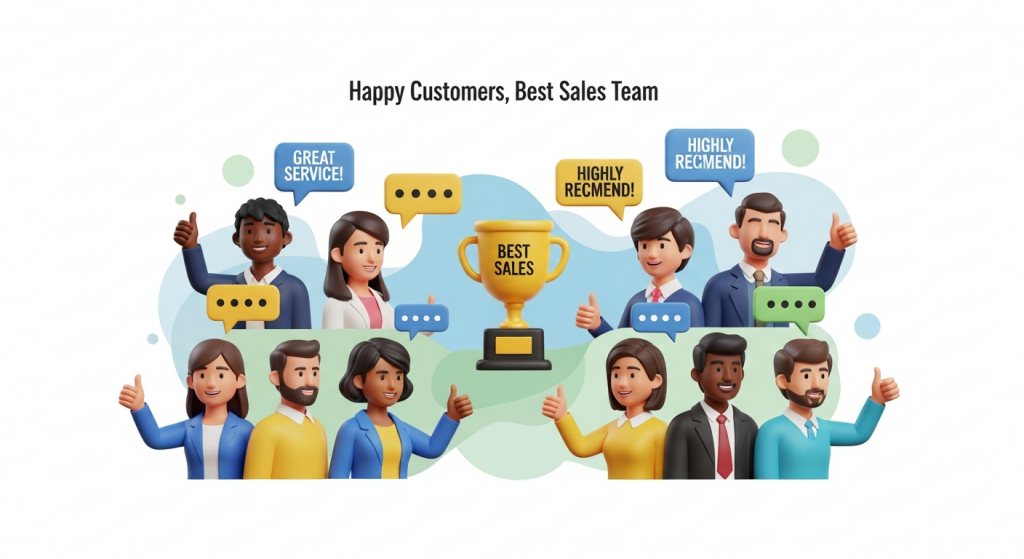 Turn Happy Customers into Your Best Sales Team: Using Testimonials and Case Studies to Build Trust In a crowded digital marketplace, trust is your most valuable currency. Potential customers are constantly bombarded with advertising claims and slick marketing messages. How do you cut through the noise and convince them that you are the right choice? The answer doesn’t lie in a bigger ad budget or a flashier slogan. It lies in the authentic voices of your satisfied customers. This is the power of social proof. Testimonials and case studies are more than just nice additions to your website; they are foundational assets for building credibility and driving growth. They provide tangible evidence that you can deliver on your promises, transforming skeptical prospects into confident buyers. This guide will walk you through exactly how to collect, craft, and display these powerful trust signals to grow your small business. Why Social Proof is Your Most Powerful Marketing Asset At its core, social proof is a psychological phenomenon where people assume the actions of others in an attempt to reflect correct behavior in a given situation. When we see that others trust a brand, we’re more inclined to trust it ourselves. It’s the digital equivalent of choosing a busy restaurant over an empty one. You assume the crowd knows something you don’t. The data backs this up. According to a recent survey by BrightLocal, 76% of consumers ‘always’ or ‘regularly’ read online reviews when browsing for local businesses. This behavior isn’t just for restaurants or retail; it applies to service providers, contractors, and B2B companies. Your potential clients are actively looking for proof that you’re as good as you say you are. Testimonials vs. Case Studies: What’s the Difference? While both build credibility, they serve slightly different purposes. Understanding the distinction is key to using them effectively. Testimonials are short, emotional endorsements. They are quotes or short video clips that highlight a customer’s positive experience. Think of them as a powerful stamp of approval. They are perfect for building quick, memorable trust on your homepage or service pages. Case Studies are in-depth success stories. They are detailed narratives that walk a reader from a problem to a solution, backed by data and specific results. They are analytical and persuasive, ideal for convincing prospects who are further along in their decision-making process. Using a combination of both allows you to appeal to different types of buyers—the one who makes a quick, gut-feeling decision and the one who needs to see the hard data. Mastering the Art of the Testimonial A great testimonial can do more heavy lifting than a paragraph of your own marketing copy. But not all testimonials are created equal. A vague “They did a great job!” lacks the punch needed to truly persuade. What Makes a Testimonial Effective? The most impactful testimonials share three key traits: Authenticity: Always use a real customer’s full name, title, and company (with their permission). Adding a professional headshot or a logo instantly boosts credibility. A testimonial from “John S.” is far less believable than one from “John Smith, CEO of Acme Innovations.” Specificity: The best testimonials focus on specific outcomes. Instead of “We loved their service,” aim for “Their new website design increased our online appointment bookings by 45% in just two months.” Quantifiable results are always more compelling. Relatability: Feature customers that your ideal clients can see themselves in. If you serve local plumbers, a testimonial from a well-known plumbing company in your area will resonate far more than one from a completely unrelated industry. How to Collect Powerful Testimonials Your happiest customers are often willing to share their experiences; you just need to make it easy for them. The key is to ask at the right time—typically right after a project is successfully completed or when they give you unsolicited positive feedback. Streamline the process by: Sending a simple email: After a project wraps up, send a thank-you note and ask if they’d be willing to share a few sentences about their experience. Using a guided form: Instead of asking an open-ended question, guide them with prompts like, “What was the biggest challenge you faced before working with us?” and “What specific result are you most happy with?” Automating the request: You can use simple tools to automatically send a feedback request a week or two after a service is completed. Leveraging modern AI automations for small business can make this process seamless and ensure you never miss an opportunity. Where to Display Testimonials for Maximum Impact Don’t hide your best testimonials on a single, buried page. Sprinkle them throughout your website where they can support your marketing claims. An effective website design strategically places these trust signals where they matter most. On your homepage: Place two or three of your strongest, most impactful testimonials front and center to make a powerful first impression. On service or product pages: Pair relevant testimonials with the specific services they endorse. Near calls to action: Placing a positive quote next to a “Contact Us” or “Buy Now” button can reduce friction and provide the final nudge a user needs to convert. Unlocking Growth with Compelling Case Studies While testimonials provide a quick dose of credibility, case studies offer the deep, detailed proof that can seal the deal for a major project or a high-value client. They are a story of transformation, with your business as the hero that guided the client to success. The Anatomy of a High-Converting Case Study A successful case study follows a simple and powerful narrative structure that anyone can follow. Think of it as telling a story in three parts. The Challenge: Start by introducing your client and clearly outlining the problem they were facing before they hired you. What were their pain points? What goals were they trying to achieve? This sets the stage and makes the story relatable. The Solution: Detail the specific strategies and services you implemented to address their challenges. Explain the “why” behind your approach.
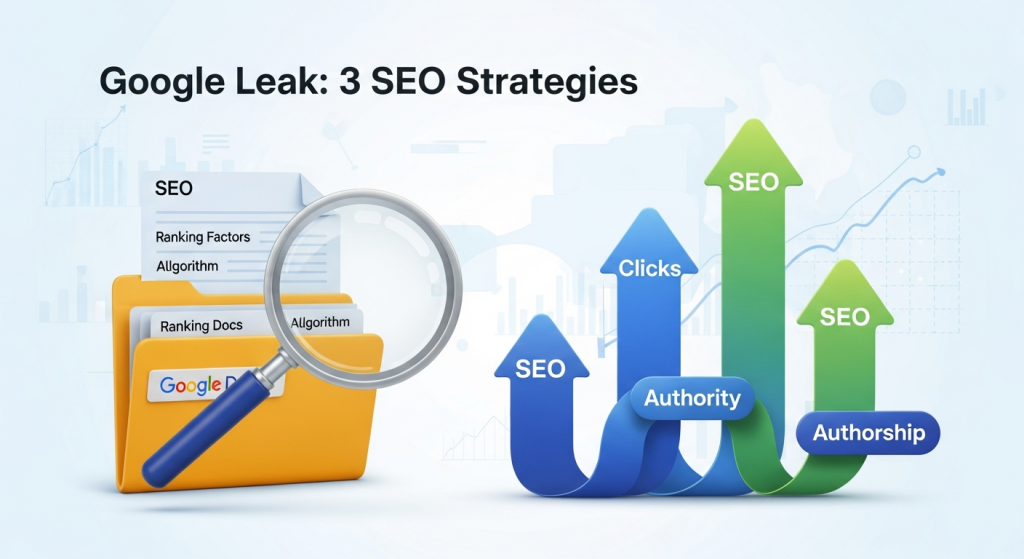 The Google Search Leak: 3 Actionable SEO Strategies for Small Businesses Right Now If you follow the world of digital marketing, you’ve probably heard the buzz. In late May 2024, thousands of internal documents from Google’s Search division were leaked, giving us the most significant peek behind the SEO curtain we’ve ever had. For years, business owners and marketers have been trying to decipher Google’s complex algorithm, often relying on a mix of official statements, case studies, and educated guesswork. This leak changes things. While it doesn’t provide a magic formula for hitting the number one spot, it does confirm many long-held theories and shines a light on factors Google has previously downplayed. For a small business owner, this information is pure gold. It cuts through the noise and tells you exactly where to focus your efforts for a better, more effective SEO strategy. So, let’s break down what this means for you. We’ve sifted through the technical analysis to bring you three clear, actionable insights from the leak that you can use to improve your online visibility today. What Was Actually Leaked? (And Why It Matters) First, a little context. An anonymous source shared over 2,500 pages of internal API documentation with SEO experts. Think of this as a partial blueprint of the data Google collects and uses to rank websites. It details various modules, features, and attributes that Google’s systems consider when evaluating web pages and entire domains. For years, Google’s public representatives have often given simplified or sometimes misleading answers about how search works. This was likely done to prevent people from gaming the system. However, these leaked documents offer a more direct, unfiltered view. They confirm that certain factors, which many SEO professionals have championed for years, are indeed part of the equation. Why does this matter for your business? Because it validates a holistic approach to SEO. It proves that success isn’t about finding a single loophole or trick. It’s about building a quality website, creating a strong brand, and providing genuine value to your users. The leak gives you the confidence to invest in the right long-term strategies. 3 Leaked SEO Insights You Can Act on Today Forget the dense, technical jargon. Here are the three most important takeaways from the Google Search leak and simple ways you can adapt your digital marketing strategy to align with them. 1. Clicks and User Engagement Are a Big Deal One of the most significant revelations is the heavy emphasis on user click data. The documents repeatedly reference a system internally named “NavBoost,” which appears to use clicks and other user interactions to refine search results. In simple terms, if users are consistently clicking on a specific result for a search query and staying on that page, Google takes notice. This is a strong signal that the page is a good answer to the query. This contradicts Google’s public stance, where they’ve often minimized the role of clicks as a direct ranking factor. The leak suggests that user behavior is not just a correlation but a crucial component of the ranking puzzle. What you should do: Write Irresistible Headlines and Descriptions: Your title tag and meta description are your sales pitch in the search results. They need to be compelling enough to earn the click over your competitors. Go beyond just keywords and focus on the user’s intent. What problem are they trying to solve? Promise a clear benefit. Improve Your On-Page Experience: Once a user clicks, you need to deliver on your promise. A high bounce rate tells Google your page wasn’t a good match. Ensure your content is easy to read, engaging, and provides a clear answer. This is where a commitment to professional Website Design Services pays off, as a well-structured and user-friendly site naturally keeps visitors engaged longer. Answer Questions Thoroughly: Structure your content to provide comprehensive answers. Use headings, bullet points, and images to break up text and make information easy to digest. The longer a user stays to consume your content, the better the signal you send to Google. 2. Your Website’s Overall Authority is Crucial For a long time, the SEO community has used the concept of “Domain Authority”—a score developed by Moz to predict a website’s ranking potential. Google has consistently denied using any such single metric. However, the leaked documents mention a feature called “siteAuthority.” While we don’t know the exact calculation, the existence of this term confirms that Google does assess a website’s overall authority or trustworthiness on a site-wide level. This means that building a strong, reputable brand online is more important than ever. A single great blog post on a weak website will struggle to compete with a good blog post on an authoritative site. What you should do: Focus on Topical Authority: Don’t try to be everything to everyone. Become the go-to expert in your specific niche. Consistently publishing high-quality, in-depth content around a core set of topics signals to Google that you are an authority in that area. This is a cornerstone of a solid SEO & Content Strategy. Build High-Quality Backlinks: A backlink is a link from another website to yours. The leak reinforces that link-building is still fundamental to SEO. Think quality over quantity. A single link from a respected industry publication is worth more than a hundred links from low-quality directories. As digital marketing expert Neil Patel explains, backlinks are like votes of confidence from other websites. Promote Your Brand, Not Just Your Pages: Engage in activities that build your brand’s reputation. This can include digital PR, getting featured in local news, participating in industry forums, and maintaining an active social media presence. Every positive mention of your brand online contributes to its overall authority. 3. Your Brand and Authorship Carry Weight The documents also show that Google’s systems are designed to identify the entities and authors behind the content. Features mentioned in the leak suggest that Google tracks authors associated with specific sites and topics. This aligns perfectly
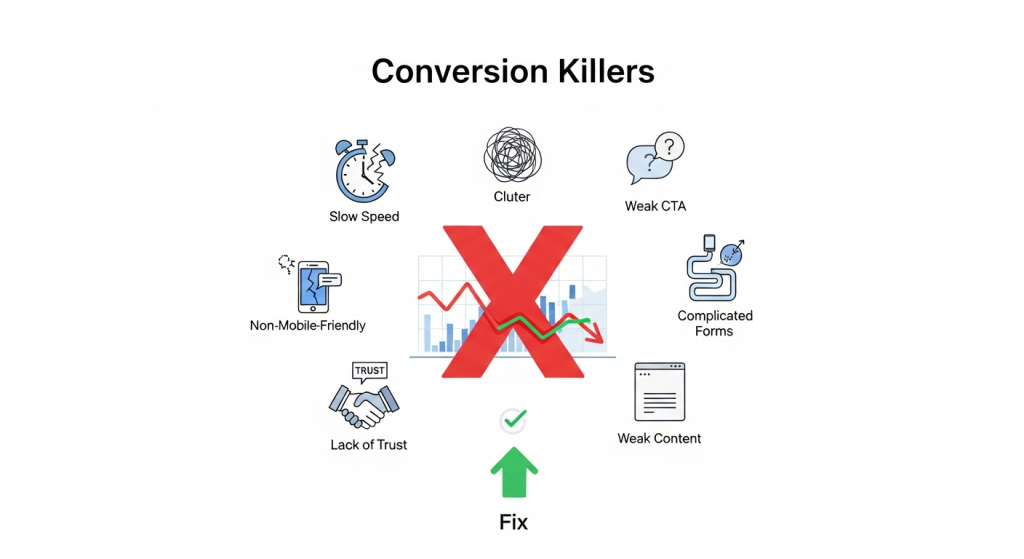 The 7 Website Conversion Killers Costing You Customers (And How to Fix Them) You’ve invested time, effort, and marketing dollars to drive traffic to your small business website. Visitors are arriving, analytics show the clicks, but there’s a problem: they aren’t taking action. They aren’t buying, signing up, or filling out your contact form. This gap between traffic and action is where conversions die, and it’s a frustration every business owner knows too well. A “conversion” is simply getting a visitor to complete a desired goal. It could be making a purchase, subscribing to a newsletter, or booking a consultation. Your conversion rate is the single most important metric for measuring your website’s success. If it’s low, it means your online storefront is leaking profits, no matter how much traffic you pour into it. The good news is that you can plug these leaks. Often, the culprits are common, easily identifiable issues that sabotage the user experience. By understanding these conversion killers and implementing targeted fixes, you can transform your website from a digital brochure into a powerful lead-generation and sales machine. Let’s dive into the seven most common offenders and how to stop them in their tracks. 1. Your Website is Painfully Slow In the digital age, patience is a scarce resource. If your website takes more than a few seconds to load, your potential customers are gone, likely heading straight to a competitor. According to research cited by Google, the probability of a visitor bouncing increases by 32% as page load time goes from 1 to 3 seconds. A slow website doesn’t just frustrate users; it tells them your business might be outdated or unprofessional. It’s also a critical ranking factor for search engines, meaning a slow site hurts your visibility and your sales. How to Fix It: Optimize Your Images: Large, uncompressed images are the number one cause of slow websites. Use tools like TinyPNG or ImageOptim to shrink file sizes without sacrificing quality. Also, ensure you’re using modern image formats like WebP. Invest in Quality Hosting: Cheap, shared hosting can be a bottleneck. Upgrading to a more robust hosting plan or a managed provider can dramatically improve your site speed and reliability. Leverage Browser Caching: Caching allows a visitor’s browser to store parts of your site, so it doesn’t have to reload everything on subsequent visits. Most modern platforms have plugins or settings to easily enable this. Minimize Code: Bloated themes, excessive plugins, and clunky code can weigh your site down. Regularly audit your tools and scripts, and work with a developer to ensure your code is clean and efficient. You can learn more about Google’s performance standards at their Core Web Vitals documentation. 2. The Design is Cluttered and Confusing Have you ever landed on a website and felt instantly overwhelmed? A chaotic layout, clashing colors, and too many things competing for your attention create cognitive overload. When a user has to work hard to figure out what to do or where to go, they will simply give up. A clean, intuitive design guides the user on a clear path toward conversion. It builds trust and makes the entire experience feel effortless. How to Fix It: Embrace Whitespace: Don’t be afraid of empty space. Whitespace (or negative space) helps reduce clutter, improves readability, and draws attention to the most important elements on the page, like your call to action. Establish a Clear Visual Hierarchy: Use size, color, and placement to guide the user’s eye. Your most important message (your value proposition) should be the most prominent, followed by supporting information and finally, your call to action. Stick to One Goal Per Page: Each page on your site should have a single, primary objective. For a product page, the goal is “Add to Cart.” For a landing page, it might be “Download the Ebook.” Focusing on one goal eliminates distraction and increases the likelihood of conversion. Our professional Website Design Services focus on creating clean, conversion-focused layouts that guide users to action. 3. Your Call to Action (CTA) is Weak or Missing You cannot expect users to read your mind. You have to tell them exactly what you want them to do next. A Call to Action (CTA) is the button or link that prompts this action, such as “Buy Now,” “Sign Up Free,” or “Request a Quote.” A website without clear, compelling CTAs is like a salesperson who never asks for the sale. It’s a dead end for the customer journey. How to Fix It: Use Action-Oriented Language: Start your CTA with a verb. Instead of “Submit” or “Learn More,” try more specific and benefit-driven phrases like “Get Your Free Guide” or “Start My 30-Day Trial.” Make It Stand Out: Your CTA button should be impossible to miss. Use a contrasting color that pops against the background, ensure it’s large enough to be easily clicked (especially on mobile), and surround it with a bit of whitespace. Strategic Placement: Place your primary CTA “above the fold” so users see it without scrolling. It’s also a best practice to repeat it at the bottom of the page for users who have read all your content and are now ready to act. 4. Your Site Isn’t Mobile-Friendly More than half of all web traffic now comes from mobile devices. If your website is difficult to navigate on a smartphone—requiring users to pinch, zoom, and scroll horizontally—you are alienating a massive portion of your audience. Google also prioritizes mobile-friendly sites in its search results (a practice called mobile-first indexing). In 2024, a non-responsive website is no longer an option; it’s a critical business liability. How to Fix It: Implement Responsive Design: A responsive website automatically adjusts its layout to fit any screen size, from a large desktop monitor to a small smartphone. This is the modern standard for web development and is essential for a good user experience. Test, Test, Test: Don’t just assume your site works on mobile. Use your own phone and ask others to test
 Google’s AI Overviews Are Here. Is Your Small Business Ready? If you’ve used Google in the last few weeks, you’ve likely noticed a significant change. Right at the top of the search results, where you used to see a list of blue links, there’s often a new, shaded box. Inside, a conversational, AI-generated summary attempts to answer your question directly. This is Google’s new “AI Overview,” and it represents one of the biggest shifts in online search in over a decade. For small business owners, this isn’t just a cosmetic update. It’s a fundamental change to the digital landscape we all operate in. It alters how potential customers find you, how they consume information, and ultimately, whether they click through to your website. While change can feel daunting, it also presents a massive opportunity for businesses that are ready to adapt. Let’s break down what AI Overviews are, how they’ll affect your business, and what you can do right now to stay visible and competitive. What Exactly Are Google’s AI Overviews? Think of AI Overviews as Google’s attempt to be a hyper-efficient research assistant. Instead of just giving you a list of websites (the traditional ten blue links) and letting you do the work of piecing together information, Google’s AI now does the synthesis for you. It scans multiple top-ranking web pages, identifies the key information related to your query, and presents it in a concise, easy-to-digest summary at the very top of the page. These overviews are designed to provide immediate answers to more complex questions. For example, a search like “what are the best durable materials for a patio in a rainy climate?” might trigger an AI Overview that lists materials, describes their pros and cons, and provides an average cost—all sourced from various home improvement blogs, contractor websites, and retail pages. The goal, from Google’s perspective, is to create a more seamless and faster search experience. But for the businesses whose content is being summarized, the implications are profound. The Big Question: How Will AI Overviews Impact Your Small Business? The rollout of AI Overviews has sparked intense debate among marketers and business owners. The impact isn’t purely positive or negative; it’s a mix of new challenges and exciting opportunities. Understanding both sides is the first step toward building a winning strategy. The Challenge: A Potential Drop in Clicks Let’s address the biggest concern head-on: a potential decrease in website traffic. If a user gets a complete answer directly from the AI Overview, their need to click on any of the underlying website links is significantly reduced. For years, the goal of SEO has been to rank in the top positions to earn that click. Now, you could be a source for the AI Overview and still not receive the direct traffic you once did. This is particularly true for simple, informational queries. If a customer is just looking for a quick fact or a simple definition that your website provides, they may get it from the overview and move on. This means businesses that rely heavily on traffic from high-volume, top-of-funnel informational content may need to re-evaluate their approach. Industry experts are closely monitoring this trend, and the consensus is that a shift in how we measure SEO success is inevitable. The Opportunity: A New “Position Zero” On the flip side, being featured prominently within an AI Overview is a massive win for visibility and authority. It’s like a supercharged version of the old “Featured Snippet.” When Google’s AI uses your content as a source for its summary, it often includes a link back to your site in a “card” format. This places your brand front and center, positioning you as a credible and authoritative source on the topic. This is your new “Position Zero.” It’s an endorsement from Google itself. Being cited in an AI Overview can build immense trust with a potential customer before they’ve even visited your website. It signals that your content is high-quality, relevant, and helpful—three things that are invaluable for attracting qualified leads. The Risk: Misinformation and Brand Representation AI is a powerful tool, but it’s not perfect. You may have seen recent news stories about some bizarre and factually incorrect AI Overviews. Because the AI is pulling information from various sources, there’s a risk that it could misinterpret your content or combine it with incorrect information from another site. This makes it more important than ever to ensure the information on your own website is crystal clear, accurate, and well-structured. You want to provide the AI with the best possible source material to represent your brand correctly. How to Adapt Your SEO Strategy for an AI-Powered World Panic is not a strategy. The fundamentals of good marketing and SEO haven’t been thrown out the window; they’ve just become more important. Here’s how you can adapt your approach to thrive in the era of AI Overviews. Double Down on E-E-A-T: Google has been talking about this for years, and now it’s non-negotiable. E-E-A-T stands for Experience, Expertise, Authoritativeness, and Trustworthiness. Google’s AI systems are designed to prioritize content from sources that demonstrate these qualities. This means creating content that showcases your real-world experience, proves your expertise, and is presented on a professional, secure website. As Google’s own documentation on creating helpful content explains, search systems are designed to reward content that is reliable and people-first. Answer Questions Directly and Thoroughly: Structure your content to directly answer the questions your customers are asking. Use clear headings, FAQ sections, and a conversational tone. Think about the entire customer journey. What are their initial questions? What follow-up questions might they have? By creating comprehensive resources, you increase the likelihood that the AI will see your page as a one-stop-shop for valuable information on a topic. Embrace Conversational and Long-Tail Keywords: People often type or speak to search engines like they’re talking to a person. Optimize your content for these longer, more natural-sounding phrases (long-tail keywords). Instead of just targeting “plumber Dallas,” create