Skip to content
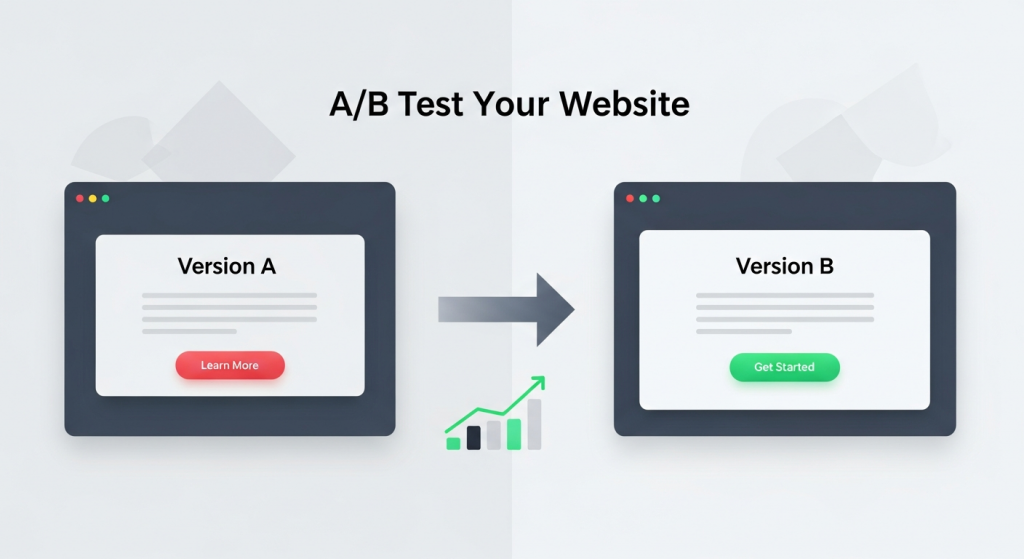 How to A/B Test Your Website for Better Results: A Small Business Guide As a small business owner, you invest significant time and resources into your website. But how do you know if it’s truly working for you? You might think your homepage headline is compelling or that your “Contact Us” button is in the perfect spot, but what if a small change could double your leads or sales? This is where the guesswork stops and data-driven strategy begins. Welcome to the world of A/B testing. It’s a powerful method for understanding customer behavior and systematically improving your website’s performance. And the best part? It’s not just for massive corporations with huge marketing departments. With the right approach and tools, any small business can leverage A/B testing to achieve meaningful growth. This guide will walk you through everything you need to know to get started. What Is A/B Testing and Why Does It Matter? Before diving into the “how,” it’s crucial to understand the “what” and “why.” A/B testing is one of the most effective ways to optimize your website for conversions, turning more visitors into loyal customers. A Simple Explanation of Split Testing A/B testing, also known as split testing, is a straightforward experiment. You create two different versions of a single webpage—Version A (the control) and Version B (the variation). The only difference between them is the one element you want to test, such as the headline, the color of a button, or a product image. You then show these two versions to a similar-sized audience simultaneously. Half of your visitors see Version A, and the other half sees Version B. By tracking how each group interacts with the page, you can collect data to determine which version more effectively achieves your goal. The version that performs better is your winner, which you can then implement permanently. The Business Impact of Data-Driven Decisions Why go to the trouble? Because A/B testing replaces assumptions with certainty. Instead of relying on gut feelings, you can make decisions based on how your actual customers behave. The benefits for your business are direct and measurable: Increased Conversion Rates: Whether your goal is selling a product, generating a lead, or getting a newsletter signup, testing helps you find the formula that encourages more visitors to take that desired action. Improved User Experience (UX): By testing elements like navigation, page layout, and form fields, you can remove friction points and make your site easier and more enjoyable for visitors to use. Reduced Bounce Rates: A well-optimized page that immediately communicates value and guides the user is more likely to keep them engaged, lowering the chance they’ll leave your site after viewing just one page. Higher Return on Investment (ROI): Optimizing your existing website traffic is one of the most cost-effective marketing strategies. Small improvements can lead to significant gains in revenue without needing to spend more on advertising. Getting Started: Your A/B Testing Toolkit You don’t need a massive budget or a team of data scientists to start A/B testing. Modern tools have made the process accessible for businesses of all sizes. Here’s what you need to begin. Essential Tools for Small Businesses The foundation of any good test is accurate data. To get started, you’ll need a way to measure traffic and a platform to run the tests. Web Analytics: Google Analytics 4 (GA4) is the industry standard and it’s free. It’s essential for understanding your website’s current performance, identifying pages with high traffic but low conversion rates (perfect candidates for testing), and measuring the impact of your changes. A/B Testing Platforms: While Google Optimize was a popular free tool, it has been sunsetted. However, many excellent alternatives exist. Platforms like VWO, Optimizely, and HubSpot’s Marketing Hub offer user-friendly visual editors that let you create variations without writing any code. Many website builders and e-commerce platforms also have built-in A/B testing features. Defining Your Goals and Hypotheses A successful test doesn’t start with a tool; it starts with a question. Before you change anything, you need to know what you’re trying to achieve. This begins with a clear goal and a solid hypothesis. Your goal should be specific and measurable. For example, “Increase contact form submissions on our services page by 15%.” Your hypothesis is an educated guess about how to achieve that goal. It follows a simple structure: “If I change [X], then [Y] will happen, because [Z].” For example: “If I change the ‘Submit’ button text to ‘Get Your Free Quote,’ then form submissions will increase, because the new text is more specific and highlights the value to the user.” What Should You Test on Your Website? The possibilities for A/B testing are nearly endless, but for a small business, it’s best to focus on high-impact areas first. Start with elements that have the most direct influence on your conversion goals. Here are some of the most effective things to test: Headlines and Subheadings: Your headline is the first thing most visitors read. Test different versions that emphasize a unique benefit, ask a question, or create a sense of urgency. Call-to-Action (CTA) Buttons: This is a classic A/B test. Experiment with the text (e.g., “Shop Now” vs. “Explore Our Collection”), color (e.g., a high-contrast color that stands out), size, and placement on the page. Images and Videos: The right visual can make a huge difference. Try testing a photo of your product versus a lifestyle image of it in use. You could also test having a short explainer video versus a static image banner. Page Layout and Navigation: How information is structured on your page can significantly impact user flow. Testing a single-column layout against a multi-column one or simplifying your navigation menu can lead to big wins. A clean and intuitive structure is a core component of our Website Design Services, as it directly influences user engagement. Forms: If your goal is lead generation, your forms are critical. Test the number of fields (fewer is often better), the wording
 Is Your Website Ready for Google’s New AI Search? A Guide for Small Businesses If you’ve used Google in the past couple of weeks, you might have noticed something dramatically different. Right at the top of the page, where you used to see a list of links, there’s often a new, detailed summary answering your question directly. This is Google’s “AI Overview,” and it represents the single biggest shift in how search works in over a decade. For small business owners, this isn’t just a minor tweak—it’s a fundamental change to the digital landscape that requires immediate attention. The panic is understandable. If Google answers the question for the user, why would they ever click through to your website? It’s a valid concern, and for some, traffic will undoubtedly take a hit. But this change also presents a massive opportunity for businesses that are ready to adapt. The game has changed, but you can still win. This guide will walk you through what AI Overviews are, what they mean for your business, and the concrete steps you need to take to not just survive, but thrive in this new era of AI search. What Exactly Are Google’s AI Overviews? Think of AI Overviews as a super-smart research assistant built directly into Google. When you type in a query, especially a complex one, Google’s generative AI analyzes information from multiple web pages across the internet. It then synthesizes that information into a single, cohesive, easy-to-read summary that appears at the very top of the search results page. These summaries often include images, links to sources, and follow-up questions. This is a departure from the classic “ten blue links” we’ve all become accustomed to. Instead of presenting you with a list of potential resources to investigate, Google is trying to deliver the definitive answer right away. According to Google’s own announcement, the goal is to help users with more complex questions, allowing them to get up to speed on a topic quickly and discover new perspectives. For a small business, this means the coveted “number one” spot is no longer just a link; it could be a mention within the AI-generated answer itself. Your content, your expertise, and your brand could be featured directly in Google’s summary, giving you unparalleled visibility. The Big Question: Threat or Opportunity? Let’s address the elephant in the room: Will AI Overviews kill website traffic? The honest answer is: it’s complicated. For simple, factual queries (like “what is the capital of Vermont”), the AI can provide a quick answer, and users will likely not need to click any further. Websites that rely on traffic from these kinds of basic informational searches may see a decline. However, for small businesses, the story is much more nuanced and, frankly, more optimistic. Where the Opportunity Lies Complex Buying Decisions: When a customer is researching a product or service, they have complex needs. An AI Overview might summarize “best accounting software for freelancers,” and if your detailed comparison guide is a source, it can link directly to your page for users who want to dig deeper. Local Searches: For queries like “best plumber with emergency service near me,” the AI Overview will pull from top-rated local businesses. A strong local SEO presence makes it more likely you’ll be featured. Niche Expertise: If you are a true expert in a specific field, the AI will recognize the authority and depth of your content. Google’s systems are designed to favor content that demonstrates high levels of Expertise, Authoritativeness, and Trustworthiness (E-E-A-T). Your unique insights can’t be easily replicated and are prime material for being featured as a source. The new goal isn’t just to rank, but to become a trusted source that Google’s AI relies on. When you achieve that, you’re not just getting a click; you’re getting a powerful endorsement directly from Google. How to Adapt Your Digital Marketing Strategy for an AI-Powered World You can’t afford to sit back and see what happens. Proactive adaptation is key to securing your online visibility. Here’s how to adjust your digital marketing strategy, starting today. 1. Double Down on True Expertise (E-E-A-T) Now more than ever, Google wants to see that you are a legitimate expert in your field. Generic, surface-level content will be ignored by the AI. You need to prove your credibility. Showcase Your Authors: Include author biographies on your blog posts that detail their experience, credentials, and qualifications. Publish Case Studies and Testimonials: Provide real-world proof that your products or services deliver results. Social proof builds immense trust. Be Transparent: Make your contact information, physical address (for local businesses), and “About Us” page easy to find. A business that is easy to contact is seen as more trustworthy. 2. Answer Questions Your Customers Are Actually Asking The new search is highly conversational. People aren’t just typing keywords; they’re asking full questions. Your content needs to reflect this shift. Your SEO & Content Strategy must evolve from simply targeting keywords to answering your audience’s most pressing questions comprehensively. Create Detailed FAQ Pages: Build out robust FAQ sections that address common questions, concerns, and objections about your industry and services. Use a Question-and-Answer Format: Structure your articles and blog posts with clear headings that pose a question, followed by a direct and thorough answer. Mine “People Also Ask”: Use Google’s “People Also Ask” section for content ideas. These are literally the questions your potential customers are asking. 3. Optimize Your Website’s Technical Foundation For Google’s AI to understand and trust your content, your website needs to be technically sound, well-structured, and easy for search crawlers to read. This is where the technical side of your website design becomes critical for marketing success. Implement Schema Markup: This is a type of code that explicitly tells search engines what your content is about (e.g., this is a product, this is a review, this is a local business). It’s like giving Google a cheat sheet to your site. Prioritize Site Speed and Mobile-Friendliness: A slow
 Conversion Rate Optimization: The Secret to Turning Clicks into Customers You’ve invested time, effort, and money into driving traffic to your website. Your social media is active, your ads are running, and people are showing up. But there’s a nagging question that keeps many business owners up at night: why aren’t more of these visitors turning into leads or sales? Getting clicks is only half the battle. The other, more crucial half is getting those clicks to convert. This is where Conversion Rate Optimization, or CRO, comes in. It’s not about finding more customers; it’s about getting more value from the ones you already have. For a small business, this isn’t just a marketing tactic—it’s a powerful strategy for sustainable growth. In this article, we’ll demystify CRO, explain why it’s a non-negotiable for your business, and provide a practical framework to get you started. What Exactly Is Conversion Rate Optimization (CRO)? Before we dive into the “how,” let’s clarify the “what.” At its core, CRO is the systematic process of increasing the percentage of website visitors who take a specific, desired action. This desired action is what we call a “conversion.” Understanding “Conversions” A conversion isn’t always a sale. It can be any valuable action a user takes on your website. Conversions can be large or small, but they all represent a step forward in the customer journey. Common examples include: Making a purchase (e-commerce) Filling out a contact or lead form Signing up for a newsletter Downloading a free guide or ebook Booking a demo or consultation Creating an account Your conversion rate is simply the percentage of visitors who complete one of these goals. The formula is straightforward: (Number of Conversions / Total Number of Visitors) x 100 = Conversion Rate. For example, if 1,000 people visit your landing page in a month and 20 of them fill out your contact form, your conversion rate for that page is 2%. CRO is the science and art of improving that percentage. It involves understanding how users navigate your site, what actions they take, and what’s stopping them from converting. It’s less about guesswork and more about data-driven decisions that enhance the user experience and guide visitors toward your goals. Why CRO is a Game-Changer for Small Businesses Many small businesses focus heavily on attracting new visitors through SEO and paid ads. While traffic is essential, CRO offers a more sustainable and cost-effective path to growth. Here’s why it’s so critical. Maximize Your Existing Traffic Acquiring new customers can be expensive. Constantly increasing your ad spend to get more traffic isn’t always a viable long-term strategy. CRO allows you to make the most of the audience you already have. By converting a higher percentage of your existing visitors, you increase revenue without necessarily increasing your marketing budget. A small 1% lift in your conversion rate can have a massive impact on your bottom line. Gain Deeper Customer Insights CRO forces you to step into your customers’ shoes. The process of optimizing your site involves analyzing user behavior, gathering feedback, and understanding their motivations and pain points. This isn’t just about changing a button color; it’s a form of market research. You learn what resonates with your audience, which helps you refine your messaging, products, and overall marketing strategy. These insights are invaluable for any business looking to build lasting customer relationships. Improve Your SEO Performance Search engines like Google want to provide users with the best possible results, and that means sending them to websites that offer a great experience. CRO and Search Engine Optimization (SEO) are closely linked. When you optimize your site for conversions, you are inherently improving the user experience (UX). Visitors stay longer, view more pages, and are less likely to “bounce” back to the search results. These positive engagement signals can lead to higher search rankings, creating a virtuous cycle of more traffic and more conversions. A solid SEO strategy is one that incorporates CRO principles from the start. Increase Profitability and ROI Ultimately, every business decision comes down to return on investment (ROI). Because CRO focuses on converting existing traffic, it’s one of the highest-leverage marketing activities you can undertake. Doubling your conversion rate effectively doubles the value of every visitor and halves your cost per acquisition. This efficiency allows you to grow faster, reinvest profits more confidently, and build a more resilient business. Getting Started with CRO: A Practical Framework CRO isn’t about making random changes and hoping for the best. It’s a structured process of continuous improvement. While complex, the fundamental framework is accessible to any business owner. Step 1: Identify Goals and Gather Data First, define what a “conversion” means for you. Use tools like Google Analytics to understand your current performance. Look for problem areas. Which pages have the highest exit rates? Where in the sales funnel are users dropping off? This quantitative data tells you *what* is happening. Then, use qualitative tools like heatmaps or user surveys to understand *why* it’s happening. Step 2: Formulate a Hypothesis Based on your data, form an educated guess about how you can improve performance. A good hypothesis follows a simple structure: “If I change [Independent Variable], then [Dependent Variable] will happen, because [Rationale].” For example: “If we change the contact form’s call-to-action from ‘Submit’ to ‘Get My Free Quote,’ then form submissions will increase, because the new text is more specific and value-oriented.” Step 3: Test Your Hypothesis with A/B Testing The most reliable way to test a hypothesis is through A/B testing (also called split testing). This involves creating a variation of your page (Version B) with the change you want to test and showing it to a portion of your visitors, while the rest see the original (Version A). You then measure which version results in a higher conversion rate. According to VWO, a leading A/B testing platform, this method eliminates guesswork and provides concrete data to guide your decisions. Step 4: Analyze Results and Implement the Winner Once
 Is Google’s AI Stealing Your Traffic? How to Adapt to AI Overviews You may have noticed something different about Google recently. Maybe you searched for a recipe, a how-to guide, or information about a local service, and instead of a list of blue links, a full, AI-generated summary appeared right at the top. You might have even seen some of the wild, and sometimes wildly inaccurate, examples on social media. This new feature is called AI Overviews, and it represents one of the biggest shifts in how we find information online in over a decade. For small business owners, this change can feel a little scary. If Google is answering questions directly, will anyone even need to click on your website anymore? It’s a valid concern, and it’s one that has the entire digital marketing world talking. But don’t panic. This shift isn’t a death sentence for your website traffic; it’s a signal that it’s time to adapt. In this article, we’ll break down what AI Overviews are, how they could impact your business, and the practical steps you can take to make sure you not only survive but thrive in this new search landscape. What Exactly Are Google AI Overviews? Think of AI Overviews as Google’s attempt to be a hyper-efficient research assistant. Instead of just giving you a list of websites where you *might* find your answer, Google’s generative AI now reads, analyzes, and synthesizes information from multiple top-ranking pages to create a single, comprehensive answer directly on the results page. These overviews appear for a wide range of queries, from simple questions like “how to fix a leaky faucet” to more complex ones like “what is the best digital marketing strategy for a local coffee shop.” The goal, from Google’s perspective, is to provide a better, faster user experience. For users, it means less clicking around to find what they need. For businesses, however, it means the bar for earning that click has just been raised significantly. Your website is no longer just competing with other websites; it’s competing with Google’s own AI for the user’s attention. How Do They Work and Where Does the Information Come From? This isn’t magic; it’s technology. Google’s AI models scan the content of high-ranking, authoritative websites related to the search query. It looks for consistent information, key facts, and step-by-step instructions. It then pieces this information together into a coherent summary, often citing its sources with links to the original web pages. Being one of those cited sources is the new goal for many businesses, as it can drive highly qualified traffic from users who want to dig deeper. The Big Question: Will AI Overviews Kill My Website Traffic? This is the million-dollar question on every business owner’s mind. The honest answer is: it’s complicated. The impact won’t be uniform across all industries or all types of searches. It’s more of a restructuring of traffic than a total elimination. For simple, informational queries that have a straightforward answer, we will likely see a decline in clicks. If a user can get a quick definition or a simple list of steps from the AI Overview, they have little reason to click through to an article. This phenomenon is what marketers call “zero-click searches,” and it’s expected to increase. However, it’s not all bad news. In fact, there’s a significant silver lining. For more complex topics, purchase decisions, or searches where a user needs depth, nuance, and trust, AI Overviews are just a starting point. A generic AI summary can’t replace a detailed case study, a heartfelt customer testimonial, a unique brand story, or an expert’s personal experience. Clicks will become more valuable because the users who do click through are likely more qualified and further along in their decision-making process. They are looking for the authority and depth that your website can provide. How to Adapt Your SEO Strategy for the AI Era So, how do you make sure your business is the one users still click on? It’s not about trying to “trick” the AI. It’s about doubling down on the fundamentals of great marketing and creating a website that is an indispensable resource. Here’s your game plan. 1. Go All-In on E-E-A-T E-E-A-T stands for Experience, Expertise, Authoritativeness, and Trustworthiness. This is Google’s framework for measuring content quality, and it’s more critical than ever. Google’s AI is designed to pull from sources it deems credible. You need to prove you are one of them. Experience: Write from a first-person perspective. Share real-world case studies, project examples, and behind-the-scenes stories. Show, don’t just tell. Expertise: Create content that demonstrates a deep understanding of your field. Go beyond the basics and tackle complex subjects your competitors are afraid to touch. Authoritativeness: Earn backlinks from other respected sites in your industry, get featured in publications, and encourage positive online reviews. Trustworthiness: Be transparent. Have a clear “About Us” page, easy-to-find contact information, and secure your site with HTTPS. Building a robust content plan around these principles is essential. A professional SEO & Content Strategy ensures every piece of content you create actively builds your site’s authority and trustworthiness in the eyes of both users and Google’s AI. 2. Create Content That AI Can’t Easily Replicate If your content can be summarized into a few generic bullet points, the AI will do just that. Your job is to create content that provides value beyond a simple summary. Think about creating: In-depth guides and tutorials: Don’t just list steps; explain the “why” behind each one, include custom images or videos, and share pro tips. Original research and data: Conduct your own surveys or analyze industry data to provide unique insights that can’t be found elsewhere. Strong opinion pieces and thought leadership: Share your unique perspective on industry trends. A strong point of view builds a loyal audience. Compelling case studies and success stories: Showcase how you’ve helped real clients solve real problems. This builds trust and demonstrates your value proposition. One of the
 Unlock More Sales: Why Mobile Optimization is Your Secret Weapon for Higher Conversions Picture this: a potential customer, Sarah, is waiting for her coffee. She pulls out her smartphone to look up a local service she needs—the exact service your business provides. She finds your website through a quick search, taps the link, and… waits. The page loads slowly. The text is minuscule, forcing her to pinch and zoom. The menu is a jumble of tiny links impossible to tap with a thumb. Frustrated after just a few seconds, she hits the back button and clicks on your competitor’s link instead. Their site loads instantly, is easy to read, and she books an appointment in under a minute. You just lost a customer. Not because of your product or your pricing, but because your digital storefront was unwelcoming. In today’s digital landscape, this scenario plays out thousands of times a day. Having a beautiful website that works flawlessly on a desktop computer is no longer enough. Your customers live on their mobile devices, and if your website isn’t optimized for their experience, you are actively leaving money on the table. Mobile optimization is no longer a “nice-to-have” feature or a technical checkbox. It is a fundamental component of a successful digital strategy and one of the most powerful levers you can pull to increase leads, sales, and overall business growth. What Exactly is Mobile Optimization? In simple terms, mobile optimization is the process of ensuring that visitors who access your site from a mobile device have an experience tailored for that device. It’s about more than just making your website shrink to fit a smaller screen. It’s about creating a seamless, intuitive, and efficient journey for the on-the-go user. This involves a few key concepts that work together to create a powerful mobile presence for your brand. Responsive Design: The Modern Standard The gold standard for mobile optimization today is responsive web design. Instead of creating a separate, stripped-down mobile version of your site (an outdated practice), a responsive website uses a flexible grid that automatically adapts the layout, content, and images to fit the screen size of any device. Whether a visitor is on a 27-inch desktop monitor, a 10-inch tablet, or a 6-inch smartphone, the experience is consistently excellent. This approach is not only more efficient to manage but is also what search engines like Google prefer. Beyond Aesthetics: The User Experience (UX) Factor True mobile optimization goes deeper than just the layout. It’s about the entire user experience (UX). This means focusing on how easy and enjoyable it is for a mobile visitor to accomplish their goal on your site. A great mobile UX includes: Fast Loading Times: Mobile users are impatient. A few seconds of delay can be the difference between a new customer and a lost opportunity. Readable Text: Fonts should be large enough to read comfortably without needing to zoom in. Thumb-Friendly Navigation: Buttons and links must be large enough and spaced far enough apart to be easily tapped without accidental clicks. Simplified Forms: Contact forms and checkout fields should be short, with large input fields that are easy to fill out on a small keyboard. The Hard Data: Why Mobile Can’t Be Ignored The shift to mobile isn’t a fleeting trend; it’s a permanent change in consumer behavior. The numbers speak for themselves. As of 2023, mobile devices generated over 60% of all global website traffic, a figure that continues to climb each year. For many small businesses, especially those in local service or e-commerce industries, that number is often much higher. Ignoring this massive segment of your audience is like closing your shop for more than half the day. Think of your marketing budget as the water you pour into a bucket. You spend money on social media ads, email marketing, and search engine visibility to fill that bucket with potential customers. But if your website isn’t optimized for mobile, it’s like having a giant hole in the bottom. You’re paying to attract visitors, only to have them “leak” out due to a frustrating experience before they can ever convert into a lead or sale. How Mobile Optimization Directly Boosts Your Conversions Improving your mobile website isn’t just about making things look nice; it has a direct and measurable impact on your bottom line. A strategic focus on the mobile experience drives conversions in several key ways. 1. It Builds Trust and Credibility Your website is often the very first interaction a potential customer has with your brand. A sleek, fast, and easy-to-use mobile site instantly signals professionalism and competence. It shows that you are a modern business that cares about its customers’ experience. Conversely, a clunky, outdated site creates friction and doubt, making visitors question the quality of your actual products or services. 2. It Reduces Friction in the Buyer’s Journey The goal of any business website is to guide the user toward a specific action, whether that’s filling out a contact form, making a purchase, or calling your office. Mobile optimization is all about removing barriers. This includes features like click-to-call buttons that let a user dial your number with a single tap, simplified checkout processes with mobile-friendly payment options, and forms that are easy to complete. By making it effortless for customers to take the next step, you dramatically increase the likelihood that they will. 3. It Improves Your Search Engine Rankings (SEO) For years, Google has been operating on a “mobile-first indexing” basis. In simple terms, this means Google primarily uses the mobile version of your website for indexing and ranking. If your site performs poorly on mobile—if it’s slow, hard to navigate, or has content missing—your search engine rankings will suffer across all devices, even for desktop searches. A strong mobile experience is a critical component of any modern SEO strategy, making it easier for customers to discover you in the first place. 4. It Capitalizes on “Micro-Moments” Think about how people use their phones. They
 Google’s New AI Overviews Are Here: What This Means for Your Small Business SEO You may have noticed something different about Google search results lately. Right at the very top, where you used to see a list of blue links, there’s often a new, shaded box providing a detailed, conversational answer to your query. This is Google’s “AI Overview,” and its official rollout marks one of the biggest shifts in search engine behavior in over a decade. For small business owners who rely on Google for visibility and website traffic, this change isn’t just a novelty—it’s a fundamental pivot that requires immediate attention. For years, the goal of search engine optimization (SEO) was simple: get your website to rank as high as possible on the results page to earn a click. But what happens when Google answers the user’s question directly, potentially eliminating the need for that click? It’s a daunting thought, but it’s not a doomsday scenario. It’s an evolution. Understanding how AI Overviews work and proactively adapting your digital marketing strategy is now critical for survival and success in this new landscape. What Exactly Are Google’s AI Overviews? Think of AI Overviews as a supercharged version of the old “featured snippets.” Instead of pulling an answer from a single webpage, Google’s generative AI now synthesizes information from multiple sources across the web to create a comprehensive, easy-to-digest summary. This AI-generated answer appears at the top of the search results page, complete with links to the websites it used as sources. These overviews are designed to help users get quick, multi-faceted answers to more complex questions. For example, a search like “what are the best durable materials for a patio in a rainy climate?” might trigger an AI Overview that compares wood, composite, and stone, pulling details about cost, maintenance, and longevity from various home improvement blogs and retail sites. The goal, from Google’s perspective, is to provide a better, faster user experience. But for the businesses whose content is being summarized, the implications are profound. How Will AI Overviews Impact Your Small Business? The arrival of AI Overviews brings both significant challenges and new opportunities. Ignoring this shift isn’t an option, so let’s break down what it could mean for your website traffic and online visibility. The Challenge: A Potential Drop in Organic Clicks The most immediate concern for many small business owners is a potential reduction in website traffic. If a user gets a complete answer directly from the AI Overview, they may have no reason to click through to any of the source websites. This is particularly true for simple, informational queries—the kind that often form the top of the marketing funnel. Industry experts have been discussing this possibility for months, with some analyses suggesting that AI-driven search could significantly reduce clicks to publisher websites. If your digital marketing strategy relies heavily on attracting users with blog posts that answer basic questions, you might see a dip in visitor numbers. This means every visitor you *do* get becomes even more valuable, placing greater importance on conversion-focused web design. The Opportunity: Becoming an Authoritative Source While it’s true that some clicks may disappear, a new, highly valuable position has emerged: being a cited source *within* the AI Overview. When your website is featured as a source, it receives an incredible endorsement directly from Google. The links in these overviews aren’t just blue links lost in a list; they are authoritative citations, positioned as the go-to resources for users who want to dig deeper. A click from an AI Overview is likely to come from a highly qualified, high-intent user. This person wasn’t satisfied with the summary and is actively seeking more detailed information, making them a much warmer lead than a casual browser. The new goal for small business SEO isn’t just to rank, but to become the trusted source that Google’s AI relies on and recommends. 5 Ways to Adapt Your SEO Strategy for AI-Powered Search So, how do you position your business to thrive in this new environment? It’s not about finding a magic trick to “beat” the AI. It’s about doubling down on the fundamentals of great content and technical SEO. Here are five actionable steps you can take right now. 1. Create Genuinely Helpful, People-First Content Google’s core mission has always been to provide users with the best possible information, and its AI is built to find it. This means generic, keyword-stuffed content is more obsolete than ever. Your new focus must be on creating what Google calls helpful, reliable, people-first content. This includes: Firsthand Experience: Share unique insights from your professional experience. A plumber writing about fixing a specific type of leak offers more value than a generic article. Original Data and Research: Conduct your own surveys, analyze trends, or present case studies. This is information the AI cannot find elsewhere. Comprehensive Guides: Don’t just answer a question; explore the topic from every angle, addressing follow-up questions before they’re even asked. This is the bedrock of any modern SEO & Content Strategy. When your content is truly the best resource on a topic, both humans and AI will recognize it. 2. Target Long-Tail and Complex Questions AI Overviews are most often triggered by conversational or complex queries, not simple one or two-word searches. This is where small businesses can shine. Think about the very specific, nuanced questions your customers ask you every day. Instead of targeting “landscaping services,” focus on creating content that answers, “what is the most drought-resistant grass for a shady lawn in Texas?” Use tools like AnswerThePublic or browse forums like Reddit and Quora to find the real-world problems your audience is trying to solve. Creating detailed content around these long-tail keywords makes you a prime candidate for being featured in an AI-generated answer. 3. Master Your Brand’s Authority (E-E-A-T) Google’s concept of E-E-A-T (Experience, Expertise, Authoritativeness, and Trustworthiness) is now more critical than ever. The AI is programmed to prioritize information from sources it deems credible and
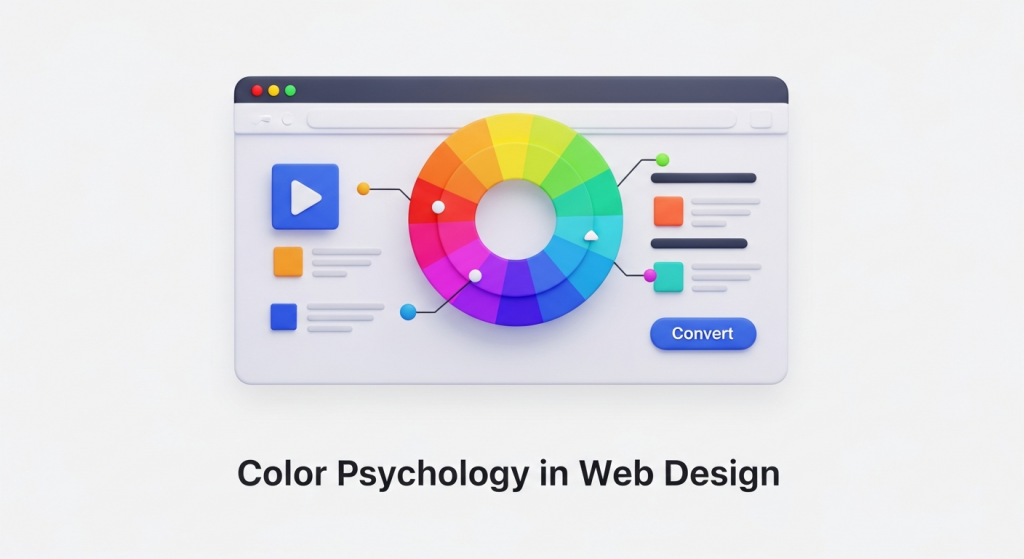 How to Use Color Psychology in Web Design to Increase Conversions As a business owner, you know that your website is more than just a digital brochure; it’s your most powerful sales tool. Every element, from the headlines you write to the images you choose, plays a role in turning a visitor into a customer. But did you know that one of the most influential factors is something most people perceive subconsciously? We’re talking about color. The colors you use on your website have a direct impact on how users feel, think, and act. Choosing a color palette isn’t just an aesthetic decision—it’s a strategic one. By understanding the basics of color psychology in web design, you can create a more persuasive user experience, build brand trust, and ultimately, increase your conversion rates. Let’s explore how you can use color to transform your website’s performance. What is Color Psychology and Why Does it Matter for Your Website? Color psychology is the study of how colors affect human emotions and behavior. In marketing and web design, it’s the practice of using specific colors to evoke a desired response from your audience. When a visitor lands on your site, they form an impression within seconds, and color is responsible for up to 90% of that initial judgment. A strategic website color scheme does three crucial things: Communicates Your Brand Identity: Are you a trustworthy financial firm or a playful children’s brand? Your colors should instantly communicate your brand’s personality. Guides the User’s Eye: Smart use of color and contrast can draw attention to the most important parts of your page, like a “Request a Quote” button or a key benefit. Influences Purchase Decisions: The right colors can create a sense of urgency, build trust in your payment process, or make a product feel more luxurious, directly influencing a user’s decision to buy. Ultimately, color is a silent communicator that shapes user experience. A positive experience keeps users on your site longer, reduces bounce rates, and sends positive signals to search engines—an often-overlooked component of a comprehensive SEO strategy. Understanding the Emotional Impact of Common Colors While color perception can be subjective and influenced by personal experience, broad patterns have been observed in how people respond to different hues. Understanding these general associations is the first step in building an effective website color scheme. Here’s a breakdown of common colors and the emotions they typically evoke. Warm Colors: Red, Orange, and Yellow Warm colors are associated with energy, passion, and happiness. They are excellent for grabbing attention and creating a sense of action. Red: The color of passion, excitement, and urgency. Red is a powerful accent color used to stimulate action. It’s why you see it so often on clearance sale signs and call-to-action (CTA) buttons like “Order Now.” Brands like YouTube and Netflix use red to create excitement. Orange: A blend of red’s energy and yellow’s cheerfulness. Orange is friendly, enthusiastic, and confident. It’s a great choice for CTAs that encourage immediate action, such as “Sign Up Free” or “Get Started.” HubSpot and Amazon use orange to appear accessible and action-oriented. Yellow: Associated with optimism, sunshine, and youthfulness. Yellow is highly visible and great for drawing attention to specific design elements. However, use it sparingly, as too much can cause eye strain. Brands like IKEA and Snapchat use it to project a fun, positive vibe. Cool Colors: Blue, Green, and Purple Cool colors are often perceived as calm, professional, and trustworthy. They are ideal for brands that want to build a sense of security and reliability. Blue: The king of corporate colors. Blue inspires feelings of trust, security, and dependability. This is why it’s overwhelmingly popular among financial institutions, tech companies, and healthcare providers. Think of PayPal, Facebook, and Dell—they all use blue to build user confidence. Green: The most versatile color, with strong ties to nature, health, growth, and wealth. A darker green can signify affluence, while a lighter green relates to tranquility and the environment. It’s an excellent choice for a “Go” or “Submit” button as it signals a positive, forward action. Brands like Whole Foods and Starbucks use it effectively. Purple: Historically associated with royalty, purple communicates luxury, wisdom, and creativity. Lighter shades can feel romantic and nostalgic, while darker shades feel rich and sophisticated. It’s a great choice for high-end beauty products or creative service brands like Hallmark. Neutral Colors: Black, White, Gray, and Brown Neutrals are the backbone of most web designs. They provide balance and can be paired with warm or cool colors to create a sophisticated and clean look. Black: Represents power, elegance, and sophistication. When used correctly, black can create a dramatic, modern feel, making it popular with luxury and fashion brands like Chanel and Nike. White and Gray: These colors communicate simplicity, cleanliness, and modernity. White space is essential for good design, as it gives content room to breathe and improves readability. Gray is a versatile background color that provides a softer alternative to stark white. Apple is a master of using white and gray to create a minimalist, high-tech aesthetic. Brown: An earthy, dependable color that evokes a sense of ruggedness and reliability. It’s a natural choice for organic products, outdoor brands, and companies that want to appear grounded. How to Build a High-Converting Website Color Scheme Simply picking a color you like isn’t enough. A high-converting website uses a balanced and intentional color palette to guide the user journey. The most effective approach is to follow the 60-30-10 rule, a classic design principle that ensures visual harmony. 60% Primary Color: This is your dominant brand color. It will occupy the most visual space on your site, often used for backgrounds and major design elements. It sets the overall tone and mood of your website. 30% Secondary Color: This color should contrast with your primary color to create visual interest. It’s used for less-dominant elements like subheadings, highlighted content areas, or secondary buttons. 10% Accent Color: This is your most important
 Google’s AI Search is Here: Is Your Small Business Ready for the SGE Revolution? Take a moment and think about how your customers find you online. For the better part of two decades, the process has been remarkably consistent: they type a question into Google, scan a list of ten blue links, and click on the one that looks most promising. That familiar landscape, the very foundation of digital marketing, is now undergoing its most significant transformation since its inception. The culprit and the catalyst? Artificial Intelligence. Google is actively rolling out its Search Generative Experience, or SGE. This isn’t just a minor tweak or algorithm update; it’s a fundamental reimagining of the search results page. If you’re a small business owner, this isn’t some far-off tech trend to ignore. It’s happening right now, and it will directly impact your website traffic, lead generation, and ultimately, your bottom line. But don’t panic. With change comes opportunity, and understanding SGE today is the key to thriving tomorrow. What Exactly is Google’s Search Generative Experience (SGE)? In the simplest terms, SGE is Google using its advanced AI to provide direct, comprehensive answers to user queries right at the top of the search results. Instead of just giving you a list of links to find the answer yourself, Google now often creates a custom “AI snapshot” that summarizes information from multiple sources, complete with images, links, and follow-up questions. Think of it like asking a hyper-intelligent research assistant for help. You don’t just get a reading list; you get a synthesized answer. While traditional search results still appear below this AI-generated block, the prime real estate on the page is now dedicated to this new experience. According to research from digital marketing expert Neil Patel, this shift has profound implications for how users interact with search results, and consequently, how businesses need to approach their online visibility. Why This Is a Game-Changer for Small Businesses The immediate concern for many business owners is, “If Google answers the question directly, why would anyone need to click on my website?” It’s a valid fear. For simple, informational queries, we will likely see a decrease in click-through rates. If a user can get a quick definition or a simple list without leaving Google, they will. However, this is not the end of SEO. It’s an evolution. The AI snapshot still pulls its information from websites, and it prominently features links to its sources. The new goal isn’t just to be on page one; it’s to be a cited source within the AI-generated answer. Becoming that trusted source is the new frontier of digital marketing, separating the businesses that adapt from those that get left behind. How to Adapt Your Digital Marketing for the SGE Era Thriving in this new AI-powered search environment doesn’t require you to throw out everything you know about digital marketing. In fact, it doubles down on the principles that have always mattered: quality, authority, and user experience. Here’s how to pivot your strategy to win with SGE. 1. Create Genuinely Helpful, People-First Content The days of writing thin articles stuffed with keywords to trick an algorithm are definitively over. Google’s AI is designed to understand and reward content that demonstrates true expertise and provides real value. This concept is at the heart of what Google calls creating helpful, reliable, people-first content. Share Your Unique Expertise: Don’t just regurgitate facts. Write about your first-hand experiences. Create detailed case studies, share customer success stories, and offer insights that can only come from being an expert in your field. Answer Complex Questions: Go beyond the simple “what is” queries. Tackle the nuanced, multi-step questions your customers are actually asking. The more comprehensive and insightful your content, the more likely the AI will see it as a valuable resource to cite. Prioritize Authenticity: Your brand’s voice and perspective are now a competitive advantage. Let your personality show and build a genuine connection with your audience. An effective content plan is no longer optional. Our approach to SEO & Content Strategy is built on this very principle: creating authoritative content that establishes you as a leader and directly supports your business goals in this new search landscape. 2. Target Conversational, Long-Tail Keywords Think about how people talk to voice assistants or AI chatbots. They don’t use robotic keywords; they ask full questions. Your keyword strategy needs to reflect this conversational shift. Instead of targeting a broad term like “landscaping services,” focus on more specific, long-tail phrases your ideal customer would type. For example, a better target would be: “what is the best low-maintenance landscaping for a small front yard in Arizona?” Content built around answering this specific question is far more likely to be featured in an SGE result than a generic service page. Use tools to find the actual questions people are asking and build your content around providing the best possible answers. 3. Build Your Brand’s Authority and Trust (E-E-A-T) In an AI-driven world, trust is everything. Google uses a framework it calls E-E-A-T (Experience, Expertise, Authoritativeness, and Trustworthiness) to evaluate the quality of a website. The AI will heavily favor information from sources it deems credible. How do you build this trust? Earn High-Quality Backlinks: Get links to your site from other reputable websites in your industry. Encourage Customer Reviews: Positive reviews on Google Business Profile, Yelp, and industry-specific sites send strong trust signals. Showcase Your Credentials: Display author bios, certifications, awards, and testimonials prominently on your site. Every piece of your digital presence should work to reinforce that you are a legitimate, trustworthy expert in your field. A well-designed website is crucial for this. Our Website Design Services focus on creating sites that not only look great but are also structured to build immediate trust with both users and search engines. 4. Don’t Forget the Technical Foundation Even the best content in the world won’t get noticed if your website is slow, broken, or hard to use on a mobile phone. A
 Why Your Contact Page Is Secretly Costing You Leads (And How to Fix It) You’ve done everything right. You invested in a great-looking website, spent money on digital marketing, and traffic is finally starting to flow. You see people clicking around, visiting your services pages, and spending time on your blog. But then… silence. The phone isn’t ringing, and your inbox is empty. It’s a frustratingly common scenario for small business owners, leaving them wondering where the disconnect is. The culprit is often hiding in plain sight: your contact page. Many businesses treat their contact page as a simple utility—a digital version of a business card tucked away at the back of their website. But this page isn’t just a placeholder; it’s one of the most critical conversion points on your entire site. It’s the final handshake, the moment a curious visitor decides to become a tangible lead. If that experience is confusing, frustrating, or untrustworthy, that potential customer is gone, likely for good. In this guide, we’ll uncover the common mistakes that turn your contact page into a dead end and provide actionable steps to transform it into a powerful lead generation machine. The Overlooked Powerhouse of Your Website Think about the typical customer journey. A potential client might find you through a Google search, read a blog post, and browse your services. By the time they navigate to your contact page, their intent is incredibly high. They are actively seeking a solution and are considering you as the provider. This isn’t a casual browser; this is someone on the verge of making a decision. Your contact page is the bridge between their problem and your solution. A poorly designed contact page creates friction at this crucial moment. It introduces doubt, annoyance, and second thoughts. A visitor might wonder if you’re a legitimate business, if you’ll ever respond, or if it’s even worth the effort to fill out your complicated form. According to user experience research, a user’s decision to trust a website is often made in seconds. A confusing or unprofessional contact page can shatter that trust instantly, wasting all the marketing effort and money that brought them there in the first place. 7 Common Contact Page Mistakes That Kill Conversions Optimizing your contact page doesn’t always require a complete overhaul. Often, small, strategic adjustments can make a world of difference. Let’s explore the seven most common pitfalls that might be costing you leads right now. 1. Your Contact Information is Hard to Find The most fundamental mistake is making it difficult for users to find the page itself. If a motivated prospect has to hunt for a way to get in touch, their motivation will quickly turn into frustration. People expect to find contact information in standard, predictable locations. The Fix: Ensure a clear link to your “Contact” or “Contact Us” page is prominently displayed in your website’s main navigation menu (the header) and in the footer of every page. This is a core principle of user-friendly navigation. As usability experts from the Nielsen Norman Group consistently point out, users rely on standard conventions to navigate websites efficiently. Don’t try to be clever with labels like “Get in Touch” or “Let’s Chat” in your main navigation; stick to the clear and universally understood “Contact.” 2. The Form is Too Long or Complicated Imagine you’re ready to ask for a quote, but you’re met with a form that feels like a tax return. It asks for your name, email, phone, company name, job title, company size, annual revenue, and a detailed project description. This is a major conversion killer. Every additional field you require is another reason for a user to abandon the process. The Fix: Keep your form as simple as possible. Ask only for the information you absolutely need to start a conversation. In most cases, this is: Name Email Address A message or comment box If you need more information, like a phone number, consider making it an optional field. If you must ask for more details, explain why. For example, next to a “Budget” field, you could add a small note: “(This helps us recommend the most suitable solutions for you).” Research from marketing platforms like HubSpot has repeatedly shown that reducing the number of form fields can significantly increase conversion rates. 3. A Glaring Lack of Trust Signals In an age of spam and data breaches, people are hesitant to share their personal information online. A generic contact page with nothing but a form can feel anonymous and untrustworthy. Visitors need reassurance that you are a real, credible business that will handle their inquiry professionally. The Fix: Build trust by humanizing your page. Include multiple trust signals, such as: A physical address: Even if you work remotely, a business address or P.O. box adds legitimacy. A business phone number: It shows you’re accessible. A professional email address: Use you@yourcompany.com, not a generic Gmail or Yahoo address. A link to your privacy policy: This assures users their data will be handled responsibly. Photos: A picture of your team or office can make your business feel more personal and real. 4. No Alternative Contact Methods Not everyone wants to fill out a form. Some people prefer the immediacy of a phone call, while others want to send a detailed email from their own client. Forcing every visitor down a single path can alienate a significant portion of your audience. The Fix: Offer multiple ways to connect. Cater to different preferences by providing a variety of options right on the page. Include a clickable phone number (so mobile users can tap to call), a linked email address that opens the user’s default mail client, and an embedded Google Map if you have a physical location they can visit. For businesses that rely on appointments, embedding a scheduling tool like Calendly can be a game-changer, allowing leads to book a meeting directly. 5. Vague or Missing Call to Action Your contact page needs to guide the
 Google’s New AI Search is Here. Is Your Business Ready? Take a look at a Google search results page today. Now, try to remember what it looked like five years ago. It’s changed, right? But the change we’re seeing right now is more than just a new coat of paint. It’s a fundamental rewiring of how people find information, and it’s the single biggest shift in online search in over a decade. We’re talking about AI Overviews, and if you own a small business, this is something you need to understand today. For weeks, Google has been rolling out its AI-powered answers, previously known as the Search Generative Experience (SGE), to more and more users. Now, it’s becoming the new normal. These aren’t just another feature; they are a direct challenge to the old way of doing things. The days of simply ranking #1 with a blue link are numbered. The new goal? To be the trusted source that Google’s AI uses to answer a user’s question directly at the top of the page. This might sound intimidating, but for businesses ready to adapt, it’s a golden opportunity. The Search Engine Landscape Just Changed Overnight So, what exactly are AI Overviews? Imagine you ask Google, “what are the best durable flooring options for a home with dogs?” Instead of just giving you a list of ten articles to read, Google’s AI now reads them for you. It then synthesizes the information and presents a concise, conversational summary at the very top of the page, often with links to the sources it used. It’s an instant answer, designed to satisfy the user’s query without them needing to do as much clicking around. This is a massive deal. That prime real estate at the top of the search results, which businesses have spent years and fortunes trying to capture, is now occupied by an AI-generated answer. This changes the game for every business that relies on search traffic to generate leads and sales. The Good News: Opportunity Knocks While the initial reaction might be panic about losing website traffic, it’s not all doom and gloom. Being featured as a source within an AI Overview is like getting a direct endorsement from Google. The traffic you do get from these links is often more qualified and higher-intent. These are users who have already received a summary and are now clicking through for deeper information, to see product details, or to contact an expert—that’s you. The Challenge: The Fight for Visibility Gets Tougher The obvious challenge is the rise of “zero-click searches,” where a user gets their answer from the AI Overview and never clicks through to any website. This means the competition for clicks is more intense than ever. If your content is generic or only answers a simple question, you risk becoming invisible. Your SEO and content strategy can no longer be about just ranking for keywords; it must be about becoming an undeniable authority that the AI has to cite. How to Adapt Your SEO Strategy for an AI-Powered World You can’t stop this change, but you can absolutely adapt to thrive in it. Google isn’t trying to hide information; it’s trying to showcase the best, most helpful information. Your new job is to prove that your content fits that description. Here’s how you can start adjusting your strategy right now. 1. Double Down on E-E-A-T If you take away only one thing, let it be this. E-E-A-T stands for Experience, Expertise, Authoritativeness, and Trustworthiness. This isn’t a new concept, but in the age of AI, it’s the most important ranking factor. Google’s AI is specifically designed to look for content that demonstrates these qualities. Why? Because it wants to provide correct, reliable answers and avoid spreading misinformation. Experience: Write from a first-hand perspective. Share case studies, show real-world results, and create content that proves you’ve actually done what you’re talking about. Expertise: Showcase your credentials. Create detailed author bios, highlight any certifications or awards, and write comprehensive content that goes beyond surface-level advice. Authoritativeness: Get other reputable sites to talk about you. This means earning backlinks, being mentioned in industry publications, and having positive customer reviews. Trustworthiness: Be transparent. Make your contact information easy to find, have a clear privacy policy, and secure your website with HTTPS. As Google’s own documentation on creating helpful content emphasizes, trust is paramount. 2. Create Genuinely Helpful, People-First Content The era of writing 500-word blog posts stuffed with keywords is officially over. AI Overviews are built by understanding context and answering complex questions. Your content needs to do the same. Think about the real-world problems your customers face and create the single best resource on the internet to solve them. Instead of targeting a keyword like “small business accounting,” target the user’s intent with a comprehensive guide titled “The Ultimate Guide to Cash Flow Management for First-Year Small Business Owners.” This people-first approach aligns perfectly with what Google’s AI is looking for. This is a core component of any modern SEO & Content Strategy that aims for long-term success. 3. Optimize for Conversational and Long-Tail Keywords How do you talk to a smart assistant like Alexa or Siri? You ask full questions. The same behavior is translating to search. People are typing longer, more conversational queries into Google. According to research from SEO experts at Moz, these long-tail keywords have a higher conversion rate because the searcher’s intent is so specific. Instead of just optimizing for “roof repair,” think about the full questions your customers are asking, like “how much does it cost to fix a roof leak around a chimney?” Create content, or even just FAQ sections, that answer these specific questions directly. This makes it incredibly easy for Google’s AI to pull your answer and feature it in an Overview. 4. Structure Your Data Like a Pro This might sound a little technical, but the concept is simple. Structured data, or Schema markup, is code you add to your website that