Skip to content
 How to Design a Homepage That Drives Action Your homepage is the digital front door to your business. For most visitors, it’s their first interaction with your brand, and it has mere seconds to make a positive impression. A cluttered, confusing, or slow homepage can send potential customers clicking away before you ever have a chance to show them what you offer. Conversely, a strategically designed homepage can act as your most effective salesperson, guiding visitors, building trust, and driving them toward a specific action. Many small business owners treat their homepage like a brochure, packed with information but lacking a clear purpose. The goal isn’t just to inform; it’s to convert. Whether a conversion means making a purchase, filling out a form, or picking up the phone, your homepage design is the engine that powers that result. This guide will walk you through the essential elements and strategies needed to transform your homepage from a passive placeholder into an active tool for business growth. First Impressions Matter: Mastering the “Above the Fold” Area The term “above the fold” comes from the newspaper industry and refers to the top half of the front page—the part visible when the paper is folded. In web design, it’s the section of your homepage a visitor sees without scrolling. According to research, users spend about 80% of their time above the fold. This tiny window of opportunity is where you must capture their attention and convince them to stay. If a visitor can’t immediately understand what your business does and why they should care, they will leave. You need to answer their three core questions instantly: Where am I? What can I do here? Why should I do it? The Essential Above-the-Fold Elements To make an immediate impact, this prime real estate should feature three critical components working together: A Clear and Compelling Value Proposition: This is a concise statement that explains the unique benefit you provide. It should clearly articulate who your customers are, what problem you solve for them, and what makes you the best choice. Avoid vague marketing jargon. Instead of “Synergistic Business Solutions,” try “Effortless Accounting Software for Freelancers.” An Attention-Grabbing Headline: Your main headline should support your value proposition and speak directly to your target audience’s needs or desires. It should be short, impactful, and benefit-oriented. A strong headline connects emotionally and logically, making the visitor feel understood. A Primary Call to Action (CTA): This is the single most important action you want a visitor to take. It should be presented as a bold, visually distinct button with clear, action-oriented text like “Get Your Free Quote,” “Schedule a Demo,” or “Shop Our Collection.” Don’t make them hunt for it. These elements should be supported by high-quality, professional visuals. A “hero image” or a short background video that reflects your brand and resonates with your audience can immediately convey a sense of quality and professionalism, making your message more impactful. Building Trust and Credibility Instantly Before a visitor will take action, they need to trust you. A new user has no reason to believe your claims, so your homepage must work hard to establish credibility from the moment they land. Trust signals are subtle (and not-so-subtle) cues that show you are a legitimate, reputable, and trustworthy business. The Power of Social Proof Social proof is the psychological phenomenon where people assume the actions of others in an attempt to reflect correct behavior. On your homepage, this means showing visitors that other people have already trusted you and had a positive experience. Effective forms of social proof include: Customer Testimonials: Feature short, powerful quotes from happy clients. Including their name, company, and a photo adds a significant layer of authenticity. Client Logos: If you serve other businesses, displaying the logos of well-known clients you’ve worked with is a powerful and immediate credibility booster. Ratings and Reviews: Showcasing a high average rating from sites like Google, Yelp, or industry-specific review platforms can quickly build confidence. Awards and Certifications: Displaying badges from industry awards, accreditations, or security certifications (like a Better Business Bureau seal) shows that your business is recognized and vetted by third parties. Professional Design and Intuitive Navigation Nothing erodes trust faster than a poorly designed website. An outdated, broken, or amateurish design suggests that the business behind it may be equally unprofessional. A clean, modern, and visually appealing layout is a fundamental trust signal. It shows you care about your brand and your customers’ experience. Our Website Design Services focus on creating this exact kind of professional polish that elevates your brand perception. Equally important is navigation. Your main menu should be simple, logical, and easy to understand. Visitors should be able to find key information—like your services, about page, and contact details—without any friction. A frustrating navigation experience will lead to a high bounce rate and a poor perception of your company. Guiding the User Journey with Strategic Calls to Action A successful homepage doesn’t just present information; it guides the user on a journey. Calls to action are the signposts on that journey. While your primary CTA above the fold is crucial, you need to strategically place other CTAs throughout the page to cater to visitors at different stages of their decision-making process. Primary vs. Secondary CTAs Not everyone who visits your site is ready to buy immediately. To avoid alienating these users, it’s wise to use a mix of primary and secondary CTAs. Primary CTAs are for users who are ready to take the next step. They are high-commitment actions and should be designed to stand out with bright, contrasting colors and direct, compelling language (“Start Your Free Trial,” “Book a Consultation”). Secondary CTAs are for users who need more information before they commit. These are lower-commitment actions, such as “Learn More About Our Process,” “View Our Portfolio,” or “Download Our Free Guide.” These buttons should be less visually dominant than primary CTAs, perhaps using a less vibrant color or an outline style. By offering both,
 The Google Search You Knew Is Gone: How to Thrive in the Age of AI Overviews Take a look at a Google search results page today. Now, think back to what it looked like just a few weeks ago. See the difference? That large, text-filled box at the very top of the page is the biggest shift in search engine technology in over a decade, and it’s here to stay. Google has officially rolled out its “AI Overviews” to users across the United States, and the familiar list of ten blue links is no longer the main event. For small business owners, this isn’t just a minor design tweak—it’s a fundamental change in how customers find you. This new feature, powered by Google’s advanced Gemini AI model, aims to answer user questions directly within the search results, providing a comprehensive summary compiled from multiple web sources. While that sounds helpful for users, it raises a critical question for you: If Google gives the answer, why would anyone need to click on your website? It’s a valid concern, and one that’s causing a lot of anxiety in the marketing world. But this change doesn’t have to be a death sentence for your website traffic. In fact, for businesses willing to adapt, it presents a powerful new opportunity to establish authority and attract highly qualified leads. This article will break down exactly what Google AI Overviews are, how they will impact your business, and the practical steps you can take right now to adjust your digital marketing strategy and come out on top. What Exactly Are Google’s AI Overviews? Imagine you ask Google, “What are the best durable and pet-friendly flooring options for a small cafe?” In the past, Google would show you a list of articles, blogs, and product pages, and you’d click through a few to piece together your answer. Today, Google’s AI Overviews will do that work for you. At the very top of the page, you’ll see a detailed, AI-generated summary that synthesizes information from the best sources on the web, complete with photos, links, and different sub-topics. These aren’t just simple snippets. They are complex, multi-faceted answers designed to be a one-stop shop for information. The goal, from Google’s perspective, is to provide a faster, more intuitive search experience. But by doing so, it positions Google as the destination for answers, not just a directory pointing to other destinations (like your website). The Core Challenge for Your Business The primary challenge presented by Google AI Overviews is the potential for a significant drop in organic click-through rates (CTR). If a user gets a satisfying answer directly from the overview, their journey might end there. This phenomenon, often called a “zero-click search,” is expected to become much more common. For years, the goal of SEO was to rank in the top positions to earn the click. Now, the goal is shifting toward being a primary, cited source *within* the AI-generated answer itself. This is a whole new ballgame. How Will AI Overviews Impact Your Business? The Threats and Opportunities It’s easy to focus on the negatives, but a strategic mindset means seeing both sides of the coin. This new search landscape has real risks, but it also creates avenues for savvy businesses to gain a competitive edge. Potential Threats to Watch For Reduced Organic Traffic: This is the most obvious concern. For informational queries where users are looking for a quick fact or definition, traffic is almost certain to decline. Businesses that rely heavily on top-of-funnel blog content for traffic will need to re-evaluate their strategy. Loss of Brand Control: When your content is synthesized into a larger AI summary, your unique brand voice, visuals, and messaging can get lost. You become a data point rather than a destination, making it harder to build a connection with potential customers. Increased Competition: The space at the top is now even more competitive. You’re not just competing for a blue link; you’re competing to have your information deemed worthy of inclusion in the definitive AI answer. Unexpected Opportunities to Seize Become an Authoritative Source: Getting your website cited in a Google AI Overview is the new “position zero.” It’s a massive credibility signal. When Google’s own AI points to your site as a trusted source, it builds immense authority for your brand in the eyes of users who see it. Attract Higher-Intent Traffic: The users who *do* click through to your site after reading an AI Overview are likely to be much more qualified. They’ve already received the basic information and are now clicking for deeper expertise, a specific product, or to engage with the expert source. These visitors are further down the sales funnel and more likely to convert. Dominate Niche and Complex Queries: AI Overviews excel at answering complex, multi-step questions. This is where your deep, specialized knowledge becomes a superpower. If you provide the most comprehensive, expert-driven answer to a niche problem, you have a much higher chance of being featured. How to Adapt Your SEO Strategy for the AI Era Panic is not a strategy. The fundamentals of good marketing—understanding your audience and providing immense value—are more important than ever. Here’s how to refine your approach for a world with Google AI Overviews. 1. Double Down on E-E-A-T E-E-A-T stands for Experience, Expertise, Authoritativeness, and Trustworthiness. This is Google’s framework for identifying high-quality, helpful content. In an AI-driven world, it’s your most important asset. The AI will be trained to prioritize information from sources that have proven they are reliable. As Google’s own guidelines state, creating content for people, not search engines, is the key. You need to demonstrate your credibility at every turn. Action Steps: Add detailed author bios to your blog posts. Showcase case studies and customer testimonials. Display trust signals like industry awards and certifications. Ensure your entire website is secure with HTTPS. 2. Create Content That Answers Specific Questions Think less about isolated keywords and more about the conversational questions your
 Is Your Slow Website Costing You Customers? The Real Impact of Page Load Time on Conversions Imagine a potential customer, excited about your product, clicks on your ad. They land on your website, ready to buy. But the page just shows a loading symbol. One second passes. Then two. Then three. Frustrated, they click the back button and head straight to your competitor. This isn’t just a hypothetical scenario; it’s a daily reality for businesses with slow websites, and it’s silently eroding their revenue. In today’s fast-paced digital world, speed isn’t just a feature—it’s the foundation of a positive user experience. For a small business, your website is often the first and most important interaction a customer has with your brand. If that first impression is a frustrating wait, you’ve likely lost a sale before you even had a chance to make your pitch. Understanding the critical link between page load time and conversion rates is no longer a technical concern for IT departments; it’s a core business strategy that directly impacts your bottom line. What is Page Load Time and Why Should You Care? Simply put, page load time is the average amount of time it takes for a user’s browser to display all the content on a specific webpage. This includes images, text, videos, and scripts. While it sounds straightforward, this single metric is one of the most powerful indicators of your website’s overall performance and its ability to turn visitors into customers. Think of it as the digital equivalent of walking into a physical store. If the doors are stuck, the lights are flickering, and no one is there to greet you, you’re not going to feel welcome or confident in making a purchase. A slow website creates the same feeling of friction and uncertainty. It tells visitors that your business might be outdated, inefficient, or untrustworthy. Conversely, a snappy, responsive site feels professional and reliable, immediately building trust and encouraging visitors to explore what you have to offer. For a small business, every visitor is valuable. You’ve worked hard and likely spent money on marketing to get them to your site. A slow page load time is like paying for a billboard and then covering it with a tarp. It undermines all your other marketing efforts by creating a poor user experience at the most critical moment—when a potential customer is on your digital doorstep. The Data Doesn’t Lie: How Milliseconds Impact Your Bottom Line The argument for a faster website isn’t just based on intuition; it’s backed by extensive research and hard data. Over the years, major companies have studied user behavior and found a direct, undeniable correlation between speed and revenue. The Direct Link Between Speed and Sales Even the slightest delay can have a staggering effect on your ability to convert a visitor. The modern consumer is conditioned for instant gratification, and their patience online is incredibly thin. When your page takes too long to load, they don’t just wait—they leave. According to Google, as page load time goes from one second to three seconds, the probability of a visitor leaving (bouncing) increases by 32%. If it goes to five seconds, that probability skyrockets to 90%. A landmark study by Deloitte Digital revealed that a mere 0.1-second improvement in site speed led to an 8.4% increase in conversions and a 9.2% increase in average order value for retail brands. Google’s own research found that a one-second delay in mobile load times can impact conversion rates by up to 20%. For a business generating sales online, that’s a massive amount of revenue lost to preventable friction. Beyond Conversions: The Hidden Costs of a Slow Website The damage from a slow website extends far beyond the immediate lost sale. It can have long-term consequences for your brand’s reputation and visibility. First, there’s the issue of brand perception. A clunky, slow-loading site feels unprofessional. It can make your business appear less legitimate or successful than your faster competitors. This negative perception can linger, making it harder to win back a customer’s trust in the future. Second, a slow site dramatically increases your bounce rate. The bounce rate is the percentage of visitors who land on your website and leave without clicking on anything else. A high bounce rate is a clear signal to search engines like Google that your page isn’t providing a good user experience or delivering what visitors are looking for. This brings us to another critical area where speed matters: your search engine ranking. How Website Speed Influences Your Google Ranking Google’s primary goal is to provide its users with the most relevant and highest-quality results for their queries. A huge part of that quality is the user experience on the page itself. If a user clicks a link and is met with a frustratingly slow website, that reflects poorly on Google’s recommendation. Therefore, Google has made site speed a confirmed ranking factor. In recent years, this has become even more formalized with the introduction of Core Web Vitals. These are a set of specific metrics that Google uses to measure a page’s real-world loading performance, interactivity, and visual stability. While the technical details can be complex, the takeaway for business owners is simple: Google actively measures and rewards websites that provide a fast, seamless experience for visitors, especially on mobile devices. This means a faster website doesn’t just help you convert the traffic you already have; it helps you get more traffic in the first place. By improving your page load time, you send positive signals to Google, which can lead to higher rankings in search results. This increased visibility means more organic traffic, more potential customers, and more opportunities to grow your business. A comprehensive SEO strategy is incomplete without a strong focus on technical performance and site speed. How Fast Is Fast Enough? Measuring Your Performance So, you understand that speed is important, but how do you know where your website stands? Fortunately, you don’t have to guess. There
 The New Google Search: How AI Overviews Are Changing SEO for Small Businesses The Search Engine Landscape Is Shifting—Again. Have you noticed something different about your Google searches lately? You type in a question, and instead of just a list of blue links, a neatly packaged, AI-generated summary appears right at the top. This new feature, called AI Overviews, is one of the most significant changes to search in over a decade, and it’s rolling out to millions of users right now. For a small business owner, any change to Google can feel like an earthquake. You’ve spent time and money building your website’s visibility, and now the rules seem to be changing overnight. Will your website traffic disappear? How can you possibly compete in this new AI-driven world? These are valid concerns, but there’s no need to panic. This shift creates as much opportunity as it does uncertainty. This article will demystify Google’s AI Overviews, explore how they will impact your small business, and give you a clear, actionable playbook to not just survive, but thrive in this new era of search. The core principles of good digital marketing strategy haven’t changed, but how we apply them needs a modern touch. What Exactly Are Google’s AI Overviews? Think of AI Overviews as Google’s new super-smart concierge. Instead of just pointing you to a list of potentially helpful websites, Google now reads, synthesizes, and summarizes the information from several top-ranking pages to give you a direct, conversational answer. It’s designed to make finding information faster and more intuitive. For example, if a user searches for “how to choose a durable flooring for a busy cafe,” the AI Overview might generate a few paragraphs that combine insights from a flooring manufacturer, a popular design blog, and a business-focused publication. It will often include bullet points, images, and links back to the original source websites within the answer itself. The goal for Google is to satisfy the user’s query directly on the results page. While this is great for the user, it immediately raises a critical question for business owners: If the user gets their answer in the overview, will they ever click through to my website? The Big Question: Are AI Overviews Good or Bad for My Business? The honest answer is: it’s complicated. The impact of AI Overviews won’t be uniform across all industries or types of searches. It’s both a challenge and a massive opportunity, and your outcome depends entirely on your approach. The Potential Challenge: The “Zero-Click” Search The primary concern is the rise of “zero-click searches.” For simple, informational queries where a user just needs a quick fact (like “what is the boiling point of water?”), the AI Overview will likely provide the full answer. This could lead to a decrease in website traffic for pages that rank for these types of top-of-funnel, fact-based keywords. If your content strategy relies heavily on answering simple questions, you may see a dip in visitors. The Huge Opportunity: Becoming the Cited Authority Here’s where it gets exciting. Being featured and cited in an AI Overview is like getting a direct endorsement from Google. The links inside these AI-generated answers are incredibly valuable. They are positioned at the very top of the page, framed as a credible source for the information provided. A click from an AI Overview is a highly qualified lead; that user has already seen a preview of your expertise and is clicking to learn more. Getting your business featured in these summaries establishes you as a thought leader and a definitive authority in your niche. It builds trust before the user even lands on your page, which is a powerful advantage. The game is no longer just about ranking #1, but about being part of the definitive answer. How to Adapt Your SEO Strategy for an AI-Powered World So, how do you position your business to be the one Google’s AI trusts and cites? It’s not about finding a new gimmick or a technical trick. It’s about doubling down on the fundamentals of great content and user experience. This is where a robust SEO & Content Strategy becomes more critical than ever. 1. Double Down on Truly Helpful, People-First Content For years, Google has been telling us to focus on creating “helpful content,” and with AI Overviews, this is no longer just advice—it’s a requirement. The AI is designed to find the most comprehensive, reliable, and genuinely useful information. Generic, rewritten, or “thin” content will be completely ignored. What does helpful content look like now? Show, Don’t Just Tell: Instead of an article on “5 Landscaping Tips,” create a detailed case study of a specific project, complete with before-and-after photos, a client testimonial, and a breakdown of the specific challenges you overcame. Provide Unique Data and Insights: Share results from your own surveys, experiments, or industry observations. Offer a perspective that can’t be found on a dozen other websites. Demonstrate First-Hand Experience: Write from a place of true expertise. If you’re a baker, share your secret to the perfect sourdough starter, including the mistakes you made along the way. This authentic experience is something AI struggles to replicate and what Google’s systems are built to reward. As Search Engine Journal explains, this people-first approach is central to Google’s ranking systems. 2. Embrace Long-Tail, Conversational Keywords People interact with AI conversationally. They don’t just type “roof repair.” They ask, “What are the signs I need a new roof instead of just a repair?” Your content needs to answer these specific, nuanced questions. Focus on creating pages or blog posts that address these long-tail keywords. Use tools like Google’s “People Also Ask” section or AnswerThePublic to find the exact questions your potential customers are asking. By building a library of content that directly answers these detailed queries, you dramatically increase your chances of being pulled into an AI Overview. 3. Build Unshakeable E-E-A-T E-E-A-T stands for Experience, Expertise, Authoritativeness, and Trustworthiness. It’s the framework Google uses to assess
 Unlock More Sales: The Proven Power of Trust Badges and Social Proof You’ve done the hard work. You’ve invested in a website, driven traffic to it, and showcased your products or services beautifully. Yet, you’re facing a frustratingly common problem: visitors browse, they click, but they don’t convert. Carts are abandoned, contact forms are left untouched, and potential sales vanish into the digital ether. What’s the invisible barrier holding them back? More often than not, it’s a simple lack of trust. In the anonymous world of the internet, trust isn’t given; it’s earned. Your website must work overtime to convince a skeptical visitor that you are credible, secure, and reliable. This is where two powerful psychological tools come into play: social proof and trust badges. These aren’t just decorative icons or a few nice quotes; they are fundamental signals that alleviate anxiety, build confidence, and guide users toward the “buy” button. This article will explore why these elements are crucial for conversions and how you can implement them effectively to turn hesitant visitors into loyal customers. Why Trust is Your Most Valuable Online Currency Think about your own online behavior. Would you enter your credit card details on a website that looks outdated or doesn’t have a secure connection? Probably not. Your customers are no different. Every online transaction, whether it’s a purchase or a simple email signup, involves an element of risk for the user. They are risking their money, their personal data, and their time. Your job is to minimize that perceived risk. A visitor needs to feel confident that your business is legitimate, that their payment information will be safe, and that you will deliver on your promises. When you successfully build that trust, the conversion process becomes nearly frictionless. According to a recent consumer survey, 87% of consumers read online reviews for local businesses, demonstrating just how much people rely on the experiences of others to make decisions. Without these trust signals, you are essentially asking customers to take a leap of faith, and most are unwilling to do so. Decoding Social Proof: Letting Your Customers Sell for You Social proof is a psychological phenomenon where people assume the actions of others reflect correct behavior for a given situation. In simpler terms, we see what others are doing and we follow suit. When you effectively leverage social proof on your website, you are showing visitors that many other people have already trusted you and had a positive experience. This validation from peers is often more persuasive than any marketing copy you could write yourself. Key Types of Social Proof to Implement Integrating social proof isn’t a one-size-fits-all approach. Different forms resonate with different audiences and work best in different contexts. Here are some of the most effective types to consider for your small business website: Customer Reviews and Testimonials: This is the cornerstone of social proof. Authentic reviews and detailed testimonials provide a direct look into the positive experiences of past customers. Go beyond just a name and a quote; include a photo, their company or city, and specifics about the results they achieved. Placing relevant testimonials on service pages or next to product descriptions can directly address a potential customer’s specific concerns. Star Ratings: For e-commerce stores or service-based businesses, star ratings offer a quick, visual summary of customer satisfaction. They are easily digestible and allow users to filter products or services based on collective opinion. Seeing a product with hundreds of 4.5-star ratings instantly builds more confidence than one with no ratings at all. Case Studies: While testimonials are short and powerful, case studies are in-depth success stories. They are particularly effective for B2B companies or high-value services. A great case study outlines a customer’s problem, your proposed solution, and the measurable, positive results you delivered. It’s a narrative that proves your expertise and value. “As Seen On” or Award Logos: If your business has been featured in the media, won an industry award, or is a member of a respected organization, showcase it! Displaying logos from well-known publications or institutions borrows their authority and transfers some of that credibility to your brand. User-Generated Content (UGC): Encourage your customers to share photos or videos of themselves using your product on social media. Featuring this content on your website provides authentic, real-world proof that people not only buy your product but also love it enough to share it publicly. It creates a sense of community and relatability. The Power of the Badge: Building Instant Credibility While social proof shows that others trust you, trust badges communicate that your site is technically secure and that your business operates with integrity. These are visual symbols and logos that instantly signal safety and reliability, especially at critical moments like the checkout process. Research from the Baymard Institute, a leader in e-commerce usability, consistently shows that the perception of security is a top concern for users during checkout. Their studies have revealed that a significant percentage of cart abandonments happen because users don’t trust the site with their credit card information. Trust badges directly combat this fear. Essential Trust Badges for Your Website Just like social proof, different badges serve different purposes. Here are the most important categories to include: Secure Checkout Badges (SSL): An SSL (Secure Sockets Layer) certificate is non-negotiable in today’s digital world. It encrypts data between your customer’s browser and your server, protecting their sensitive information. This is visually represented by the padlock icon and “https://” in the browser’s address bar. Explicitly displaying a “Secure Checkout” or “256-Bit SSL Encrypted” badge further reinforces this security. Accepted Payment Logos: Displaying the logos of major credit cards like Visa, Mastercard, and American Express, as well as digital wallets like PayPal or Apple Pay, does more than just show payment options. These are globally recognized brands that users already trust. Their presence on your site creates a halo effect, lending their credibility to your business. Third-Party Endorsement Badges: These are seals of approval from well-known third-party organizations.
 Google’s New AI Overviews Are Here: What Small Businesses Must Do to Survive and Thrive Take a look at a Google search results page today. Notice anything different? That new, neatly summarized box of information at the very top is Google’s “AI Overview,” and it represents one of the most significant shifts in search engine history. After months of testing, Google is rolling this feature out to billions of users, and it’s a game-changer for every small business that relies on the internet for visibility, leads, and sales. For years, the goal was simple: get to the top of the ten blue links. But what happens when an AI-powered answer appears *above* all those links? It’s a question that’s causing a lot of anxiety for business owners, and rightfully so. The fear is that if users get their answer directly from Google’s AI, they’ll have no reason to click through to your website, causing your traffic to plummet. But this isn’t a doomsday scenario. It’s a strategic pivot point. While the old playbook is being rewritten, new opportunities are emerging for savvy businesses willing to adapt. This article will break down exactly what Google’s AI Overviews are, how they will impact your business, and provide a clear, actionable plan to not just survive, but thrive in this new era of search. What Exactly Are Google’s AI Overviews? In the simplest terms, AI Overviews are AI-generated summaries that appear at the top of the search results for many queries. Instead of just giving you a list of websites, Google’s AI now reads, understands, and synthesizes information from multiple top-ranking pages to provide a direct, conversational answer to the user’s question. Think of it as a super-powered executive summary for the entire internet. Google’s goal is to make search faster and more intuitive. If you search for “how to fix a leaky faucet,” the AI Overview might give you a step-by-step list compiled from several different DIY blogs and plumbing websites. This is fantastic for the user, but it presents a challenge for the businesses that created that original content. The Real Impact on Your Website Traffic The biggest concern is the rise of the “zero-click search.” This happens when a user finds the answer they need within the AI Overview and never clicks on any of the organic search results below it. For queries that have a simple, factual answer, this is a very real threat. Why would someone visit your blog post on “what is the capital of Vermont?” if Google tells them the answer is Montpelier right at the top? However, it’s not all bad news. For more complex, nuanced, or subjective searches—especially those with commercial intent—the story is different. People looking to make a purchase, hire a service, or research a major decision still want to see the details, read reviews, and connect with a real brand. Furthermore, being cited as a source within an AI Overview can be a powerful endorsement, positioning your brand as an authority on the topic. The bottom line is that panic is not a strategy. The businesses that will win are the ones that understand this new landscape and adjust their digital marketing strategy accordingly. Your Action Plan: 5 Strategies to Adapt to the Age of AI Search The fundamentals of good marketing haven’t changed, but how we apply them must. Here are five crucial strategies to ensure your business remains visible and valuable in the world of Google AI Overviews. 1. Double Down on E-E-A-T E-E-A-T stands for Experience, Expertise, Authoritativeness, and Trustworthiness. It’s the framework Google uses to assess the quality and credibility of content. In an AI-driven world, this is more important than ever. Google’s AI models are specifically designed to prioritize information from sources that demonstrate deep, first-hand knowledge and are widely trusted. How to improve your E-E-A-T: Showcase Your Experience: Write from a place of genuine, first-hand experience. If you’re a roofer, share case studies of difficult jobs with unique photos. If you’re a financial advisor, share insights from your years of experience in the market. Establish Expertise: Create comprehensive, in-depth content that covers a topic better than anyone else. Publish white papers, detailed guides, and original research. Build Authority: Earn backlinks from reputable sites in your industry, get featured in local news, and encourage positive reviews on multiple platforms. Cultivate Trust: Be transparent. Have a clear ‘About Us’ page with author bios, make your contact information easy to find, and feature genuine customer testimonials. As Google’s own documentation on helpful content states, you should show visitors you are a trustworthy source. 2. Target Niche, Long-Tail Keywords Broad, one- or two-word keywords are the most likely to trigger a generic AI Overview. The real opportunity now lies in long-tail keywords—longer, more specific search phrases that reveal a user’s precise intent. Think about the difference between a search for “accountant” and a search for “fixed-fee tax accountant for freelance graphic designers in Austin.” The second query is far less likely to have a simple, canned AI answer. It’s a user with a specific problem looking for a specific solution. Creating content that directly answers these niche questions is a powerful way to bypass the AI filter and connect with highly qualified leads. A robust SEO & Content Strategy is no longer about just ranking; it’s about connecting with the right audience at the right time. 3. Create “People-First” Content AI Can’t Replicate An AI can summarize facts, but it can’t replicate genuine human perspective, tell a compelling story, or conduct an original interview. The future of content marketing is creating things that are uniquely human. This is what marketing experts at HubSpot call “10x content”—content that is ten times better than anything else on the web for that topic. Focus on creating assets like: In-depth case studies with real data and client testimonials. Expert interviews with other leaders in your field. Unique data and original research that others will want to cite. Strong, opinionated points of view
 Why Your Website Needs a Clear Call-to-Action (and How to Write One) You’ve invested time, money, and energy into creating a beautiful website for your small business. It looks professional, showcases your products or services, and maybe you’re even getting a decent amount of traffic. But there’s a problem: visitors are coming, looking around, and then leaving. The phone isn’t ringing, the contact form is empty, and sales are flat. What’s the missing piece? More often than not, the culprit is a weak or non-existent Call-to-Action (CTA). A website without a clear CTA is like a salesperson who expertly describes a product but never asks for the sale. It leaves the customer unsure of what to do next. In the digital world, that uncertainty almost always leads to a lost opportunity. This article will guide you through the essentials of a high-converting CTA. We’ll explore what a call-to-action is, why it’s one of the most critical elements on your website, and how you can write compelling CTAs that turn passive browsers into active customers. What Exactly is a Call-to-Action? In the simplest terms, a call-to-action is a prompt on your website that tells a visitor to take a specific, desired action. It’s a direct instruction designed to guide them to the next step in their journey with your brand. CTAs are not just sales-focused; they serve a wide range of purposes in your digital marketing strategy. You see them every day online, often in the form of: Clickable buttons (“Add to Cart,” “Request a Quote”) Text hyperlinks (“Read more about our process…”) Simple forms (“Sign up for our newsletter”) The goal of a CTA is to move a potential customer through your sales funnel. Whether you want them to buy a product, subscribe to a mailing list, download a free resource, or book an appointment, the CTA is the bridge that takes them from simply consuming your content to actively engaging with your business. Why Your Small Business Website is Incomplete Without a Strong CTA Thinking of a CTA as just a button is a major underestimation of its power. A strategically placed and well-written call-to-action is a cornerstone of effective lead generation and can fundamentally change the performance of your website. It Eliminates Guesswork for Your Visitors Website visitors are often impatient. Research from user experience experts at the Nielsen Norman Group shows that users typically scan web pages in an F-shaped pattern, quickly looking for information that is relevant to them. They don’t have time to figure out what you want them to do. If the next step isn’t immediately obvious, they will click the “back” button without a second thought. A clear CTA acts as a signpost, telling users exactly where to go and what to do. It removes friction and cognitive load, making the user experience smoother and more intuitive. By providing this clarity, you increase the chances that visitors will take the action that benefits both them and your business. It Drives Lead Generation and Sales This is the most direct benefit for any small business. Every business goal, from increasing sales online to booking more service appointments, is tied to a specific action. Your CTA is the mechanism that triggers that action. Without a “Buy Now” button, you can’t make e-commerce sales. Without a “Contact Us for a Free Quote” button, you can’t generate service leads. A powerful call-to-action is the final, crucial step that converts the traffic you get from your SEO strategy into tangible business results. It’s the difference between a website that is a passive online brochure and one that is an active, 24/7 lead-generation tool. It Provides Valuable Business Insights CTAs are not just about getting clicks; they are also a source of valuable data. By tracking which CTAs get the most engagement, you can learn what offers, language, and designs resonate most with your audience. This process, often done through A/B testing where you compare two versions of a CTA, can lead to massive improvements in your website conversion rate. For example, you might test a button that says “Get Started” against one that says “Claim Your Free Trial.” Analyzing the click-through rates will tell you which message is more compelling. As experts at HubSpot explain, this kind of continuous optimization is key to building a high-performing digital marketing engine. The Anatomy of a High-Converting Call-to-Action Writing a CTA that gets clicked is both an art and a science. It involves a mix of persuasive copywriting, smart design, and a deep understanding of customer psychology. Here are the core components of an effective CTA. Start with a Strong Command Verb The best CTAs are direct and action-oriented. Begin your button text with a strong verb that tells the user exactly what they will be doing. Verbs create momentum and a sense of purpose. Instead of “Submit,” try “Get Your Free Quote.” Instead of “Click Here,” try “Download the E-book.” Instead of “OK,” try “Start My 30-Day Trial.” Action words like *Get, Book, Join, Discover, Find,* and *Claim* are powerful because they put the user in control. Focus on the Value Proposition Your CTA should answer the user’s silent question: “What’s in it for me?” The text should clearly communicate the benefit or value they will receive by clicking. Connect the action to the desired outcome. For example, “Subscribe” is generic. “Get Weekly Tips in Your Inbox” is specific and value-driven. “Download” is an action. “Download Your Free Marketing Checklist” is a tangible reward. Focusing on the value makes the offer much more enticing. Create a Sense of Urgency or Scarcity People are more likely to act when they feel they might miss out on an opportunity. Introducing urgency or scarcity can significantly boost conversion rates. This can be achieved through time-sensitive offers or limited availability. Examples include: “Shop Now – 24-Hour Flash Sale” “Book Your Spot – Only 3 Left!” “Claim Your Discount Before It Expires” Use this tactic ethically and truthfully to build trust, not to create
 The New Google Search Is Here: Is Your Business Ready for AI Overviews? Take a moment and think about how your customers find you online. For years, the answer has been simple: they type a question into Google, scan a list of ten blue links, and click the one that looks most promising. That familiar process, the bedrock of digital marketing for over two decades, is undergoing its most significant transformation yet. And it’s happening right now. Google has officially begun rolling out “AI Overviews” to the top of its search results. You may have already seen them. Instead of just a list of links, Google is now often providing a complete, AI-generated summary that directly answers the user’s question. This isn’t a test or a futuristic concept; it’s the new face of Google Search. For a small business owner, this change can feel intimidating. Does this mean your website is obsolete? Will your traffic disappear? The short answer is no, but it does mean you can’t afford to continue with business as usual. This shift presents both a serious challenge and a massive opportunity. Understanding how to adapt is the key to not just surviving, but thriving in this new, AI-powered landscape. What Exactly Are Google’s AI Overviews? Imagine you’re looking for a local catering service for a corporate event. In the past, you might have searched for “best corporate caterer near me” and clicked through several websites, comparing menus, reading reviews, and looking for contact information. With AI Overviews, Google aims to do that initial work for you. It will analyze the top-ranking pages, synthesize the information, and present a concise summary at the very top of the page. This overview might list a few top-rated caterers, summarize their specialties, mention their price range, and even pull in key review snippets. The list of traditional website links will still be there, but they will be pushed further down the page, below this new, attention-grabbing AI summary. This is a fundamental change because it alters the user’s journey. Google’s goal is to provide a “one-stop answer” for many queries, reducing the need for users to click away to other sites. For businesses, this means the competition is no longer just about being number one on the list; it’s about being the foundational source of truth that the AI uses to build its answer. The Million-Dollar Question: Will AI Kill My Website Traffic? Let’s address the elephant in the room. The immediate fear for many business owners is a steep drop in website traffic. If Google answers the question directly, why would anyone need to click on your website? It’s a valid concern, and for certain types of content, traffic may indeed decrease. For simple, factual queries like “what is the temperature outside?” or “how tall is the Eiffel Tower?”, users will likely be satisfied with the AI Overview. However, for more complex, nuanced, or high-stakes searches—the kinds of searches that lead to actual business—the story is different. Think about it from your customer’s perspective: Would you hire a consultant based solely on an AI summary? Probably not. You’d want to visit their site, read their case studies, and get a feel for their brand. Would you buy a high-end product without seeing detailed photos, specifications, and customer reviews on the product page? Unlikely. Would you book a service like a kitchen remodel without exploring a company’s portfolio and reading testimonials? Of course not. As many experts in the SEO community are discussing, the click is not dead; its value is simply increasing. The traffic you do get will likely be from more qualified, higher-intent visitors who have already been pre-vetted by the AI Overview. Your job is to ensure your website is one of the trusted sources cited in that overview and that your site provides a compelling experience for those who do click through. How to Adapt Your Digital Marketing for the New Age of Search So, how do you position your business to win? It’s not about trying to “trick” the AI. It’s about doubling down on the fundamentals of great digital marketing and creating a web presence that is genuinely helpful and trustworthy. Here’s your action plan. 1. Become the Undisputed Authority with E-E-A-T Google’s algorithms, both old and new, are built on a concept called E-E-A-T, which stands for Experience, Expertise, Authoritativeness, and Trustworthiness. Now more than ever, Google’s AI wants to cite sources that demonstrate these qualities. You need to prove you are a legitimate expert in your field. Showcase Experience: Share case studies, customer stories, and behind-the-scenes content that shows you’ve been there and done that. Demonstrate Expertise: Publish in-depth blog posts, guides, and whitepapers that answer your customers’ most difficult questions. Create an author bio for your content creators. Build Authority: Earn mentions from other reputable sites, gather positive reviews on multiple platforms, and be an active, helpful voice in your industry. Establish Trust: Make your contact information easy to find. Have a clear “About Us” page. Display security badges, professional credentials, and transparent policies. 2. Create Genuinely Helpful, People-First Content The days of writing content stuffed with keywords are long over. The new goal is to create content that serves the user so well that Google has no choice but to feature it. This is the core of an effective SEO and content strategy. Instead of asking “What keywords should I rank for?” ask “What problems does my customer have, and how can I solve them completely?” Think about the entire journey. If someone is searching for “how to choose a web designer,” they also have follow-up questions about cost, process, and timeline. A great piece of content will address all of these concerns in one comprehensive, easy-to-read place. By creating the best, most thorough resource on a topic, you make your content an irresistible source for Google’s AI. 3. Optimize for How Humans Actually Talk AI Overviews are particularly good at answering long, conversational questions—the kind of things people
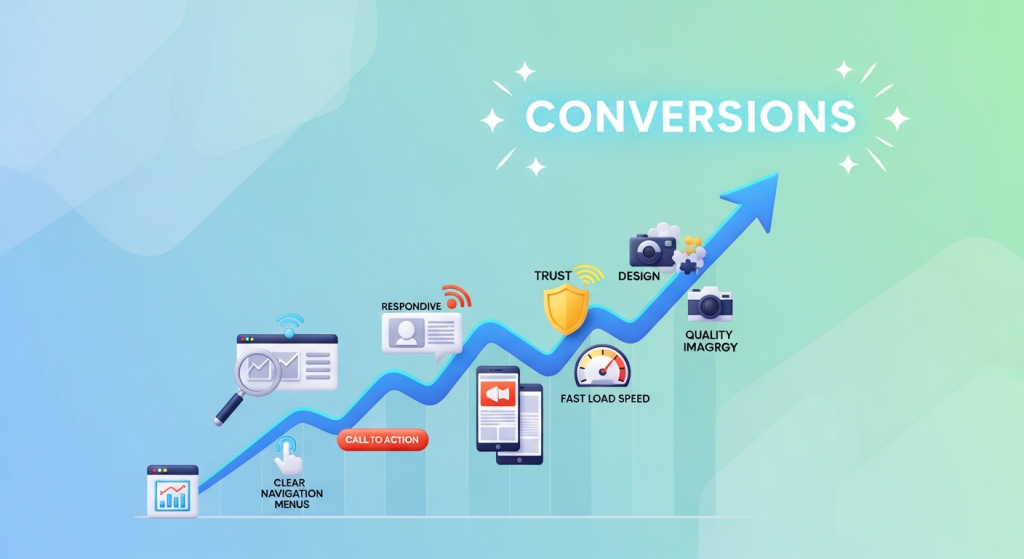 7 Web Design Elements That Boost Conversions Instantly Your website is your most powerful digital asset. It’s your 24/7 salesperson, your digital storefront, and often, the first impression a potential customer has of your brand. But is it doing its job? A beautiful website that doesn’t convert visitors into leads or customers is like a fancy sports car with no engine—it looks great, but it’s not going anywhere. Many small business owners fall into the trap of focusing solely on aesthetics, overlooking the strategic elements that actually drive action. The difference between a website that just exists and one that actively grows your business lies in conversion-focused design. This isn’t about secret formulas or magic tricks; it’s about understanding user psychology and intentionally guiding visitors toward a desired outcome. In this article, we’ll break down seven essential web design elements that can instantly improve your website’s performance. By implementing these proven strategies, you can transform your site from a passive online brochure into a powerful conversion machine. 1. A Crystal-Clear Value Proposition When a visitor lands on your homepage, you have about three seconds to answer their most pressing question: “What’s in it for me?” If they can’t figure out what you do and why they should care, they’ll hit the back button without a second thought. This is where your value proposition comes in. What is a Value Proposition? Your value proposition is a concise, compelling statement that clearly communicates the unique benefit you offer to your customers. It’s not just a slogan or a tagline. It should instantly tell visitors: Exactly what product or service you offer. Who your target customer is. The key problem you solve or the primary benefit you provide. Why you are the best choice over your competitors. How to Implement It Effectively Your value proposition should be the first thing people see, typically “above the fold” (the part of the page visible without scrolling). A classic, effective format includes a strong headline, a descriptive sub-headline, and a compelling hero image or video that visually reinforces your message. Focus on clarity over cleverness. Use simple language that anyone can understand and avoid industry jargon. 2. Intuitive and Simple Navigation Think of your website’s navigation as a roadmap. If the map is confusing, cluttered, or inaccurate, your visitors will get lost and frustrated. Great navigation, on the other hand, makes it effortless for users to find exactly what they’re looking for, guiding them smoothly through your site and toward your conversion goals. The “Don’t Make Me Think” Principle The golden rule of usability, as detailed in Steve Krug’s famous book, is to not make users think. Your menu labels should be predictable and conventional. While it might be tempting to use creative names like “Our Journey” or “Discover,” standard labels like “About Us” and “Services” are instantly recognizable and require zero mental effort from the user. According to usability research from the Nielsen Norman Group, users depend on clear navigation to understand your site’s structure and their place within it. Best Practices for Navigation Keep your main menu clean and concise, ideally with no more than seven items. Organize your pages in a logical hierarchy, and if you have many pages, use clear drop-down menus. A prominent search bar can also be a powerful tool, especially for sites with a lot of content. Clean navigation is not just good for users; it also helps search engines understand and index your site, which is a core component of a successful SEO strategy. 3. Strategic and High-Contrast Calls-to-Action (CTAs) You can’t expect visitors to take action if you don’t ask them to. A Call-to-Action (CTA) is exactly what it sounds like: a prompt, usually a button or a link, that encourages the user to take a specific next step. Effective CTAs are the critical link between a visitor browsing your site and becoming a lead or customer. What Makes a CTA Effective? The best CTAs use strong, action-oriented language. Instead of passive words like “Submit” or “Enter,” use benefit-focused phrases like “Get Your Free Quote,” “Download My Guide,” or “Start Your Free Trial.” The design is equally important. Your CTA buttons should use a color that contrasts sharply with the background and surrounding elements, making them impossible to miss. They should be large enough to click easily on both desktop and mobile devices. Placement is Everything Place CTAs strategically at points where the user is most likely to be ready to convert. This includes at the end of a blog post, below a list of services, or prominently in your website’s header. Don’t be afraid to repeat your primary CTA throughout a page to give users multiple opportunities to take the next step. 4. Mobile-First, Responsive Design In today’s digital landscape, designing for mobile is no longer an option—it’s a necessity. With over half of all global website traffic now coming from mobile devices, a poor mobile experience is a guaranteed way to lose customers. Google also uses mobile-first indexing, meaning it primarily uses the mobile version of your site for ranking and indexing. What “Mobile-First” Really Means A mobile-first approach means designing for the smallest screen first and then scaling up to larger devices. This forces you to prioritize the most essential content and features, resulting in a cleaner, more focused experience for all users. A responsive design ensures that your website automatically adjusts its layout, images, and text to fit any screen size, providing a seamless experience whether a visitor is on a smartphone, tablet, or desktop computer. A fully responsive website is a cornerstone of our Website Design Services because we know it’s fundamental to capturing leads from every possible source. Test your site on multiple devices to ensure buttons are easy to tap, forms are simple to fill out, and text is readable without pinching or zooming. 5. Trust Signals and Social Proof People do business with companies they know, like, and trust. For a new visitor who has never heard of
 Google’s Secret Ranking Formula Leaked: What Small Businesses Need to Know Now For years, business owners and marketers have treated Google’s search algorithm like a mysterious black box. We follow best practices, create great content, and hope for the best, all while Google offers vague advice about what truly matters for ranking. But what if the lid on that black box was suddenly blown wide open? That’s exactly what just happened. In a bombshell development, over 2,500 pages of internal Google API documentation were leaked, revealing thousands of potential ranking features. This isn’t speculation or a third-party study; it’s a direct look under the hood. While it’s a lot to digest, the leak confirms many long-held theories in the SEO community and provides a much clearer roadmap for what businesses should focus on. For small businesses, this is a game-changing opportunity to cut through the noise and focus on what really moves the needle for your online visibility. A Plain-English Summary of the Google Leak So, what was actually in this massive data dump? In short, the documents detail the various attributes and signals Google’s systems track and potentially use to rank webpages. The information was accidentally made public and discovered by SEO experts Rand Fishkin and Mike King, who have since shared their analyses. You can read their initial findings for a deep dive, but the implications for your business are what’s most important. The documents contradict some of Google’s public statements over the years, particularly around whether they use click data or a concept like “domain authority.” It turns out, they do, even if they call it by different names. This leak doesn’t mean you need to abandon your current digital marketing strategy. In fact, it mostly reinforces that a holistic, user-focused approach is the most sustainable path to success. It just gives us a much clearer picture of what “user-focused” means to Google’s machines. 4 Leaked Secrets That Change Your SEO Strategy Today Instead of getting lost in the technical details, let’s focus on the most impactful revelations. These are the confirmed concepts that should immediately influence how you approach your website, your content, and your overall marketing efforts. Secret #1: Clicks and User Behavior Are King For years, Google representatives have downplayed the role of user clicks in their ranking algorithm. However, the leak details a system internally named “NavBoost,” which appears to track and use click data extensively. It looks at things like which results users click on (and which they don’t), how long they stay on a page before returning to the search results (“long clicks” vs. “short clicks”), and other engagement signals to determine the usefulness of a page. What this means for you: Your job isn’t just to rank; it’s to earn the click and keep the visitor engaged. Your page titles and meta descriptions are more critical than ever. They must be compelling enough to entice a searcher to choose your result over a competitor’s. Once they land on your site, the page must deliver on its promise quickly and provide a great user experience to prevent them from bouncing back to Google. This confirms that a solid Conversion-focused web design is also a critical SEO factor. Secret #2: Your Brand’s Authority Is a Measured Factor The documents show that Google is very interested in establishing the authority of a website and its associated brand. There is a feature called `siteAuthority` mentioned, which is a site-level score. This confirms that Google doesn’t just evaluate individual pages in isolation; it looks at the credibility of your entire domain. This authority is built over time through consistent, high-quality content, positive brand mentions across the web, and authoritative backlinks. What this means for you: You need to think beyond simple link-building. Focus on building a real, recognizable brand. This includes public relations efforts, getting featured in industry publications, encouraging reviews, and establishing your key people as experts in their field. Every time your brand is mentioned positively online, even without a link, it contributes to this authority score. Secret #3: Content Freshness and Byline Dates Matter Have you ever wondered if you should update your old blog posts? The leak provides a clear answer: yes. The documents show multiple attributes related to dates, including bylines on articles and dates associated with the entire site. Google wants to provide users with the most current and relevant information, and it appears to use the freshness of your content as a direct signal of its relevance. What this means for you: A “set it and forget it” approach to content is dead. You should regularly audit your key website pages and blog posts to ensure they are accurate and up-to-date. Updating an old article with new information, statistics, and insights can give it a significant ranking boost. Make content updates a core part of your ongoing SEO & Content Strategy. Secret #4: Author Expertise Is Not Just a Guideline Google’s E-E-A-T (Experience, Expertise, Authoritativeness, and Trustworthiness) guidelines have long been a cornerstone of quality content. The leak shows that Google has systems in place to identify the authors of content and associate them with specific topics. This suggests that Google is trying to determine if the person writing the content is a genuine expert on the subject. What this means for you: Your “About Us” page and author bios are important SEO assets. Ensure they clearly establish the credentials and experience of your team. Encourage your key employees to build their professional profiles online and consistently contribute content under their own names. According to guidance from industry experts, associating content with credible authors is a powerful trust signal. How to Adapt Your Marketing in a Post-Leak World This new information might feel overwhelming, but the core message is actually empowering. Google is rewarding businesses that behave like real, authoritative, and helpful brands. The algorithm is designed to find the best answer for the user, and the best way to win is to genuinely be the best