Skip to content
 The Psychology Behind High-Converting Landing Pages: A Guide for Small Businesses What if your website could do more than just exist online? What if every click had a purpose, guiding visitors on a seamless journey from casual browser to loyal customer? This isn’t a matter of luck or magic; it’s a science. Specifically, it’s the science of high-converting landing pages, and its foundation is built on understanding human psychology. A landing page is your digital sales pitch. It’s a focused, standalone page designed with a single objective in mind, whether that’s capturing an email, scheduling a demo, or making a sale. Its success hinges not just on what you say, but on how you say it and the environment you create. By understanding the fundamental psychological triggers that influence decision-making, you can transform your landing pages from simple information portals into powerful conversion machines. For a small business, mastering this is a game-changer. You don’t need a massive budget to compete; you need a smarter approach. This guide will demystify the core psychological principles that turn clicks into customers, giving you actionable strategies to improve your online results. Why Psychology is Your Most Powerful Marketing Tool At its heart, marketing is about connection. It’s about understanding a customer’s problems, needs, and desires, and presenting your solution in a way that resonates deeply. A landing page is a controlled environment where you can apply these principles with precision. Every element, from the headline to the color of a button, can be optimized to tap into subconscious motivators and reduce friction in the user’s journey. Think of your visitor’s mindset. They arrive on your page with a question or a problem. They are looking for a clear, trustworthy, and compelling answer. Your job is to anticipate their thought process, address their objections before they even form, and build enough confidence to inspire action. By leveraging proven psychological frameworks, you can guide this process ethically and effectively, creating a better experience for the user and driving better results for your business. Key Psychological Principles for Landing Page Success Let’s break down the core principles that separate a mediocre landing page from a high-converting one. These concepts are universal because they are based on how the human brain is wired to process information and make decisions. 1. The Principle of Clarity: Less is More Our brains are wired for efficiency. We instinctively prefer things that are easy to understand and process, a concept known as cognitive fluency. A confusing or cluttered landing page creates “cognitive strain,” causing visitors to feel frustrated and abandon the page. The goal is to make your message so clear and simple that it requires virtually no mental effort to comprehend. One Goal, One Page: Every landing page should have a single, clearly defined goal. If you want them to download an ebook, every element should support that action. Don’t distract them with links to your blog, social media, or other services. A Compelling Headline: Your headline is the first—and sometimes only—thing people read. It must immediately answer the visitor’s question: “What’s in it for me?” Use it to state your unique value proposition clearly and concisely. Embrace White Space: White space (the empty area around text and images) isn’t wasted space; it’s a powerful design tool. It helps focus attention on key elements, improves readability, and gives your page a clean, professional feel. Simple Language: Avoid industry jargon and complex vocabulary. Write as you would speak to a customer. This clarity is a fundamental part of our professional Website Design Services, ensuring your message always connects. 2. Social Proof: The Power of the Crowd When we’re uncertain about a decision, we often look to others for guidance. This is social proof. Seeing that other people have used and trusted a product or service reduces our perceived risk and builds confidence. As a business, showcasing your existing customers’ satisfaction is one of the most persuasive things you can do. According to research and analysis by CXL, social proof is a powerful tool for optimizing conversions because it leverages our natural tendency to conform. Testimonials and Reviews: Use quotes from real, happy customers. Including their full name, company, and a photo adds a significant layer of authenticity. Case Studies: Go beyond a simple quote by detailing the problem a client faced, how your solution helped, and the measurable results they achieved. Trust Logos: Display logos of well-known clients you’ve worked with, awards you’ve won, or publications you’ve been featured in. Data and Numbers: Use specific numbers like “Trusted by 10,000+ small businesses” or “98% customer satisfaction rate” to provide concrete evidence of your value. 3. Scarcity and Urgency: The Fear of Missing Out (FOMO) The fear of missing out, or FOMO, is a powerful motivator. We tend to place a higher value on things we believe are in short supply or available for a limited time. This principle encourages visitors to act now rather than later, combating the natural human tendency to procrastinate. When used ethically, scarcity and urgency can significantly boost conversion rates. Limited-Time Offers: Use a countdown timer to show a deal expiring. This creates a clear and visual sense of urgency. Limited Quantities: Phrases like “Only 3 spots left” or “While supplies last” suggest scarcity and can prompt immediate action. Exclusive Access: Offer a special bonus or discount for the “first 100 sign-ups,” making the offer feel more exclusive and valuable. You can even leverage modern tools to deliver these messages effectively. For example, some of our clients use AI Automations for Small Business to personalize urgent offers based on user behavior, making them even more compelling. 4. Authority and Trust: Why Credibility Sells Before a customer will give you their money or personal information, they need to trust you. Building credibility is non-negotiable. Authority is the perception that you are an expert in your field. A professionally designed, secure, and transparent website is the foundation of this trust. The Nielsen Norman Group emphasizes that a site’s
 How Google’s New AI Overviews Are Changing the Game for Small Business SEO Have you noticed something different about your Google search results lately? A new, shaded box at the very top, giving you a detailed, summarized answer to your question? If so, you’ve just met Google’s AI Overviews, and it’s one of the biggest shifts in online search we’ve seen in a decade. For years, the goal was simple: get your business to the top of the search results page. But what happens when “the top” is no longer a list of links, but a single, AI-generated answer? It’s a question that’s causing a lot of anxiety for small business owners who rely on Google for traffic, leads, and sales. But before you panic, let’s take a deep breath. This isn’t the end of SEO; it’s the beginning of a new chapter. This article will break down exactly what’s happening, how it impacts your bottom line, and the practical steps you can take not just to survive, but to thrive in this new landscape. What Exactly Are AI Overviews and Why Should You Care? For the better part of a year, Google has been testing what it called the Search Generative Experience (SGE). Now, it’s officially rolling out to users across the United States under the new name: AI Overviews. At its core, the concept is straightforward. Instead of just providing a list of ten blue links and leaving the research to you, Google’s AI now reads and synthesizes information from multiple top-ranking web pages to create a comprehensive summary that directly answers your query. A Quick Breakdown of the Change Imagine you search for “best durable flooring for a pet-friendly home.” In the past, you’d get a list of articles, blogs, and store pages. You’d click on a few, compare the information, and make a decision. Now, an AI Overview might appear first, giving you a neat summary of the pros and cons of laminate, vinyl, and tile, complete with key features to look for. It’s designed to be faster and more convenient for the user. But here’s the crucial part for your business: that convenience can come at a cost. If the user gets their entire answer from the AI Overview, they may never feel the need to click through to any of the underlying websites. This is the evolution of the “zero-click search,” and it’s a direct threat to your website traffic. The Real Impact on Your Website Traffic and Leads Let’s be direct: for simple, informational queries, many websites are going to see a drop in traffic. If a user can get a quick fact, a definition, or a simple list from the AI Overview, the incentive to click on your link diminishes. However, it’s not all doom and gloom. In fact, this shift creates a powerful opportunity for businesses that are willing to adapt. Think about more complex searches—queries that involve nuance, personal preference, or a high-stakes purchase. While an AI Overview can provide a summary, users will still crave the depth, trust, and unique perspective that comes from a real, human-powered expert source. They will want to see case studies, watch video demonstrations, and read genuine customer reviews. This is where your business can shine brighter than ever before. The Silver Lining: New Opportunities in the Age of AI Search This isn’t an extinction event for SEO; it’s a call to evolve. The game is no longer just about ranking #1. It’s about becoming an indispensable, authoritative voice in your industry that both Google’s AI and human users trust implicitly. Here’s how you can reframe your strategy to win. Becoming a “Cited Source” in the Overview Look closely at most AI Overviews, and you’ll see small links to the websites the AI used to generate its answer. Getting your website featured as one of those cited sources is the new top prize. It’s a powerful endorsement from Google itself, signaling that your content is a cornerstone of the answer. This doesn’t happen by accident. It happens when you produce exceptionally high-quality, factual, and well-structured content that Google’s systems recognize as helpful. According to Google’s own guidelines for creating helpful content, the focus must be on information created for people, not just for search engine algorithms. Answering the Complex Questions As users get more comfortable with AI, their search queries will become more conversational and complex. They won’t just type “landscaper Austin.” They’ll ask, “What’s the best drought-resistant landscaping plan for a shady backyard in Austin, Texas?” Your content must evolve to answer these long-tail, highly specific questions. This means creating blog posts, service pages, and FAQs that dive deep into the niche problems your customers face. This is the heart of a modern SEO & Content Strategy; it’s about becoming the go-to resource for the detailed answers your competitors are too lazy to provide. Your 5-Point Action Plan to Adapt and Win Feeling a bit overwhelmed? That’s normal. Let’s break it down into a clear, actionable plan that you can start implementing today to make your business more resilient to these changes. 1. Double Down on E-E-A-T: This acronym stands for Experience, Expertise, Authoritativeness, and Trustworthiness. It’s the framework Google uses to assess content quality. Now more than ever, you need to prove your credibility. This means showcasing author bios with real credentials, displaying customer testimonials, securing positive press, and writing from a place of genuine, first-hand experience. As the experts at Moz point out, E-E-A-T is crucial for building the trust that influences both rankings and AI inclusion. 2. Create In-Depth, “People-First” Content: The era of thin, 500-word blog posts is over. Your goal should be to create the single best resource on the internet for a given topic. Think ultimate guides, detailed case studies with real data, original research, and side-by-side product comparisons. Create content so valuable that an AI summary simply can’t do it justice, compelling users to click to get the full story. 3. Optimize Your Entire Digital
 From Clicks to Customers: The Ultimate Guide to a High-Converting Website You’ve invested time and money into building a beautiful website. You’re getting traffic, people are visiting your pages, but there’s a problem: your contact form is empty, and your phone isn’t ringing. This is a common frustration for small business owners. Traffic is great, but if those visitors don’t take the desired action—making a purchase, booking an appointment, or signing up for a newsletter—your website isn’t doing its job. The bridge between a visitor and a customer is called a “conversion.” A conversion is simply when a user completes a goal you’ve set for them. The percentage of visitors who convert is your conversion rate, and it’s one of the most important metrics for your business’s online success. So, what separates a digital brochure from a powerful, customer-generating machine? It’s not a single magic bullet, but a strategic combination of design, psychology, and technical excellence. This guide will break down the essential elements that make a website convert. The Foundation: A Flawless User Experience (UX) Before a visitor reads a single word of your copy, they form an impression based on how your website looks, feels, and functions. This is User Experience, or UX. Great UX means your site is easy, intuitive, and enjoyable to use. If a user gets frustrated, confused, or impatient, they will leave and likely never return. A seamless experience, on the other hand, builds trust and guides them effortlessly toward conversion. Intuitive Navigation and Site Structure Imagine walking into a large store with no signs or logical layout. You’d quickly get frustrated and leave. Your website is no different. Visitors should be able to find what they’re looking for with minimal effort. A clear, logical navigation menu is paramount. Group related pages together under obvious headings (e.g., “Services,” “About Us,” “Contact”). Your logo should always link back to the homepage, and your contact information should be easy to locate. The goal is to reduce friction and make the user’s journey as smooth as possible. Mobile-First Design is Non-Negotiable Today, more than half of all web traffic comes from mobile devices. If your website isn’t optimized for a small screen, you are alienating a massive portion of your potential customers. A mobile-responsive design automatically adjusts its layout to fit any screen size, from a desktop monitor to a smartphone. But modern web development goes a step further with a “mobile-first” approach. This means the design process starts with the smallest screen and scales up, ensuring the core experience is perfect for mobile users. As Google now primarily uses the mobile version of a site for indexing and ranking, a stellar mobile experience is critical for both conversions and visibility. Lightning-Fast Page Speed Patience is in short supply online. Every second your website takes to load, you lose potential customers. Studies have shown a direct correlation between page load time and bounce rate (the percentage of visitors who leave after viewing only one page). A slow site feels unprofessional and frustrating, damaging user trust before they even have a chance to see your offerings. Your website should load in three seconds or less. This is achieved through optimized images, clean code, and quality web hosting. Slow speed is a silent conversion killer, so making your site faster is one of the highest-impact improvements you can make. Compelling Content and Persuasive Copy Once you’ve nailed the technical foundation, it’s time to focus on your message. Your website’s content must grab attention, communicate your value, and persuade visitors that you are the right solution to their problem. This is where strategic copywriting and high-quality visuals come into play. Crystal-Clear Value Proposition When someone lands on your homepage, they should immediately understand three things: what you offer, who it’s for, and why they should choose you over your competitors. This is your value proposition. It should be a clear, concise statement placed “above the fold” (the part of the page visible without scrolling). Avoid vague jargon and corporate buzzwords. Instead, focus on the tangible benefits and results you deliver for your customers. A strong value proposition makes a great first impression and gives visitors a compelling reason to stay and explore. Speak to Your Customer, Not at Them The most effective website copy focuses on the customer’s needs, not the company’s accomplishments. Frame your services in terms of benefits, not just features. A feature is what your product *does* (e.g., “we use advanced carbon fiber materials”). A benefit is what the customer *gets* (e.g., “a lighter, more durable product that lasts twice as long”). Use “you” and “your” to speak directly to the reader. By addressing their pain points and aspirations in a language they understand, you build a connection and show that you truly get them. Building Trust and Credibility People do business with companies they know, like, and trust. For a new visitor who has never heard of you, your website has a big job to do in a short amount of time. Every element, from the design to the content, should work to build credibility and make the visitor feel confident in their decision to engage with you. The Power of Social Proof One of the most powerful tools for building trust is social proof. When potential customers see that others have had a positive experience with your business, it reduces their perceived risk. According to a study by the Nielsen Norman Group, a leader in user experience research, users rely on the experiences of others to make decisions. There are many ways to incorporate social proof on your site: Testimonials and Reviews: Display quotes from happy clients, ideally with their photo and name, to add authenticity. Case Studies: Provide in-depth stories that detail a customer’s problem, your solution, and the measurable results you achieved. Client Logos: If you work with recognizable brands, displaying their logos can lend instant credibility to your business. Awards and Certifications: Showcase any industry awards, accreditations, or security badges to
 Google’s AI Overviews Are Here. Is Your Small Business Ready? Take a look at a Google search results page today. Notice anything different? Right at the very top, where you’d typically see the first organic result or a featured snippet, there’s something new: a conversational, AI-generated summary designed to answer your query directly. This is Google’s AI Overview, and it isn’t a test or a temporary feature—it’s the new face of search, and it represents one of the most significant shifts in online visibility in over a decade. For small business owners, this can feel both exciting and a little daunting. The digital landscape you’ve worked so hard to understand is changing right before your eyes. Will this new feature help or hurt your website traffic? How do you get your business mentioned in these summaries? The good news is that with the right approach, you can turn this change into a powerful new opportunity for growth. This article will break down exactly what Google AI Overviews are, how they impact your business, and the actionable steps you can take to stay ahead of the curve. What Exactly Are Google’s AI Overviews? In simple terms, an AI Overview is a summary generated by Google’s artificial intelligence, Gemini, that appears at the top of the search results for many queries. Instead of just giving you a list of blue links to click, Google now attempts to synthesize information from multiple high-ranking web pages to provide a direct, comprehensive answer to the user’s question. You’ve likely seen them already when searching for recipes, product comparisons, or “how-to” guides. According to Google’s official announcement, the goal is to help users get a quick gist of a topic, find what they’re looking for faster, and handle more complex, multi-step questions. The AI pulls in text, images, and even product links into a single, easy-to-digest block. It’s designed to feel less like a search engine and more like a conversation with an expert. This is a fundamental change in user behavior. For years, the goal of SEO was to get the user to click on your link. Now, the first goal is to have your information be so valuable and clear that Google’s AI chooses it to help construct its answer. Being part of that overview is the new “position zero.” The Big Question: How Will This Impact Your Website Traffic? Let’s address the elephant in the room: the fear of the “zero-click search.” If Google gives the user a perfect answer right on the results page, why would they need to click through to your website? It’s a valid concern, and for some informational queries, businesses may see a dip in traffic. However, it’s not that simple. This shift also creates incredible new opportunities. The Risks and the Rewards The primary risk is a potential decrease in raw click-through rates for broad, top-of-funnel keywords where a simple answer suffices. If someone just wants to know the boiling point of water, they’ll get their answer from the AI Overview and move on. But most business-related searches are far more complex. The reward is immense. When your business is cited as a source within an AI Overview, it’s a powerful endorsement. It positions your brand as an authority and a trusted resource in your field, right at the top of the page. Furthermore, users looking for nuanced information, specific products, or professional services will still click through to the original sources to dive deeper. Getting featured in the AI Overview means you’re far more likely to get that valuable, high-intent click. This is where a modern SEO & Content Strategy becomes absolutely critical. It’s no longer just about ranking; it’s about becoming an essential part of the new search experience. 5 Actionable Steps to Optimize for Google’s AI Search So, how do you adapt? The core principles of good SEO haven’t been thrown out the window. In fact, they’ve become more important than ever. Google’s AI needs high-quality, reliable, and well-structured information to function. Your job is to provide it with the best possible data about your industry, products, and services. Here’s how to get started. Double Down on High-Quality, People-First Content This is non-negotiable. The age of keyword-stuffing and thin content is officially over. Google’s AI is designed to recognize and reward content that demonstrates real expertise, experience, authoritativeness, and trustworthiness (E-E-A-T). Your content needs to be genuinely helpful, insightful, and written for your human audience. Think about the most common questions your customers ask and create comprehensive, best-in-class content that answers them thoroughly. The more you establish your website as a hub of reliable information, the more likely the AI will be to use and cite it. Master Conversational and Long-Tail Keywords People interact with AI differently than with a traditional search box. They ask full questions. Instead of typing “roofer Dallas,” a user might now ask, “what are the signs I need a new roof on my house in the Dallas area?” This is a shift towards long-tail, conversational keywords. Your content strategy should reflect this. Use tools like AnswerThePublic or simply look at Google’s “People Also Ask” section to find the exact questions your audience is asking. Then, create dedicated pages or blog posts that answer those questions directly and clearly, often using the question itself in your heading. Structure Your Content for Absolute Clarity AI models love well-structured data. It makes your content easier for them to crawl, understand, and extract key information from. Think of it as creating a perfect “cheat sheet” for Google. Use clear and logical HTML formatting: Use a single H1 for your page title. Break up your content with descriptive H2 and H3 subheadings. Use bullet points and numbered lists to present information concisely. Implement Schema markup (structured data) on your site. This is backend code that explicitly tells search engines what your content is about—whether it’s a product, a recipe, a local business, or an FAQ page. A well-structured site is a core component
 The Perfect Balance: A Small Business Guide to SEO and User Experience The Great Debate: Designing for Google or for People? As a small business owner, you know your website is your most important digital asset. It’s your 24/7 salesperson, your brand ambassador, and your primary tool for generating leads. But when it comes to designing it, a common question arises: should you prioritize search engine optimization (SEO) to please Google, or user experience (UX) to delight your customers? For years, this has been framed as a conflict, forcing businesses to choose between a site that ranks well and one that people love to use. The truth is, this is a false choice. In today’s digital landscape, SEO and UX are not competing forces; they are two sides of the same coin. A website that provides a fantastic user experience is more likely to rank well on search engines, and a well-optimized site drives qualified traffic to a platform designed for conversion. Thinking of them as separate strategies is an outdated approach that will leave you trailing the competition. The most successful businesses understand that the secret to online growth lies in balancing both. Let’s quickly define our terms. SEO is the practice of optimizing your website to be found by search engines for relevant queries. It’s how you get people in the door. UX, on the other hand, is the overall feeling a person has when using your website. It’s about making their visit easy, intuitive, and enjoyable. It’s how you make them want to stay, explore, and ultimately, do business with you. Why You Can’t Afford to Ignore Either Imagine you invest heavily in SEO. Your website ranks number one for your target keyword. But when visitors arrive, they find a site that’s slow, confusing to navigate, and impossible to use on their phone. They’ll leave in seconds, frustrated and unlikely to return. This is the cost of poor UX. Your high traffic numbers mean nothing if no one converts. Now, picture the opposite. You’ve built a beautiful, fast, and incredibly user-friendly website. It’s a joy to use. The only problem? No one can find it. It’s buried on page ten of Google’s search results. This is the cost of poor SEO. Your perfect website is like a stunning storefront on a deserted street. Search engines like Google have become incredibly sophisticated. They no longer just scan for keywords. They pay close attention to user behavior signals to determine a site’s quality and relevance. These signals include: Dwell Time: How long a visitor spends on your page before returning to the search results. Longer dwell times suggest your content is valuable and engaging—a huge plus for UX and SEO. Bounce Rate: The percentage of visitors who leave your site after viewing only one page. A high bounce rate can signal to Google that your page isn’t a good match for the search query, harming your rankings. Click-Through Rate (CTR): The percentage of people who click on your link in the search results. A compelling title and description (SEO) that accurately reflects a great on-page experience (UX) will improve your CTR. When you provide an excellent user experience, these metrics improve naturally. Google takes notice and rewards you with better visibility. This creates a powerful, self-reinforcing cycle of growth: good SEO brings in the right visitors, and good UX turns them into happy customers, which in turn sends positive signals back to Google. Key Areas Where SEO and UX Overlap Instead of thinking about SEO and UX as separate checklists, focus on the areas where they naturally intersect. Improving these elements will deliver a double benefit, boosting both your search rankings and your customer satisfaction. Website Speed and Performance Patience is not a virtue on the internet. A slow-loading website is a major turn-off for users and a significant red flag for search engines. Google has made page speed a direct ranking factor, formalizing it with metrics called Core Web Vitals. From a UX perspective, if your site takes more than a few seconds to load, a large portion of your visitors will simply give up and go to a competitor. Optimizing images, leveraging browser caching, and choosing a good hosting provider are crucial steps that serve both masters. Mobile-First Design More than half of all web traffic now comes from mobile devices. In response, Google has shifted to mobile-first indexing, meaning it primarily uses the mobile version of your website for ranking and indexing. If your site is difficult to read, navigate, or use on a smartphone, you’re not just frustrating a majority of your users—you’re actively damaging your SEO potential. A responsive design that adapts seamlessly to any screen size is no longer a “nice-to-have”; it’s an absolute necessity for modern Website Design Services. Simple, Intuitive Site Structure A well-organized website is a win for everyone. For users, a logical navigation menu, clear information hierarchy, and features like breadcrumb trails make it easy to find what they’re looking for without confusion. This reduces frustration and keeps them on your site longer. For search engines, a clear structure helps their crawlers understand the relationship between your pages, discover new content, and properly index your entire site. A logical URL structure (e.g., `yourdomain.com/services/web-design`) is both user-friendly and SEO-friendly. High-Quality, Well-Structured Content Content is where SEO and UX truly become one. Your goal is to create content that answers your target audience’s questions thoroughly and authoritatively. An effective SEO Strategy involves researching the keywords and phrases your potential customers are using. But simply stuffing those keywords into thin or poorly written content is a recipe for failure. Your content must also be structured for human readers. Use clear headlines (H1, H2, H3), short paragraphs, bullet points, and relevant images to make your information scannable and easy to digest. This approach satisfies search intent for Google and provides real value for your users. Practical Strategies to Harmonize SEO and UX Knowing that SEO and UX are partners is the first
 Google’s AI Overviews Are Here. Is Your Business Ready? If you’ve used Google in the past few weeks, you may have noticed something new at the top of the search results: a detailed, AI-generated summary answering your question directly. This is Google’s new “AI Overview,” and it represents one of the most significant shifts in search engine technology in over a decade. For small business owners, this isn’t just a minor tweak; it’s a fundamental change in how customers will find you online. The initial shock and awe are understandable. Will people still click on websites? Is SEO dead? The short answer is no, but your approach to online visibility must evolve, starting today. This isn’t a future trend to watch—it’s the new reality of digital marketing. Let’s break down what AI Overviews are, how they will impact your business, and the practical steps you can take to ensure you don’t get left behind. What Exactly Are Google AI Overviews? Think of AI Overviews as a supercharged featured snippet. When you type a query into Google, its generative AI model, Gemini, analyzes the top-ranking web pages to create a concise, conversational summary that directly answers your question. This summary appears right at the top of the page, above the traditional list of blue links. It often includes images, links to sources, and follow-up questions. According to Google’s own announcement, the goal is to help users get answers to more complex questions faster, without having to piece together information from multiple websites. For example, instead of searching for “best dog-friendly parks in Austin” and then separately searching “what to bring to a dog park,” a user can ask, “plan a day trip to a dog-friendly park in Austin.” The AI Overview will synthesize information to create a mini-itinerary. This is a game-changer because it changes the fundamental user behavior of “search, click, read.” The new model is becoming “ask, get answer.” For your business, this means the fight is no longer just to be on the first page; it’s to be a trusted source that Google’s AI uses to build its answers. The Real Impact on Your Small Business Website The primary concern for most business owners is a potential drop in website traffic. If Google answers the user’s question directly on the results page, why would they need to click through to your site? This is a valid fear, often referred to as an increase in “zero-click searches.” While some informational queries might see a traffic decrease, the situation is more nuanced. Shifting from Clicks to Credibility Your new goal is twofold. First, you still want to attract clicks for complex, high-intent searches that an AI summary can’t fully satisfy. Second, and just as importantly, you want your content to be cited as a source within the AI Overview. Being featured in these summaries builds immense brand credibility and authority. It positions your business as a leader in your field, even if it doesn’t immediately result in a click. Think of it as digital word-of-mouth, powered by Google’s AI. The Rise of Commercial and Local Intent AI Overviews will likely have less impact on searches with strong commercial or local intent. When someone is searching for “emergency plumber near me” or “buy women’s running shoes size 8,” they aren’t looking for a summary—they’re looking to take action. For these crucial, bottom-of-the-funnel keywords, the traditional search results and local map packs will remain incredibly important. However, the informational content that leads them to that decision point is where the battleground is shifting. Your New SEO Playbook: 5 Strategies to Thrive in the Age of AI Search Adapting your digital marketing strategy doesn’t require you to throw everything out and start over. It means sharpening your focus on quality, authority, and a deeper understanding of your customer’s journey. Here are five actionable strategies to get you started. 1. Double Down on True Expertise and Authority (E-E-A-T) Google’s algorithm has been prioritizing Experience, Expertise, Authoritativeness, and Trustworthiness (E-E-A-T) for years, and AI Overviews make it non-negotiable. The AI will pull information from sources it deems the most credible. Vague, generic content won’t make the cut. Create content that showcases your unique, first-hand experience. Share case studies, customer success stories, and in-depth tutorials that only an expert in your field could produce. Include clear author bios and link to professional profiles to signal who is behind the content. Ensure your website has clear contact information, an “About Us” page, and positive customer reviews to build trust signals. This is the core of a modern SEO & Content Strategy; it’s about proving you are a legitimate and helpful resource. 2. Target Long-Tail, Conversational Keywords Simple, one-or-two-word searches are the most likely to be answered completely by an AI Overview. The opportunity now lies in more complex, conversational, and long-tail keywords. Think about the specific, nuanced questions your customers ask you every day. Instead of “landscaping ideas,” target “what are the best low-maintenance, drought-resistant plants for a sunny front yard in California?” Use tools like AnswerThePublic or Google’s “People Also Ask” section to find real questions people are typing into the search bar. Structure your content in a question-and-answer format. Use headings for each question to make it easy for Google’s crawlers to find and extract the answer. 3. Optimize for Rich Results with Structured Data Structured data (or schema markup) is code you add to your website’s backend to help search engines understand your content more deeply. It’s what powers rich results like star ratings, product prices, and event dates directly in the search results. An analysis from Search Engine Journal suggests that sites with strong structured data are well-positioned to be featured in AI-powered results. Make sure you’re using schema for: Products and services Reviews and ratings FAQs Local business information (address, phone number, hours) Articles and blog posts Properly implementing this is a technical task, but it’s a crucial part of our Website Design Services because it provides a direct line of
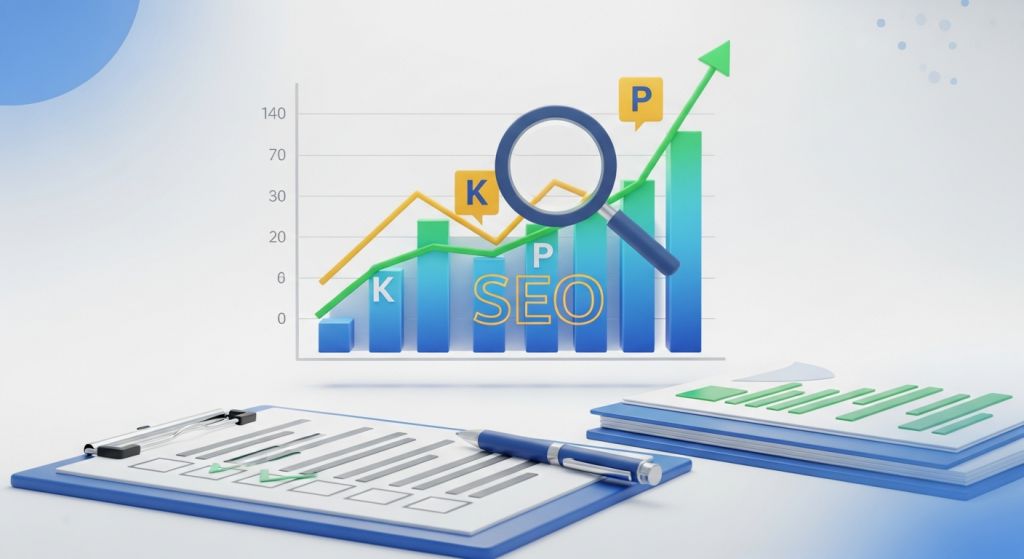 Are Your SEO Efforts Actually Working? Why Reporting and KPIs are a Small Business Game-Changer You’ve invested in search engine optimization because you know it’s essential for long-term growth. You’re creating content, building links, and optimizing your site. But a crucial question often hangs in the air for many small business owners: is it actually working? How do you know if your investment is paying off in more than just vague promises of “more traffic”? The answer lies in effective SEO reporting and a laser-focus on the right Key Performance Indicators (KPIs). Without them, you’re flying blind, pouring time and money into a strategy without a map. This guide will demystify SEO reporting, helping you understand what to measure, why it matters, and how to use that data to drive real, tangible results for your business. What is SEO Reporting (And Why Should You Care)? In simple terms, SEO reporting is the process of collecting and analyzing data about your website’s performance in search engines like Google. A good report doesn’t just throw numbers at you; it tells a story about your online visibility, audience behavior, and how your digital marketing efforts are contributing to your bottom line. For a small business, this isn’t a “nice-to-have” administrative task—it’s a fundamental part of a successful growth strategy. Here’s why it’s so critical: It Provides Accountability: Whether you’re handling SEO in-house or working with an agency, reports provide clear accountability. They show what work has been done and what results it has produced. It Demonstrates ROI: SEO is an investment, not an expense. Clear reporting connects your SEO activities directly to key business goals like leads, sales, and revenue, proving your return on investment (ROI). It Enables Smarter Decisions: Data-driven insights are your best friend. A report can tell you which blog topics are resonating with your audience, which pages are driving conversions, and where technical issues might be holding you back. This allows you to double down on what works and fix what doesn’t. It Uncovers Opportunities: Are you suddenly ranking for a new, high-value keyword? Is a competitor’s website traffic dipping? SEO reports help you spot trends and opportunities you can capitalize on before anyone else. Moving Beyond Vanity Metrics: The KPIs That Truly Matter One of the biggest mistakes in tracking SEO performance is focusing on “vanity metrics.” These are numbers that look impressive on the surface but don’t necessarily translate to business success. A huge spike in website traffic is great, but not if none of those new visitors ever become customers. Instead, a successful SEO Strategy focuses on actionable KPIs that are directly tied to your business objectives. Let’s break down the most important ones into three key categories. 1. Visibility and Traffic KPIs These metrics tell you how visible your brand is in search results and how many people are finding their way to your website. Organic Traffic: This is the number of visitors who arrive at your site by clicking on a link from a search engine results page (SERP), not from a paid ad. It’s the lifeblood of any SEO campaign and a primary indicator of your overall search visibility. A steady increase in organic traffic over time shows your strategy is gaining traction. Keyword Rankings: This is a classic SEO metric that tracks your website’s position in search results for specific keywords. While you shouldn’t obsess over daily fluctuations, monitoring your rank for a core set of high-intent keywords is crucial. Seeing your site move from page three to page one for a term like “local accountant in [Your City]” is a clear sign of progress. Impressions & Click-Through Rate (CTR): Impressions are the number of times your website appeared in someone’s search results. Your Click-Through Rate is the percentage of people who saw your listing and actually clicked on it. A high number of impressions with a low CTR might signal that your page titles and meta descriptions aren’t compelling enough to earn the click, giving you a clear area for improvement. 2. Engagement and User Experience KPIs Once users land on your site, what do they do? These KPIs measure how engaging and user-friendly your website is, which is a major factor in how Google ranks you. Bounce Rate & Dwell Time: Bounce rate is the percentage of visitors who leave your site after viewing only one page. Dwell time is how long they stay on a page before returning to the search results. A high bounce rate and low dwell time can indicate that your content isn’t matching the searcher’s intent or that your site provides a poor user experience. Improving your site’s navigation and content is key here, which often starts with professional Website Design Services that prioritize the user journey. Pages Per Session: This metric shows the average number of pages a visitor views during a single session. A higher number suggests that users are engaged and find your content valuable enough to explore further, which sends positive signals to search engines. Core Web Vitals: This is a set of specific factors that Google considers important in a webpage’s overall user experience. As explained by Google’s own web.dev initiative, they measure loading speed, interactivity, and visual stability. A site that is fast, responsive, and stable not only keeps users happy but is also rewarded with better search rankings. 3. Conversion and Revenue KPIs This is where the rubber meets the road. These KPIs connect your SEO efforts directly to business outcomes and are arguably the most important metrics for any small business owner. Conversion Rate: This is the percentage of your website visitors who complete a desired action, or “conversion.” A conversion can be anything you define as valuable: filling out a contact form, signing up for a newsletter, downloading a guide, or making a purchase. A rising organic conversion rate is the clearest sign that your SEO is attracting the *right* kind of traffic. Goal Completions: In tools like Google Analytics, you can set up specific
 The Google Search You Knew is Gone: How Your Business Can Thrive in the Age of AI Overviews Take a moment and think about how you use Google. For over two decades, the process has been the same: you type a question, you get a list of ten blue links, and you click the one that looks most promising. That era is officially over. In a move that will redefine online visibility, Google has begun rolling out AI-powered summaries, called AI Overviews, directly at the top of its search results for everyone. This isn’t a test. It isn’t a feature you can opt out of. It is the new reality of search. For small business owners, this change can feel intimidating. Will people still click through to my website if Google gives them the answer directly? How can my business possibly show up in these new AI-generated results? These are valid concerns, but this shift is also a massive opportunity for businesses that are ready to adapt. This guide will break down exactly what this change means for you and provide a clear, actionable plan to ensure your business doesn’t just survive, but thrives in this new landscape. What Exactly Are AI Overviews and Why Should You Care? You’ve likely seen them already. You search for something like “how to fix a leaky faucet,” and before you even see a single website link, there’s a shaded box at the top with a complete, paragraph-style answer. That’s an AI Overview. As Google officially announced at its recent I/O conference, this feature is now the default for billions of users. From a List of Links to a Single Conversation Google’s AI is now actively reading, understanding, and synthesizing information from multiple web pages to construct a single, comprehensive answer to a user’s query. It pulls in facts, images, and even product links, presenting them in a conversational format. While it does include links to its sources, they are often presented in small carousels or cards within the AI answer, a stark departure from the familiar ranked list we’ve used for years. The core implication for your business is a potential disruption to your website traffic. For years, the goal of SEO has been to rank in the top few positions to earn a click. Now, the new top position is an AI-generated summary, a reality that marketing experts predict could accelerate the trend of “zero-click searches”, where users get their answer on the results page itself without ever visiting another website. Is This the End of Website Traffic? Not at all, but it is a fundamental change in the *type* of traffic you’ll need to attract. Simple, informational queries (e.g., “what is the capital of Vermont?”) are more likely to be fully answered by AI. However, more complex, nuanced, and purchase-intent queries will still drive users to seek out the expertise and trust of a real business website. The key is to shift your focus from simply being an answer to being the definitive, most trustworthy source that Google’s AI wants to cite and that users *need* to click to learn more. The New Playbook: How to Optimize for Google’s AI Panic is not a strategy. Action is. Getting your business featured in AI Overviews, or at least being a primary source for them, requires a deliberate evolution of your digital marketing strategy. It’s about doubling down on what has always worked in SEO: quality, authority, and user experience. 1. Become the Undisputed Authority (E-E-A-T is Everything) If Google is going to put its own brand on an AI-generated answer, it needs to be absolutely certain the information is accurate and trustworthy. To do this, its algorithms rely heavily on the principles outlined in its quality guidelines, known as E-E-A-T: Experience, Expertise, Authoritativeness, and Trustworthiness. Now more than ever, you must prove to Google that you are a true expert in your field. Show, Don’t Just Tell: Showcase your real-world experience. If you’re a plumber, create detailed case studies of complex jobs. If you’re a financial advisor, write in-depth articles about navigating specific market conditions. Authoritative Content: Publish comprehensive, well-researched content that covers a topic more thoroughly than anyone else. Think ultimate guides, original research, and detailed tutorials. Build Trust Signals: Ensure your website has a detailed “About Us” page, clear author bios for blog posts, easily accessible contact information, and glowing testimonials from real customers. 2. Master Conversational and Long-Tail Keywords People interact with AI conversationally. They don’t just type “plumber chicago”; they ask, “who is the best plumber in Chicago for an emergency water heater repair on a weekend?” Your SEO and content strategy needs to reflect this shift. Focus on answering the highly specific, long-tail questions your potential customers are asking. Use free tools like Google’s “People Also Ask” section or AnswerThePublic to discover these questions. Then, create dedicated blog posts or FAQ sections on your website that answer them directly and comprehensively. When you become the best source for answering these specific, high-intent questions, you become a prime candidate for being featured in an AI Overview. 3. Structure Your Content for AI Readability An AI model is not a human reader. It scans and parses content looking for clear signals and structured data. To make it easy for Google’s AI to understand and cite your content, you need to format it cleanly. Use a Logical Heading Structure: Use H1s for titles, H2s for main sections, and H3s for sub-points. This creates a clear hierarchy. Answer Questions Directly: Start pages that target a specific question with a direct, concise answer before elaborating further. Leverage Lists and Bullet Points: Break down complex information into numbered lists or bullet points (like this one!) to make it easily digestible for both humans and AI. Use Schema Markup: This is a type of code you add to your website to help search engines understand the context of your content. Implementing FAQ schema, review schema, or product schema can give Google the structured
 How to Write SEO-Friendly Service Pages That Convert Your service pages are the most important part of your digital storefront. They are where a curious visitor decides whether to become a paying customer. Yet, too many businesses treat them as an afterthought, resulting in pages that are invisible to search engines and unpersuasive to potential clients. A great service page does two jobs flawlessly: it attracts the right audience through search engine optimization (SEO) and it convinces them to take action. If your service pages aren’t generating leads, you’re leaving money on the table. This guide will walk you through a step-by-step process to create high-performing service pages that climb the search rankings and boost your bottom line. We’ll cover everything from finding the right keywords to crafting compelling copy and designing for conversion. Why Your Service Pages Are a Business-Critical Asset Think of your website as your 24/7 sales team. Your homepage is the friendly greeting, your blog is the helpful expert, but your service pages are the closers. They are the pages that directly connect what you offer with what your customers desperately need. When someone lands on your “Residential Roofing” or “Small Business Accounting” page, they are no longer just browsing; they have a specific problem and are actively looking for a solution. This is where the magic needs to happen. A well-optimized service page accomplishes two primary goals: It Captures Search Traffic: It ranks on Google for keywords that potential customers are using, bringing a steady stream of qualified leads to your digital doorstep. It Drives Conversions: It clearly communicates the value of your service, builds trust, and makes it easy for visitors to take the next step, whether that’s filling out a form, making a call, or scheduling a consultation. Without excelling at both, your pages will fail to deliver a return on investment. A page that ranks well but doesn’t convert is just a vanity metric, and a beautiful page that no one can find is a wasted effort. The Foundation: Strategic Keyword Research for Services Before you write a single word, you need to understand the exact language your customers are using to find services like yours. This is the core of keyword research. It’s not about stuffing your page with buzzwords; it’s about aligning your content with your customer’s intent. Understanding User Intent User intent is the “why” behind a search query. For service pages, you want to target keywords with commercial or transactional intent. These are searches made by people who are ready to hire or buy. For example: Informational Intent: “how to fix a leaky faucet” Commercial Intent: “best plumber in Denver” Transactional Intent: “emergency plumbing services near me” Your service page should target the commercial and transactional keywords. The person searching for “how to fix a leaky faucet” is in a DIY mindset, while the person searching for “emergency plumbing services” needs to hire a professional right now. How to Find the Right Service Keywords Start by brainstorming a list of terms related to your service. Think like a customer. What would you type into Google if you needed what you sell? Write down everything that comes to mind. Then, expand your list by looking at what your direct competitors are ranking for. You can often find their main keywords in their page titles and headings. Focus on “long-tail keywords,” which are longer, more specific phrases. While a keyword like “landscaping” is highly competitive, a long-tail keyword like “drought-tolerant garden design in Austin” is far more specific. It will have lower search volume, but the traffic it attracts is significantly more qualified and more likely to convert. Crafting Compelling Content That Ranks and Converts With your keywords in hand, it’s time to create content that speaks to both search engines and human visitors. Your goal is to be clear, persuasive, and trustworthy. Write a Magnetic Headline (H1 Tag) Your H1 headline is the first thing most people will read. It needs to be crystal clear and include your primary keyword. A winning formula is: Service + Benefit + Location (if applicable). For example: “Professional Teeth Whitening in San Diego for a Brighter, More Confident Smile” This headline immediately tells the visitor what the service is, where it’s offered, and what the ultimate benefit is. It’s a powerful first impression. Hook Them with an Engaging Introduction The first paragraph should grab the reader’s attention by addressing their main pain point. Show them you understand their problem. Then, briefly introduce your service as the ideal solution. Avoid a long-winded company history; get straight to the point and focus on the customer’s needs. Detail Your Service with Clarity and Persuasion This is the core of your page. Break down your service into digestible sections. Use subheadings (H2s and H3s) to structure the content and make it easy to scan. In this section, you should explain: What the service includes: Use bullet points to list the specific deliverables or features. Who the service is for: Clearly identify your ideal customer so they feel seen and understood. The benefits of your service: This is critical. Don’t just list features; explain how those features benefit the customer. Instead of saying “We use SEO software,” say “We use cutting-edge SEO software to uncover hidden opportunities and drive more qualified traffic to your website.” Your process: Briefly walk them through the steps of working with you. This demystifies the process and makes it feel less risky to get started. Build Trust with Social Proof People trust other people more than they trust marketing copy. Weave social proof throughout your service page to build credibility. This can include client testimonials, short case study summaries, logos of well-known companies you’ve worked with, or industry certifications. This not only builds confidence in your visitors but also helps demonstrate your credibility to search engines, aligning with Google’s principles for helpful, people-first content. On-Page SEO Essentials for Service Pages On-page SEO refers to the technical optimizations you make directly on the
 Google’s New AI Overviews Are Changing SEO: Here’s What Your Small Business Needs to Do If you’ve used Google in the last few weeks, you’ve probably noticed something different. Right at the top of the search results, where you used to see a list of blue links, there’s often a new, detailed, AI-generated summary answering your question directly. This is Google’s “AI Overview,” and it represents one of the most significant shifts in search engine technology we’ve seen in a decade. For small business owners, this isn’t just a cosmetic change; it’s a fundamental shake-up of how customers find you online. You might be feeling a mix of curiosity and concern. Will this new feature siphon away your website traffic? Will all your hard work on SEO become obsolete? The short answer is no, but your strategy absolutely needs to adapt. This change isn’t a roadblock; it’s a detour that requires a new map. In this article, we’ll break down exactly what AI Overviews are, how they will likely impact your business, and provide a clear, actionable plan to ensure you not only survive but thrive in this new era of search. What Exactly Are Google’s AI Overviews? Think of AI Overviews as Google’s ultra-smart concierge. Instead of just giving you a list of potential places to find an answer (the traditional list of links), it now reads, synthesizes, and summarizes the information from those top links for you, presenting a single, convenient answer at the very top of the page. This feature, powered by Google’s Gemini model, is designed to help users get answers to complex, multi-step questions more quickly. For example, if you search for “what are the best durable and pet-friendly flooring options,” instead of opening five different articles, the AI Overview might give you a neat summary comparing vinyl, laminate, and tile, complete with pros and cons, all pulled from various expert websites. While incredibly helpful for the user, it means they may never click on the original articles. This is the core challenge and opportunity that businesses now face. The Big Question: How Will This Affect Your Website Traffic? Let’s be direct: the rise of AI Overviews will almost certainly change the flow of traffic from Google. For years, the goal of SEO was to rank in the top positions to earn a click. Now, the goal is shifting. The impact won’t be uniform and will likely depend on the type of query a user makes. The Challenge: A Potential Dip in Clicks For simple, informational queries where a user is looking for a quick fact or definition, AI Overviews may satisfy their need completely. This could lead to an increase in “zero-click searches,” where the user gets their answer on the search results page and never clicks through to a website. For businesses that rely on ad revenue from high-volume informational content, this is a major concern. The summary box essentially becomes your new competitor, and it’s sitting in the most valuable real estate on the page. The Opportunity: Becoming a Cited Authority It’s not all doom and gloom. Within each AI Overview, Google includes links to its source websites. Being one of those cited sources is the new “position zero.” A link inside an AI-generated answer is a powerful endorsement from Google, signaling that your content is highly credible and authoritative. While it might not replace the volume of a number-one ranking, a click from a user who has already read a summary of your expertise is a highly qualified, high-intent lead. As experts at Search Engine Journal note, the nature of visibility is changing, and being featured in these summaries is a new form of brand building and authority signaling. 5 Steps to Adapt Your SEO for an AI-Powered World So, how do you position your business to be a trusted source for Google’s AI? It’s about evolving your strategy, not tearing it down. The fundamentals of good SEO are more important than ever; they just need to be applied with a new focus. 1. Double Down on People-First, High-Expertise Content Generic, surface-level content won’t cut it anymore. Google’s AI is designed to find the most trustworthy, in-depth, and helpful information. This is where Google’s E-E-A-T (Experience, Expertise, Authoritativeness, and Trustworthiness) guidelines become paramount. Your content needs to prove you’re an expert in your field. Show your work. Include case studies, original data, and real-world examples. Write with a clear, authoritative voice that demonstrates genuine experience. Answer customer questions more comprehensively than anyone else. Update your old content to ensure it’s accurate, relevant, and reflects the latest information. A robust SEO and Content Strategy is no longer just about keywords; it’s about building a library of genuinely helpful resources that establish you as the go-to expert in your niche. 2. Target Conversational, Long-Tail Keywords AI Overviews are frequently triggered by complex, multi-part questions—the kind of things people would ask another person. Your keyword strategy should reflect this. Instead of targeting a broad term like “landscaping services,” focus on more specific, long-tail questions your ideal customer is asking. “How much does it cost to landscape a backyard in Austin?” “What are the best low-maintenance plants for a shady front yard?” “Step-by-step guide to installing a paver patio for beginners.” Creating detailed content that directly answers these questions increases your chances of being pulled into an AI Overview. Use tools like AnswerThePublic or Google’s “People Also Ask” section to find these conversational queries. 3. Optimize for Rich Results with Structured Data Structured data, or Schema markup, is code you add to your website to help search engines understand your content’s context. It’s what powers the star ratings, event listings, and recipe cards you see in search results. It’s highly likely that this same structured information is a key ingredient for AI Overviews. By clearly labeling your content—like FAQs, how-to guides, and product information—you make it easier for Google’s AI to parse and feature your information accurately. You can learn more directly from Google’s