Skip to content
 Spy on Your Competition’s SEO: How to Use Backlink Research for Your Advantage What is Competitor Backlink Research and Why Does it Matter? As a small business owner, you’ve probably asked yourself: “Why are my competitors showing up first on Google, and I’m not?” The answer often lies hidden in their backlink profile. Think of the internet as a massive network of connected pages. A backlink is simply a link from one website to another. In Google’s eyes, each of these links acts as a vote of confidence, signaling that your content is valuable, credible, and useful. Competitor backlink research is the process of systematically analyzing the links pointing to your competitors’ websites. It’s like looking at their SEO playbook. By understanding who is linking to them and why, you can uncover a treasure trove of opportunities to strengthen your own online presence. This isn’t about shady tactics; it’s about smart, strategic marketing that levels the playing field, allowing you to compete with more established players in your industry. For a small business, this process is invaluable. It demystifies why some websites succeed while others stagnate. It provides a clear, data-driven roadmap for earning your own high-quality backlinks, improving your search engine rankings, and ultimately, driving more qualified traffic to your website. The Tangible Benefits of Analyzing Competitor Backlinks Dedicating time to backlink analysis isn’t just an academic exercise. It delivers concrete advantages that can directly impact your bottom line. By looking over your competitors’ shoulders, you can gain a significant strategic edge. Discover High-Quality Link Building Opportunities The most immediate benefit is finding a ready-made list of potential link prospects. If a reputable industry blog, news site, or resource page has linked to your competitor, there’s a good chance they would be open to linking to you as well, provided you have equally valuable content. This process helps you identify guest post opportunities, industry directories you should be listed in, and journalists who cover your niche. Understand What Content Resonates in Your Industry Wondering what kind of blog posts, guides, or tools to create? Your competitors’ backlinks hold the answer. By identifying which of their pages have earned the most links, you can see exactly what type of content earns credibility and attention in your market. Are their “how-to” guides attracting links? Or perhaps a data-driven industry report? This insight allows you to stop guessing and start creating content you know has a built-in audience and a high potential for earning links. Benchmark Your SEO Performance You can’t improve what you don’t measure. Analyzing a competitor’s backlink profile—including the total number of links, the authority of the linking domains, and the speed at which they acquire new links—provides a crucial benchmark. It helps you understand where you stand in the digital landscape. Are you far behind or just a few key links away from overtaking them? This context is essential for setting realistic goals for your own campaigns. Refine Your Overall SEO Strategy Backlink analysis is a cornerstone of a comprehensive SEO Strategy. The insights you gain influence more than just link building. They inform your content calendar, your digital PR outreach, your keyword targeting, and even your social media promotion. It’s a feedback loop that helps you create a more cohesive and effective digital marketing plan, ensuring all your efforts work together to achieve one goal: more visibility. A Step-by-Step Guide to Competitor Backlink Analysis Getting started with competitor backlink research might sound technical, but the core process is straightforward. Here’s a simple, four-step approach that any business owner can follow. Step 1: Identify Your True SEO Competitors First, understand that your direct business competitors might not be your primary SEO competitors. Your competition online is any website that ranks for the keywords you want to target. Start by searching for your most important products or services on Google. The websites that consistently appear on the first page are your SEO competitors. Make a list of three to five of these domains to focus your research on. Step 2: Choose Your Backlink Research Tool You’ll need a tool to peek into your competitors’ backlink profiles. While professional SEOs use advanced paid platforms, many offer free versions or trials that are perfect for getting started. Popular and reliable tools include Ahrefs, Semrush, and Moz Link Explorer. These platforms crawl the web constantly, indexing links and providing detailed reports. For a deeper understanding of what backlinks are and why they are so important, this comprehensive guide from Moz is an excellent resource. Step 3: Analyze the Data – What to Look For Once you enter a competitor’s domain into one of these tools, you’ll get a lot of data. Don’t get overwhelmed. Focus on these key elements: Total Number of Backlinks: A general measure of their overall link profile size. Referring Domains: The number of unique websites linking to them. This is often more important than the total number of links, as 10 links from 10 different sites are more valuable than 10 links from one site. Domain Authority (or Domain Rating): A score (usually 1-100) that predicts a website’s ranking potential. Focus on replicating links from high-authority sites. Top Linked Pages: Which specific pages on their site have attracted the most links? This is your guide for content creation. Anchor Text: The clickable text used in the links. This shows you which keywords they are trying to rank for. Step 4: Organize and Prioritize Your Findings Export the data and organize it in a simple spreadsheet. Create columns for the linking website, its domain authority, the page your competitor got a link on, and a “Notes” column for your strategy. Not all links are created equal, so prioritize your outreach. Look for “low-hanging fruit” first—these could be directory listings, links from partner websites, or mentions in industry roundups that are relatively easy to acquire. Turning Research into Action: Earning Your Own Backlinks Research is only half the battle. The next step is to use your findings to build
 Google’s AI Overviews Are Here. Is Your Website Ready? You’ve probably noticed it already. You type a question into Google, and before you even get to the familiar list of blue links, a polished, AI-generated summary appears at the top, giving you a direct answer. This is Google’s “AI Overview,” the new face of search, and it’s causing a major stir in the business world. For many small business owners, it sparks an immediate, gut-wrenching question: “If Google answers the question directly, will anyone ever click on my website again?” It’s a valid concern, and the short answer is that yes, things are changing—fast. The old playbook of just ranking #1 is no longer the entire game. But this isn’t an apocalypse for your website; it’s an evolution. This major shift presents a powerful opportunity for businesses that are willing to adapt. It’s a chance to move from simply being an answer in a list to becoming the trusted source that powers those AI answers. This article will break down exactly what these AI Overviews are, how they will impact your business, and the practical steps you need to take right now to ensure you don’t just survive, but thrive in this new era of search. What Exactly Are Google’s AI Overviews? For years, we’ve been trained to search on Google by scanning a list of ten blue links and choosing the one that looks most promising. AI Overviews, a feature powered by Google’s Gemini AI model, fundamentally alters that experience. When a user asks a complex question, Google now often generates a concise, conversational summary at the very top of the results page. This summary synthesizes information from multiple web pages to provide a comprehensive answer directly on the spot. Think of it like asking a research assistant to find the answer to your question and summarize the findings. The AI does the work of visiting multiple sources and presents you with the key takeaways, complete with links to the sites it used for more information. According to Google, the goal is to help people “quickly get the lay of the land on a topic” and handle more complex questions that would typically require piecing together information from various websites. While it won’t appear for every single search, it’s becoming increasingly common for informational, comparison, and question-based queries—the exact kind of searches your potential customers are making every day. How This Major Shift Impacts Your Small Business Let’s not sugarcoat it: the rise of AI Overviews introduces both a significant challenge and a compelling opportunity. Understanding both sides is the key to building a winning digital marketing strategy. The Challenge: The New Fight for Clicks The most immediate impact is the potential for a decrease in organic click-through rates. If a user can get their question fully answered within the AI Overview, their motivation to scroll down and click on an individual website diminishes. This phenomenon, often called “zero-click searches,” is not new, but AI Overviews could accelerate it significantly. For businesses that rely on high volumes of traffic for ad revenue or lead generation, this is a serious consideration. Every click to your website is about to become more precious and hard-won than ever before. The Opportunity: Becoming the Source of Authority Here’s the upside, and it’s a big one. Google’s AI doesn’t create information out of thin air. It has to pull it from existing websites. This is where your opportunity lies. The new goal of SEO isn’t just to rank, but to be so authoritative, trustworthy, and helpful that Google’s AI chooses *your* content to feature in its Overviews. When your website is cited as a source in an AI Overview, it bestows an incredible amount of credibility. You are being positioned by Google itself as an expert. This can lead to highly qualified traffic from users who want to dig deeper, and it builds brand recognition on a scale that was previously difficult to achieve. Your New SEO Playbook: 5 Strategies to Thrive in the Age of AI Search Your old SEO tactics aren’t obsolete, but they need a serious upgrade. It’s time to shift your focus from simply chasing keywords to building true authority and providing undeniable value. Here’s how to adapt your SEO and content strategy for the AI-powered search world. 1. Relentlessly Focus on E-E-A-T E-E-A-T stands for Experience, Expertise, Authoritativeness, and Trustworthiness. This is Google’s framework for measuring content quality, and with AI in the mix, it’s become non-negotiable. Google’s systems are designed to reward content that demonstrates a deep, first-hand understanding of a topic. You need to prove you’re a real expert. Do this by: creating detailed author bios, showcasing customer testimonials and case studies, publishing original research, and ensuring your “About Us” and “Contact” pages are clear and comprehensive. As Google’s own documentation on creating helpful content states, you should be creating content for people, not for search engines. 2. Target Conversational, Long-Tail Keywords People are increasingly using voice search and typing full questions into the search bar. AI Overviews are designed to answer these complex queries. Your content needs to mirror this conversational style. Instead of targeting a broad keyword like “plumber,” focus on a long-tail question your customer would ask, like “how to fix a leaky faucet under the kitchen sink.” Create dedicated blog posts, FAQ pages, and guides that answer these specific questions thoroughly. This makes it easy for the AI to identify your content as a perfect match for a user’s query. 3. Structure Your Data for AI to Understand Behind the scenes of your website, you can use something called “Schema markup” to label your content for search engines. Think of it as giving Google’s AI a cheat sheet. It explicitly tells Google what your content is about—this is a recipe, this is a product with its price and reviews, this is an upcoming event with dates and location. A well-structured website with clean code and proper Schema markup is much easier for
 The 5 Best WordPress SEO Plugins to Dominate Search in 2025 For any small business, showing up on the first page of Google isn’t just a goal; it’s a necessity. Your website is your digital storefront, and search engine optimization (SEO) is the map that guides customers to your door. If you’re using WordPress, you’re already on the right track. It’s a powerful platform, but to truly unlock its potential, you need the right tools. That’s where SEO plugins come in. These powerful add-ons transform your WordPress dashboard into an SEO command center, simplifying complex tasks and providing clear guidance to help you climb the search rankings. But with so many options available, which one is right for your business in 2025? We’ve analyzed the top contenders to help you make an informed decision that drives real results. Why Your WordPress Website Needs an SEO Plugin At its core, SEO involves telling search engines like Google what your pages are about and why they are valuable. While WordPress has some basic SEO features built-in, a dedicated plugin gives you granular control over the critical elements that search engines scrutinize. Without one, you’re essentially flying blind. A good SEO plugin helps you: Optimize Content: Get real-time feedback on your posts and pages to ensure you’re effectively using target keywords, writing compelling meta descriptions, and structuring content for both users and search engine crawlers. Manage Technical SEO: Easily create and submit XML sitemaps to help Google index your site, control how your content appears in search results, and manage redirects to avoid broken links. Implement Schema Markup: This is a type of code that helps search engines understand the context of your content, leading to “rich snippets” in search results—like star ratings, event details, or prices. A plugin automates this complex process. Improve Site Structure: Use features like breadcrumbs and internal linking suggestions to create a better user experience and distribute “link equity” throughout your site, which can significantly boost your rankings. Think of an SEO plugin as your co-pilot. It handles the technical details so you can focus on what you do best: running your business and creating great content for your customers. Our Top Picks: The Best WordPress SEO Plugins for 2025 We’ve reviewed the leading plugins based on their features, ease of use, and overall value for small businesses. Here are the top five you should consider for the coming year. 1. Rank Math: The Feature-Packed Powerhouse Rank Math has rapidly become a favorite in the WordPress community, and for good reason. It bills itself as the “Swiss Army Knife of WordPress SEO,” and it lives up to the name by packing an incredible number of features into a sleek, intuitive interface—many of which are only available in the premium versions of its competitors. Its standout feature is the built-in Content AI, which provides sophisticated suggestions for keywords, questions, and links as you write. The setup wizard is fantastic for beginners, guiding you through the optimal settings for your specific type of business. Rank Math also offers advanced schema markup options, 404 error monitoring, and seamless integration with Google Analytics and Google Search Console right within your WordPress dashboard. Best for: Business owners who want a comprehensive, all-in-one solution without paying for multiple premium tools. It’s powerful enough for experts but user-friendly enough for those just starting their SEO journey. 2. Yoast SEO: The Trusted Industry Standard Yoast SEO is arguably the most well-known WordPress plugin on the planet. For years, it has been the go-to choice for millions of websites, from personal blogs to major corporations. Its strength lies in its simplicity and focus on on-page SEO fundamentals. The famous green, orange, and red traffic light system provides instant, actionable feedback on both SEO and readability. This makes it incredibly easy for non-technical users to understand what they need to do to improve a page. Yoast excels at creating XML sitemaps, managing title and meta descriptions, and ensuring your content is easy for both humans and search engines to read. While its free version is robust, the premium version unlocks powerful features like internal linking suggestions, redirect management, and 24/7 support. Best for: Beginners and business owners who want a reliable, straightforward tool that excels at the core principles of on-page SEO. If you value ease of use and clear guidance above all else, Yoast is an excellent choice. 3. All in One SEO (AIOSEO): The Complete Toolkit As one of the original WordPress SEO plugins, All in One SEO has continuously evolved to remain a top competitor. AIOSEO offers a comprehensive suite of tools designed to cover every aspect of your site’s optimization. Its setup wizard is one of the best, ensuring you configure everything correctly from the start. One of its strongest features is the TruSEO on-page analysis, which provides a detailed checklist to help you optimize every post and page. AIOSEO also has powerful modules for local SEO, making it a fantastic option for brick-and-mortar businesses that need to rank in local map packs. It integrates beautifully with WooCommerce for e-commerce SEO and offers advanced schema generation to help your products stand out. For a deep dive into how structured data impacts search, Moz offers an excellent guide on Schema. Best for: Small businesses, especially those with a local focus or an e-commerce store, who need a complete and user-friendly SEO toolkit. 4. SEOPress: The White-Label-Ready Performer SEOPress is a powerful and surprisingly affordable alternative to the bigger names. It offers a clean, ad-free interface and a feature set that rivals the premium versions of other plugins, even in its free version. You can manage titles and metas, create XML and HTML sitemaps, and integrate Google Analytics with ease. Where SEOPress truly shines is its Pro version. For a single low price, you get access to an incredible array of tools, including advanced schema markup, local SEO, broken link checking, and full WooCommerce integration. It’s also “white-label” ready, meaning agencies and developers can remove
 Google’s March 2024 Update Shook the Web: Is Your Business Website Safe? Have you been watching your website analytics lately with a sense of dread? If you’ve seen a sudden, sharp drop in traffic or a chaotic shuffle in your search engine rankings, you are not alone. In March 2024, Google unleashed one of its most significant and complex updates in years, a combination of a Core Algorithm Update and new, aggressive spam policies. For small business owners, this isn’t just technical noise; it’s a fundamental shift that could directly impact your leads, sales, and overall online visibility. But don’t panic. While the ground is certainly shifting, this update is actually great news for businesses committed to providing real value. It’s a massive cleanup of the search results, designed to reward authentic, helpful websites and penalize those trying to game the system. Understanding what’s happening is the first step to not only protecting your website but turning this change into a powerful competitive advantage. What Is the Google March 2024 Core Update (And Why Is It a Big Deal)? First, let’s demystify the jargon. A “Core Update” is when Google makes significant, broad changes to its overall ranking algorithm. Think of it less like a small tune-up and more like a major engine overhaul. These updates can change how Google assesses the quality and relevance of web pages, causing rankings to fluctuate. The March 2024 Core Update, however, is a different beast. It’s not just one change; it’s a multifaceted update aimed at a single, powerful goal: dramatically improving the quality of search results. According to Google itself, this update is designed to reduce low-quality, unoriginal content in search results by a staggering 40%. It’s a clear signal that the era of “quantity over quality” is officially over. Google is doubling down on rewarding content that is created for people, not just for search engine robots. For small businesses, this means the generic, keyword-stuffed blog posts that might have worked in the past are now a liability. The Two-Pronged Attack: Helpful Content and Spam Policies This update is so impactful because it attacks low-quality content from two directions. It simultaneously refines the system that identifies helpful content while rolling out brand-new policies to punish manipulative spam tactics. The “Helpful Content System,” which was previously a separate signal, has now been fully integrated into the main core ranking system. This is a crucial change. It means that Google’s assessment of whether your content is satisfying, helpful, and provides a good user experience is no longer just one factor among many; it’s a fundamental, central part of how you rank for everything. As Google explained in their official announcement, they are placing more weight than ever on content that demonstrates true expertise and is created to serve a specific audience. Alongside this, Google introduced new spam policies targeting common black-hat tactics: Scaled Content Abuse: This directly targets the practice of generating massive amounts of unoriginal content at scale with little to no human oversight, purely to manipulate search rankings. This is a direct shot at the misuse of AI to flood the web with generic, valueless articles. If your strategy involves publishing dozens of unedited AI articles a week, it’s time to rethink your entire approach. A smart AI Automations for Small Business strategy should focus on efficiency and quality enhancement, not mass production of spam. Site Reputation Abuse: You may have seen this before. A well-known, trusted website suddenly has a section for payday loan reviews or an online casino guide that feels completely out of place. This is “site reputation abuse,” where third parties pay to publish their low-quality content on a reputable domain to piggyback on its authority. Google is now cracking down hard on this, penalizing both the host site and the third party. Expired Domain Abuse: This is the practice of buying expired domain names with some pre-existing authority and using them to host low-quality content for a quick ranking boost. Google is now better at identifying this and devaluing such content. Is Your Website at Risk? A Quick Self-Audit Feeling a little concerned? That’s a normal reaction. The good news is that you can quickly assess your potential risk by asking some honest questions about your website and your digital marketing strategy. Grab a coffee and run through this checklist: What is the primary purpose of your content? Is each page and blog post on your site created to answer a question, solve a problem, or provide genuine value to your target customer? Or was it created primarily to rank for a specific keyword, without much thought for the human reader? If it’s the latter, you’re at risk. Does your content demonstrate E-E-A-T? This acronym stands for Experience, Expertise, Authoritativeness, and Trustworthiness. Does your content show that you have real-world experience with the topic? Is it written by someone with demonstrable expertise? Is your business seen as an authority in its field? Is your website trustworthy, with clear contact information and secure browsing? How is your user experience? A great website experience is a core part of being “helpful.” Is your site easy to navigate on both desktop and mobile? Do pages load quickly? Is the design clean and modern, or cluttered and dated? A poor user experience sends negative signals to Google, which is a key focus of our Website Design Services. Are you using AI responsibly? AI can be a fantastic tool for brainstorming, outlining, and overcoming writer’s block. But are you simply copying and pasting AI-generated text directly onto your site without heavy editing, fact-checking, and adding your own unique insights and experience? This is exactly the kind of “scaled content” Google is targeting. If you found yourself answering “no” or “I’m not sure” to several of these questions, it’s a clear sign that you need to take action to align your website with Google’s new quality standards. How to Thrive in the New SEO Landscape: 3 Actionable Steps This update isn’t
 Game-Changing SEO Strategies That Actually Work for Startups As a startup, you’re in a constant battle for attention. You have a game-changing product or service, but you’re up against established competitors with massive marketing budgets. So, how do you get noticed without breaking the bank? The answer is Search Engine Optimization (SEO). SEO is the great equalizer, a powerful and cost-effective way to connect with customers actively looking for what you offer. But SEO can feel overwhelming, a world filled with technical jargon and ever-changing rules. The good news is that you don’t need a Fortune 500 budget to get real results. You just need the right strategy. This guide cuts through the noise to give you actionable SEO strategies that work for startups, helping you build a sustainable foundation for long-term growth. Start with a Solid Foundation: Technical SEO Basics Before you even think about content or keywords, you need to ensure your website is built on a solid foundation. Technical SEO is all about making sure search engines can find, crawl, and understand your site efficiently. Think of it like building a house: you wouldn’t put up walls and a roof on a shaky foundation. The same goes for your website. Mobile-First is Non-Negotiable Today, the majority of online searches happen on mobile devices. Because of this, Google primarily uses the mobile version of a website for indexing and ranking. This is called mobile-first indexing. If your site is difficult to use on a phone—requiring users to pinch and zoom, or with buttons too close together—both your visitors and your search rankings will suffer. A responsive design, which automatically adapts to any screen size, is essential. A professional website design ensures your site delivers a seamless experience for every user, on every device. Page Speed Matters More Than You Think Have you ever clicked on a search result, waited more than a few seconds for the page to load, and then hit the back button? Your customers do it, too. Page speed is a critical ranking factor because it directly impacts user experience. Slow-loading pages lead to higher bounce rates and frustrated visitors. Google’s Core Web Vitals are a set of metrics that measure real-world user experience for loading performance, interactivity, and visual stability. You can use tools like Google’s PageSpeed Insights to test your site and get recommendations for improvement, which often involve optimizing images, leveraging browser caching, and minimizing code. Create a Logical Site Structure A well-organized website is intuitive for users and easy for search engine crawlers to understand. Your site structure is like a roadmap. It should have a clear hierarchy, starting with your homepage, branching out to main categories (like Services, About, Blog), and then to individual pages. An illogical or messy structure confuses both users and search engines, making it harder for your important pages to get indexed and ranked. A simple, clean navigation menu and internal links that connect related pages are key components of a strong site architecture. Dominate Your Neighborhood: Hyper-Focused Local SEO For many startups, especially those with a physical location or a defined service area, local SEO isn’t just a strategy—it’s *the* strategy. It’s your chance to outrank national giants in the searches that matter most: those from customers right in your backyard. When someone searches for “coffee shop near me” or “accountant in Brooklyn,” you want to be the first name they see. Claim and Optimize Your Google Business Profile Your Google Business Profile (GBP) is your most valuable local SEO asset. It’s the free listing that appears in Google Maps and the “Local Pack” in search results. Claiming and fully optimizing it is your first step. Complete Every Section: Don’t leave anything blank. Fill out your business name, address, phone number (NAP), hours, services, and a compelling description. Choose Precise Categories: Select the most specific primary category for your business, and add secondary categories where relevant. Upload High-Quality Photos: Show off your space, your team, and your products. Consistent new photos signal to Google that your business is active. Use Google Posts: Share updates, offers, and news directly in your profile to engage searchers. Build Local Citations and Manage Reviews A citation is any online mention of your business’s name, address, and phone number (NAP). Consistency is crucial here. Your NAP should be identical across your website, your GBP, and other online directories like Yelp, and industry-specific sites. Inconsistent information can confuse search engines and erode trust. Equally important are customer reviews. Positive reviews provide powerful social proof that influences both potential customers and Google’s algorithm. Actively encourage happy customers to leave reviews, and be sure to respond to all of them—both positive and negative. A professional response to a negative review can often win over more customers than a dozen positive ones. Content is King: Create Resources, Not Ads Modern SEO is driven by high-quality content. Your customers aren’t looking for a sales pitch; they’re looking for answers, solutions, and expertise. By creating content that genuinely helps your target audience, you build trust, establish authority, and naturally attract organic traffic. Mastering Keyword Research for Startups Keyword research is the process of finding the terms your ideal customers are typing into search engines. As a startup, you likely won’t be able to compete for broad, high-volume keywords like “software” right away. The key is to target long-tail keywords—longer, more specific phrases like “inventory management software for small retail businesses.” These keywords have lower search volume but much higher purchase intent, meaning the people searching them are closer to making a decision. Think about search intent. Is the user looking for information (e.g., “how to start an online store”), or are they ready to buy (e.g., “best ecommerce platform for artists”)? Tailor your content to match that intent. For a deep dive into the foundational principles of keyword research, Moz offers an excellent, in-depth guide that covers everything from brainstorming to analysis. Go Beyond the Blog Post While a blog is a cornerstone of content
 The SEO Game Just Changed: How to Thrive in Google’s New AI-Powered Search If you’ve used Google in the last few days, you might have noticed something dramatically different. Right at the top of the search results, where you used to see a list of links, there’s now often a complete, summarized answer to your question. This new feature, called AI Overviews, has officially rolled out across the US, and it represents one of the most significant shifts in how search engines work in over a decade. For small business owners, this isn’t just a minor tweak; it’s a fundamental change to the digital landscape. You’re likely asking two big questions right now: “What does this mean for my website traffic?” and “What do I need to do about it?” Don’t worry. While this change is massive, it’s not a death sentence for your online visibility. In fact, for businesses willing to adapt, it presents a powerful new opportunity. This article will break down exactly what Google’s AI Overviews are, how they impact your digital marketing strategy, and the actionable steps you can take today to ensure your business continues to thrive. First, What Exactly Are Google’s AI Overviews? Think of AI Overviews as a super-smart research assistant built directly into Google. When you type a query, especially a complex one, Google’s generative AI model, Gemini, instantly analyzes top-ranking web pages. It then synthesizes the most relevant information into a concise, easy-to-read summary that appears right at the top of the results page. These summaries often include images, product links, and even links to the sources they pulled information from. This is a radical departure from the traditional “ten blue links” we’ve known for years. Instead of presenting a list of potential answers (websites) and letting the user do the work of clicking and reading, Google is now aiming to provide the answer directly. According to Google’s official announcement, this feature is designed to help people with more complex questions, allowing them to get the gist of a topic quickly before diving deeper. The goal is a more intuitive and conversational search experience. Why This is a Seismic Shift for Small Businesses For years, the core goal of SEO has been to rank your website on the first page, ideally in the top three spots, to earn a click. Your website was the destination. Now, with AI Overviews, your website’s content can become part of the answer itself, with or without a user ever visiting your page. This changes the very definition of online visibility and forces us to rethink our entire approach to SEO and content. The Big Question: Friend or Foe for Your Website Traffic? Let’s address the elephant in the room: the fear that AI Overviews will decimate organic traffic. It’s a valid concern. If Google answers the user’s question directly, why would they need to click through to your site? This could lead to a rise in “zero-click searches,” where the user’s journey ends on the Google results page. The Challenge: The Fight for the Click There’s no sugarcoating it; for simple, fact-based queries, traffic will likely decrease. If someone asks “what is the boiling point of water,” the AI Overview will provide the answer, and the user will move on. Businesses that have relied on traffic from informational content answering these types of simple questions will need to adjust. The competition for clicks is about to get much more intense, as you’re no longer just competing with other websites; you’re competing with Google’s own answer. The Opportunity: Becoming the Authority Source Here’s the silver lining. Being featured in an AI Overview is a massive opportunity. It positions your brand as an authoritative, trusted source right at the very top of the search results. While the AI synthesizes the answer, it still cites its sources with links. Earning one of these coveted spots is like getting a direct endorsement from Google. It provides incredible brand visibility and credibility. Furthermore, for complex topics or purchase decisions, users will still want to click through to get more detail, see unique perspectives, or engage with a brand they trust. The opportunity lies in making your content so valuable and unique that it’s not only used to create the overview but also compelling enough to earn that deeper click. How to Adapt Your SEO Strategy for an AI-Powered World Panic is not a strategy. Proactive adaptation is. The good news is that the foundations of good SEO are more important than ever. Google’s AI is designed to find and reward high-quality, helpful, and human-centric content. Here’s how to refine your SEO and content strategy for this new era. 1. Double Down on E-E-A-T E-E-A-T stands for Experience, Expertise, Authoritativeness, and Trustworthiness. This is Google’s framework for assessing content quality. In an AI world, it’s your North Star. An AI model is trained to identify and prioritize information from sources that demonstrate deep knowledge and credibility. To improve your E-E-A-T, you should: Create content that showcases your real-world experience and expertise in your niche. Include clear author bios that highlight credentials and experience. Secure backlinks from other reputable websites in your industry. Display customer reviews, testimonials, and case studies prominently. Ensure your website provides clear contact information and a professional “About Us” page. As experts at reputable sources like Moz explain, demonstrating strong E-E-A-T is no longer optional; it’s the price of entry for getting noticed by both users and Google’s AI. 2. Answer Complex Questions, Not Just Simple Ones The AI is great at summarizing facts. It’s less effective at providing nuanced opinions, detailed step-by-step guides, or personal stories. This is where your small business can shine. Shift your content focus to answer the complex, long-tail questions your ideal customers are asking. Think about the entire customer journey and create content for each stage. Instead of “best running shoes,” create a detailed guide on “how to choose the best running shoes for flat feet and marathon training.” This type
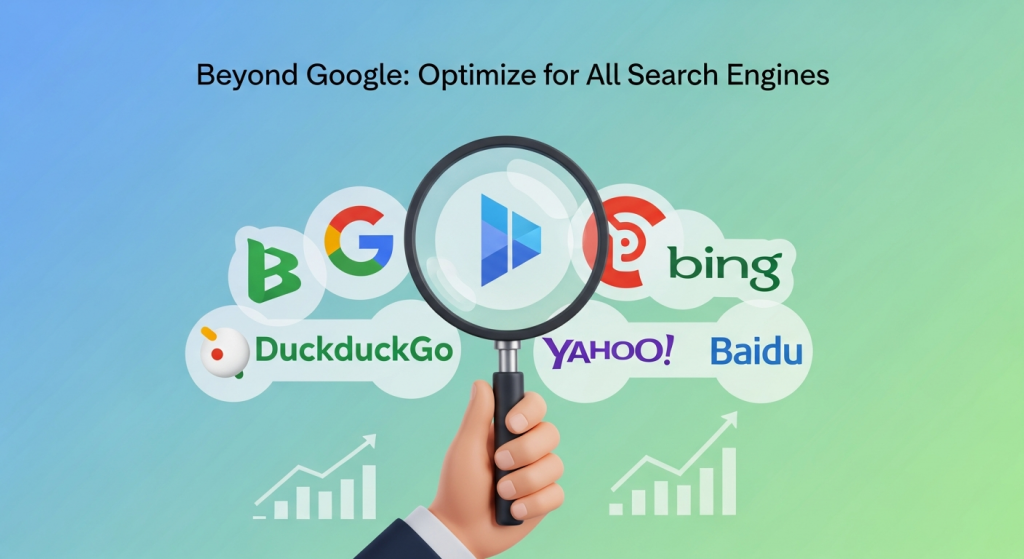 Beyond Google: A Small Business Guide to Optimizing Content for All Search Engines For most small business owners, search engine optimization (SEO) is synonymous with one name: Google. It’s an understandable focus. Google dominates the search market, and ranking on its first page can feel like striking gold. But by focusing exclusively on Google, you might be leaving a significant portion of your potential customers behind, waiting to be discovered on other platforms. Optimizing your content for multiple search engines isn’t about tripling your workload; it’s about building a smarter, more resilient digital marketing strategy. It’s about creating a high-quality online presence that appeals to search algorithms and human users everywhere. This guide will walk you through the universal principles and specific tactics you need to attract customers from Bing, DuckDuckGo, and beyond. Why You Should Care About More Than Just Google While it’s true that Google is the market leader, ignoring its competitors is a missed opportunity. Search engines like Bing and DuckDuckGo still handle billions of queries every month. For a small business, even a fraction of that traffic can translate into substantial new leads and sales. Tapping into a Different Audience The users on different search engines aren’t just clones of Google users. For example, data often shows that Bing’s user base in the United States skews slightly older and has a higher average household income. These users might be your ideal customers. According to recent market share data from Statcounter, while Google holds the lion’s share, Bing still maintains a respectable percentage of the desktop search market. DuckDuckGo, meanwhile, appeals to a growing demographic of privacy-conscious individuals who are actively choosing an alternative to Google. Diversify Your Traffic, Reduce Your Risk Relying on a single source for all your website traffic is risky. Google’s algorithm is in a constant state of flux, with major updates rolling out several times a year. An update that negatively impacts your ranking can be devastating if Google is your only channel for new business. By building a presence on multiple search engines, you create a more stable and diversified stream of visitors, insulating your business from the volatility of any single platform. The Universal Principles of Great SEO: What Works Everywhere The good news is that the core of effective SEO is universal. Search engines, regardless of their name, share a common goal: to provide their users with the most relevant, helpful, and trustworthy results for their queries. By focusing on these foundational pillars, you’re already 90% of the way to multi-engine success. Focus on Foundational Excellence Before diving into the nuances of each platform, ensure your digital house is in order. A powerful SEO Strategy always begins with a strong foundation that benefits you across the board. High-Quality Content: This is non-negotiable. Your content must be original, comprehensive, and expertly address the questions and pain points of your target audience. It should solve a problem, provide valuable information, or offer a unique perspective. All search engines are getting smarter at recognizing and rewarding content that demonstrates true expertise and authority. Positive User Experience (UX): How visitors interact with your site is a critical ranking factor. A website that is slow, confusing, or difficult to use on a mobile device will frustrate users and send negative signals to every search engine. A clean, intuitive design and fast loading times are essential. Investing in professional Website Design Services ensures your site not only looks great but also provides the seamless experience that search algorithms demand. Solid Technical SEO: The behind-the-scenes structure of your website needs to be flawless. This includes having a secure HTTPS connection, a logical site architecture, a clean XML sitemap so crawlers can easily find your pages, and using proper schema markup to help search engines understand your content’s context. Customizing Your Strategy for Different Search Engines While the fundamentals will get you far, understanding the subtle differences between search engines can give you a competitive edge. Think of it as speaking the same language but with a slightly different dialect. Optimizing for Bing Bing is the second-largest search engine in many parts of the world and powers search results for partners like Yahoo and DuckDuckGo. Bing’s algorithm, while sophisticated, can be more straightforward than Google’s in some ways. Keywords and On-Page SEO: Bing tends to place a slightly higher weight on exact-match keywords in titles, headings, and meta descriptions. While you should never “keyword stuff,” ensuring your primary keyword is clearly present in these key areas can be beneficial. Social Signals: Bing has been more open about using social signals (likes, shares, and retweets) as a ranking factor. A strong, active presence on social media platforms can directly and indirectly help your visibility on Bing. Multimedia Content: Bing’s image and video search capabilities are top-notch. It often gives more prominence to high-quality, original images and videos in its standard search results. Use Bing Webmaster Tools: Just like Google Search Console, Bing Webmaster Tools is a free, powerful suite that provides invaluable data and allows you to submit your sitemap directly. For official guidance, it’s always best to consult the Bing Webmaster Guidelines directly. Optimizing for DuckDuckGo DuckDuckGo has built its brand on user privacy, promising not to track its users. This has earned it a loyal following. From an SEO perspective, DuckDuckGo is unique because it doesn’t have its own massive index in the way Google and Bing do. Instead, it pulls its results from over 400 different sources, including Bing’s search index, its own web crawler (DuckDuckBot), and crowd-sourced sites. This means that if you’re optimizing for Bing, you’re already taking a huge step toward ranking well on DuckDuckGo. The primary focus here should be on building trust. Since its users are privacy-focused, they value transparency and authority. Ensure your website clearly states who you are, what you do, and has easily accessible contact information and privacy policies. A Unified Action Plan for Multi-Engine Success Ready to put this into practice? Here is a simple,
 Navigating the Shake-Up: A Small Business Guide to Google’s March 2024 Core Update If you’ve felt a tremor in your website traffic or heard the buzz about a major digital marketing shake-up, you’re not imagining things. Google has just rolled out its March 2024 Core Update, and it’s one of the most significant algorithm changes we’ve seen in years. For small business owners, moments like these can feel daunting, filled with uncertainty about what it means for your online visibility and, ultimately, your bottom line. But here’s the good news: this update isn’t something to fear. It’s an opportunity. Google is continuing its mission to clean up search results, rewarding authentic, genuinely helpful websites and penalizing those that try to game the system. This is your chance to lean into quality, build real trust with your audience, and create a more resilient online presence. In this article, we’ll break down exactly what’s happening, what it means for you, and the practical steps you can take to not just survive, but thrive in this new landscape. What Is This “March 2024 Core Update” Anyway? First, let’s demystify the jargon. A “Core Update” is a significant, broad change to Google’s overall search ranking algorithm. Think of it less like a small software patch and more like a major new version of its operating system. These updates happen a few times a year and are designed to improve how Google assesses content and presents relevant, reliable results to users. The March 2024 update is particularly impactful because it’s not just one change; it’s a complex evolution of multiple systems. Google has also coupled it with new, stricter spam policies. The overarching goal, as Google officially stated, is to reduce the amount of low-quality, unoriginal content in search results by an estimated 40%. It’s a clear signal that the era of “quantity over quality” is definitively over. The focus is now squarely on providing a satisfying, helpful experience for the human being on the other side of the screen. The End Goal: Rewarding People-First Content For years, the best SEOs have preached the importance of creating “people-first” content. This update is Google putting its full weight behind that philosophy. It’s designed to better identify content that is created for the primary purpose of helping users, versus content created simply to rank well in search engines. If your website’s main goal is to answer questions, solve problems, and provide genuine value to your target customer, you are already aligned with the direction Google is headed. The Three Big Changes Affecting Your Business While the update is complex, its impact on small businesses can be understood by looking at three core areas of focus. Understanding these will help you refine your digital marketing strategy and make smarter decisions moving forward. 1. A Deeper Focus on “Helpful Content” The “Helpful Content System” is now a core part of the main ranking algorithm. Previously, it was a separate signal, but now it’s fully integrated. This means that Google’s ability to identify and reward useful, reliable, and satisfying content is stronger than ever. It’s no longer enough to just have a page with the right keywords. Google is now asking more sophisticated questions: Does your content clearly demonstrate first-hand experience and deep knowledge? Does a visitor leave your site feeling like they’ve learned enough to achieve their goal? Is your content created for a specific, well-defined audience? Does your website provide a satisfying overall experience, or is it frustrating to use? This is where a thoughtful and professional SEO & Content Strategy becomes non-negotiable. It’s about understanding your customer’s journey and creating resources that genuinely help them at every stage, building trust and establishing your authority along the way. 2. New Spam Policies Targeting Low-Value Tactics Alongside the Core Update, Google announced stricter enforcement of its spam policies, specifically targeting three types of abuse that have cluttered search results. For most ethical small businesses, these won’t be a direct concern, but it’s crucial to know what Google is fighting against. Scaled Content Abuse: This is the practice of generating massive amounts of unoriginal, low-value content with the primary goal of manipulating search rankings. This is often done using automation or AI without meaningful human oversight. It’s important to note: Google is not against using AI in business. However, it is against using it to produce spammy, generic content that offers no real value. AI can be a powerful assistant for brainstorming and outlining, but the final product must be infused with your unique expertise and human touch. Site Reputation Abuse: This is a more niche tactic where third-party websites publish their own low-quality content on a trusted, authoritative website to piggyback on its reputation. You might have seen this with coupon code sections or advertorials on news sites that feel out of place. Google is cracking down to ensure that a website’s reputation is earned by its own content. Expired Domain Abuse: This involves purchasing expired domain names that have some old authority and repurposing them with low-quality, often unrelated content to try and rank quickly. It’s a deceptive practice that Google is now better at identifying and devaluing. 3. Prioritizing Authentic Expertise and Trust (E-E-A-T) This update reinforces the importance of a concept Google calls E-E-A-T: Experience, Expertise, Authoritativeness, and Trustworthiness. These aren’t direct ranking factors, but they are the ingredients of great content that Google’s systems are designed to find and reward. As explained by SEO experts at Moz, demonstrating these qualities is critical for building a long-term, sustainable online presence. Experience: Does your content show you’ve actually used the product or been through the process you’re describing? Expertise: Do you have the necessary skills and knowledge in your field? Authoritativeness: Are you a go-to source of information in your industry? Trustworthiness: Is your site secure? Are your policies clear? Can users trust the information you provide? Focusing on E-E-A-T is your best defense against algorithm volatility. It future-proofs your marketing by aligning your goals with
 The Hidden Link: How Social Signals Influence Your SEO and Google Rankings Does Your Facebook Page Really Help You Rank on Google? As a small business owner, you’re juggling a dozen different tasks, and digital marketing can feel like a vast, complex puzzle. You’ve probably asked yourself: “Is the time I spend on Instagram, Facebook, or LinkedIn actually helping my website show up on Google?” It’s a fantastic question, and the answer is more nuanced than a simple yes or no. The connection lies in something called “social signals.” Social signals are the collective likes, shares, comments, and overall visibility your brand receives on social media platforms. While Google has been cagey about whether these signals are a direct factor in their complex ranking algorithm, the evidence is overwhelming: a strong social media presence has a powerful, undeniable, and positive influence on your Search Engine Optimization (SEO) efforts. Think of it less as a direct command and more as a strong recommendation. When people are actively talking about and sharing your content, it tells search engines that your brand is relevant, credible, and valuable. In this article, we’ll demystify social signals, explore how they indirectly boost your rankings, and provide a practical strategy to make your social media efforts work harder for your business. What Exactly Are Social Signals in SEO? At its core, a social signal is a metric that reflects human interaction with your brand on social media. It’s a digital form of word-of-mouth. Search engines are constantly seeking ways to measure a brand’s authority and trustworthiness, and a vibrant social media presence is a strong indicator of both. When real people engage with your content, it’s a vote of confidence. These signals come in many forms across different platforms. The most common and impactful ones include: Shares and Retweets: When a user shares your post on Facebook or retweets it on X (formerly Twitter), they are endorsing your content to their own network. This is arguably the most powerful social signal, as it directly expands your reach. Likes and Reactions: A simple “like” or reaction (love, haha, wow) indicates that your content resonates with your audience. While less impactful than a share, a high volume of likes signals popular and engaging content. –Comments and Replies: Engagement in the form of comments shows that your content has sparked a conversation. It demonstrates that your audience is not just passively consuming information but actively participating with your brand. Follower and Fan Growth: A steadily growing follower count indicates increasing brand relevance and authority over time. Brand Mentions: When users mention your brand name (even without a link), it contributes to your overall online footprint and brand awareness. Link Clicks: Every time someone clicks a link in your social media post to visit your website, it drives referral traffic, which is another positive indicator for search engines. Essentially, each of these actions creates a ripple effect, amplifying your message and signaling to search engines that your brand is a noteworthy player in its industry. The Great Debate: Are Social Signals a Direct Ranking Factor? This is where the conversation gets interesting. For years, marketers have debated the direct impact of social signals on SEO. Officially, Google has stated that social signals are not a direct ranking factor. In other words, getting 100 retweets on a post won’t automatically push your corresponding webpage to the top of Google’s search results. As experts in the SEO community have noted, Google’s representatives have been consistent on this point. They argue that it would be too easy to manipulate these signals (by buying likes or followers) and that the social web is simply too vast and volatile to use as a reliable, direct signal. However, this is a classic case of “correlation versus causation.” Studies consistently show a strong correlation between high social engagement and high search rankings. The pages that rank on the first page of Google often have a significant number of social shares. So, if Google isn’t directly counting likes and shares, what’s happening? The answer is that the *activities that generate social signals* are the same activities that fundamentally support great SEO. This is the crucial distinction. You shouldn’t chase social signals for their own sake, but rather, you should focus on a strategy that naturally creates them. That’s where the real, tangible SEO benefits lie. The Real Power: How Social Signals Indirectly Boost Your SEO Forget the direct ranking debate for a moment and focus on the proven, indirect benefits. A well-executed social media strategy acts as a powerful catalyst for your SEO, boosting key metrics that Google absolutely does care about. Here’s how. 1. Increased Brand Awareness and Online Visibility Every time your content is shared, your brand is introduced to a new audience. This increased visibility leads to more people searching for your brand name directly on Google (e.g., “Your Company Name” or “Your Company Name services”). These “branded searches” are a massive trust signal to Google. They indicate that you are a legitimate, recognized entity, which helps build your website’s authority and can improve rankings for your other keywords over time. A professional online presence starts with your central hub—your website—which must be designed to convert this new awareness into customers. This is why a strategic approach to Website Design Services is foundational to any digital marketing campaign. 2. Driving High-Quality Traffic to Your Website Social media is a fantastic channel for driving referral traffic. When you share a link to your latest blog post, product page, or case study, you are creating a direct pathway for engaged users to land on your site. This influx of visitors does two things. First, it shows Google that your site is active and relevant. Second, if the content is compelling, these visitors will spend more time on your page, explore other pages, and are less likely to “bounce” back to the search results. These user engagement metrics—time on page, low bounce rate, and pages per session—are believed
 Did Your Website Traffic Suddenly Drop? Understanding Google’s March 2024 Core Update If you’ve been staring at your analytics dashboard over the past few weeks feeling a bit of whiplash, you are not alone. Many small business owners have seen their website traffic go on a rollercoaster ride, with some experiencing sudden, sharp drops in their search rankings. The culprit? A massive and multifaceted algorithm update from Google, which began rolling out in March 2024 and is still causing ripples across the web. But before you panic, take a deep breath. These updates aren’t meant to punish small businesses. Instead, they represent a significant shift in how Google assesses content quality. Understanding this shift is the key to not just recovering, but thriving in this new search landscape. Let’s break down what this update is, who it’s targeting, and what you can do to ensure your website is seen as a helpful, trustworthy resource for your customers. What Exactly is the March 2024 Google Core Update? Think of a Google Core Update as a major renovation of its search engine. Instead of a small tweak, it’s an overhaul of multiple systems that work together to rank websites. The March 2024 update was particularly significant. Google announced it was more complex than previous updates, designed to deliver a 40% reduction in low-quality, unoriginal content in search results. This wasn’t just about tweaking the algorithm; it was about fundamentally improving how it understands helpfulness. The update has two primary goals: To elevate helpful, satisfying content: Google wants to reward content that is created for people, not just for search engine crawlers. It’s looking for content that demonstrates real expertise and answers a user’s query in a comprehensive and satisfying way. To aggressively reduce spam and unhelpful content: The update came with several new spam policies aimed squarely at manipulative tactics designed to game the system. In essence, Google is doubling down on its long-standing mission: to provide users with the most relevant and highest-quality results. This update is simply its most assertive step yet in clearing out the clutter to make room for authentic, valuable websites like yours. The Real Target: Unhelpful Content and New Spam Policies So, what does Google consider “unhelpful” or “spammy” in 2024? The definitions have become much more sophisticated. It’s no longer just about keyword-stuffing or buying bad links. Today, it’s about intent. Understanding “Unhelpful” Content The core of the update revolves around what Google calls “helpful content.” The system is now baked into the main ranking algorithm, meaning it’s constantly evaluating whether your content meets user expectations. Unhelpful content is often content created with a search-engine-first mentality. It might be technically optimized for a keyword but lacks depth, originality, or a satisfying answer for a human reader. This is especially true for the flood of AI-generated content that has hit the web. While AI is a fantastic tool, content produced at scale without human review, editing, and expertise is a major red flag for Google. If your content feels generic, rehashed, or robotic, it’s at risk. The New Rules on Spam Google also got very specific about manipulative tactics it’s now penalizing. As they explained in their official announcement on the Search Central Blog, the new spam policies target: Scaled Content Abuse: This is the practice of generating massive quantities of unoriginal content, with or without AI, for the primary purpose of manipulating search rankings. The key here is “scale”—creating pages and pages of low-value content that offers nothing new. Expired Domain Abuse: This involves purchasing expired domain names and repurposing them with low-quality content to benefit from the old domain’s authority. Site Reputation Abuse: This is when third-party pages are published on a trusted website without close oversight, essentially “renting” the site’s good reputation to rank low-quality content. For most small business owners creating genuine content about their products and services, these spam policies won’t be a direct threat. However, it’s crucial to understand the “scaled content” point, especially when considering an AI Automations for Small Business strategy. AI should be a partner in creation, not a substitute for your unique human expertise. Why Your “Good” Website Might Still Be Affected Here’s where things can get confusing. You might be thinking, “I don’t do any of that spammy stuff! Why did my traffic drop?” It’s because this update isn’t just about penalizing the bad; it’s also about a re-evaluation of what is considered “good.” A site that was considered “good enough” before may no longer make the cut as even better, more helpful content is promoted. Google is now looking at your website with a more holistic lens, often referred to by the acronym E-E-A-T: Experience, Expertise, Authoritativeness, and Trustworthiness. This framework is a guide to understanding what Google’s systems reward. Let’s break it down. Experience Does your content demonstrate that you have first-hand, real-world experience with the topic? A plumber writing about fixing a leaky faucet has direct experience. A product review from someone who has actually used the product is more valuable than one that just lists specs from a manufacturer’s website. Expertise Do you have the necessary knowledge and skill in your field? This is about showcasing your credentials, whether they’re formal (like a degree or certification) or built through years of practice. Detailed how-to guides, case studies, and in-depth articles all signal expertise. Authoritativeness Are you recognized as a go-to source in your industry? Authoritativeness is about your reputation. When other reputable sites link to you, when you’re mentioned in industry publications, or when customers leave positive reviews, you’re building authority. Trustworthiness Can users trust you? This is perhaps the most critical element. A trustworthy website is secure (using HTTPS), has clear contact information, transparent policies (like for returns or privacy), and a professional design. According to an in-depth analysis by Search Engine Journal, trust is the foundational layer of E-E-A-T. The March 2024 update amplified the importance of these signals. A drop in traffic might mean your site has