Skip to content
 Unlock Your Growth: How to Use Data Analytics to Improve SEO Performance As a small business owner, you know that being visible online is no longer optional—it’s essential. You’ve likely invested time and money into Search Engine Optimization (SEO), hoping to climb the ranks on Google and attract new customers. But are you seeing the results you expected? Too often, businesses treat SEO like a shot in the dark, creating content and building links without a clear understanding of what’s actually working. The secret to transforming your SEO from a guessing game into a predictable growth engine lies in one powerful resource: data. Data analytics is the process of examining raw data to find trends and answer questions. When applied to SEO, it gives you a direct look into your website’s performance, your audience’s behavior, and your competitors’ strategies. By understanding this information, you can stop guessing and start making informed decisions that lead to higher rankings, more qualified traffic, and ultimately, more business. This guide will walk you through how to harness the power of data analytics to supercharge your SEO performance. What is SEO Data Analytics and Why Does It Matter? At its core, SEO is about making your website more attractive to search engines like Google. Data analytics is the practice of turning numbers into a story about your customers and your website. When you combine them, SEO data analytics becomes the art and science of using data to make smarter decisions that improve your search engine rankings and attract the right kind of traffic. Moving Beyond Guesswork Without data, your marketing efforts are based on assumptions. You might *think* a certain keyword is valuable, or you might *believe* your homepage is engaging. Data replaces those assumptions with cold, hard facts. It tells you exactly which keywords are driving traffic, which pages are keeping visitors engaged, and where potential customers are dropping off before they contact you. For a small business, this is a game-changer. Instead of wasting your limited budget on strategies that don’t deliver, you can focus your resources on what is proven to work. The result is a much higher return on investment (ROI), sustainable growth, and a significant competitive advantage. Key SEO Metrics You Absolutely Must Track Diving into data can feel overwhelming, but you don’t need to be a statistician to get valuable insights. By focusing on a few key performance indicators (KPIs), you can get a clear picture of your SEO health. These metrics can be grouped into three main categories: traffic, on-site behavior, and conversions. Traffic and Acquisition Metrics These metrics tell you how people are finding your website. They are your first indicator of whether your SEO efforts are successfully increasing your visibility. Organic Traffic: This is the number of visitors who arrive at your site by clicking on a search result from a search engine, rather than a paid ad or a link from another site. It is the primary measure of SEO success. An increase in organic traffic over time means your visibility on Google is growing. Keyword Rankings: This refers to your website’s position in the search results for specific keywords or phrases relevant to your business. While you shouldn’t obsess over daily fluctuations, tracking your rankings for your most important keywords shows whether your content strategy is effective. Click-Through Rate (CTR): Your CTR is the percentage of people who see your website in the search results (an “impression”) and actually click on it. A low CTR, even with a high ranking, can signal that your page title or meta description isn’t compelling enough to earn the click. According to Google’s own documentation, improving CTR is a key part of optimizing your search performance. On-Site Behavior Metrics Once a visitor lands on your site, how do they behave? These metrics help you understand user engagement and the overall quality of your website’s experience. Bounce Rate: A “bounce” is when a user visits a single page on your site and then leaves without taking any other action. A high bounce rate can indicate a disconnect between what the user was searching for and what your page offers, or it could point to a poor user experience caused by slow loading times or a confusing layout. Average Session Duration: This metric measures the average amount of time visitors spend on your website during a single visit. Longer session durations generally signal that your content is engaging and valuable to your audience. Top Landing Pages: These are the pages through which most visitors first enter your website from organic search. Identifying your top landing pages helps you understand which content is resonating most with your audience and driving the most traffic. Conversion Metrics Ultimately, traffic is only valuable if it leads to business. Conversion metrics track the specific actions you want users to take on your website. Conversion Rate: This is the percentage of visitors who complete a desired action, or “conversion.” For your business, a conversion could be filling out a contact form, making a purchase, signing up for a newsletter, or calling your office. It is the single most important metric for measuring the ROI of your SEO efforts. Goal Completions: In tools like Google Analytics, you can set up specific “goals” to track these conversions. Monitoring goal completions allows you to see which pages and traffic sources are driving the most valuable actions for your business. Essential Tools for Gathering Your SEO Data You don’t need a massive budget to access powerful analytics tools. In fact, some of the best tools on the market are completely free. The Free Must-Haves from Google Google Search Console (GSC): Think of this as your direct line of communication with Google. GSC provides invaluable data on how the search engine sees your site. You can use it to see which keywords people are using to find you, submit sitemaps, identify technical errors, and monitor your CTR and average ranking position. Google Analytics 4 (GA4): While GSC tells you how
 Navigating the SEO Shake-Up: What the Google March 2024 Core Update Means for Your Business If you’ve noticed some unpredictable swings in your website traffic lately, you’re not alone. The digital landscape just experienced a significant tremor. In early March 2024, Google rolled out one of its most complex and impactful algorithm updates in years, combining a major Core Update with several new spam policies. For small business owners, this isn’t just technical noise—it’s a fundamental shift in how your customers will find you online. But don’t panic. While change can be unsettling, this update is actually great news for businesses committed to providing real value. It’s a crackdown on the low-quality, manipulative content that clutters search results, creating a massive opportunity for authentic, customer-focused brands to shine. Let’s break down what this all means in plain English and outline the steps you can take to ensure your business not only survives but thrives in this new SEO era. What Is the Google March 2024 Core Update? First, a quick refresher. A “core update” is when Google makes significant, broad changes to its overall ranking algorithm. Think of it as a major tune-up of the entire search engine, designed to better assess and rank web pages. The March 2024 update, however, is a bit different. It’s a multi-layered evolution that aims to achieve one primary goal: drastically improve the quality of search results. Google’s own announcement stated its intention to reduce low-quality and unoriginal content in search results by 40%. That’s a huge number, and it signals a clear line in the sand. The days of gaming the system with cheap tricks and thin content are numbered. The core of this update is about rewarding websites that genuinely help users by providing satisfying, useful, and reliable information created for a human audience. This update weaves several systems together, but for business owners, it boils down to two critical areas of focus: an evolution of the “helpful content” system and a targeted assault on modern spam tactics. The Three Big Changes You Need to Know To understand the impact on your marketing, you need to grasp the key components of this change. It’s not about one single tweak; it’s about a philosophical shift in how Google evaluates your website’s content and authority. 1. The “Helpful Content” System Is Now Core Previously, the Helpful Content Update (HCU) was a separate system that ran alongside the main algorithm, applying a site-wide signal that could demote unhelpful content. Now, that system has been fully integrated into the core ranking algorithm. This is a crucial distinction. What does it mean for you? It means that the concept of “helpfulness” is no longer a separate checkbox; it’s a fundamental part of how every single page is evaluated. Google is getting much smarter at distinguishing between content written purely to attract clicks from a search engine and content created to solve a problem for a real person. Your website’s content will now be judged more heavily on its ability to provide a satisfying user experience. This reinforces the importance of E-E-A-T: Experience, Expertise, Authoritativeness, and Trustworthiness. Does your content demonstrate real-world knowledge and a deep understanding of your customer’s needs? 2. Aggressive New Spam Policies Are in Effect Alongside the core update, Google unleashed new spam policies aimed directly at tactics that have been used to manipulate search rankings. These policies are designed to clean up the search results and penalize bad actors. Here are the main targets: Scaled Content Abuse: This is a direct shot at the misuse of AI and automation. It targets the practice of generating hundreds or thousands of low-quality pages with little to no human oversight, purely for the purpose of ranking for a vast number of keywords. The key here is “scale” and “low value.” Using AI to help you write a thoughtful, expert-led article is fine. Using it to churn out generic, unedited blog posts is now considered spam. Site Reputation Abuse: You might know this by its informal name, “parasite SEO.” This is when a third party publishes low-value content (like product reviews or payday loan articles) on a trusted website’s subdomain or subdirectory to take advantage of that site’s authority. Google is now cracking down on websites that rent out their reputation in this way. Expired Domain Abuse: This refers to the practice of buying an expired domain name with some pre-existing authority and filling it with low-quality, often unrelated content to get a quick ranking boost. This loophole is now being closed. These policies show that Google is serious about cleaning house. As analyzed by experts at Search Engine Journal, the goal is to eliminate manipulative shortcuts and re-center SEO on genuine brand-building and value creation. 3. A More Granular Approach to Quality Because the helpful content signal is now part of the core algorithm, its application is more granular. The old system often applied a negative signal to an entire site if it had a significant amount of unhelpful content. The new, integrated system is better at evaluating content on a page-by-page or section-by-section basis. For a small business, this is good news. It means that one or two outdated blog posts are less likely to drag down your entire site. It also means that your truly excellent, high-value pages have a better chance of ranking highly, even if other areas of your site need improvement. It’s a more nuanced and fair system, but it also raises the bar for every piece of content you publish. So, What Does This Mean for Your Small Business? Let’s get down to brass tacks. This update creates a clear divide. On one side, businesses that have relied on keyword-stuffing, thin articles, or automated content generation are facing a reckoning. They are likely to see significant drops in traffic, leads, and sales as their rankings plummet. On the other side, businesses that have consistently invested in understanding their audience and creating high-quality, genuinely helpful content are poised for significant
 Don’t Lose Your Rankings: The Ultimate SEO Checklist for a Website Redesign A website redesign is one of the most exciting projects a small business can undertake. It’s an opportunity to refresh your brand, improve user experience, and generate more leads. But beneath the shiny new design lies a significant risk: losing the valuable search engine rankings you’ve worked so hard to build. A poorly executed redesign can make your website invisible to Google, causing a catastrophic drop in traffic and sales. The good news is that this is entirely preventable. With a strategic approach, you can launch a beautiful, high-performing new site while protecting—and even improving—your SEO. This comprehensive checklist breaks down the process into three manageable phases: before, during, and after your launch. Follow these steps to ensure your redesign is a resounding success that boosts both your brand and your bottom line. Why SEO is Critical During a Website Redesign Think of your website’s current SEO as a complex network of trust signals you’ve built with search engines like Google over time. These signals include your keyword rankings, the backlinks you’ve earned from other reputable sites, and the authority of your content. When you redesign your site, you are fundamentally changing its structure, URLs, and sometimes even the content itself. Without a proper SEO plan, search engines can become confused. They might see your new pages as entirely different from your old ones, causing them to discard the authority you’ve built. Broken links frustrate users and crawlers, and lost content means lost rankings. In short, a redesign without SEO is like building a beautiful new store but forgetting to tell anyone the new address. Our comprehensive SEO Strategy services are built to prevent exactly these kinds of pitfalls. The Pre-Launch SEO Checklist: Your Foundation for Success The most critical SEO work happens long before your new website ever goes live. Careful planning during this phase will save you from major headaches and traffic loss down the road. This is where you lay the groundwork for a seamless transition. 1. Audit and Benchmark Your Current Website You can’t know if your redesign is successful if you don’t know where you started. Before you do anything else, you need to take a detailed snapshot of your current site’s performance. This data will serve as your baseline for measuring success and identifying any issues post-launch. Crawl Your Site: Use a tool like Screaming Frog or the site audit feature in Semrush to crawl every single page of your existing website. This will give you a complete list of all your URLs, title tags, meta descriptions, and more. Identify Top-Performing Pages: Using Google Analytics and Google Search Console, identify your most valuable pages. Look for pages with the highest organic traffic, most backlinks, best keyword rankings, and highest conversion rates. These are your crown jewels and must be protected. Record Key Metrics: Create a spreadsheet to track your current performance. Note your overall organic traffic, top 20-50 keywords and their rankings, domain authority, and conversion rates for key goals. 2. Preserve Your High-Value Content and Keywords Your content is the backbone of your SEO. A redesign is a great time to update and improve content, but you must be careful not to delete pages that are already performing well. Review the list of top-performing pages from your audit and decide how to handle each one. If a page is driving significant traffic, ensure that content (or an even better version of it) has a home on the new site. If you plan to consolidate several pages into one, make sure the new page covers all the important topics and keywords from the old pages. This is also the perfect time to optimize your title tags and meta descriptions for your target keywords. 3. Map Your Old URLs to New URLs with 301 Redirects This is arguably the single most important technical SEO task in a website redesign. If your website’s URL structure is changing (e.g., from `yourbusiness.com/services` to `yourbusiness.com/what-we-do`), you must tell search engines where the old pages have moved. You do this with 301 redirects. A 301 redirect is a permanent “change of address” notice for search engines. It automatically sends users and search engine crawlers from an old URL to the new one, passing along the majority of the original page’s SEO value. Create a comprehensive spreadsheet that maps every old URL to its corresponding new URL. Every important page on your old site must be accounted for. According to Google’s own documentation, using 301 redirects is the best way to ensure users and search engines are directed to the correct page. The Launch Day SEO Checklist: Go-Live Essentials Launch day is exciting, but it’s also a time for meticulous checks. A single misstep here can undo all your careful planning. Run through this checklist as soon as your new site is live to the public. 1. Implement and Test Your 301 Redirects The moment your new site goes live, your 301 redirect map must be implemented on the server. Once it is, you need to test it. Don’t just assume it’s working. Manually check a sample of your most important old URLs to ensure they redirect correctly to their new counterparts. Use a redirect checker tool to test your list in bulk. 2. Check Your Robots.txt File The `robots.txt` file is a simple text file that tells search engines which pages on your site they are allowed to crawl. During development, it’s common to block search engines from crawling a staging site using a line like `Disallow: /`. A catastrophic (and surprisingly common) mistake is forgetting to remove this line when the site goes live. Double-check your live `robots.txt` file to ensure that search engines are not being blocked from crawling your new site. 3. Submit Your New XML Sitemap An XML sitemap is a roadmap of your website that helps search engines find and understand all your new pages. Your new site needs a new sitemap.
 Navigating the Google March 2024 Core Update: A Small Business Guide to Staying on Top Have you noticed some unexpected ups and downs in your website traffic lately? You’re not alone. In early March 2024, Google began rolling out one of its most significant algorithm updates in years, and it’s causing ripples across the internet. Dubbed the March 2024 Core Update, this isn’t just another minor tweak; it’s a fundamental shift in how Google assesses and ranks website content, with a clear mission: to drastically reduce low-quality, unhelpful content in search results and reward websites that provide genuine value to users. For small business owners, moments like these can feel daunting. SEO can seem like a moving target, and a major update can create uncertainty. But here’s the good news: this change is actually a massive opportunity for authentic businesses like yours to shine. Google is doubling down on rewarding the very things you already strive for—expertise, great customer service, and real-world experience. This article will break down what the Google March 2024 Core Update is all about, what it means for you, and provide a practical action plan to ensure your website not only survives but thrives in this new landscape. What Is the March 2024 Core Update, Really? Think of this update less as a single change and more as an evolution of Google’s core ranking systems. For years, Google has been on a quest to better understand and prioritize content that is made for people, not just for search engine robots. This update is the next major step in that journey. According to Google itself, the combination of this update and new spam policies is expected to reduce unhelpful, low-quality content in search results by a staggering 40%. The update tackles this from two main angles. First, it refines the core ranking algorithms to have a more sophisticated understanding of whether a webpage is helpful, satisfying, and created by an expert. Second, it introduces stricter new spam policies to take manual action against sites that deliberately try to manipulate search rankings. It’s a one-two punch aimed at cleaning up the search results page. The “Helpful Content System” Is Now a Core Part of the Algorithm Previously, Google had a separate system called the “Helpful Content System” that would identify content that seemed created solely to rank in search engines. Now, that system has been fully integrated into the main core ranking algorithm. This is a crucial distinction. It means that the “helpfulness” of your content isn’t just one of many signals; it’s a foundational, central part of how every page is evaluated. What does Google consider “helpful”? In short, it’s content that leaves a visitor feeling satisfied, like they’ve learned something and accomplished their goal. It demonstrates real expertise and is written in a clear, accessible way. Unhelpful content, on the other hand, might be generic, shallow, or leave the reader with more questions than answers. A Major Crackdown on Spam and Manipulative Tactics Alongside the algorithm changes, Google has sharpened its teeth with new, explicit spam policies. The goal is to stop bad actors from gaming the system, which ultimately benefits legitimate businesses. In their official announcement about the Google’s March 2024 core update and new spam policies, they highlighted three specific areas of abuse: Scaled Content Abuse: This targets the practice of generating massive amounts of generic, low-value content, often using automation or AI, with the sole purpose of manipulating search rankings. This doesn’t mean all AI content is bad, but content created at scale without human oversight or genuine value is now firmly in the crosshairs. Expired Domain Abuse: This is the practice of buying old, expired domain names that have some lingering authority and repurposing them with low-quality content to get a quick ranking boost. Google is now treating this as spam. Site Reputation Abuse: This refers to when third-party pages are published on a trusted website with little to no oversight from the main site owner. Think of a reputable university website hosting a low-quality page about online casinos. Google is cracking down on this “renting” of a site’s reputation. For most small businesses, these spam policies won’t be a direct concern because you’re not engaging in these tactics. However, their enforcement cleans up the search results, giving your high-quality content a better chance to be seen. Your Action Plan: How to Align Your Business with the Update Understanding the update is one thing; knowing what to do about it is another. Instead of panicking, view this as a prompt to double down on best practices. Here is a step-by-step guide to align your digital marketing strategy with Google’s new focus. 1. Conduct a “Helpful Content” Audit Look at your website with fresh, critical eyes. Go through your key pages—your homepage, service pages, and most popular blog posts. For each one, ask yourself these tough questions: Does this page clearly and completely answer the user’s question? Does it provide original information, reporting, research, or analysis? Is this the kind of page I would bookmark, share with a friend, or recommend? Was this content created by someone with demonstrable experience on the topic? After reading this, will a visitor feel they’ve learned enough to take the next step? If the answer to any of these is “no,” that page is a prime candidate for an update. Improve it by adding more detail, including original images or videos, citing sources, and demonstrating your unique expertise. 2. Showcase Your E-E-A-T (Experience, Expertise, Authoritativeness, and Trust) E-E-A-T is not a direct ranking factor, but it’s a framework Google uses to assess content quality. Now, more than ever, you need to prove you are who you say you are. This is about building trust with both users and Google. Here’s how: Author Bios: If you have a blog, make sure every post has a clear author with a bio that explains their qualifications and experience. Detailed About Us Page: Tell your story. Who are the people
 How to Use Your Business Blog to Capture High-Quality Organic Leads For many small business owners, a blog feels like an afterthought—a digital journal for company news and occasional updates. But what if we told you it’s one of the most powerful, cost-effective tools you have for generating a steady stream of high-quality leads? When executed with a clear strategy, your blog transforms from a simple publication into a 24/7 marketing engine that attracts, engages, and converts your ideal customers. The problem is, most businesses stop at just publishing. They write an article, post it, and hope for the best, missing the crucial steps that turn readers into leads. This guide will change that. We’ll break down the exact framework you need to build a blog that doesn’t just get traffic—it gets results. Forget blogging into the void; it’s time to start blogging for business growth. Why a Business Blog is Your Secret Weapon for Lead Generation Before diving into the “how,” it’s essential to understand the “why.” In a world saturated with ads and aggressive sales pitches, a strategic blog cuts through the noise by offering value upfront. It’s a long-term asset that works tirelessly in the background, building a foundation for sustainable growth. Here’s how it accomplishes this. It Builds Trust and Establishes Authority Consistently publishing insightful, helpful content on topics relevant to your industry positions you as an expert. When potential customers search for solutions to their problems, they find your articles, not a sales page. By answering their questions without asking for anything in return, you build trust. This credibility is the currency of modern marketing; people buy from businesses they know, like, and trust. It Drives High-Intent Organic Traffic Every time you publish a blog post optimized for a specific search query, you create a new opportunity for your business to be discovered on Google. Unlike paid ads, which stop working the moment you stop paying, a well-ranked blog post can attract organic traffic for months or even years. This traffic is often high-intent, meaning visitors are actively searching for information related to the products or services you offer. A comprehensive SEO strategy is the engine that powers this traffic, ensuring your content reaches the right audience at the right time. It Nurtures Prospects Through the Buyer’s Journey Not everyone who visits your website is ready to buy immediately. The buyer’s journey typically involves several stages: awareness, consideration, and decision. A well-rounded blog has content that caters to each stage. An awareness-stage article might address a common problem, while a consideration-stage post could compare different solutions. This gentle nurturing guides prospects down the sales funnel, educating them and preparing them to make a purchase decision when the time is right. The 5-Step Framework for a Lead-Generating Blog Strategy Now, let’s move from theory to action. Turning your blog into a lead-capture machine requires a repeatable process. Follow these five steps to build a content strategy that delivers measurable results and a positive return on investment. Step 1: Deeply Understand Your Audience and Their Pain Points You cannot create content that converts if you don’t know who you’re talking to. The first step is to develop detailed “buyer personas”—semi-fictional representations of your ideal customers. Think beyond basic demographics. What are their biggest challenges? What goals are they trying to achieve? What questions keep them up at night? Conduct interviews with current customers, survey your audience, and analyze your website analytics to gather this information. Once you understand their pain points, you can create content that speaks directly to their needs, offering tangible solutions and making them feel understood. Step 2: Master Keyword Research and Topic Clusters Once you know your audience, it’s time to discover what they’re searching for online. Keyword research is the process of identifying the specific words and phrases people type into search engines. Tools like Google Keyword Planner, Ahrefs, and Semrush are invaluable here, but even a simple Google search can reveal common questions in the “People also ask” section. Don’t just target broad, highly competitive keywords. Focus on “long-tail keywords”—longer, more specific phrases that indicate a user is further along in their buying journey. For example, instead of “web design,” target “affordable web design for local plumbers.” To truly establish authority, organize your content into topic clusters. This involves creating a main “pillar page” on a broad topic and linking out to several in-depth “cluster” posts on related subtopics. This structure signals to Google that you have deep expertise in that area, boosting your rankings across the board. Step 3: Create High-Value, Problem-Solving Content With your audience and keywords defined, you can start creating content. The golden rule is to prioritize quality over quantity. Your goal is to create the best, most comprehensive resource available on a given topic. This is often referred to as “10x content”—content that is ten times better than anything else in the search results, as famously coined by marketing expert Rand Fishkin. Your content should be: Actionable: Provide clear, step-by-step instructions that readers can implement. In-Depth: Cover the topic thoroughly, answering all potential follow-up questions. Engaging: Use a conversational tone, short paragraphs, headings, and images to break up the text and make it easy to read. Optimized: Naturally incorporate your target keywords in the title, headings, and body text without “keyword stuffing.” A beautiful, user-friendly design is also critical. Your Website Design Services should ensure that your blog is not only informative but also a pleasure to navigate, encouraging visitors to stay longer and explore more of your content. Step 4: Strategically Place Calls-to-Action (CTAs) This is where the magic happens. A blog post without a CTA is a dead end. You’ve provided immense value; now it’s time to guide the reader on what to do next. The key is to match the CTA to the reader’s intent and their stage in the buyer’s journey. Here are a few types of CTAs to incorporate: End-of-Post CTA: The classic. This is a clear, direct call to
 Navigating the New Google: How AI Overviews Are Changing Search for Your Business The Search Page Just Changed Forever. Are You Ready? If you’ve used Google in the last few weeks, you’ve probably noticed a dramatic change. Right at the top of the search results, where you used to see a list of blue links, there’s often a new, detailed summary. This is Google’s “AI Overview,” a powerful, AI-generated answer to your query, and it represents one of the most significant shifts in search engine history. For small business owners, this isn’t just a cosmetic update; it’s a fundamental change in how customers will find you online. You might be feeling a mix of confusion and concern. Will this new feature steal all your website traffic? Does all the effort you put into SEO still matter? The short answer is yes, it matters more than ever, but the rules of the game are evolving. This article will break down what AI Overviews are, what they mean for your business, and provide a clear, actionable plan to ensure you don’t just survive this change, but thrive in it. What Exactly Are AI Overviews? Think of AI Overviews as a super-smart concierge for the internet. Instead of just giving you a list of potential sources (the traditional list of links), Google’s AI, powered by its advanced Gemini model, now reads and synthesizes information from multiple top-ranking websites to create a single, comprehensive answer right on the results page. These summaries can include text, images, and links to the original sources it used. The goal, from Google’s perspective, is to provide users with faster, more direct answers to their questions, especially for complex or multi-step queries. For example, instead of searching for “best hiking boots,” “waterproofing tips,” and “local hiking trails” separately, a user could ask, “What are the best waterproof hiking boots for trails near me?” and get a single, consolidated AI Overview that addresses the entire question. While this is a powerful tool for users, it creates a new challenge for businesses. How do you ensure your business is part of that definitive answer? The Big Question: Is This Good or Bad for My Business? It’s natural to see this as a threat. The fear is that if Google answers the question directly, users will have no reason to click through to your website, leading to a drop in traffic. This phenomenon, often called “zero-click searches,” is a valid concern, and some businesses may see an initial dip in clicks for certain informational queries. But it’s not all doom and gloom. In fact, this shift presents a massive opportunity for businesses that are willing to adapt. Being featured as a source within an AI Overview is like getting a direct endorsement from Google. The links included in these summaries are often to highly specific pages that directly answer a user’s need, meaning any traffic you do get is likely to be extremely qualified and more likely to convert. According to an analysis by experts at Moz, while overall clicks might change, the quality of engagement from those who do click could be much higher. The new goal isn’t just to rank on page one; it’s to become a trusted source that Google’s AI relies on to build its answers. It’s a shift from simply being visible to becoming an authoritative voice in your industry. How to Adapt Your SEO Strategy for an AI-Powered World So, how do you become one of those trusted sources? It’s not about trying to trick an algorithm. It’s about doubling down on the fundamentals of good marketing: creating genuinely helpful, human-first content. Here’s how to refine your SEO and content strategy for the age of AI. Focus on E-E-A-T More Than Ever E-E-A-T stands for Experience, Expertise, Authoritativeness, and Trustworthiness. This is Google’s framework for evaluating content quality. With AI Overviews, E-E-A-T is no longer just a best practice; it’s a prerequisite. Google’s AI is explicitly designed to look for and prioritize content that demonstrates these signals because it wants to provide reliable, accurate information. How you can improve your E-E-A-T: Showcase Your Experience: Write from a first-person perspective. Share case studies, real-world examples, and lessons learned from your years in business. Prove Your Expertise: Create detailed author bios for your blog posts. Feature team member qualifications and certifications on your website. Build Your Authority: Earn backlinks from other reputable sites in your industry, get featured in local news, and encourage positive online reviews. Establish Trust: Make your contact information easy to find. Have clear privacy policies and terms of service. Display customer testimonials and trust badges prominently. Embrace Long-Tail, Conversational Questions People interact with AI differently than they do with a traditional search bar. They tend to ask full, conversational questions. Your content strategy needs to reflect this. Think about the specific, nuanced questions your customers ask you every day and create content that answers them directly and thoroughly. Instead of targeting a broad keyword like “roofing company,” focus on a long-tail question like, “What are the signs I need a new roof instead of a repair?” This type of in-depth content is exactly what Google’s AI is looking for to build its detailed overviews. Creating comprehensive FAQ pages and “how-to” guides is an excellent way to capture this type of traffic. As HubSpot points out, understanding user intent is the key to modern keyword research. Create Genuinely Helpful, In-Depth Content If your content can be easily summarized in two sentences, the AI will do it, and you’ll likely lose the click. Your new mission is to create content that is so valuable, insightful, or detailed that the user *must* click through to get the full picture. This is where your unique business experience comes in. Go beyond the basics. If you’re a landscaper, don’t just write a blog post on “5 ways to improve your yard.” Create a comprehensive guide to “Designing a Drought-Resistant Garden in Our Local Climate,” complete with plant recommendations,
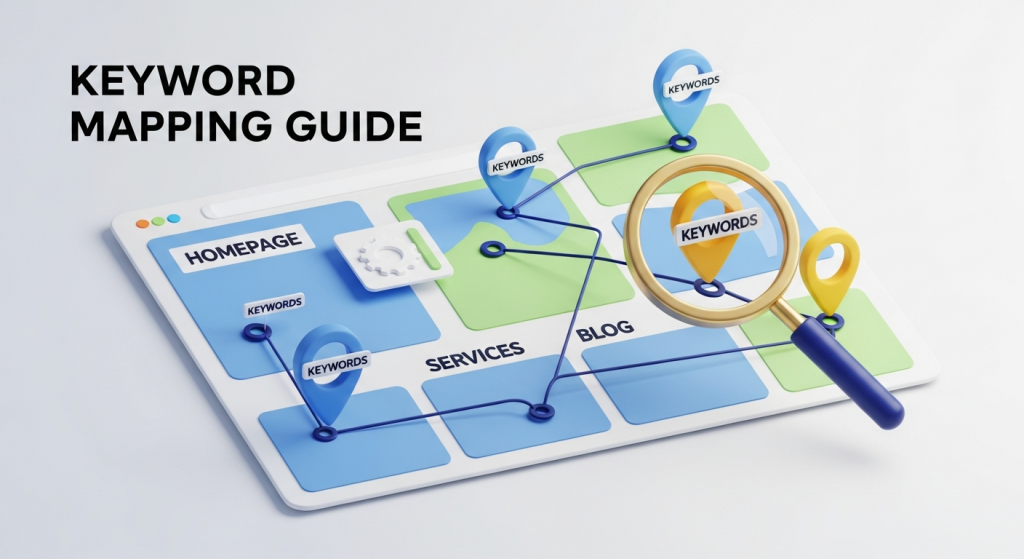 The Ultimate Guide to Keyword Mapping for Small Businesses What is Keyword Mapping and Why Does it Matter? As a small business owner, you know how important it is to be visible online. You’ve probably heard about Search Engine Optimization (SEO) and the need to target the right keywords. But there’s a crucial step that many businesses miss: keyword mapping. So, what exactly is it? In simple terms, keyword mapping is the process of assigning or “mapping” specific keywords to specific pages on your website. It’s like creating a blueprint that tells search engines exactly what each page is about. Think of your website as a library. Each book (or page) has a specific topic. You wouldn’t want two different books trying to cover the exact same subject in the exact same way—it would be confusing for your visitors. Keyword mapping ensures every page has a unique purpose and a clear focus. This strategic approach prevents your own pages from competing against each other in search results, a problem known as “keyword cannibalization.” Beyond preventing internal competition, a well-executed keyword map is the foundation of a successful SEO Strategy. It helps you organize your content, improve user experience by guiding visitors to the most relevant pages, and build topical authority with search engines like Google. By intentionally aligning your pages with what your customers are searching for, you create a more efficient and powerful website that attracts qualified traffic and drives real business growth. Before You Begin: The Foundation of Keyword Mapping Jumping straight into mapping without the right groundwork is like trying to build a house without a foundation. To create a map that delivers results, you need to start with two essential components: comprehensive keyword research and a deep understanding of search intent. Step 1: Comprehensive Keyword Research Keyword research is the process of discovering the words and phrases your potential customers use when searching for your products or services. It’s not about guessing; it’s about using data to understand your audience. Start by brainstorming a list of “seed” keywords—the core topics related to your business. If you’re a local bakery, these might be “custom cakes,” “sourdough bread,” or “wedding cupcakes.” From there, you can expand your list using keyword research tools. These tools will reveal related terms, search volume (how many people search for a term each month), and keyword difficulty (how hard it is to rank for that term). Focus on a mix of keywords: Head Terms: Short, broad keywords with high search volume (e.g., “bakery”). These are often difficult to rank for. Body Keywords: More specific 2-3 word phrases (e.g., “gluten-free bakery”). They have decent volume and are less competitive. Long-Tail Keywords: Longer, highly specific phrases (e.g., “where to buy custom birthday cakes in Brooklyn”). These have lower volume but much higher conversion intent. For a small business, long-tail keywords are often the secret to success. They attract customers who are further along in the buying journey and ready to make a decision. Step 2: Understanding Search Intent Once you have your keyword list, the next step is to understand the “why” behind each search. This is called search intent. A user typing “how to bake bread” has a very different goal than someone searching “buy sourdough starter online.” Matching your content to the user’s intent is one of the most critical ranking factors today. As explained by the SEO experts at Moz, there are four primary types of search intent: Informational: The user is looking for information. They have a question and want an answer (e.g., “what is the difference between whole wheat and white bread?”). Blog posts, guides, and how-to articles are perfect for this intent. Navigational: The user wants to find a specific website or page (e.g., “Facebook login,” “Your Bakery Name”). Your homepage and About Us page typically serve this intent. Commercial Investigation: The user is researching products or services before making a purchase. They are comparing options (e.g., “best stand mixers for baking bread”). Comparison guides, reviews, and detailed service pages work well here. Transactional: The user is ready to buy (e.g., “order custom cake online”). Your product pages, service pages, and contact forms should be optimized for these high-value keywords. Ignoring search intent is a common mistake. If you try to rank your sales-focused service page for an informational keyword, you’ll likely fail because you aren’t giving the searcher what they want. Your keyword map must align each keyword’s intent with the right type of page. The Step-by-Step Keyword Mapping Process With your keyword research and intent analysis complete, it’s time to build your map. This process turns your raw data into an actionable strategic document. Create a Keyword Map Spreadsheet The most common way to create a keyword map is with a simple spreadsheet. This will become your central hub for your entire on-page SEO strategy. Create a spreadsheet with the following columns: URL: The specific URL of the page. Primary Keyword: The single most important keyword you want this page to rank for. Secondary Keywords: A few closely related keywords that support the primary topic. Search Intent: Informational, Transactional, etc. Monthly Search Volume: Data from your research tools. Notes: Any additional context, like content ideas or optimization tasks. Audit Your Existing Pages You don’t need to start from scratch. Begin by listing all the important pages currently on your website. This includes your homepage, core service or product pages, about page, contact page, and any existing blog posts. Your goal is to map keywords to these pages first. A well-structured website is crucial for this step, as your information architecture directly impacts how easily you can assign keywords. This is a core component of effective Website Design Services, ensuring your site is built for both users and search engines from day one. Map Keywords to Your Core Pages Now, start filling in your spreadsheet. Assign one unique primary keyword to each of your core pages. Here’s a general framework: Homepage: Map your broadest, brand-focused keywords here
 Google’s Newest Update Is Here: What It Means for Your Small Business Website If you pay any attention to the world of digital marketing, you’ve probably heard the rumbles. Another big Google algorithm update has landed, and this one is making waves. For small business owners, news like this can bring a familiar mix of anxiety and confusion. What changed? Is my website at risk? How do I keep my business visible to customers who are searching for me right now? Take a deep breath. While these updates can seem intimidating, they almost always point toward a simple, powerful truth: Google wants to reward websites that provide real, genuine value to real people. This latest change is no different. It’s not about punishing businesses; it’s about cleaning up the search results and elevating the brands that deserve to be at the top. This update is a direct response to the explosion of low-effort, AI-generated content flooding the internet. But it’s not an attack on AI itself. It’s an attack on *unhelpful* content. And for smart business owners, this isn’t a threat—it’s a massive opportunity. Let’s break down what’s happening, what it means for you, and the exact steps you can take to not only survive this update but thrive because of it. What Exactly Is This New Google Update? In early March 2024, Google announced a significant “Core Update” combined with new “Spam Policies.” Think of it as a one-two punch designed to improve the quality of search results. Instead of being two separate things, they work together with one clear goal: to reduce the amount of low-quality, unoriginal content in search results by a target of 40%. The War on “Unhelpful” Content The core of this update is a refined understanding of what makes content “helpful.” For years, some marketers have tried to game the system by creating massive amounts of content designed purely to rank on search engines, without any real thought for the human reading it. The rise of AI tools has put this practice into overdrive. Google’s new policies directly target what they call “scaled content abuse.” This is the practice of generating many pages with the primary purpose of manipulating search rankings, not helping users. The key takeaway here is that Google’s issue isn’t with how the content is made (AI or human), but its purpose and quality. As Google’s own documentation clarifies, the focus is on rewarding content that is created for people, not for search engines. Strengthening the Idea of E-E-A-T This update also doubles down on the principles of E-E-A-T: Experience, Expertise, Authoritativeness, and Trustworthiness. These aren’t direct ranking factors, but they are the ingredients that make up a high-quality, helpful page. Google wants to see that your content is written by someone who knows what they’re talking about. Are you a plumber writing about leak detection? Your hands-on experience is incredibly valuable. Are you a financial advisor explaining investment strategies? Your expertise and credentials build trust. This update further empowers Google’s systems to identify these signals, pushing websites with demonstrable E-E-A-T higher in the rankings and demoting those that feel anonymous and unverified. How This Impacts Your Small Business (The Good and The Bad) For any small business, your website is your digital storefront. Its visibility on Google can be the difference between a busy month and a quiet one. This algorithm update will create clear winners and losers, and your approach to digital marketing will determine which side you land on. The Potential Risks: What to Watch Out For If your digital marketing strategy has involved any shortcuts, it’s time for a serious review. Your site’s visibility could be at risk if you’ve been: Using AI tools to quickly generate dozens of generic blog posts without significant human editing, review, or added insight. Purchasing large batches of cheap articles that just rephrase what competitors are already saying. Focusing so much on keywords that your content sounds robotic and unnatural. Ignoring the overall user experience on your site, with slow load times, confusing navigation, or a design that doesn’t work well on mobile devices. These tactics were never a good long-term strategy, and this update essentially puts an expiration date on them. Relying on them now is like building your business on a foundation of sand. The Huge Opportunity: Why You Should Be Excited Here’s the good news: if you’re a business owner who genuinely cares about your customers and provides a quality service or product, this update is your friend. It levels the playing field. You no longer have to compete with spammers who can churn out a thousand low-quality pages in a day. This is your chance to shine by focusing on what you do best: sharing your authentic expertise. Your real-world experience is now a powerful SEO asset. A solid, people-first approach is the cornerstone of our SEO & Content Strategy services because it delivers sustainable, long-term results. By creating content that genuinely helps, educates, or solves problems for your target audience, you’re aligning your goals perfectly with Google’s. This is how you build a durable online presence that isn’t just immune to algorithm updates—it’s strengthened by them. Your 5-Step Action Plan to Thrive After the Update Feeling motivated? Great. Don’t just wait and see what happens. Here is a clear, actionable plan to ensure your website is positioned for success in this new, quality-focused search landscape. 1. Conduct a “Helpful Content” Audit Look at your existing content, especially your blog posts and key service pages, with fresh eyes. Be brutally honest and ask yourself these questions for each page: Does this page have a clear purpose and serve a specific audience? Does it demonstrate first-hand experience or deep knowledge of the topic? Does it provide original information, reporting, research, or analysis? After reading this, would a person feel they’ve learned enough to achieve their goal? If the answer to any of these is “no,” earmark that page for an update. Improve it, expand on it with
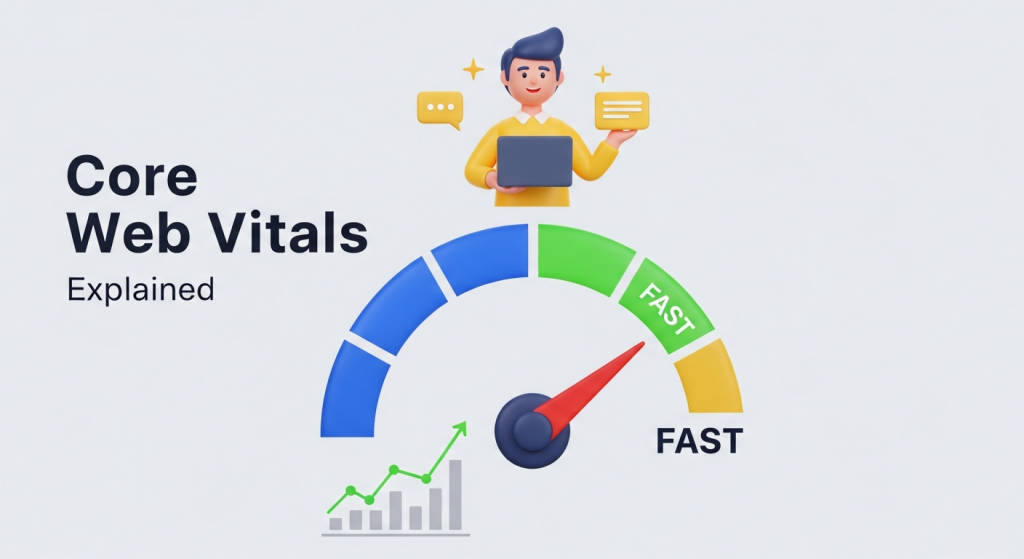 Core Web Vitals Explained: A Small Business Owner’s Guide to a Faster Website As a business owner, you know that your website is often the first impression a potential customer has of your brand. You’ve invested in a great design, compelling copy, and clear calls to action. But if your website is slow, clunky, or frustrating to use, that great first impression can sour in seconds. Visitors don’t just get annoyed; they leave. And they probably won’t come back. This is where the concept of “user experience” becomes more than just a buzzword. It’s a critical factor that directly impacts your bottom line. Google knows this, which is why they introduced Core Web Vitals—a set of specific, measurable metrics that quantify the real-world user experience of your website. Understanding and optimizing for these vitals is no longer optional for businesses that want to compete online. But what exactly are they, and why should you, a busy small business owner, care? In this guide, we’ll break down Core Web Vitals in simple terms and show you how improving them can lead to better search rankings, happier customers, and increased revenue. What Exactly Are Core Web Vitals? Think of Core Web Vitals as a report card for your website’s health, graded from the perspective of your visitors. Instead of looking at vague ideas like “speed,” Google uses three precise measurements to evaluate the quality of a user’s experience on a webpage. These metrics focus on three key areas: loading performance, interactivity, and visual stability. Largest Contentful Paint (LCP): The Loading Metric Largest Contentful Paint measures how long it takes for the largest single element on your screen—usually a main image, video, or a large block of text—to become visible. In simple terms, it’s the point when the user feels like the most important part of the page has loaded. Imagine walking into a store. LCP is like the time it takes for the main product display to come into view. If it takes too long, you might get impatient and assume the store is closed or disorganized. On a website, a slow LCP can make users think your site is broken, causing them to leave before your content even has a chance to load. Google recommends an LCP of 2.5 seconds or less for a good user experience. Interaction to Next Paint (INP): The Interactivity Metric Interaction to Next Paint is the metric that measures your website’s responsiveness. It evaluates the time it takes for the page to visually respond after a user interacts with it, such as clicking a button, tapping on an image, or typing into a form. A low INP score means your site feels quick and responsive to user actions. This is the digital equivalent of pressing an elevator button and seeing it light up immediately. If there’s a long delay, you start to wonder if the button even works. On your website, a high INP can be incredibly frustrating. When a user clicks “Add to Cart” and nothing happens for a few seconds, they might click again, assume the site is broken, or abandon their purchase altogether. As of March 2024, INP officially replaced its predecessor, First Input Delay (FID), as the core metric for interactivity because it provides a more comprehensive view of a page’s overall responsiveness. A good INP score is considered to be under 200 milliseconds. Cumulative Layout Shift (CLS): The Visual Stability Metric Cumulative Layout Shift measures the visual stability of your page as it loads. It quantifies how much unexpected movement or “shifting” of elements occurs. We’ve all experienced this: you try to tap a link, but just as your finger is about to touch the screen, an ad loads at the top, pushing the entire page down and causing you to click something else entirely. This is a classic example of a high CLS, and it creates a jarring and frustrating experience. It erodes trust and can lead to accidental, unwanted actions. A visually stable website, on the other hand, feels professional and reliable. Google recommends a CLS score of 0.1 or less. Why Core Web Vitals Are a Game-Changer for Your Business Understanding the “what” is important, but understanding the “why” is what drives action. Improving your Core Web Vitals isn’t just about pleasing a Google algorithm; it’s about making tangible improvements to your business. 1. Higher Search Engine Rankings Let’s start with the big one: SEO. Google has explicitly confirmed that Core Web Vitals are a part of its “page experience” signals, which are used as a ranking factor. A website that provides a better experience is more likely to be rewarded with higher visibility in search results. While high-quality content remains king, a strong technical foundation is the castle it lives in. A poor page experience can hold back even the best content from reaching its full potential. Investing in your site’s performance is a core component of any modern SEO Strategy. 2. A Dramatically Better User Experience A fast, responsive, and stable website makes your visitors happy. Happy visitors are more engaged. They stay on your site longer, view more pages, and are more likely to remember your brand positively. Conversely, a poor experience is a leading cause of high bounce rates. According to research from Google, the probability of a user bouncing increases by over 120% as page load time goes from one to ten seconds. By optimizing for Core Web Vitals, you are directly reducing user frustration and building a more welcoming digital storefront. 3. Increased Conversions and Sales This is where performance directly translates into profit. Every extra second a customer has to wait for a page to load or respond is an opportunity for them to change their mind. A clunky checkout process, a button that doesn’t respond, or a layout that shifts unexpectedly can all be deal-breakers. By creating a seamless and friction-free experience, you remove barriers to conversion. Whether your goal is to generate leads, sell products, or book appointments,
 Google’s AI Overviews Are Changing Search: Here’s How Your Small Business Can Thrive If you’ve searched for anything on Google in the last few weeks, you’ve probably noticed something new at the very top of the page: a detailed, AI-generated summary answering your question directly. This is Google’s new “AI Overview,” and it represents one of the most significant shifts in how search has worked in over a decade. For small business owners, this change can feel a little intimidating. If Google is answering questions itself, where does that leave your website? The good news is that this isn’t the end of SEO; it’s an evolution. AI Overviews create a massive new opportunity for businesses that are willing to adapt. By understanding how this technology works, you can position your website to not just survive, but to become the go-to authority that Google’s AI trusts and recommends. This isn’t about chasing algorithms; it’s about proving your expertise and becoming the most helpful answer for your customers. What Exactly Are Google AI Overviews? Think of AI Overviews as a supercharged summary. When you type in a query, especially a complex question, Google’s generative AI scours the web, synthesizes information from multiple top-ranking pages, and presents a concise, conversational answer right at the top of the search results page. These overviews often include images, links to sources, and follow-up questions, creating a comprehensive snapshot of information. This is a fundamental change from the familiar “ten blue links.” Previously, users had to click through to various websites to piece together an answer. Now, Google is doing the initial piecing-together for them. According to Google’s own announcement, they have already served AI Overviews on billions of queries, signaling that this feature is here to stay and will continue to expand. For a small business, this means the battle for the top spot is no longer just about being number one. It’s about being so authoritative and clear that your content is chosen as a primary source for the AI-generated answer itself. Your new goal is to be the expert in the room that the AI-powered concierge points to. The Challenge and The Opportunity Let’s be direct: the most immediate concern for any business owner is a potential drop in website traffic. If a user gets their answer from the AI Overview, they might not feel the need to click through to any websites. This is a real challenge, but it’s not the whole story. It also creates a powerful new way to build credibility. The New Premium Real Estate: The AI Citation Look closely at any AI Overview, and you’ll see small, clickable links embedded within the text. These are citations pointing back to the original websites from which the AI sourced its information. Being one of those cited sources is the new digital gold. Why? Because it’s a direct endorsement from Google. It tells users that your website is a trusted, authoritative source on the topic. A click from an AI Overview is a highly qualified click. That user has already seen a summary of your information and is now clicking for more detail, making them a much warmer lead than someone just browsing a list of links. The opportunity is to shift your focus from simply ranking to becoming an indispensable, citable authority. 5 Ways to Adapt Your SEO for the Age of AI Search So, how do you become that trusted source? It comes down to doubling down on the fundamentals of good marketing and leaning into a more human-centric approach. Here are five actionable steps your business should take right now. 1. Go All-In on Helpful, People-First Content Google’s core mission has always been to provide helpful answers. AI Overviews are the next step in that mission. Now, more than ever, your content needs to be genuinely useful, well-researched, and written for your audience, not for a machine. This is where the concept of E-E-A-T (Experience, Expertise, Authoritativeness, and Trustworthiness) becomes critical. You need to prove to Google that you are a true expert in your field. You can do this by: Writing detailed blog posts that answer common customer questions with depth and nuance. Creating case studies that show your products or services in action. Showcasing testimonials and reviews to build social proof and trust. Including author bios that highlight the credentials and real-world experience of your team. This is the foundation of any modern SEO & Content Strategy. Stop thinking about “what keywords should I rank for?” and start thinking about “what questions can I answer better than anyone else?” 2. Target Conversational and Long-Tail Keywords People interact with AI differently than they do with a traditional search bar. They ask full, conversational questions. Instead of typing “plumber emergency,” they might ask, “what should I do if a pipe bursts in my house?” Your content strategy needs to reflect this shift. Use keyword research tools to find the actual questions your customers are asking. Create dedicated pages or blog posts that answer these specific, long-tail questions directly and comprehensively. Think about the entire customer journey and create content for every stage, from initial awareness to final purchase decision. 3. Optimize for Rich Snippets For years, Google has been pulling data from websites to create “rich snippets” like featured snippets (the answer boxes at the top of the results), “People Also Ask” sections, and review stars. Evidence suggests that the AI Overviews heavily rely on content that is already structured in a way that’s easy for Google to understand. If you’re already optimized for featured snippets, you’re a step ahead. To do this, make sure your content is well-structured. Use clear headings (H2s, H3s), bullet points, numbered lists, and even tables to break down information into digestible chunks. Answer a question directly and concisely in the first paragraph before expanding on the details. This formatting makes it easy for Google’s systems—both old and new—to extract your content and feature it. 4. Strengthen Your Local SEO and Online Reputation