Skip to content
 Claiming Position Zero: A Small Business Guide to Google’s Featured Snippets You’ve seen it a thousand times. You type a question into Google, and before you even scroll to the first result, a special box appears at the very top of the page, giving you a direct, concise answer. That, in a nutshell, is a Featured Snippet. For a small business, getting your content in that box isn’t just a vanity metric—it’s a powerful way to drive traffic, build authority, and get a major edge over your competition. Often called “Position Zero,” this coveted spot can feel out of reach, reserved for big brands with massive marketing budgets. But that’s a common misconception. Google’s goal is to provide the best possible answer to a user’s query, and it will pull that answer from any site that provides it clearly and effectively. With the right strategy, your business can be the one providing that answer. This guide will demystify the process. We’ll break down what Featured Snippets are, why they matter for your bottom line, and provide a step-by-step plan to help you optimize your blog posts to claim this prime digital real estate. What Exactly Are Featured Snippets? A Featured Snippet is a block of information that Google programmatically selects from a webpage to serve as a direct answer to a user’s search query. According to Google’s own documentation, these snippets are designed to draw user attention on the results page. They are a fast-track to visibility, appearing above the traditional number one organic search result. Understanding the different formats can help you tailor your content to fit what Google is looking for. The most common types include: Paragraph Snippets (The “Answer Box”) This is the most frequent type of snippet. It typically consists of a 40-60 word block of text that directly answers a “what is,” “who is,” or “why is” question. Google pulls the text it deems most relevant from a page, often accompanied by an image from the same article. List Snippets (Bulleted and Numbered) When a query asks for steps, rankings, or a list of items, Google often displays a list snippet. These can be numbered (for “how-to” guides or sequential steps) or bulleted (for “best of” lists or unranked items). This format is perfect for recipe blogs, DIY instructions, and feature comparisons. Table Snippets For queries involving data, comparisons, or pricing, Google can pull information from a well-structured HTML table on your site and display it directly in the search results. This is highly effective for presenting data in a clean, easy-to-digest format. Video Snippets Increasingly, Google features a video (usually from YouTube) as the primary answer, even suggesting the exact clip within the video that answers the user’s query. This highlights the growing importance of video content in a comprehensive digital strategy. Why Should Your Small Business Care About Position Zero? Optimizing for Featured Snippets isn’t just another SEO task to add to your list; it’s a strategic move with tangible benefits that directly impact your growth. If you’re wondering whether it’s worth the effort, consider these powerful advantages. Skyrocket Your Click-Through Rate (CTR) While some worry that providing an answer directly on the search page might reduce clicks, data suggests the opposite. Earning a Featured Snippet can significantly boost your CTR. It acts as a massive, attention-grabbing advertisement for your content, establishing your page as the most authoritative source and enticing users to click through for more detailed information. Build Instant Credibility and Brand Authority When Google chooses your content for Position Zero, it’s a powerful endorsement. It signals to users that your website is a trusted authority on the topic. This instant credibility can be invaluable for a small business looking to build its reputation and stand out in a crowded market. You’re not just a result; you’re *the* answer. Dominate Voice Search The rise of smart speakers and digital assistants like Google Assistant, Siri, and Alexa has made voice search a critical component of SEO. Where do these devices get their answers? Very often, they read the Featured Snippet aloud. As experts at Search Engine Journal note, optimizing for snippets is one of the most effective ways to optimize for voice search, positioning your business to capture this rapidly growing segment of traffic. A Step-by-Step Guide to Optimizing for Featured Snippets Now for the practical part. Landing a Featured Snippet requires a targeted approach to your content creation and on-page SEO. Here’s how to get started. Step 1: Conduct Snippet-Focused Keyword Research Your journey begins with finding the right opportunities. You aren’t just looking for keywords; you’re looking for questions your potential customers are asking. Think Like a Customer: Brainstorm the questions people would type into Google to find your products or services. Focus on queries that start with “how to,” “what is,” “why do,” “best way to,” etc. Use Google’s Clues: The “People Also Ask” and “Related Searches” sections on the Google results page are goldmines for snippet-worthy keyword ideas. If Google is already highlighting these questions, it’s a clear sign they are looking for snippet-style answers. Analyze Competitors: See which keywords are earning your competitors a Featured Snippet. Tools like Ahrefs or Semrush can help you identify these opportunities, which you can then target by creating superior, more comprehensive content. This research forms the foundation of a successful SEO Strategy, ensuring you’re creating content that both users and search engines are looking for. Step 2: Structure Your Content to Provide Direct Answers Once you have your target question, you need to structure your blog post to answer it perfectly. The key is to be direct and clear. Adopt the “inverted pyramid” model of journalism: provide the most important information first. Directly below your main heading (which should target your question keyword), write a concise, well-crafted paragraph of 40-60 words that answers the question completely. This self-contained “snippet bait” makes it incredibly easy for Google’s crawlers to identify your content as the best answer. After providing the direct answer,
 Google’s Newest Update Is Here: Is Your Small Business Website Ready? Did the ground just shift under your website? It might have. In the last 24 hours, Google has begun rolling out another significant core algorithm update, and this one continues to double down on a concept that is changing the SEO landscape for good: “helpful, people-first content.” If that phrase sounds a bit vague or you’re wondering what it means for your bottom line, you’re in the right place. This isn’t just another minor tweak; it’s a fundamental shift in how Google evaluates and ranks websites. For small business owners, moments like these can feel daunting. You have a business to run, and keeping up with the complex world of search engine optimization can feel like a full-time job. But here’s the good news: this update is actually an incredible opportunity for businesses that genuinely care about their customers. It’s a chance to rise above the noise and connect with your audience in a more meaningful way, which ultimately leads to more traffic, more leads, and more sales. In this article, we’ll break down exactly what this update means, why it matters for your business, and provide a clear, actionable roadmap to ensure your website doesn’t just survive, but thrives in this new era of search. What Is This “Helpful Content” Update All About? For years, the game of SEO was often about figuring out Google’s technical rules. Marketers asked, “What keywords do we need to include? How many backlinks do we need?” While technical factors still matter, Google’s main goal has always been to provide its users with the best possible answer to their questions. This latest update is the next major step in that evolution. Think of Google as a librarian. In the past, the librarian might have recommended a book simply because its title had the right keywords. Today, that librarian has read every book, understands the content deeply, and recommends the one that is most insightful, trustworthy, and satisfying for the reader. This “people-first” approach means Google’s systems are now even more sophisticated at identifying content that was created primarily to rank in search engines, versus content created to genuinely help human beings. It’s rewarding authenticity and penalizing digital clutter. According to Google’s own documentation, a “helpful content” signal is now applied site-wide. This means if you have a significant amount of unhelpful, low-quality content on some parts of your site, it can negatively impact the rankings of your entire website, even your great pages. The Rise of E-E-A-T: Your New SEO Mantra At the heart of this update is a concept Google calls E-E-A-T, which stands for Experience, Expertise, Authoritativeness, and Trust. This isn’t a direct ranking factor, but rather a framework Google uses to assess the quality of a page. Let’s break it down: Experience: Does the content creator have first-hand, life experience with the topic? For example, a review of a product written by someone who has actually used it is far more valuable than one written by someone who has only read about it. Expertise: Does the author have the necessary knowledge or skill in the field? This is crucial for topics related to finance, health, and law, but it applies everywhere. An article on small business accounting should ideally be written by an accountant or financial expert. Authoritativeness: Are you or your business recognized as a go-to source in your industry? This is built over time through mentions from other respected sites, positive reviews, and a strong overall brand reputation. Trust: Is your website secure (HTTPS)? Is it easy to find contact information? Are your author bios clear? Trust is the foundation upon which the other elements are built. Essentially, Google wants to see that real, qualified people are behind your content and that your website provides a trustworthy and satisfying experience for visitors. The Real-World Impact: Why Small Businesses Must Pay Attention It’s easy to dismiss algorithm updates as technical jargon, but this one directly impacts your ability to be found by potential customers. This isn’t just about rankings; it’s about revenue. Your Website Traffic Could Plummet (Or Soar) The most immediate impact will be on your search engine visibility. Websites with a history of creating thin, low-value content that simply rehashes information from other sources are at high risk. If your blog is full of generic, keyword-stuffed articles that don’t offer a unique perspective, you could see a significant drop in traffic. Conversely, if your website is a treasure trove of genuinely helpful guides, insightful case studies, and content that demonstrates your deep understanding of your customers’ problems, you are perfectly positioned to be rewarded with higher rankings and more organic traffic. Customer Trust Is Now a Ranking Signal This update blurs the line between good marketing and good SEO. The same things that make a customer trust you—transparency, clear communication, and demonstrated expertise—are now the same things that make Google trust you. A website that hides its contact information, lacks an “About Us” page with real team members, or has a confusing checkout process sends negative signals to both users and search engines. A trustworthy site not only ranks better but also converts visitors into customers more effectively. Focusing on trust is a win-win for both your visibility and your sales. Building this trust requires a holistic approach, from securing your website with SSL to showcasing customer testimonials. It’s a core component of a modern SEO and content strategy that puts the user first. 5 Actionable Steps to Align Your Website with Google’s Update Feeling a little overwhelmed? Don’t be. Here are five practical steps you can take right now to align your digital presence with Google’s people-first focus. 1. Conduct a “Helpful Content” Audit Go through your website page by page, especially your blog and service pages, and ask yourself these tough questions with a “people-first” lens: Does this page have a clear purpose and serve a specific audience? After reading this, would a user
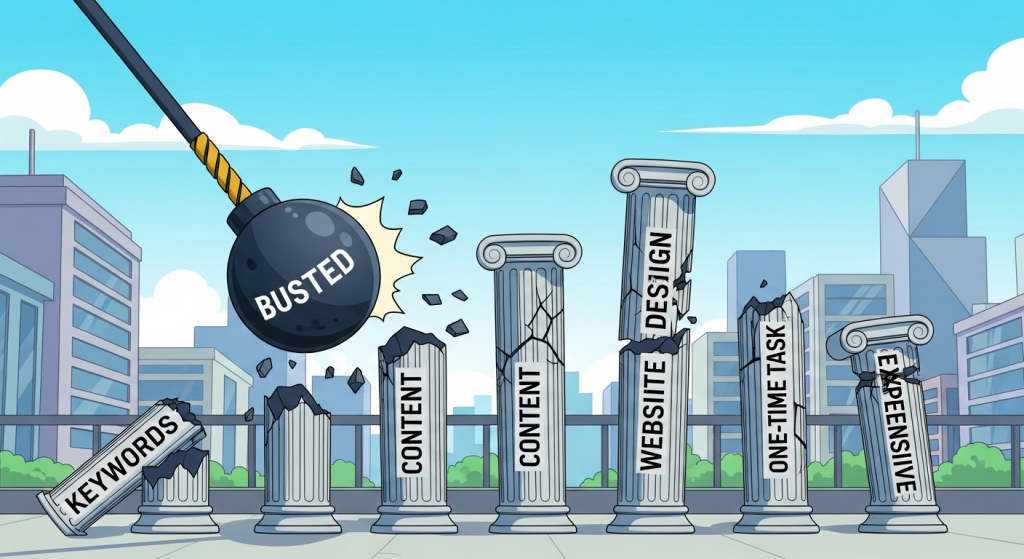 The Top 5 SEO Myths That Are Hurting Your Small Business (Busted) Search Engine Optimization, or SEO, can often feel like a mysterious, complex puzzle. With so much information—and misinformation—circulating online, it’s easy for small business owners to fall for common myths that do more harm than good. Wasted time, misspent marketing budgets, and frustratingly low website traffic are often the results of following outdated or just plain wrong advice. The truth is, SEO isn’t about secret tricks or gaming the system. It’s about building a strong, credible online presence that genuinely serves your customers. When you understand the core principles, you can make smarter decisions that lead to sustainable growth. To help you navigate this landscape with confidence, we’re busting the five most pervasive SEO myths that could be holding your business back from reaching its full potential online. Myth 1: SEO is a One-Time, Set-It-and-Forget-It Task The Myth Many business owners believe that once their website is launched and “optimized,” the SEO work is done. They might hire a developer to check a few boxes during the initial build—add some keywords, set up a sitemap—and then assume a steady stream of traffic will follow. This approach treats search engine optimization as a one-off project rather than an ongoing business function. The Reality: SEO is a Marathon, Not a Sprint Thinking of SEO as a one-time fix is one of the most damaging misconceptions in digital marketing. The online world is constantly changing. Your competitors are actively working to outrank you, and Google itself is always evolving. In fact, Google makes thousands of updates to its search algorithms every year. While most are minor, major updates can significantly shift the ranking landscape, as documented on the official Google Search ranking updates page. Effective SEO is a continuous process of refinement, monitoring, and adaptation. It involves: Ongoing Content Creation: Regularly publishing fresh, relevant content signals to search engines that your site is active and a valuable resource. Performance Monitoring: Tracking your rankings, organic traffic, and conversion rates helps you understand what’s working and where you need to improve. Technical Health Checks: Periodically auditing your site for issues like broken links, slow page speed, or indexing errors is crucial for maintaining a strong foundation. Adapting to Your Market: Customer search behavior changes, new trends emerge, and your business evolves. Your SEO efforts must adapt accordingly. A successful digital presence requires a dedicated and ongoing SEO Strategy. It’s a long-term investment that builds on itself, compounding its value over time to create a durable competitive advantage. Myth 2: The More Keywords, The Better The Myth This is one of the oldest myths in the book, dating back to the early days of search engines. The idea is simple: if you want to rank for a specific term, you should cram that exact phrase into your webpage as many times as possible. This practice, known as “keyword stuffing,” leads to unnatural, often unreadable content that repeats the same phrase over and over. The Reality: Quality and Relevance Trump Keyword Density Today’s search engines are incredibly sophisticated. They are designed to understand context, synonyms, and user intent—what a searcher is *really* looking for when they type a query. Google’s algorithms prioritize content that provides the best, most comprehensive answer to a user’s question, not the page that repeats a keyword the most. Keyword stuffing is not only ineffective; it’s actively harmful. Google considers it a manipulative tactic and may penalize your website, causing your rankings to plummet. Instead of focusing on keyword density, modern SEO focuses on creating high-quality, valuable content that naturally incorporates relevant terms and concepts. The goal is to write for humans first and search engines second. When you satisfy the user, you almost always satisfy the search engine. A better approach is to focus on topic relevance. Conduct thorough keyword research to understand the main topics and related sub-topics your audience cares about. Then, create a comprehensive piece of content that covers the subject in-depth, using your primary keyword and related secondary keywords in a way that flows naturally and provides real value to the reader. Myth 3: I Just Need to Publish Lots of Content The Myth The “content is king” mantra has led many businesses to believe that the key to SEO success is simply to churn out as much content as possible. They start a blog and publish short, generic articles every day, hoping that the sheer volume will eventually earn them top rankings. This often results in a large library of low-quality, unfocused content that nobody reads or shares. The Reality: Quality and Strategy Matter More Than Quantity While content is indeed the cornerstone of modern SEO, not all content is created equal. One in-depth, well-researched, and genuinely helpful 2,000-word article will almost always outperform ten short, superficial 200-word posts. Search engines reward content that demonstrates expertise, authoritativeness, and trustworthiness (E-A-T). Furthermore, publishing content without a strategy is like shouting into the void. To be effective, your content needs to be: Targeted: Each piece should be created for a specific audience segment and target a specific set of keywords related to their needs and pain points. Optimized: It should be properly formatted with clear headings, optimized title tags and meta descriptions, and internally linked to other relevant pages on your site. Promoted: Once published, you need a plan to get it in front of people through social media, email newsletters, and outreach to other relevant websites. As industry leader Moz explains in its Beginner’s Guide to Content Marketing, a successful strategy is built on understanding what your audience wants and delivering it better than anyone else. Focus on creating cornerstone content—comprehensive guides and resources that serve as the main pillars of your website—and then build out supporting content around those topics. Myth 4: A Beautiful Website is All I Need The Myth Many business owners invest heavily in a visually stunning website, assuming that its professional design and beautiful graphics will automatically attract customers. They
 Google’s AI Overviews Are Here: Is Your Small Business Ready for the SEO Shake-Up? If you’ve searched on Google in the last few weeks, you’ve likely seen it: a new, AI-generated summary box at the very top of the results page. This is Google’s “AI Overview,” a feature that has officially rolled out to millions of users, and it represents one of the most significant shifts in search engine optimization (SEO) in over a decade. For small business owners, this isn’t just a minor tweak; it’s a fundamental change in how customers find you online. For years, the goal was simple: get your website to rank on the first page. Now, the game is changing. AI Overviews aim to answer a user’s question directly within the search results, potentially reducing the need for them to click through to any website at all. While the technology is impressive, its recent public launch has been… rocky, to say the least. And within this turbulence lies both a critical challenge and a hidden opportunity for your business’s digital marketing strategy. The Good, The Bad, and The Viral: What’s Happening with AI Overviews? Google’s vision for AI Overviews is to provide quick, comprehensive answers by synthesizing information from multiple web pages. In theory, it’s a seamless user experience. In practice, the initial rollout has produced some bizarre and factually incorrect results that have gone viral. You may have seen the screenshots: AI Overviews recommending adding non-toxic glue to pizza sauce, claiming a dog has played in the NBA, or suggesting running with scissors is a safe activity. While these examples are comical, they highlight a serious issue. The AI is pulling information from a vast range of sources—including forums like Reddit, satirical articles, and low-quality content—and sometimes failing to distinguish fact from fiction. This has understandably created a wave of concern about the reliability of the information being presented. For your business, this means the quality and authority of your own website content are more important than ever. Google is now in a high-stakes race to improve accuracy, and it will be rewarding websites it perceives as trustworthy, authoritative sources. The key takeaway isn’t to dismiss the technology, but to understand its current flaws. This is your window of opportunity to position your brand as the reliable, human-verified source of information in your industry, directly influencing how the AI—and your customers—perceive you. How AI Overviews Will Change SEO for Your Business The rise of AI-generated answers fundamentally alters the relationship between a user, the search engine, and your website. It’s not just about ranking anymore; it’s about influencing the AI and capturing traffic in a new landscape. Here’s what you need to know. The Threat: The Rise of the “Zero-Click” Search The biggest fear for many businesses is the “zero-click” search. This happens when a user gets their question answered completely by the AI Overview and never clicks on any of the traditional blue links. If your digital marketing strategy relies heavily on ranking for simple informational questions (e.g., “what are the business hours for X?”), you could see a significant drop in website traffic. The AI will simply scrape that information and present it directly, leaving little incentive for a user to visit your site. The Opportunity: Becoming a Primary Source On the flip side, being featured in an AI Overview can be a massive win for your online visibility. When the AI uses your website as a source, it often includes a citation link back to your page. This can position your business as an authority on the topic, driving highly qualified traffic from users seeking more in-depth information. The goal is no longer just to rank #1, but to provide the kind of detailed, expert-driven content that Google’s AI will trust and feature. This is a powerful form of brand validation. The New Imperative: E-E-A-T (Experience, Expertise, Authoritativeness, and Trustworthiness) If the AI is trying to find the most reliable information, it’s going to rely heavily on Google’s existing quality signals, chief among them being E-E-A-T. This framework is Google’s way of measuring content quality. As Google’s own documentation on creating helpful content emphasizes, websites that demonstrate real-world experience and deep expertise will be favored. In the age of AI Overviews, generic, surface-level content will be ignored. Your website must prove it’s a trustworthy source run by real experts. 5 Actionable Steps to Adapt Your Digital Marketing Strategy Feeling overwhelmed? Don’t be. While the search landscape is shifting, the principles of good marketing remain. Here are five practical steps you can take right now to adapt and thrive in the era of AI Overviews. Double Down on High-Quality, People-First Content This is non-negotiable. Stop creating content just to target keywords. Start creating content that solves real problems for your target audience. Think detailed case studies, in-depth tutorials, unique industry insights, and original research. Ask yourself: “Does this content demonstrate my business’s first-hand experience and deep expertise?” If the answer is no, it won’t be valued by users or the AI. A strong SEO & Content Strategy is no longer about quantity; it’s about unparalleled quality. Optimize for Long-Tail and Conversational Keywords Simple, one- or two-word searches are the most likely to be answered by AI. The opportunity lies in more complex, conversational queries. Instead of targeting “plumber in Brooklyn,” focus on “how to fix a leaky faucet under the kitchen sink.” Create content that answers specific, multi-step questions. This type of detailed content is less likely to be fully summarized by AI and more likely to earn a click from a user who needs a comprehensive guide. Leverage Structured Data (Schema Markup) Structured data is code you add to your website to help search engines understand your content more effectively. As experts at Search Engine Journal note, it’s a way to spoon-feed information to Google in its own language. By using schema for FAQs, how-to guides, products, and reviews, you make it easier for the AI to parse your information
 Unlock Your SEO Potential: How to Track Results Without Expensive Tools As a small business owner, you know that search engine optimization (SEO) is crucial for getting discovered online. But when you start looking into it, you’re often hit with a wall of expensive software subscriptions promising to unlock the secrets of Google. The good news? You don’t need to spend hundreds of dollars a month to understand if your SEO efforts are working. In fact, some of the most powerful tools for tracking your performance are completely free. Understanding your SEO data is like having a roadmap to guide your marketing strategy. It tells you what’s working, what isn’t, and where your biggest opportunities for growth lie. This guide will walk you through exactly how to track your SEO results using free, industry-standard tools, giving you the clarity you need to make smarter business decisions. Why Tracking SEO is Non-Negotiable for Your Business Before we dive into the “how,” let’s quickly cover the “why.” Tracking your SEO performance isn’t just about watching numbers go up; it’s about understanding the direct impact of your online presence on your bottom line. When you consistently monitor your SEO, you can connect your efforts to tangible business outcomes. Effective tracking allows you to: Justify Your Investment: Whether you’re investing your own time or a marketing budget, tracking proves your return on investment (ROI). You can see exactly how many visitors, leads, and sales come from organic search. Identify What Works: Discover which blog posts, pages, and keywords are driving the most valuable traffic. This allows you to double down on successful strategies and create more of what your audience loves. Find New Opportunities: Data often reveals unexpected keywords you’re ranking for or questions your audience is asking. This is a goldmine for new content ideas and service offerings. Spot Problems Early: A sudden drop in traffic or rankings can signal a technical issue or a penalty from Google. The sooner you spot it, the faster you can fix it. Ultimately, data-driven decisions are always more effective than guesswork. By tracking your results, you move from hoping for success to actively building it. Your Free SEO Tracking Toolkit: The Essentials Forget the complex dashboards and costly subscriptions for a moment. To build a powerful and accurate picture of your SEO performance, you only need to start with two core platforms, both provided by Google itself. Google Search Console: Your Direct Line to Google If there is one tool you absolutely must set up, it’s Google Search Console (GSC). Think of it as a direct communication channel between your website and Google. It provides invaluable information about how Google sees your site and how users find you in search results. It’s 100% free and packed with actionable data. Here are the key reports to focus on: The Performance Report: This is the heart of GSC. It shows you the queries (keywords) people use to find you, the pages on your site that appear in search, the countries they search from, and the devices they use. You’ll see four key metrics: Clicks, Impressions (how many times your site appeared in search results), Click-Through Rate (CTR), and Average Position. The Indexing Report: This tells you which of your pages Google has successfully added to its index. If a page isn’t indexed, it can’t rank. This report helps you spot technical issues that might be preventing your content from being seen. The Experience Report: Google wants to send users to sites that provide a great experience. This report checks for things like mobile-friendliness and Core Web Vitals, which are critical speed and usability metrics. A poor user experience can hurt your rankings, making the quality of your Website Design Services more important than ever. Google Analytics 4: Understanding Your Audience While Google Search Console tells you how people find your site, Google Analytics 4 (GA4) tells you what they do once they arrive. It’s the key to understanding user behavior and measuring whether your traffic is actually valuable. By connecting your website to GA4, you can track how visitors interact with your content. Focus on these key areas in GA4: Traffic Acquisition: This report shows you exactly where your website traffic is coming from. You can easily see how many users are arriving from Organic Search versus other channels like Social Media, Direct (typing your URL), or Paid Ads. This is the best way to measure the overall growth of your organic traffic. Engagement Rate: This metric shows the percentage of visits that involved some form of meaningful interaction, like staying on the page for more than a few seconds, firing a conversion event, or visiting another page. A high engagement rate is a strong signal to Google that your content is relevant and valuable to visitors. Conversions: This is arguably the most important metric for any business. A conversion is a specific, valuable action a user takes on your site, such as filling out a contact form, signing up for a newsletter, or making a purchase. You can set these up in GA4 to directly measure how your SEO efforts are generating leads and sales. A Step-by-Step Guide to Tracking Key Metrics Now that you know which tools to use, let’s get practical. Here is a simple framework for monitoring the metrics that truly matter for your business growth. 1. Tracking Keyword Rankings and Opportunities While chasing the #1 spot for a single keyword is an outdated strategy, understanding which queries drive traffic is vital. Google Search Console is your best friend here. Navigate to the “Performance” report in GSC. Here, you can click on the “Queries” tab to see a list of all the keywords your site has appeared for. You can sort by clicks or impressions to see what’s most popular. Look for keywords that have high impressions but a low click-through rate. This often indicates that your page is showing up in results, but your title tag and meta description aren’t compelling enough
 Google Just Hit the Brakes on AI Overviews: A Small Business Guide to What’s Next for SEO If you’ve been following the news in the digital marketing world lately, you’ve probably heard the buzz, the confusion, and maybe even a bit of panic surrounding Google’s new AI Overviews. For a few weeks, it felt like the entire landscape of search was about to be turned on its head. Then, in a surprising turn, Google announced it was significantly scaling back the feature. So, what just happened, and more importantly, what does this mean for your small business? This isn’t just a minor tweak; it’s a course correction that creates a massive opportunity for savvy business owners. The ground beneath our feet has shifted, but it’s settled in a way that puts the power back into the hands of those who focus on quality and authenticity. Let’s break down what Google’s AI Overview adjustment means for your website traffic, your online visibility, and your overall digital marketing strategy. First, What Are AI Overviews and Why Did They Cause Such a Stir? In simple terms, AI Overviews are AI-generated summaries that Google started placing at the very top of some search results pages. The goal was to give users a quick, direct answer to their query without them needing to click on any links. Instead of the familiar “10 blue links,” users would see a conversational paragraph synthesized from multiple web pages. On paper, it sounded efficient. In reality, it was a bit of a mess. The AI, in its early public-facing days, made some comical and downright dangerous mistakes. You might have seen the viral screenshots of Google suggesting users put non-toxic glue on their pizza or eat one small rock a day. These blunders, while amusing, severely damaged the feature’s credibility and sent a ripple of concern through the business community. For many small businesses, the primary worry was clear: if users get their answers directly from Google’s AI, why would they ever click through to my website? It was a legitimate fear that threatened to decimate website traffic for countless publishers and service providers. The Big News: Google Admits a Mistake and Pumps the Brakes Facing a wave of public criticism and ridicule, Google did something many didn’t expect: they listened. In late May, the head of Google Search, Liz Reid, acknowledged the issues and announced that they would be significantly dialing back the feature. Reid explained that these “nonsensical” AI Overviews were triggered by queries that people don’t commonly make, but the damage was done. According to a detailed report on the changes from Search Engine Land, Google is now taking a more conservative approach, reducing the circumstances under which the AI-generated answers will appear. This doesn’t mean AI Overviews are gone for good. They will still appear for certain queries where Google’s systems are confident in the AI’s ability to provide a helpful summary. However, the initial panic of a “zero-click” future has subsided. This moment of recalibration is your window of opportunity to strengthen your digital marketing strategy and solidify your online presence. What This Shift Means for Your Small Business Website This pullback isn’t just a minor news item; it’s a strategic insight into the future of search. It tells us that while AI is a powerful tool, it’s not a replacement for genuine human expertise and authority. Here’s how this development directly impacts your business. A Renewed Golden Age for Traditional SEO With fewer AI Overviews dominating the top of the page, the classic search results are reclaiming their prominence. This means that the foundational work of search engine optimization is more critical than ever. The traffic that was feared to be lost is now back up for grabs. This is fantastic news for any business investing in a long-term digital presence. Your goal is to ensure that when a potential customer searches for a product or service you offer, your website appears prominently. This involves a thoughtful approach to keyword research, on-page optimization, and building a technically sound website. This is the time to double down on what works: creating valuable content that directly addresses your customers’ pain points. Our SEO & Content Strategy services are built on this exact principle—creating a sustainable engine for organic growth. The Undeniable Importance of E-E-A-T Google’s AI blunders provided a perfect, real-world lesson in the value of E-E-A-T, which stands for Experience, Expertise, Authoritativeness, and Trustworthiness. This is the framework Google uses to assess the quality and reliability of a webpage. When an AI confidently gives bad advice, it makes users crave information from sources they can actually trust—real people and established businesses with proven track records. This is your chance to shine. Showcase your team’s experience. Publish case studies with real results. Earn positive customer reviews. Create blog posts and articles that demonstrate your deep expertise, answering questions more thoroughly and with more nuance than a language model ever could. As Google’s own documentation on creating helpful content explains, content created by people with first-hand, life experience in a topic is incredibly valuable. By building your E-E-A-T signals, you’re not just optimizing for an algorithm; you’re building a brand that customers will trust and seek out. Your Website is Your Digital Stronghold The threat of AI Overviews was a stark reminder that you don’t own your space on Google. Your rankings can change overnight due to an algorithm update or a new feature. The one digital asset you have complete control over is your own website. The recent AI pullback reinforces the need to make your website an unmissable destination. When you do earn that precious click from a search result, what kind of experience are you providing? Is your site fast, mobile-friendly, and easy to navigate? Does it clearly communicate your value proposition and guide visitors toward taking a desired action, like making a purchase or filling out a contact form? Now more than ever, a professional, conversion-focused web design is not a
 Unlock the Hidden SEO Power of Blog Commenting If you’ve been in the digital marketing world for a while, the phrase “blog commenting for SEO” might make you cringe. You might picture spammy, barely coherent sentences stuffed with keywords, all ending with a shady link. For years, that’s exactly what it was: a low-effort tactic used to game the system. But the internet has evolved, and so have Google’s algorithms. Today, the old spammy methods are not only ineffective but can actively harm your website’s reputation. However, a different, more strategic approach has emerged. When done thoughtfully, blog commenting has transformed from a black-hat trick into a powerful tool for building brand authority, driving referral traffic, and sending positive signals to search engines. For small businesses, it’s an underrated and highly effective way to get your name in front of the right audience. What Happened to Blog Commenting? A Quick History In the early days of SEO, backlinks were king, and their quality was a secondary concern. Marketers quickly realized that leaving a comment on a blog often created a hyperlink back to their own site. This led to an explosion of automated bots and low-wage workers plastering thousands of blogs with generic comments like “Great post!” or “Thanks for the info!” The goal was quantity, not quality, and for a short time, it worked. Google, in its ongoing mission to provide the best possible search results, caught on. With updates like Penguin, it began penalizing websites with spammy, low-quality backlink profiles. To combat comment spam directly, Google promoted the use of the rel=”nofollow” attribute. This piece of code, added to a link, tells search engines not to pass any “link juice” or authority from the linking page to the destination page. Suddenly, the primary incentive for spammers was gone, and the practice of mass commenting for SEO died a well-deserved death. But that’s not the end of the story. It’s the beginning of a new, more meaningful chapter where the value of commenting lies not in a direct SEO boost, but in something far more sustainable: genuine human connection. Beyond the Backlink: The Real Benefits of Smart Commenting The first thing we need to address is the “nofollow” elephant in the room. Most blogs apply this attribute to all links in their comments section. So, if they don’t pass direct SEO authority, why bother? Because modern SEO is about more than just link equity. It’s about authority, traffic, and brand signals. Even Google has stated that it now sees link attributes, including nofollow, as “hints” rather than strict directives. As explained in this detailed guide from Moz, this change suggests that search engines may choose to consider nofollow links in certain contexts. But even without that, the indirect benefits are immense. Building Relationships and Brand Authority Imagine a local accountant consistently leaving insightful, helpful comments on major small business finance blogs. They answer other readers’ questions, add valuable context to the author’s points, and demonstrate deep expertise. Over time, both the blog owner and the audience begin to recognize them as a trusted voice in the field. This builds authority that no backlink can buy. These relationships can lead to guest posting opportunities, podcast appearances, collaborations, and valuable, organic backlinks down the road. Driving High-Quality Referral Traffic A well-crafted comment piques curiosity. If your contribution is genuinely helpful or thought-provoking, other readers—and the author—will want to know who you are. They will click on your name and visit your website. This isn’t just any traffic; it’s highly qualified referral traffic. These visitors are already interested in your area of expertise and are arriving at your site with a positive first impression. This kind of engagement is a powerful signal to search engines that your website is a valuable resource. Gaining Valuable Market Insights Actively participating in your industry’s online conversations is one of the best forms of market research. By reading and commenting on popular blogs, you get a direct line to the pain points, questions, and trends that matter to your target audience. This insight is gold for your content strategy. It can inspire your next blog post, help you refine your service offerings, and ensure your overall SEO Strategy is aligned with what your potential customers are actually searching for. The Golden Rules: How to Write Comments That Actually Work Transitioning from theory to practice is simple if you follow a few core principles. The goal is to be a valuable member of the community, not a drive-by advertiser. Here’s how to do it right. Step 1: Find the Right Blogs Your efforts will be wasted if you’re commenting in the wrong places. Look for blogs that are: Relevant: The topics should be directly related to your industry and expertise. Active: The blog should be updated regularly and have an engaged readership (i.e., other people are also commenting). Moderated: A blog that moderates its comments is a sign of quality and ensures your thoughtful contribution won’t be lost in a sea of spam. Use Google searches like “top [your industry] blogs” or follow influencers in your niche on social media to see where they are engaging. Step 2: Craft a Valuable Contribution This is the most critical step. Your comment must add value to the conversation. Before you type a single word, read the entire article and the existing comments. Then, consider one of these approaches: Answer a question: Respond to a question posed by the author or another commenter, showcasing your expertise. Add a new perspective: Offer a unique viewpoint or share a personal experience that complements the article’s topic. Ask an intelligent question: Pose a thoughtful question that deepens the conversation and encourages a response from the author. Provide supplementary info: Add a relevant statistic, a link to a case study, or a resource that builds on a point made in the post. Step 3: Write for Humans, Not Bots Forget keywords and focus on clarity. Use your real name (or “Your Name @
 Google’s New AI Overviews Are Here: What Small Businesses Must Do Now If you’ve used Google in the past few weeks, you’ve probably noticed something different. For many searches, a new, detailed summary appears right at the top of the page, answering your question directly. This is Google’s new “AI Overview,” and it represents one of the most significant changes to search in over a decade. For small business owners, this isn’t just a minor tweak; it’s a fundamental shift in how potential customers will find you online. While any big change can feel daunting, it also presents a massive opportunity for businesses that are ready to adapt. The old rules of SEO are being rewritten in real-time by generative AI, and ignoring this evolution is no longer an option. Understanding what AI Overviews are, how they work, and what you need to do right now is critical to protecting your online visibility and continuing to drive website traffic that converts into sales. What Exactly Are Google’s AI Overviews? Think of AI Overviews as Google’s attempt to be a super-intelligent research assistant. Instead of just giving you a list of ten blue links and leaving you to click through and piece together the answer, Google’s AI now does the heavy lifting. It analyzes information from multiple web pages across the internet, synthesizes the key points, and presents a concise, conversational summary at the very top of the search results page. These overviews are designed to answer complex, multi-step questions in one go. For example, a search like “what are the best durable and pet-friendly flooring options for a small apartment” might trigger an AI Overview that lists options like luxury vinyl and laminate, compares their pros and cons, and even provides an estimated cost range, all without requiring a single click. Why This Is a Game-Changer for Search For years, the primary goal of search engine optimization (SEO) was to secure one of those coveted top spots on the results page. The higher your rank, the more clicks you received. AI Overviews change that dynamic entirely. The new “position zero” is now a featured mention within the AI-generated summary. This shift is a direct response to changing user behavior. People want immediate, accurate answers. Google’s vision is to make search more natural and intuitive, allowing users to ask questions the way they would to another person. While this is great for the searcher, it raises a crucial question for your business: if Google answers the question directly, why would anyone need to visit your website? How AI Overviews Will Impact Your Small Business Traffic The immediate reaction from many business owners and marketers has been a mix of curiosity and concern. If users get their answers from the AI Overview, will organic website traffic plummet? The answer is complex, and the impact will likely vary across different industries and types of searches. The Potential Threat: A Drop in Clicks for Informational Queries Let’s be direct: for simple, fact-based questions, you will likely see a decrease in clicks. If a user is searching for “what temperature to bake a chocolate cake,” and the AI Overview gives them the answer “350°F (175°C),” they have little reason to click on a recipe blog. Businesses that rely heavily on traffic from these top-of-funnel, informational queries need to reassess their content strategy immediately. The Hidden Opportunity: Driving Highly Qualified Leads Here’s the silver lining. Being cited as a source within an AI Overview is a powerful endorsement. It positions your brand as an authority on the topic. While you might get fewer clicks overall, the clicks you do get will likely come from users who are more engaged and further along in their buying journey. The AI has pre-qualified them; they’ve read the summary and are now clicking through to your site for deeper expertise, to see your specific products, or to contact you for your services. The Critical Role of Local SEO For local businesses, AI Overviews are deeply integrated with local search signals. A search for “best plumber near me for a leaky faucet” might generate an AI Overview that not only explains common causes of leaks but also recommends top-rated local plumbers, pulling information directly from their Google Business Profiles. This makes having a perfectly optimized and active Google Business Profile more important than ever. Your reviews, photos, services listed, and accurate contact information are now direct fuel for these powerful new search features. Your New SEO Playbook: 5 Steps to Thrive in an AI-Powered World Panic is not a strategy. The core principles of good marketing—understanding your audience and providing them with genuine value—are now more important than ever. Here’s how to adapt your digital marketing strategy to win in the age of AI Overviews. 1. Create Genuinely Helpful, People-First Content: Google’s algorithms are increasingly focused on rewarding content created for humans, not search engines. Your focus should be on creating the single best resource on the internet for a given topic. Go beyond surface-level answers. Include unique insights, personal experience, data, and detailed explanations. This is the cornerstone of a modern SEO & Content Strategy that will stand the test of time. 2. Answer Questions Your Customers Actually Ask: Structure your content around the specific, long-tail questions your ideal customers are typing and speaking into search. Think about their problems, pain points, and goals. Create dedicated FAQ pages, in-depth blog posts answering a single question, and how-to guides. The more your content directly mirrors conversational queries, the more likely it is to be sourced by generative AI. 3. Double Down on E-E-A-T: E-E-A-T stands for Experience, Expertise, Authoritativeness, and Trustworthiness. It’s Google’s framework for identifying high-quality content. To demonstrate it, you need to show your work. Include author bios with credentials, link to credible sources, showcase customer testimonials and case studies, and ensure your “About Us” page clearly communicates who you are and why you’re an expert. E-E-A-T is not a direct ranking factor, but it’s a critical concept
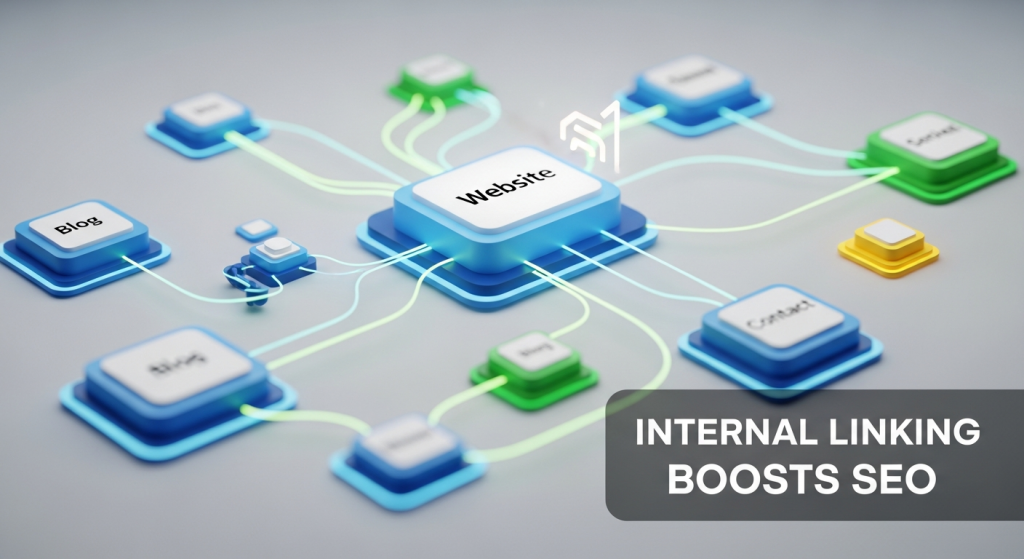 Unlock Your Website’s Full Potential: How Internal Linking Boosts Your SEO As a small business owner, you know how crucial it is to appear on the first page of Google. You invest time and resources into keywords, content, and maybe even external backlinks. But what if one of the most powerful tools to boost your search engine optimization (SEO) was completely free and entirely within your control? It is. It’s called internal linking, and it’s often the most overlooked element of a successful digital strategy. Many business owners focus so heavily on getting links from other websites that they forget to build a strong, logical web of links within their own. By simply connecting your pages to one another in a thoughtful way, you can significantly improve your search rankings, enhance user experience, and guide both customers and search engines to your most important content. This article will demystify internal linking and show you how to use it to build a stronger, more authoritative website. What Exactly Is Internal Linking? In the simplest terms, an internal link is a hyperlink that points from one page on your website to another page on the same website. If you have a link on your “Services” page that goes to your “Contact Us” page, that’s an internal link. If you have a blog post about “5 Tips for Spring Cleaning” that links to your “Carpet Cleaning Services” page, that’s also an internal link—and a strategic one at that. A Simple Analogy: Your Website as a City Think of your website as a city. Each page—your homepage, about page, service pages, and blog posts—is a specific location or landmark. Internal links are the roads, bridges, and highways that connect them. Without these roads, each location is isolated. A visitor (or a search engine crawler) might land in one spot but have no clear path to discover all the other valuable places your city has to offer. A well-planned road system guides traffic efficiently, making it easy for people to find what they need and explore the entire area. Internal linking does the same for your website. The Key Parts of an Internal Link Every internal link has two fundamental components that you need to know: The URL: This is the web address of the page you are linking to. It’s the destination. The Anchor Text: This is the visible, clickable text that the user sees. For example, in the phrase “check out our Website Design Services,” the anchor text is “Website Design Services.” This text is incredibly important because it gives both users and search engines like Google context about what they will find when they click the link. Using descriptive anchor text is far more effective than using generic phrases like “click here” or “read more.” It’s a direct signal to Google about the topic of the destination page, helping it understand your content more deeply. Why Internal Linking is a Game-Changer for Your SEO Strategy A thoughtful internal linking strategy isn’t just a “nice-to-have” feature; it’s a foundational pillar of modern SEO. It directly impacts how search engines see your site and how users interact with it. Here’s how it works its magic. 1. It Helps Search Engines Discover and Understand Your Content Search engines use automated programs called crawlers (or spiders) to travel the web, discover new pages, and add them to their index—a massive library of all the content they’ve found. These crawlers navigate the internet by following links. When they land on one of your pages, they follow the internal links on that page to find other pages on your site. If a page has no internal links pointing to it, it becomes an “orphaned page.” It’s like a house with no roads leading to it. A crawler may never find it, which means it will never be indexed and will never show up in search results. A strong internal linking structure ensures that all your valuable pages are connected and easily discoverable by Google. 2. It Distributes “Link Equity” Across Your Site Link equity, also known as “link juice” or PageRank, is a core concept in SEO. In essence, links pass authority from one page to another. Pages that have a lot of high-quality backlinks from other websites (like your homepage) accumulate more authority. You can strategically use internal links to pass some of that authority from your strong pages to other pages on your site that you want to rank higher. As explained by Google’s own documentation, PageRank flows through links. By linking from a high-authority page to a newer blog post or an important service page, you’re essentially giving that destination page a vote of confidence. This helps lift the ranking potential of your entire website, creating a “rising tide lifts all boats” effect. 3. It Improves User Experience (UX) and Engagement SEO isn’t just about pleasing search engines; it’s about providing a great experience for your human visitors. Internal links are critical for this. They act as a navigation aid, guiding users to related information and helping them find the answers they’re looking for. For example, a visitor reading a blog post about “The Benefits of Professional Landscaping” would find it incredibly helpful to see a link to your “Garden Design Services” page within the article. When users can easily navigate your site and find relevant content, they tend to stay longer. This leads to: Lower Bounce Rates: Fewer people leave your site after viewing only one page. Higher Pages Per Session: Visitors view more pages during their visit. Increased Dwell Time: The total time spent on your site increases. These are all powerful user engagement signals that tell Google your site is valuable and high-quality, which can lead to better rankings. 4. It Establishes a Clear Website Hierarchy and Topic Authority A structured internal linking plan helps you establish a clear information hierarchy. One of the most effective methods is the “topic cluster” or “hub-and-spoke” model. This involves creating a main, comprehensive “pillar”
 Google’s AI Overviews Are Here: Is Your Website Ready for the Biggest SEO Shift in a Decade? For years, the game was simple: get your website to the top of Google’s search results. That coveted number one spot meant visibility, clicks, and customers. But a fundamental shift is happening right now, and if you’re not paying attention, your website traffic could be at serious risk. Google has officially started rolling out its “AI Overviews” to the public, a change that redesigns the search results page and redefines what it means to be visible online. You may have already seen them. Instead of a list of ten blue links, you now often see a detailed, AI-generated summary at the very top of the page, directly answering your question. This is the Search Generative Experience (SGE), now officially branded as AI Overviews. While it’s designed to make search more helpful for users, it presents a new and urgent challenge for small business owners. When Google gives the answer directly, why would a user need to click on your website? This isn’t a far-off future trend; it’s a present-day reality that requires an immediate evolution in your digital marketing strategy. What Exactly Are AI Overviews? Think of AI Overviews as a super-smart research assistant built directly into Google. When you type in a question, especially a complex one, Google’s AI doesn’t just point you to websites that might have the answer. It reads and synthesizes information from multiple top-ranking pages and then presents a comprehensive, easy-to-read summary right on the results page. These overviews can include text, images, and links to the sources it used. For example, if a user searches for “best durable flooring for a home with dogs and kids,” the old Google would show a list of blog posts and articles. The new Google presents an AI Overview that might say: “For a home with dogs and kids, the most recommended durable flooring options are Luxury Vinyl Tile (LVT) and laminate. LVT is waterproof and scratch-resistant, making it ideal for spills and pet claws. Laminate offers a similar look to hardwood at a lower cost and has a tough wear layer, though it can be susceptible to water damage if not installed correctly. Both are considered excellent choices for high-traffic family homes.” This answer is incredibly helpful for the user, but it potentially means that several flooring companies just lost a website visitor. The user got their answer without ever needing to click a link. This is the core challenge that your business now faces. The Business Impact: A World with Fewer Clicks The primary concern for any business owner should be the potential for a significant drop in organic website traffic. When users get their questions answered directly on the search page, the incentive to click through to an individual website diminishes. This phenomenon, often called a “zero-click search,” is expected to become much more common. For businesses that rely on content marketing and SEO to attract customers, this is a seismic shift. However, it’s not all doom and gloom. This change also creates a massive opportunity for businesses that adapt quickly. The clicks you do get will likely be from more qualified, higher-intent visitors. A user who reads an AI Overview and still clicks through to your site is not just browsing; they are actively seeking deeper information, specific products, or a trusted expert. Your website must be prepared to meet that high expectation instantly. The focus is shifting from a high volume of traffic to a high quality of traffic. How to Adapt Your SEO Strategy for the AI Search Era The fundamentals of good SEO—creating valuable content for people—are more important than ever. However, you need to refine your approach to align with how AI models think and synthesize information. Here’s how you can future-proof your online visibility. Double Down on E-E-A-T E-E-A-T stands for Experience, Expertise, Authoritativeness, and Trustworthiness. This is the framework Google uses to assess the quality of content. AI Overviews will heavily favor information from sources it deems highly credible. You can’t just write a blog post; you have to demonstrate why you are the authority on that topic. Experience: Write from a first-person perspective. Share case studies, real-world examples, and hands-on insights. If you’re a plumber, write about a specific complex job you completed. Expertise: Showcase your credentials. Include author bios that detail qualifications, certifications, and years in the industry. Authoritativeness: Earn backlinks from other respected sites in your industry and secure mentions in local news or trade publications. Trustworthiness: Be transparent. Have a clear contact page, display customer reviews, and ensure your website is secure (HTTPS). Following Google’s guidelines on creating helpful, reliable content is no longer optional; it’s essential for survival. Create Hyper-Specific, Niche Content Broad, generic content is the most likely to be summarized by AI. The key is to answer the long-tail questions that go beyond a simple summary. Think about the follow-up questions your customers ask. Instead of writing about “social media marketing,” write about “How a Local Coffee Shop in a Tourist Town Can Use Instagram Reels to Increase Foot Traffic in the Off-Season.” The more specific and nuanced your content is, the more likely a user will need to click through to your site for the full picture. A well-planned content strategy is critical, focusing on depth over breadth. Our SEO & Content Strategy services are built around creating exactly this kind of high-value, niche content that AI is less likely to replace. Embrace Structured Data (Schema Markup) If you want an AI to understand your content, you need to speak its language. Structured data, or schema markup, is code you add to your website to label your content for search engines. It’s like creating a nutrition label for your webpage. You can tell Google explicitly that a piece of text is a product review, that a string of numbers is a phone number, or that an article is a recipe with specific