Skip to content
 How to Perform a DIY SEO Audit: A Small Business Owner’s Guide As a small business owner, you wear many hats. You’re the CEO, the head of sales, the customer service manager, and often, the chief marketing officer. With so much on your plate, Search Engine Optimization (SEO) can feel like a complex, mysterious puzzle. You know it’s important for attracting new customers, but where do you even begin? The answer is an SEO audit. An audit is a comprehensive check-up for your website’s health, revealing what’s working, what’s not, and where your biggest opportunities for growth lie. While large corporations spend thousands on in-depth analyses, you can uncover critical insights with a do-it-yourself approach. This guide will walk you through a simple, four-part DIY SEO audit designed specifically for busy entrepreneurs. No advanced technical skills required—just a willingness to learn and a little bit of your time. Part 1: The Foundation – Technical SEO Health Check Think of technical SEO as the foundation of your house. If the foundation has cracks, everything you build on top of it is at risk. Technical SEO ensures that search engines like Google can easily find, crawl, and understand your website’s content. If they can’t, even the most brilliant blog posts or product pages will be invisible. Is Your Website Indexed by Google? The first and most crucial check is to see if Google even knows your website exists. Indexing means Google has visited your site, processed its content, and added it to its massive library of web pages. If your site isn’t indexed, it can’t appear in search results. How to check: Go to Google and type site:yourdomain.com into the search bar, replacing “yourdomain.com” with your actual website address. If you see a list of your website’s pages, you’re in the index. If you see very few pages or a message saying “your search did not match any documents,” you have an indexing problem that needs immediate attention. Setting up a free Google Search Console account is the best way to monitor this long-term. Is Your Website Mobile-Friendly? Today, more than half of all web traffic comes from mobile devices. Because of this, Google uses “mobile-first indexing,” which means it primarily uses the mobile version of your content for indexing and ranking. A site that is clunky, slow, or hard to read on a smartphone will be penalized in search rankings. How to check: Use Google’s free Mobile-Friendly Test tool. Just enter your website’s URL, and it will tell you if your page is easy to use on a mobile device. How Fast Does Your Website Load? Patience is not a virtue on the internet. If your website takes more than a few seconds to load, visitors will leave and likely never return. Site speed is a confirmed ranking factor for both desktop and mobile searches because it’s a critical part of the user experience. A slow site frustrates users, and Google wants to avoid sending its users to frustrating experiences. How to check: Use Google’s PageSpeed Insights tool. It analyzes your site’s performance on both mobile and desktop and provides a score from 0-100, along with specific recommendations for improvement, such as compressing images or reducing server response times. Part 2: Content and On-Page SEO Analysis On-page SEO refers to optimizing the individual pages of your website. This involves both the content you create (blog posts, service pages) and the underlying HTML code. It’s all about making your content clear, relevant, and valuable for both search engines and human visitors. Evaluate Your Page Titles and Meta Descriptions The page title and meta description are what users see in the Google search results. They are your first, and perhaps only, chance to convince someone to click on your link instead of a competitor’s. They need to be compelling and relevant to the user’s search. Page Titles: This is the main blue link in a search result. It should accurately describe the page’s content and include your primary target keyword. Aim to keep it under 60 characters. Meta Descriptions: This is the short snippet of text below the title. While not a direct ranking factor, a well-written meta description acts as ad copy, enticing users to click. Keep it under 160 characters and include a call to action if possible. Audit Your Content Quality and Keywords Your content is the heart of your SEO efforts. You need to ask yourself if it truly serves your target audience. Is it answering their questions, solving their problems, and providing real value? High-quality content is what earns high rankings, shares, and backlinks. Furthermore, ensure you are targeting the right keywords. Are you using the same language your potential customers use when they search for your products or services? A comprehensive SEO Strategy begins with understanding these keywords and mapping them to specific pages on your site. Avoid “keyword stuffing” (unnaturally repeating keywords); instead, focus on creating in-depth, helpful content that uses your target terms and related phrases naturally. Check Your Heading Structure Headings (H1, H2, H3, etc.) organize your content into a logical hierarchy, much like an outline for a report. This makes your content easier for visitors to read and for search engines to understand. Follow these simple rules: Use only one H1 tag per page. This should be the main title of the page or blog post. Use H2 tags for main section headings. Use H3 tags for sub-sections within your H2s. Ensure your headings are descriptive and include relevant keywords where appropriate. Part 3: Off-Page SEO and Authority Building Off-page SEO involves actions taken outside of your own website to impact your rankings. It’s about building your website’s authority and reputation. When other reputable websites link to yours, they are essentially vouching for your content, which is a powerful trust signal to Google. Review Your Backlink Profile Backlinks are links from other websites to yours. They are one of the most important ranking factors. However, quality is far more important than quantity.
 Google’s New SEO Rulebook: Why ‘Helpful Content’ Is No Longer Optional If you’ve felt a tremor in your website traffic or keyword rankings lately, you’re not imagining it. In early 2024, Google rolled out one of its most significant updates in years, fundamentally changing the rules of the game for online visibility. What was once a best practice—creating “helpful content”—is now the absolute, non-negotiable price of entry for earning a spot on the search results page. For small business owners, this isn’t just another bit of tech news to ignore. This is a direct signal about how you need to communicate with your customers online. The days of chasing algorithms with clever tricks are officially over. The new era is all about one thing: being genuinely useful. Let’s break down what happened, why it matters for your bottom line, and what you can do about it right now. The Game-Changing Shift: What Google Actually Changed For years, Google has been talking about rewarding content made for people, not just for search engines. They even had a separate system called the “Helpful Content System” that would evaluate pages. But the March 2024 Core Update changed everything by integrating that system directly into its main, core ranking algorithm. Think of it like this: before, helpfulness was like an extra credit assignment that could boost your grade. Now, it’s a fundamental part of the final exam. If your content isn’t seen as genuinely helpful, satisfying, and user-friendly, your chances of ranking for competitive terms have dropped significantly. The End of a Separate System By making helpfulness a core ranking signal, Google can now assess the quality and user-centric nature of your content in real-time. There’s no longer a separate, slower system running in the background. This change is more powerful and has a more immediate impact on rankings. Alongside this major change, Google also released aggressive new spam policies aimed at clearing out low-quality, unoriginal, and mass-produced content that has cluttered up search results. The message is crystal clear: Google is doubling down on quality and is actively penalizing sites that try to manipulate rankings instead of earning them through genuine value. A Renewed Emphasis on E-E-A-T This update also amplifies the importance of a concept known as E-E-A-T, which stands for Experience, Expertise, Authoritativeness, and Trustworthiness. These aren’t just buzzwords; they are the ingredients Google looks for to determine if your content is credible and reliable. In this new landscape, proving your E-E-A-T is more critical than ever. Experience: Does the content demonstrate that it was created by someone with real, first-hand life experience on the topic? A product review from someone who has actually used the product is more valuable than one that just rehashes specs from a manufacturer’s website. Expertise: Does the author have the necessary knowledge or skill in the field? This is crucial for topics related to finance, health, and law. Authoritativeness: Is your website or brand seen as a go-to source in your industry? This is built over time through consistent, high-quality content, positive reviews, and mentions from other reputable sites. Trustworthiness: Can users trust your content? This involves everything from citing sources to having clear contact information and secure website protocols (HTTPS). What “Helpful Content” Actually Means for Your Business Website “Helpful” can feel like a vague term, but in Google’s eyes, it has a specific meaning. It’s not about stuffing keywords or hitting a certain word count. It’s about satisfying the user’s needs so completely that they have no reason to go back to the search results page. It’s Created for a Specific Audience Helpful content knows who it’s talking to. Are you writing for a beginner who needs a step-by-step guide, or an expert looking for nuanced data? Generic content that tries to appeal to everyone often helps no one. Your website content should speak directly to your ideal customer, using their language and addressing their specific pain points. Think about the questions your customers ask you every day—those are the seeds of truly helpful content. It Demonstrates First-Hand Knowledge This goes back to the “Experience” in E-E-A-T. Your small business has a massive advantage here over large, faceless corporations. You have real-world experience with your products, services, and customers. Share it! Instead of just writing “5 Tips for Landscaping,” write an article titled “Our Pro Landscaping Crew’s 5 Most Common Mistakes We See Homeowners Make.” Show photos of your work, share a case study of a difficult project you solved, or create a video explaining your process. This is the unique, valuable content that Google wants to reward, and it’s something your competitors can’t easily replicate. It Answers the Question and Solves the Problem When a user lands on your page, do they find what they were looking for? If someone searches for “how to fix a leaky faucet” and your page gives a detailed guide with pictures, a tool list, and maybe even a video, you’ve provided a satisfying experience. If your page is just a thin sales pitch for your plumbing services with a few keywords sprinkled in, the user will leave frustrated. A core part of a modern SEO & Content Strategy is mapping every piece of content to a specific user problem and ensuring you solve it better than anyone else. Your Action Plan: 4 Steps to Align with Google’s New Rules Feeling overwhelmed? Don’t be. This shift is an opportunity for authentic businesses to shine. Here’s a practical plan to get your website on the right track. Conduct a Brutally Honest Content Audit: Go through your existing blog posts, service pages, and articles. Ask yourself for each page: “Does this truly help my target customer? Is it original? Does it showcase our unique expertise?” Be prepared to delete or drastically improve content that is thin, outdated, or unoriginal. Pruning low-quality pages can often result in a significant boost for your entire site. Double Down on Your Expertise: Make a list of topics where you and your team
 Boost Your Rankings: The Best Free SEO Tools for Small Businesses Search Engine Optimization (SEO) can feel like a daunting and expensive endeavor, especially for a small business owner juggling a dozen other responsibilities. You know you need to show up on Google, but the world of algorithms, keywords, and analytics can seem overwhelming. The good news? You don’t need a massive budget to start making a real impact. In fact, some of the most powerful SEO tools on the market are completely free. Understanding and using these tools can help you attract more visitors, generate more leads, and grow your business online. This guide will walk you through the best free SEO tools available today, breaking down what they do, why you need them, and how you can use them to climb the search engine rankings. Foundational SEO Tools: The Absolute Must-Haves Before you dive into a dozen different platforms, it’s crucial to set up the foundational tools provided directly by the search engines themselves. This is your direct line of communication with Google and Bing, offering invaluable, first-party data you can’t get anywhere else. Google Search Console If you only use one SEO tool, make it this one. Google Search Console (GSC) is a free service that helps you monitor, maintain, and troubleshoot your website’s presence in Google Search results. It’s like getting a health report card directly from Google. What it’s for: See which search queries bring users to your site, check how many people see your site in search results (impressions) and how many click on it (clicks), submit sitemaps, and receive alerts when Google finds indexing or spam issues on your site. Why it’s essential: The “Performance” report in GSC is a goldmine. It shows you the exact keywords you are ranking for, including those you might not even be aware of. You can use this data to identify “striking distance” keywords—terms for which you rank on page two—and optimize your content to push them onto page one. For a deeper dive into its features, Google’s own help documentation is an excellent resource. Google Analytics 4 While GSC tells you what happens before a user clicks on your website, Google Analytics 4 (GA4) tells you everything that happens after. It’s the standard for understanding user behavior on your site. What it’s for: Tracking website traffic, understanding user demographics, seeing which pages are most popular, and monitoring how visitors navigate through your site. You can also track conversions, like form submissions or product purchases. Why it’s essential: GA4 helps you connect your SEO efforts to business results. By analyzing user engagement metrics like time on page and pages per session, you can determine if the traffic you’re attracting is actually valuable. If users are leaving a page immediately after arriving (a high “bounce rate”), it might be a signal that the content isn’t matching their search intent, which can hurt your rankings over time. Bing Webmaster Tools While Google holds the majority of the market share, don’t ignore Bing. Bing Webmaster Tools is Microsoft’s equivalent of Google Search Console and offers a surprisingly robust set of features, including a great keyword research tool and site audit functionality that are often paid features elsewhere. What it’s for: Monitoring your site’s performance on the Bing search engine, submitting sitemaps, and using their built-in SEO tools. Why it’s essential: Setting up Bing Webmaster Tools is easy (you can import your site directly from GSC) and it gives you access to a different data set. Its Site Scan tool provides a free technical SEO audit, flagging issues that could be holding you back on all search engines. The Best Free Tools for Keyword Research Keyword research is the cornerstone of any successful SEO campaign. It’s the process of finding the words and phrases your potential customers are using to find services like yours. Getting this right ensures you’re creating content that people are actually looking for. Google Keyword Planner Housed within the Google Ads platform, Keyword Planner is designed for advertisers but provides invaluable data for SEO. You’ll need a Google account to access it, but you don’t need to run an active ad campaign. What it’s for: Discovering new keywords, seeing monthly search volume estimates, and understanding the level of competition for specific terms. Why it’s essential: The data comes directly from Google, making it one of the most reliable sources for search volume. Use the “Discover new keywords” feature to enter a “seed” keyword (e.g., “plumber in brooklyn”) and get hundreds of related ideas you can target in your blog posts, service pages, and local listings. AnswerThePublic This unique tool visualizes search queries in a “search cloud,” organizing them by questions (who, what, where, when, why), prepositions, and comparisons. It’s a fantastic way to understand the user intent behind your keywords. What it’s for: Generating long-tail keyword ideas and understanding the specific questions your audience is asking. Why it’s essential: Instead of just guessing what your customers want to know, AnswerThePublic shows you. If you’re a roofer, you might discover people are searching for “how much does a new roof cost” or “what are the best roofing materials for cold climates.” Answering these questions directly on your website is a powerful way to build authority and attract highly qualified traffic. Top Free Tools for On-Page and Technical SEO Once you have your keywords, you need to make sure your website is structured and optimized correctly for both users and search engines. This involves both on-page SEO (content optimization) and technical SEO (your site’s backend health). Screaming Frog SEO Spider (Free Version) This is a powerful desktop program that “crawls” your website in the same way a search engine does. The free version allows you to crawl up to 500 URLs, which is more than enough for most small business websites. What it’s for: Conducting a technical SEO audit. It finds broken links (404s), identifies missing page titles and meta descriptions, flags duplicate content, and analyzes your site
 Google’s AI Overviews Are Here: A Small Business Guide to the New SEO The search engine you and your customers have used for two decades just went through its biggest transformation yet. At its recent I/O conference, Google officially announced that “AI Overviews” are rolling out to the main search results page for users in the United States, with more countries to follow soon. This isn’t a small test or a minor tweak; it’s a fundamental shift in how people find information online, and it has massive implications for your small business’s online visibility. For years, the goal of Search Engine Optimization (SEO) was to secure a top spot in the “10 blue links.” Now, that landscape is being redrawn by artificial intelligence. If you’re feeling a bit of whiplash, you’re not alone. But don’t panic. This change brings challenges, yes, but it also presents incredible opportunities for businesses that are willing to adapt. This guide will break down what AI Overviews are, how they’ll impact your website traffic, and what you need to do right now to future-proof your digital marketing strategy. What Exactly Are Google’s AI Overviews? Imagine asking Google a complex question, like “What are the best local restaurants for a business lunch with vegetarian options?” Instead of just getting a list of links to browse, you first see a concise, AI-generated paragraph at the very top of the page that directly answers your question, complete with pictures and links to its sources. That’s an AI Overview. These summaries are created by Google’s Gemini model, which analyzes information from multiple high-ranking web pages to synthesize a comprehensive answer. The goal, according to Google, is to help users “get more done with less work.” Instead of piecing together information from several different websites, users can get a quick, digestible summary right away. While this is great for user experience, it raises a critical question for business owners: if users get their answer from the AI, will they still click through to my website? The Key Differences You Need to Know Positioning: AI Overviews appear above the traditional organic search results, occupying the most valuable real estate on the page. Content: They don’t just pull from one source. They blend information from various websites, articles, and reviews to create a unique summary. Functionality: They often include links to the source websites within the summary, but these are not the same as a traditional search result listing. The user may get all the information they need without ever leaving Google. How Will AI Overviews Impact Your Small Business? Let’s address the elephant in the room: the potential for a significant drop in organic website traffic. For years, businesses have created content to answer customer questions, hoping to draw them to their site through a search click. Now, Google might answer that question for them using your content, but without sending the user to you. This is a legitimate concern, particularly for websites that rely heavily on traffic from informational “how-to” or “what-is” style queries. However, it’s not all doom and gloom. This is also a massive opportunity. Getting your business, your products, or your content featured as a source within an AI Overview is the new “position zero.” It can establish your brand as a definitive authority in your niche, building immense trust and credibility with potential customers before they even visit your site. The businesses that understand how to feed Google’s AI the right signals will have a powerful competitive advantage. The impact will vary based on your industry and the types of keywords you target. Complex, research-heavy queries are more likely to trigger an AI Overview than simple navigational searches (like “Starbucks near me”). The key is not to fight the change, but to learn how to work with it. 5 Steps to Adapt Your SEO Strategy for the AI Era The fundamentals of good SEO—creating valuable content for people—are more important than ever. But your tactics need to evolve. Here are five actionable steps you can take to adapt your approach and thrive in the world of AI Overviews. 1. Double Down on Genuinely Helpful, People-First Content Google’s AI is designed to find and reward content that is truly helpful, reliable, and demonstrates first-hand experience. This directly aligns with Google’s ongoing focus on E-E-A-T (Experience, Expertise, Authoritativeness, and Trustworthiness). Generic, AI-spun articles won’t cut it. Your content needs to be the definitive resource on a topic. Go Deep: Instead of a short blog post, create comprehensive guides, original research, or case studies that cover a topic from every angle. Show, Don’t Just Tell: Use unique images, videos, and personal anecdotes to demonstrate real-world experience. Answer Follow-Up Questions: Think about the next question your customer will have and answer it within the same piece of content. This kind of in-depth, high-value work is the foundation of any successful SEO & Content Strategy in 2024 and beyond. 2. Embrace Conversational and Long-Tail Keywords People interact with AI differently than they do with a traditional search bar. They ask full questions in natural language. Your keyword strategy needs to reflect this shift. Instead of targeting a broad keyword like “business accounting,” focus on long-tail, conversational queries that your ideal customer would actually ask. For example, target a phrase like, “what is the best way to manage cash flow for a new retail business?” Create a specific page or blog post that answers this question directly and thoroughly. Tools like AnswerThePublic or Google’s “People also ask” section are goldmines for discovering these conversational queries. Building out a robust FAQ section on your key service pages is another excellent tactic. 3. Prioritize Technical SEO and Structured Data To be featured in an AI Overview, you have to make it incredibly easy for Google’s systems to understand what your content is about. This is where technical SEO shines. A clean, fast, and mobile-friendly website is the bare minimum. The next step is implementing structured data, also known as schema markup. Think of
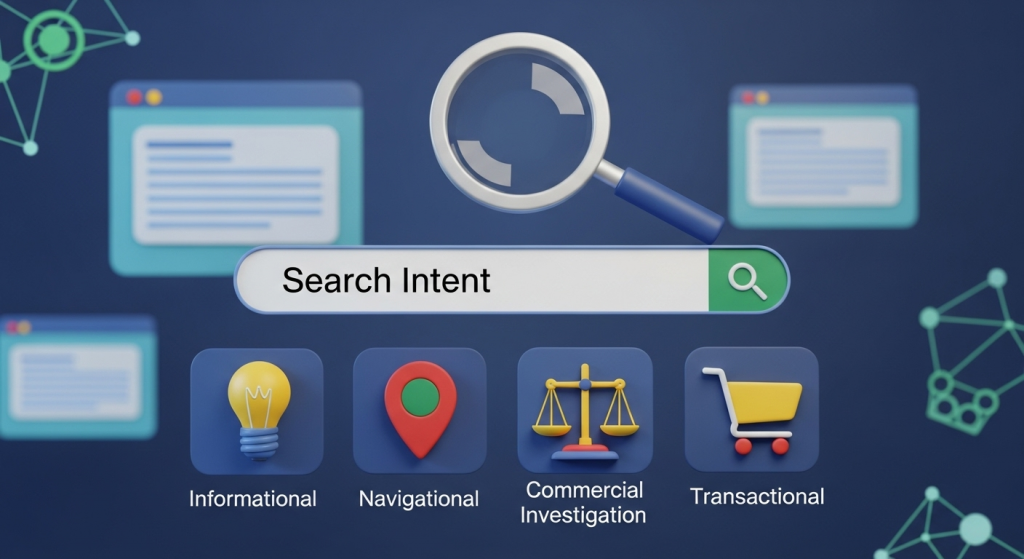 Understanding Search Intent: The Key to Better Rankings You’ve invested in a beautiful website. You’ve written blog posts and meticulously chosen your keywords. Yet, you’re still asking the one question that frustrates so many small business owners: “Why aren’t we on the first page of Google?” The answer often lies in a concept that’s more intuitive than it sounds: search intent. In today’s competitive digital landscape, simply targeting keywords isn’t enough. You have to understand the “why” behind the search. What is the user actually trying to accomplish? This underlying motivation is called search intent (or user intent), and it’s the single most important element in a modern, effective SEO strategy. Getting it right is the difference between being invisible online and connecting directly with customers who need exactly what you offer. This article will demystify search intent. We’ll break down what it is, why it’s critical for your business, and how you can harness it to create content that not only ranks higher but also drives meaningful results. What is Search Intent, and Why Does It Matter for Your Business? At its core, search intent is the primary goal a user has when they type a query into a search engine like Google. Are they looking for information, trying to find a specific website, or are they ready to make a purchase? Think of it as the difference between someone window shopping and someone walking into your store with their wallet out. Moving Beyond Just Keywords In the early days of SEO, success often came down to a numbers game—how many times could you fit a keyword onto a page? This led to low-quality, unhelpful content that was frustrating for users. Thankfully, search engines have become much more sophisticated. Google’s entire business model is built on providing the most relevant, helpful, and satisfying answer to a user’s query. As Google themselves explain, their goal is to understand the meaning behind the words to return results that truly meet the user’s needs. This means that to rank well, your content must align perfectly with the searcher’s objective. You have to provide the solution they are looking for, not just repeat the words they used to find it. How Google Prioritizes Search Intent When you create content that accurately matches a user’s search intent, you send powerful signals to Google. Visitors are more likely to stay on your page longer, engage with your content, and find what they were looking for. These are all indicators of a high-quality user experience, and Google rewards sites that provide it with better visibility. Ignoring search intent means you’re fighting a losing battle. You might be trying to rank a product page for a keyword where users are clearly seeking informational blog posts. No matter how well-optimized that product page is, it’s unlikely to rank because it doesn’t solve the user’s problem. Aligning with intent is no longer just a good idea; it’s a fundamental requirement of any successful SEO strategy. The Four Main Types of Search Intent To effectively create content, you first need to understand the primary categories of search intent. While there are nuances, most search queries fall into one of four main types. Recognizing them is the first step toward creating a winning content plan. Informational: The user wants to learn something. Navigational: The user wants to go to a specific website or location. Commercial Investigation: The user is considering a purchase and comparing options. Transactional: The user wants to buy something or perform a specific action. 1. Informational Intent (“I want to know”) This is the most common type of search intent. The user has a question and is looking for an answer, a definition, or instructions. Their goal is purely to acquire knowledge. These queries often start with words like “how to,” “what is,” “why,” or “best way to.” Examples: “how to repot a plant,” “what is a good business credit score,” “local marketing ideas for small business.” Content to Create: The best way to satisfy informational intent is with high-value, comprehensive content like blog posts, step-by-step guides, how-to videos, detailed articles, and infographics. This content positions you as a trusted expert in your field. 2. Navigational Intent (“I want to go”) Here, the user already knows where they want to go online and is using the search engine as a shortcut to get there. They are looking for a specific brand, company, or website. They aren’t looking for a type of product; they are looking for a specific provider. Examples: “Facebook,” “LinkedIn login,” “Your Company Name.” Content to Create: For navigational intent, the key is to ensure your homepage and major landing pages are optimized for your brand name. Ranking for your own brand should be easy, but a strong website structure and clear navigation are essential for a good user experience once they arrive. 3. Commercial Investigation (“I want to compare”) This intent sits in the middle ground between research and purchase. The user intends to buy a product or service in the near future but is still in the evaluation phase. They are comparing different options, looking for reviews, and trying to find the best solution for their needs. Examples: “best CRM for small business,” “Mailchimp vs. Constant Contact,” “iPhone 15 reviews,” “most reliable web hosting.” Content to Create: To capture this audience, you need content that helps them make a decision. Think detailed product or service comparisons, in-depth reviews, case studies, and “best of” listicles. This is your chance to showcase why your offering is superior to the competition. 4. Transactional Intent (“I want to buy”) This is the money-maker. The user has made a decision and is ready to take action. Their query is highly specific and often includes words like “buy,” “price,” “coupon,” “for sale,” or “near me.” They are looking for a page where they can complete their desired action immediately. Examples: “buy running shoes online,” “emergency plumber in Brooklyn,” “web design services quote.” Content to Create: Transactional intent must be
 The Game Has Changed: Your Small Business Guide to Google’s New AI Overviews If you’ve used Google in the last few days, you might have noticed something dramatically different. Right at the very top of the search results, where you used to see a list of blue links, there’s now often a complete, conversational answer to your question. This is Google’s new “AI Overview,” and it’s not just a test anymore—it’s the new reality of search for millions of users. For small business owners, this is a seismic shift. The playbook we’ve used for years to get seen on Google is being rewritten in real-time. The big question on everyone’s mind is: will this new AI-powered search help my business, or will it make my website invisible? The answer, as it turns out, is up to you. This change presents both a significant challenge and a massive opportunity. In this article, we’ll break down exactly what AI Overviews are, what they mean for your traffic, and most importantly, provide a clear, actionable plan to ensure your business thrives in this new era of search. What Exactly Are AI Overviews? Think of AI Overviews as Google’s super-smart research assistant. When you type in a question, especially a complex one, Google’s Artificial Intelligence now reads, analyzes, and synthesizes information from multiple top-ranking websites. It then crafts a unique, easy-to-read summary to answer your query directly on the results page. You’ll see these summaries appear in a shaded box at the very top, often with links to the sources it used to generate the answer. For example, if you search for “what are the most durable flooring options for a pet-friendly home,” you might get an AI Overview that lists options like luxury vinyl, tile, and laminate, complete with a brief rundown of the pros and cons for each. This is incredibly convenient for the user. But for the businesses whose blog posts were used to create that summary, it raises a critical concern: if the user gets their answer without leaving Google, will they ever click through to your website? The Impact: Fewer Clicks, Higher Stakes Let’s be direct: for simple, factual queries, AI Overviews will likely lead to a decrease in website clicks across the board. This phenomenon is often called the rise of “zero-click searches.” However, it’s not all bad news. The game isn’t about getting clicks for just any random query anymore. The new goal is twofold: To provide such unique and valuable information that your website is cited as a source within the AI Overview, giving you a powerful stamp of authority. To capture the traffic from users whose questions are too complex, personal, or purchase-oriented for a simple AI summary to satisfy. The stakes are higher, but the potential rewards—positioning your brand as a definitive authority in your field—are greater than ever. It’s a flight to quality, and businesses that adapt will win. How to Adapt Your Digital Strategy: 5 Actionable Steps Panic is not a strategy. Instead of worrying about lost traffic, let’s focus on proactive steps you can take right now to align your digital marketing with this AI-powered future. The core principle is simple: become the irreplaceable source of information that both AI and human users trust. 1. Go All-In on E-E-A-T E-E-A-T stands for Experience, Expertise, Authoritativeness, and Trustworthiness. This is Google’s internal framework for measuring content quality. In an AI world, it’s no longer just a guideline; it’s the price of entry. Google is programming its AI to prioritize information from sources that demonstrate deep, first-hand knowledge. Generic, surface-level content will be ignored. How to apply it: Experience: Don’t just write about your services; show them. A landscaping company should have detailed case studies with before-and-after photos of actual projects. A financial advisor should write about real-world client scenarios (anonymized, of course). Expertise: Create an “About Us” page that details the qualifications, certifications, and years of experience of your team members. Add author bios to your blog posts. Authoritativeness: Earn backlinks from respected industry sites, gather positive reviews on multiple platforms, and secure mentions in local press. Trustworthiness: Make your contact information easy to find. Have clear privacy policies and secure your site with HTTPS. Showcase customer testimonials and reviews prominently. As noted in comprehensive guides on the topic, these trust signals are critically important. 2. Target Conversational, Long-Tail Keywords People interact with AI like they’re talking to a person. They don’t just search for “plumber Dallas.” They ask, “how much does it cost to fix a leaky faucet in Dallas?” or “what are the signs my water heater is about to fail?” These longer, more specific questions are called long-tail keywords. Your content needs to directly answer these questions. Brainstorm every possible question a potential customer might have about your products, services, or industry. A great way to structure this is by creating in-depth FAQ pages or writing individual blog posts dedicated to answering a single, specific question thoroughly. This is a core tenet of a modern SEO & Content Strategy that focuses on user intent rather than just keywords. 3. Create Genuinely Helpful, In-Depth Content An AI Overview is great at summarizing basic facts. What it can’t replicate is true depth, unique perspective, and comprehensive guidance. Your content needs to be so valuable that a summary simply won’t do it justice. The goal is to make the user think, “This summary is a good start, but I need to click that link to get the *real* story.” According to Google’s own documentation on creating helpful content, your focus should be on creating satisfying, people-first experiences. This means going beyond what everyone else is saying. Content that wins in the AI era: Ultimate Guides: A comprehensive, multi-thousand-word resource on a core topic in your industry. Original Research & Data: Survey your customers and publish the results. Analyze industry trends and provide a unique takeaway. Expert Roundups: Interview other experts in your field and compile their insights into a single, high-value
 How to Build an SEO-Friendly Website from Day One Launching a new website for your small business is an exciting milestone. It’s your digital storefront, your 24/7 salesperson, and your primary connection to a world of potential customers. But a stunning design is only half the battle. If your customers can’t find you on Google, even the most beautiful website won’t deliver the results you need. This is where Search Engine Optimization (SEO) comes into play. Many business owners treat SEO as an add-on, something to worry about after the site is built. This is a costly mistake. Building a website with a strong SEO foundation from the very first day is the most effective and efficient way to ensure long-term visibility, attract qualified traffic, and achieve sustainable growth. By integrating SEO best practices into the planning and development process, you save yourself time, money, and the frustration of retrofitting your site later on. This comprehensive guide will walk you through the essential steps to build an SEO-friendly website from the ground up, setting your business on the path to search engine success. The Foundation: Strategic Planning Before You Build Before a single line of code is written or a design element is chosen, a successful website begins with a solid strategy. SEO isn’t just a technical checklist; it’s about understanding your audience and aligning your website’s structure and content to meet their needs. Rushing this phase is like building a house without a blueprint. Define Your Business Goals and Target Audience First, get crystal clear on what you want your website to achieve. Is your primary goal to generate leads through a contact form, sell products directly, or establish your brand as an industry authority? Your goals will dictate your website’s entire structure and content strategy. Next, define your ideal customer. Who are they? What problems do they need to solve? What words and phrases do they use when searching for solutions online? Creating detailed customer personas will help you tailor every aspect of your website, from its messaging to its functionality, to resonate with the right people. Conduct Foundational Keyword Research Keyword research is the process of discovering the search terms your target audience uses on search engines like Google. This is not about “stuffing” keywords into your pages; it’s about understanding user intent. Are they looking for information (e.g., “how to fix a leaky faucet”), navigating to a specific site (e.g., “home depot”), or ready to make a purchase (e.g., “emergency plumber near me”)? Tools like Google Keyword Planner, Ahrefs, and Semrush can help you identify relevant keywords, but the real goal is to map these keywords to the pages on your site. Each key page should target a primary keyword or a cluster of related terms, ensuring your content directly answers the questions your potential customers are asking. Plan Your Site Structure and URLs Your website’s structure, or information architecture, is its blueprint. A logical, intuitive structure helps both users and search engine crawlers easily navigate and understand your site. A typical hierarchy flows from a broad homepage to more specific categories and then to individual product or service pages. For example: YourHomepage.com YourHomepage.com/services/ YourHomepage.com/services/residential-painting YourHomepage.com/services/commercial-painting This organized structure should be reflected in your URLs. Keep your URLs short, descriptive, and easy to read. A clean URL like `yourdomain.com/contact-us` is far more effective for both users and SEO than a messy one like `yourdomain.com/index.php?page=c7_v=2`. Core Principles of SEO-Friendly Web Design Great design isn’t just about aesthetics; it’s about creating a seamless and effective user experience that search engines will reward. When developing your site, your design and development choices should be made through the lens of SEO and usability. This is a core part of our agency’s Website Design Services, where we blend creativity with data-driven strategy. Mobile-First Design is Non-Negotiable Today, the majority of web traffic comes from mobile devices. In response, Google primarily uses the mobile version of a website for indexing and ranking, a policy known as mobile-first indexing. This means your website must be fully responsive, providing an excellent experience on smartphones, tablets, and desktops alike. A site that is difficult to use on a mobile phone will struggle to rank well, no matter how good it looks on a large screen. Prioritize a Positive User Experience (UX) Google wants to send its users to websites that are helpful, trustworthy, and easy to use. A positive user experience is a powerful SEO signal. This includes: Intuitive Navigation: Users should be able to find what they’re looking for within a few clicks. A clear menu, logical page structure, and helpful internal links are essential. Fast Loading Speed: Patience is in short supply online. If your pages take too long to load, users will leave, and your rankings will suffer. Readability: Use clean fonts, ample white space, and short paragraphs to make your content easy to scan and digest. Clear Calls-to-Action (CTAs): Guide your visitors on what to do next, whether it’s “Buy Now,” “Learn More,” or “Contact Us.” Optimize for Page Speed Page speed is so critical to user experience that it’s a direct ranking factor. A slow website frustrates visitors and can significantly increase your bounce rate. You can test your site’s speed using tools like Google PageSpeed Insights. To ensure a fast website from day one, you should: Choose a reliable, high-performance web host. Compress all images before uploading them to your site. Use a clean, efficient theme or codebase. Minimize the use of heavy plugins or scripts that can slow down performance. On-Page SEO Essentials for Every Page On-page SEO refers to the practice of optimizing individual web pages to rank higher and earn more relevant traffic. Once your site structure and design are in place, every piece of content you create needs to be optimized before it goes live. Craft Compelling Title Tags and Meta Descriptions The title tag and meta description are the first things a user sees in the search results. They act as a mini-advertisement
 Google’s AI Overviews Are Here: What This Means for Your Small Business Website If you’ve used Google in the past week, you’ve likely seen it: a new, shaded box at the very top of the results, providing a detailed, AI-generated summary of your search. This is Google’s new “AI Overview,” and it represents one of the most significant shifts in search engine behavior in over a decade. For small business owners, this change can feel intimidating. Does this mean less traffic to your website? Is all your hard work on SEO now obsolete? Take a deep breath. The sky isn’t falling, but the landscape is definitely changing. This shift brings both challenges and incredible new opportunities for businesses that are ready to adapt. The core principles of good digital marketing strategy are more important than ever. In this article, we’ll break down exactly what Google AI Overviews are, how they will impact your online visibility, and provide a clear, actionable plan to ensure your business not only survives but thrives in this new AI-powered era. What Exactly Are Google AI Overviews? Think of AI Overviews as Google’s attempt to be the ultimate research assistant. Instead of just giving you a list of links (the classic “10 blue links”) and making you click through to piece together information, Google’s AI now does the heavy lifting. It synthesizes information from multiple high-quality web pages, forums, and its own vast knowledge base to provide a single, comprehensive answer directly on the search results page. For example, a search like “what are the best durable flooring options for a home with kids and pets?” might now generate an AI Overview that compares laminate, vinyl, and tile, listing the pros and cons of each, average costs, and key considerations. This summary is designed to give the user a complete answer without needing to visit five different websites. The sources for the information are often linked within the overview, but they appear as smaller carousels or citations rather than the primary result. The goal, from Google’s perspective, is to satisfy user intent faster and more effectively, especially for complex or multi-step questions. But this efficiency is precisely what has many business owners worried about their website traffic. The Big Question: Should You Be Worried About Your Website Traffic? Let’s address the elephant in the room: Yes, AI Overviews will likely reduce clicks for certain types of search queries. Specifically, simple, informational questions that can be answered with a quick fact or definition might not generate a click to your website anymore. If a user can get their answer instantly from the AI Overview, they have less incentive to click through. However, it’s not all doom and gloom. In fact, this is where the opportunity lies. Here’s why: High-Intent Queries Still Need You: A person searching for “how to fix a leaky pipe” might be satisfied with an AI Overview. But a person searching for “emergency plumber near me” or “best plumber for kitchen remodel in [Your City]” is looking to take action. These high-intent, commercially-focused searches are far more likely to lead to a click and a customer. AI can provide information, but it can’t fix their sink. The Opportunity for Prominent Placement: Being featured as a source within an AI Overview is the new “position zero.” It places your brand and website in a highly trusted, authoritative position at the very top of the page. Earning this spot can significantly boost your brand’s credibility and drive highly qualified traffic from users seeking more in-depth information. The Value of Each Visitor Increases: With potentially fewer clicks for low-intent informational queries, the visitors who *do* arrive on your site are more likely to be further along in their buying journey. This means every visit is more valuable. Your focus must shift from just attracting eyeballs to converting the highly-qualified traffic you receive, which makes conversion-focused web design more critical than ever. The game isn’t over; the rules are just evolving. Success now depends on adapting your digital marketing strategy to align with what Google’s AI is looking for. How to Adapt Your SEO Strategy for an AI-Powered World So, how do you get your business featured in these coveted AI Overviews and protect your online visibility? It comes down to doubling down on the fundamentals of great SEO and content, with a few strategic adjustments. Double Down on High-Quality, People-First Content (E-E-A-T) Google’s AI is trained to prioritize information that is helpful, reliable, and trustworthy. The best way to signal this is by creating content that demonstrates E-E-A-T: Experience, Expertise, Authoritativeness, and Trustworthiness. This has been a cornerstone of SEO for years, but with AI in the mix, it’s non-negotiable. As Google’s own guidelines on helpful content state, you should focus on creating content for people, not just for search engines. How to apply E-E-A-T: Show, Don’t Just Tell: Instead of a generic blog post, write detailed case studies. Show before-and-after pictures of your work. Create video testimonials with happy clients. This demonstrates real-world experience. Establish Expertise: Write from a clear point of view. Create an author bio for your blog posts showcasing the writer’s credentials and experience. Answer specific, niche questions that only a true expert in your field would know. Build Authority: Earn links and mentions from other reputable websites in your industry. Get featured in local news or partner with other local businesses. Prove Trustworthiness: Make your contact information easy to find. Display customer reviews and testimonials prominently. Have a clear and detailed “About Us” page that tells your story. Focus on Conversational, Long-Tail Keywords AI Overviews are triggered most often by complex, multi-part questions—the kind of things people would speak into their phone. Your keyword strategy needs to evolve accordingly. Move beyond short, two-word phrases and embrace longer, more conversational questions that your customers are actually asking. Instead of optimizing for “HVAC repair,” optimize for content that answers questions like: “Why is my air conditioner making a rattling noise?” “How much does
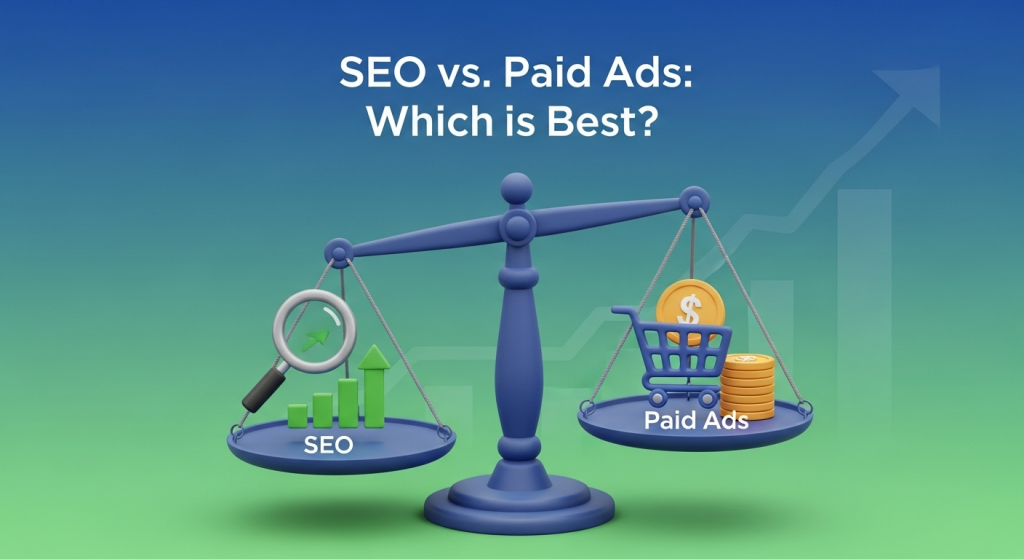 SEO vs. Paid Ads: Which Is the Right Choice for Your Small Business? As a small business owner, you know that being visible to potential customers online is non-negotiable. But with a limited budget and countless marketing channels, where do you focus your efforts? Two of the most powerful methods for driving traffic are Search Engine Optimization (SEO) and paid advertising (like Google Ads), often called Pay-Per-Click (PPC). The debate of SEO vs. Paid Ads is a common one, but the answer isn’t always a simple “one is better.” The right choice depends entirely on your business goals, your budget, and your timeline. In this guide, we’ll break down both strategies to help you make an informed decision that fuels your growth. Understanding the Basics: What Are SEO and Paid Ads? Before we can compare them, let’s define what we’re talking about. When a user searches for something on Google, the results page is split into two main categories: organic results and paid ads. What is Search Engine Optimization (SEO)? SEO is the process of optimizing your website to rank higher in the organic (non-paid) search engine results. Think of it as earning your spot. Through strategic efforts like keyword research, creating high-quality content, improving your site’s technical health, and building authoritative backlinks, you signal to search engines like Google that your website is a relevant and trustworthy answer to a user’s query. The goal is to build a sustainable source of free, high-quality traffic over time. What are Paid Ads (PPC)? Paid ads, also known as Pay-Per-Click (PPC) or Search Engine Marketing (SEM), involve paying to have your website appear at the very top or bottom of the search results page. Platforms like Google Ads operate on an auction system where you bid on specific keywords. You only pay when someone clicks on your ad. This method allows you to essentially buy your way to the top, providing immediate visibility to a highly targeted audience. The Case for SEO: Building a Long-Term Asset Investing in SEO is like building a house. It takes time, a solid blueprint, and quality materials, but the end result is a valuable asset that stands the test of time and provides lasting value. The Pros of SEO for Small Businesses Credibility and Trust: Modern consumers are savvy. Many tend to trust organic results more than paid advertisements. Achieving a top organic ranking acts as a powerful third-party endorsement from Google, signaling that you are an authority in your field. In fact, studies consistently show that organic results receive the majority of clicks. Sustainable, Long-Term Results: While it takes time to gain momentum, a strong SEO ranking is durable. Unlike an ad that disappears the moment you stop paying, a well-ranked page can continue to generate traffic and leads for months or even years, creating a compounding effect on your investment. High ROI Over Time: The initial investment in SEO can feel significant, but the long-term return on investment is often unmatched. Once you rank, every click you receive is essentially free. This cumulative value makes SEO one of the most cost-effective digital marketing strategies available. Improved User Experience: Google’s main goal is to provide the best possible experience for its users. Therefore, many SEO best practices—like fast load times, mobile-friendliness, and intuitive navigation—are directly tied to creating a better website for your visitors. A positive user experience not only helps your rankings but also increases conversions, a core principle of our Website Design Services. The Cons of SEO Results Are Not Immediate: The biggest drawback of SEO is the time it takes to see results. It can often take anywhere from 4 to 12 months to see a significant impact, which can be a challenge for businesses that need leads right now. Requires Expertise and Resources: SEO is a complex, ever-evolving discipline. Google updates its algorithm hundreds of times a year. Staying on top of these changes and implementing a successful campaign requires deep technical knowledge and a significant time commitment, which is why many businesses partner with an agency for a professional SEO Strategy. No Guarantees: You are competing against every other business in your niche for a limited number of spots on the first page. While a sound strategy greatly increases your chances of success, there are no absolute guarantees of a number-one ranking. The Power of Paid Ads: Immediate Visibility and Control If SEO is like building a house, paid advertising is like renting a billboard on the busiest highway in town. You get immediate exposure to a massive audience, and you can turn it on or off whenever you want. The Pros of Paid Ads for Small Businesses Speed and Immediacy: The single greatest advantage of PPC is speed. You can launch a campaign and start seeing traffic and leads within hours, not months. This is invaluable for new businesses, product launches, or time-sensitive promotions. Precise Targeting: Paid ad platforms offer incredibly granular targeting options. You can target potential customers based on their location, age, gender, interests, past online behavior, and the specific keywords they are searching for, ensuring your message reaches only the most relevant audience. Control and Scalability: With PPC, you are in the driver’s seat. You have complete control over your budget, the ad copy, and the landing pages you send traffic to. You can easily scale your campaigns up or down based on performance, making it a flexible and adaptable strategy. Measurable Results: PPC platforms provide a wealth of data. You can track nearly every aspect of your campaign, from impressions and clicks to conversion rates and cost-per-acquisition. This makes it easy to measure your ROI and make data-driven decisions to optimize your campaigns for better results. The Cons of Paid Ads Ongoing Cost: The most obvious downside is the cost. You have to pay for every single click, and in competitive industries, these costs can add up quickly. According to data from industry benchmarks, the average cost-per-click can range from a couple of dollars
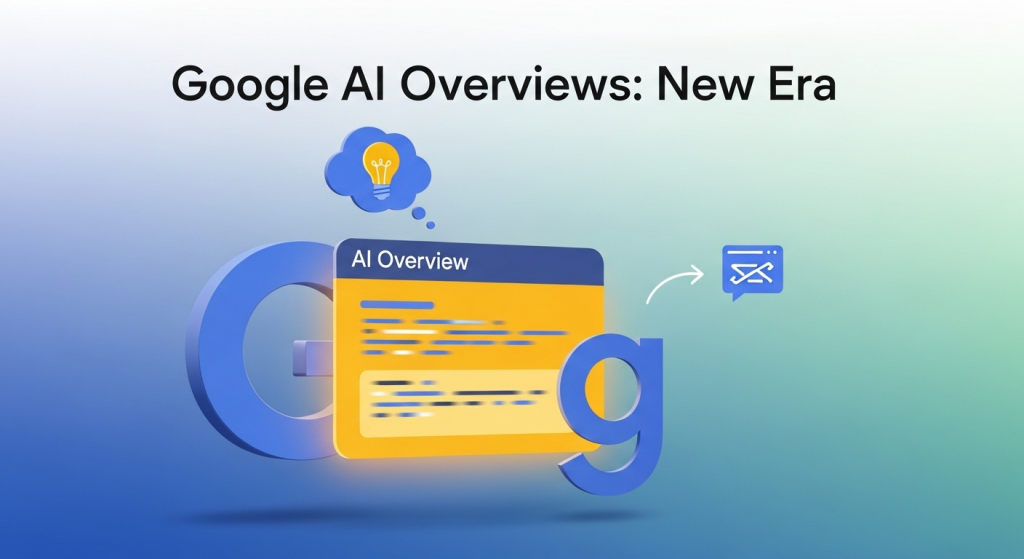 The Game Has Changed: A Small Business Guide to Google’s AI Overviews The way your customers find you online just went through its biggest change in over a decade. You may not have even noticed it yet, but it’s happening right now, on every search results page. Google has officially started rolling out its “AI Overviews,” a new feature that provides AI-generated answers directly at the top of the page. For a small business owner, this is a seismic shift that can’t be ignored. For years, the goal was simple: get your website into the top ten blue links. But what happens when an AI summary answers the user’s question before they even have a chance to see those links? This isn’t a future-gazing prediction; it’s the new reality of online visibility. This change presents both a significant challenge and a massive opportunity. The businesses that understand this shift and adapt quickly will gain a powerful competitive edge, while those who don’t risk becoming invisible. In this guide, we’ll break down exactly what Google’s AI Overviews are, how they will impact your business, and the concrete steps you need to take to thrive in this new era of search. What Exactly Are Google’s AI Overviews? Think of AI Overviews as a super-smart research assistant built directly into Google. When a user types in a question, instead of just providing a list of websites, Google’s AI now reads, understands, and synthesizes information from multiple top-ranking pages. It then presents a concise, conversational summary at the very top of the results. This AI-generated answer aims to directly satisfy the user’s query without them needing to click on a single website. According to Google’s own announcement, this feature is designed to help people with more complex questions, allowing them to get the gist of a topic quickly and see links to explore further. For a user, it’s convenient. For a business, it fundamentally changes the user journey. The goal is no longer just to rank; it’s to be the trusted source that the AI uses to build its answer. How This Changes the Game for Your Website Traffic The most immediate concern for any business owner is the potential impact on website traffic. If a user gets their answer from the AI Overview, their motivation to scroll down and click on your website is significantly reduced. This phenomenon is often called a “zero-click search,” and it’s something marketers have been watching for years. With AI Overviews, we’re likely to see it happen much more frequently. However, it’s not all doom and gloom. Within these AI-generated answers, Google includes citations and links back to the original sources of information. Getting your website featured in one of these coveted spots is like a supercharged “Position Zero.” It places your brand, and a link to your content, in the most prominent position on the page, establishing you as an authority on the topic. The traffic from these links is likely to be highly qualified, as the user is clicking specifically to learn more from a source Google’s AI has already vetted. How AI Overviews Will Specifically Impact Your Small Business This isn’t just an issue for massive content publishers. This new AI search model will have a direct and tangible effect on how local customers find and interact with small businesses. Understanding these specific impacts is the first step toward building a winning strategy. Local and “Near Me” Searches are Evolving For local businesses, a significant portion of online visibility comes from customers searching for products or services “near me.” AI Overviews will make these searches more conversational and results more curated. A user might ask, “What’s the best place for a business lunch with vegetarian options in downtown?” The AI will synthesize information from websites, reviews, and Google Business Profiles to offer a direct recommendation. If your online presence isn’t optimized to answer these kinds of specific, nuanced questions, you’ll be left out of the conversation. The Bar for Content Quality is Higher Than Ever In the past, you might have been able to rank with decent content that followed basic SEO rules. Those days are over. Google’s AI is designed to identify and promote content that demonstrates true expertise, authority, and trustworthiness. Generic, “me-too” blog posts won’t cut it. The AI is looking for unique insights, firsthand experience, and genuinely helpful information. To be featured, your content must be the definitive source, not just another echo in the chamber. Our approach to SEO & Content Strategy has always focused on this principle, and it’s now more critical than ever. Your Online Reputation is Your AI Calling Card The AI doesn’t just look at your website. It considers your business’s entire digital footprint, including reviews on Google, Yelp, and other platforms. Positive reviews, a well-maintained Google Business Profile, and consistent information across the web all signal to the AI that you are a trustworthy and reputable business. A pattern of negative feedback or inconsistent data could easily cause the AI to favor a competitor when generating its recommendations. 5 Actionable Steps to Adapt Your Strategy for the AI Era Knowing what’s changing is one thing; knowing what to do about it is another. Here are five practical, actionable steps you can take right now to position your business for success in the age of AI search. 1. Double Down on People-First, Expert-Led Content: Stop thinking about just keywords and start thinking about demonstrating real expertise. This aligns with Google’s emphasis on E-E-A-T (Experience, Expertise, Authoritativeness, and Trustworthiness). Create content that only you can write. This includes detailed case studies, how-to guides based on your unique process, customer success stories, and opinion pieces that showcase your industry knowledge. As explained by the experts at leading SEO resource Moz, this framework is crucial for building the trust that both users and search algorithms value. 2. Answer Specific Questions, Not Just Vague Queries: The future of search is conversational. Your customers are asking Google full-sentence questions, and